






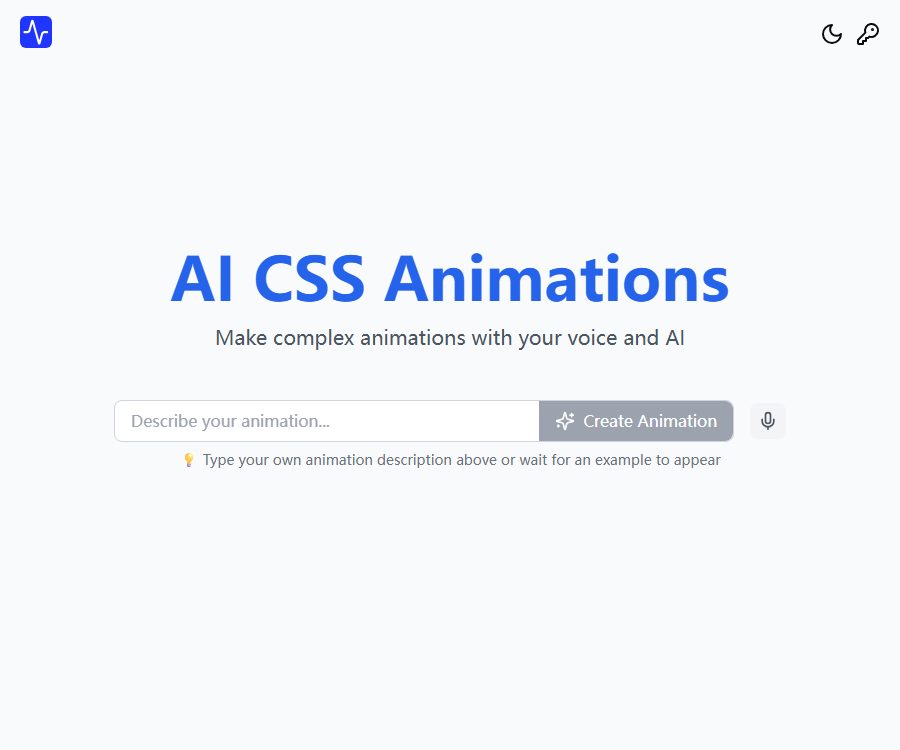
AI CSS Animations
AI CSS Animations: make it easier and more efficient to use AI-driven instructions.
Tags:AI prompt instructionsWhat are AI CSS animations?
AI CSS Animations is an online tool for creating animations, designed for front-end developers and web designers. After the user describes the desired animation effect, the system generates the corresponding CSS keyframes and animation code.
It combines prompt generation, real-time preview, and parameter tuning in a single interface, making it suitable for quickly creating effects such as entering/leaving, rotating, scaling, bouncing, and fading in/out. The generated code still needs to be tested in a real project.
Main functions
1. Generating animations from textual descriptions
Users can describe in natural language how elements should move, rotate, scale, or have their transparency changed, and the system will automatically organize the keyframes. There is no need to start from scratch and enter each percentage value manually.
2. Voice input
The home page allows for voice input to describe animation requirements, making it convenient for quickly jotting down ideas. Voice recognition may mishear directions, numbers, and technical terms; therefore, the transcribed text should be checked before submission.
3. Real-time preview
Once the code has been generated, it is possible to immediately see the movement of the elements, which makes it easier to identify issues related to speed, displacement, or rhythm. The preview shows only the results in the current environment, and it cannot replace testing on multiple browsers and devices.
4. Animation Editor
Users can adjust parameters such as duration, position, and effects to gradually get closer to the desired animation. For complex interactions, it may still be necessary to manually modify keyframes, delays, loops, and easing functions.
5. Directory of native CSS animations
The website offers downloadable examples of native CSS animations, including effects such as sliding in with scaling, rotating in, fading in while descending, and bouncing out. The catalog is useful for finding inspiration or can be used directly as a starting point for writing code.
6. Tailwind animation directory
The Tailwind directory contains animation examples suitable for practical workflows. Before integrating it, it is necessary to determine the version of Tailwind being used in the project as well as its custom configuration settings.
7. Prompt words and example demonstrations
Each example presented will include a description of the original animation, thereby helping users learn how to convey direction, scale, and rhythm. After copying an example, it should be modified according to the page layout and the intended purpose of the interaction.
Which users are it suitable for
- Front-end developers who need to create quick animations for page entry, exit, and state changes.
- Designers who are not familiar with CSS keyframe syntax but need to test out animation ideas.
- A beginner who is learning about the transform, opacity, and animation properties.
- Teams that need to create micro-interactions for buttons, cards, modal dialogs, and notification messages.
- Developers who use Tailwind and are looking for animation examples.
Price and usage method
As of August 24, 2026, the official website does not disclose any subscription plans, options for earning points, or fixed pricing; the basic generator and animation catalog are available for direct access. The terms of service state that the website may rely on third-party advertising services such as Google AdSense to fund its operations.
- Basic web tool: The price is not displayed on public pages.
- Animation catalog: Allows you to view examples using native CSS and Tailwind.
- Account: The website provides a login option, but the public page does not outline the benefits associated with paid accounts.
- Advertising: The terms permit the display of third-party advertisements.
- Subsequent charges: If a billing or subscription page appears, the price shown at that time shall apply.
Since the official website does not list multiple packages that can be verified, no price list is provided for this entry. The amounts mentioned in third-party directories or past reviews also do not constitute the current official prices.
Tutorial on creating CSS animations
- Identify the elements that need to be animated and the timing for triggering them.
- Describe direction, displacement, rotation, scaling, and transparency changes in one sentence.
- Add the duration, number of cycles, and whether a delay is required.
- Submit the prompt and wait for the code to be generated.
- Check the start status, end status, and motion rhythm in the real-time preview.
- Adjust the duration, position, and effect parameters.
- Copy the CSS keyframes and animation declarations to the test page.
- Apply the animation class to the target element and set the correct triggering logic.
- Test on different browsers, screen sizes, and devices with lower performance.
- Release it after adding the accessibility feature to reduce animation preferences.
Prompt writing format
Recommended structure
Prompt phrases can be structured as “element + initial state + movement process + final state + duration + rhythm”. For example, it can first specify entry from the left side, followed by details on scaling, fading in, and elastic easing.
Key points of description
- Specify the direction of entry or exit, and avoid simply writing “move a little”.
- List the key parameters such as the rotation angle, displacement distance, or scaling factor.
- Indicate whether the animation should be executed once, in a loop, or back and forth alternately.
- Distinguish between page loading animations, hover effects, and animations triggered by clicks.
- When there are multiple complex stages, describe each key state step by step.
Example process for integrating code
- First, verify the generated keyframes in the standalone demonstration element.
- Check whether the animation name conflicts with the project’s existing styles.
- Place the keyframes within the appropriate style file or component scope.
- Split duration, easing, delay, and fill mode as needed.
- Use class names or component states to control the triggering of animations.
- Avoid launching high-cost animations simultaneously on a large number of elements in a list.
- It provides a static state for scenes that do not support animations or where the user has disabled animations.
Product advantages
- Natural language can be used to generate CSS keyframes, reducing the costs associated with testing.
- It supports voice input, making it suitable for quickly expressing ideas related to animations.
- After it is generated, you can preview it in real time and make further adjustments.
- It provides two types of animation directories: native CSS and Tailwind.
- Suitable for teaching, prototype testing, and common micro-interactions.
- The output is HTML code with native styling, making it easy to integrate.
Usage restrictions and precautions
- The terms of service state that the generated code is provided as is, without any guarantees regarding its accuracy or suitability for specific purposes.
- AI may generate invalid attributes, conflicting selectors, or unnecessary duplicate keyframes.
- Complex animations still require an understanding of CSS stacking, layout, and browser rendering.
- The official website does not disclose information regarding the models used, the generation quota, service availability, or any guarantees regarding response times.
- Ads and third-party scripts can affect page loading and privacy.
- Too many animations can cause page lag, increased power consumption, and discomfort for users.
- The generated results cannot automatically meet brand guidelines and accessibility requirements.
Performance optimization suggestions
- Give priority to animating transform and opacity to reduce layout reflows.
- Avoid making continuous changes to layout properties such as width, height, top, and left.
- Reduce unnecessary infinite loops and limit the number of animated elements at the same time.
- On the actual page, use performance tools to check for frame drops and main thread usage.
- Reduce blur, shadows, and large-scale filter animations on mobile devices.
- Set a stable final state for the elements after the animation ends.
Accessible design
Obvious displacement, flickering, rotation, and continuous scaling can be disturbing for some users. The application should take into account the system’s preference for reduced animations and offer simplified or alternative styles that eliminate such effects.
- Avoid multiple flashes per second or sharp changes in brightness.
- Do not let animations be the only way to obtain key information.
- For focus, error, and success states, additional indicators besides text or color should also be provided.
- Automatically played animations should be brief and not interfere with reading or navigation.
Privacy and advertising
The privacy policy states that the platform may collect names, email addresses, information on the use of its functions, IP addresses, device types, operating systems, as well as time and log data. Third-party services and advertising providers may also use cookies and tracking technologies.
Ordinary animation prompts generally carry a low risk, but it is still not advisable to include customer names, unreleased projects, access keys, or code that is subject to confidentiality restrictions. The use of ad blockers or Cookie settings may affect the functionality of certain websites.
The rights and responsibilities for generating code
The terms emphasize that the website itself and its original content are protected by intellectual property rights; meanwhile, no warranty is provided regarding the CSS code generated. It is the user’s responsibility to examine, test, and ensure that such code does not damage the pages or violate the rights of third parties.
CSS snippets are usually short, but when copying a complete design from public sources, it is still necessary to pay attention to the origin, license, and brand similarity. Code review records should be kept in the production environment.
API and open-source status
The official website does not provide public developer API documentation, endpoint addresses, SDKs, or information regarding pricing for these interfaces. At present, the product is primarily used through a web generator and a public animation catalog.
No official open-source repository or source code license for the main AI CSS Animations product was found. Users can incorporate the generated CSS into their projects, but this does not mean that the platform used to generate it is itself open source.
Frequently Asked Questions
Are AI CSS animations free?
The public page is available for use right now; the subscription price is not shown. The website may be funded through advertisements.
Is Tailwind supported?
It supports browsing the Tailwind animation directory; at the same time, it also provides a directory for native CSS animations.
Can the generated code be deployed directly?
It is not recommended to go live without conducting checks first. It is necessary to verify the grammar, compatibility, performance, and accessibility first.
Can animations be described verbally?
Sure, the home page will feature voice and AI-generated content as one of the main methods of use.
Whether API is provided
Currently, there are no public prices available for developer APIs, SDKs, or interfaces.
Are AI CSS Animations open source?
No. No official open-source code or license for the main product was found.
Summary
AI CSS Animations enables the rapid conversion of animation descriptions into previewable CSS keyframes, and it allows users to learn about common animations through example collections. It helps to shorten the time required for creating prototypes, but front-end developers are still needed to carry out reviews regarding the code, performance, compatibility, and accessibility before the implementation in actual applications.
Tools similar to AI CSS Animations




 Guigong Network Security Registration No. 45132202000164