






PromptFolder
A prompt management tool designed specifically for AI language models
Tags:AI prompt instructionsWhat is PromptFolder?
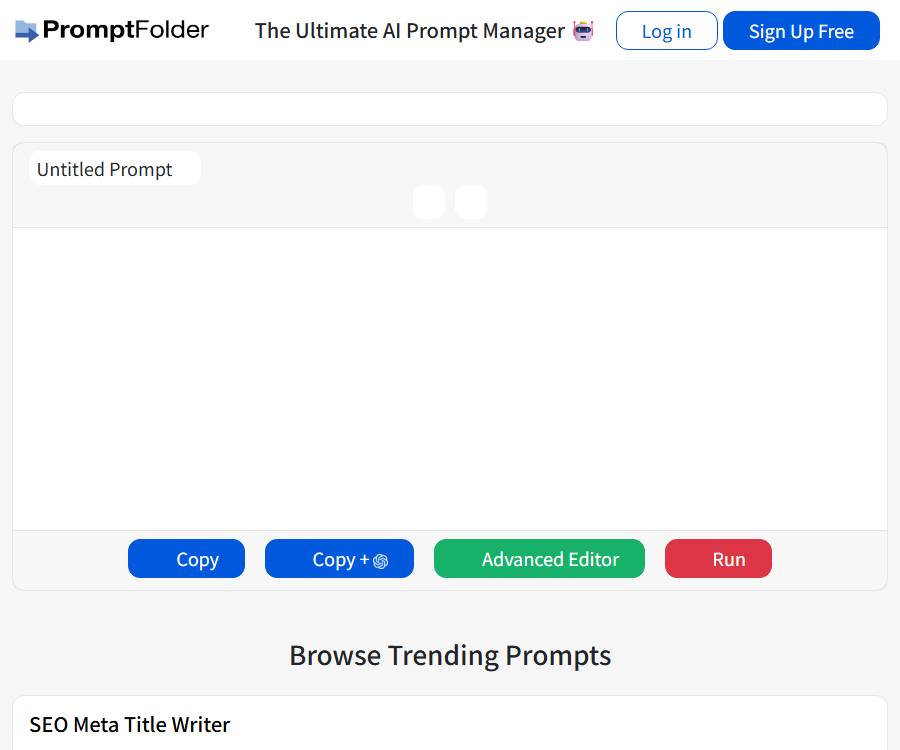
PromptFolder is a cloud-based AI prompt manager designed for creating, saving, organizing, discovering, and sharing prompts. Although the old name of its database included “translation site,” the current version of this product is not an automatic translation tool.
It offers both web applications and Chrome extensions, targeting users of prompt-driven tools such as ChatGPT, Claude, and Midjourney. The product’s contact page states that the founder is Cole South, but the official legal documents do not specify the legal entity of the company.
Main functions
- Create and save frequently used prompts in the cloud.
- Use folders to organize different projects, clients, and tasks.
- Set the public or private status of the prompt.
- Share tips through public pages and discover popular tips.
- Add annotations to the prompt that will not be passed on to ChatGPT.
- Set variables that can be filled in again before each call.
- Use slashes in Chrome for quick searching and inserting suggestions.
- Edit the prompt name and move it to another folder.
- Use the Midjourney Prompt Generator to combine parameters and styles.
- Pro users can optimize prompts using AI and perform batch import/export.
Prompt Manager
The web version allows users to store prompts in one place, preventing them from being scattered across tables, documents, and chat histories. Each prompt can be named, edited, copied, moved, or deleted, and it can also be placed in different folders.
Storing data in the cloud facilitates logging in from different devices, but it also means that the relevant prompts are no longer available in the local browser. Customer details, keys, internal policies, and personal information should not be saved in formats that allow for synchronization of such prompts.
Folders and classification methods
- Create mutually isolated folders for each customer.
- Categorized by tasks such as writing, research, images, and code.
- Indicate the target platform and output format in the name.
- Add different prefixes to the prompts that are being tested and those that have been approved.
- Regularly delete duplicate, expired, and invalid templates.
- Keep a copy of the old version before modifying the key prompts.
Comments and variables
Annotations are used to document usage methods, input requirements, and quality check items; they are not transmitted to ChatGPT along with the prompts. They are suitable for storing team instructions or reminding users not to overlook certain steps.
Variables are used to allow for temporary entry of information such as names, topics, languages, or products. The value of a variable is cleared when loading is initiated, enabling users to reuse it without having to modify the main template.
Examples of variable usage
| Variables | Enter content | Function | Safety recommendations |
|---|---|---|---|
| subject | Email subject | Generate email subject lines for different topics | Do not enter client confidential information. |
| audience | Target audience | Adjust the difficulty and tone. | Use group descriptions rather than individual data. |
| tone | Professional, relaxed, etc. | Control the expression style | In conjunction with the prohibited word check. |
| language | Target language | Require the downstream model to output in a specified language. | PromptFolder is not responsible for the quality of translation. |
Chrome extensions
After logging in to the same PromptFolder account with a Chrome extension, it is possible to use slashes in the ChatGPT input field to access the saved prompts. Keywords can be entered to filter them, and they can be inserted by using Tab, Enter, or a click.
- Check the PromptFolder extension in the Chrome Store.
- Confirm the extension identifier, developer, and requested permissions.
- Install and fix it to the browser toolbar.
- Log in to the PromptFolder account.
- Open ChatGPT’s input window.
- Enter a slash and then continue to enter the prompt name.
- Select the target prompt and insert it.
- Fill in the variables and remove any unnecessary content.
- Check for sensitive information before submitting.
Expand current information
| Project | Currently verifiable information | Pay attention |
|---|---|---|
| Version | 1.0.7 | Check the store’s current version before use. |
| Last updated | September 26, 2024 | The website is still operational, but updates are released at long intervals. |
| Size | 248 KiB | It only represents the size of the installation package. |
| Language | English | The Chinese interface has not been confirmed. |
| Purchase | In-app purchases are available. | The paid benefits are provided by the PromptFolder account. |
Supported AI tools
| Tools | Usage method | Pay attention now. |
|---|---|---|
| ChatGPT | Use slashes for expansion hints. | It belongs to the core expansion scenarios. |
| Claude | The store page lists support. | After the interface is updated, its compatibility should be tested in practice. |
| Google Bard | The store page is listed using the old name. | Current brand and page compatibility requires practical testing. |
| Bing AI | The store page lists support. | Changes to the product’s name or interface may affect its scalability. |
| Midjourney | Generate a prompt on the web page and copy it to execute. | PromptFolder does not generate images directly. |
Midjourney Prompt Generator
The Midjourney Prompt Generator uses a form to help users combine image concepts, aspect ratios, chaos levels, style presets, and weights. Once the prompt has been created, it can be copied and used in Midjourney.
- Enter the main concept for the image you want to create.
- Select the frame ratio and degree of variation.
- Add one or more style presets.
- Set weights for important elements.
- Check the final prompt structure.
- Copy the prompt to the clipboard.
- It is run in Midjourney, with the corresponding costs applied.
- Save the valid version back to PromptFolder.
This tool only generates prompts; it does not include a Midjourney subscription or any quota for image creation. The supported parameters may change depending on the version of Midjourney, so it is necessary to check whether they are still valid before using the tool.
Public sharing and popular tips
Users can browse public and popular tips, as well as share their own tip pages. Before making them public, it is necessary to remove customer names, internal materials, account information, and any proprietary methods that should not be copied.
Public prompts can be seen and reused by others; using difficult-to-guess links as a means of maintaining privacy is not effective. Templates that require confidentiality should be set to private mode with restricted account access.
Free tools
- The Midjourney Prompt Generator is used to combine image parameters.
- ChatGPT Detector is used to analyze the AI characteristics of text.
- The AI YouTube Summarizer is used to organize video content.
These free tools differ from the input, output, and limitations of the core prompt manager. The results provided by the detectors cannot be used as the sole evidence for academic, employment, or disciplinary actions.
Free version and Pro
| Package or version | Price | Billing cycle | Core benefits or quota | Suitable for users |
|---|---|---|---|---|
| Free | Free | No payment is required. | The website provides options for managing pages, folders, sharing, and Chrome extensions; the detailed limits regarding privacy are not disclosed. | Personal trial and regular prompts are reused |
| PromptFolder Pro | 8 dollars | Monthly | Unlimited private prompts, AI optimization, advanced privacy features, image uploading, batch import and export | Frequent use and a large number of private prompts for users |
The current comparison page lists only the single Pro plan; there are no available discounts for annual payments, no free trials, and no team pricing options. Before making a payment, it is necessary to refer to the currency, taxes, and renewal details shown on the account settlement page.
Pro features
- Save an unlimited number of private notes.
- Use AI prompt optimization to improve the prompts.
- Access advanced privacy settings.
- Upload Midjourney images.
- There are existing prompts for batch import.
- Batch export prompts for backup.
\"Advanced Privacy\" does not equate to end-to-end encryption or zero-knowledge storage. Business users should first verify the mechanisms for administrator access, backup, deletion, and export.
Cancellation and refund
The current public terms of service do not specify the procedures for canceling a subscription, the cycle for automatic renewal, or the timeframe within which refunds can be issued. In cases of repeated charges, accidental purchases, or service issues, it is necessary to contact support as soon as possible and keep the payment receipts.
It cannot be assumed that a refund is possible at any time based on the price of $8 per month; the actual rights depend on the settlement page, the payment method, and the applicable laws.
Privacy and cloud storage
The extension’s developer states that it does not collect or use user data, nor does it sell such data, transfer it for purposes other than those for which it is intended, or use it for credit assessment. Meanwhile, the PromptFolder service collects account and usage data, storing prompts in the cloud.
The information disclosed by the store should be interpreted as an indication of an expansion; it does not mean that additional data uses have been declared separately, nor does it imply that the entire service operates entirely locally. After logging in to the extension, a message appears indicating that synchronization is still required from the PromptFolder account.
Collected data
| Data category | Example | Uses |
|---|---|---|
| Account data | Name, email address, and other registration details | Create and maintain accounts |
| Using data | IP, browser, and page visited | Analyzing, troubleshooting, and improving services |
| Cookie | Session and activity information | Maintain login status and track service activities |
| Hint content | Templates, variables, and comments saved by the user | Save, sync, and share in the cloud |
Data retention and cross-border transfer
Personal data is retained for the period necessary for the purposes specified in the privacy policy, and the data used can be utilized for internal analysis. The page does not indicate a fixed deadline for deletion, nor does it provide information on the country where the servers are located or a list of the specific sub-processors involved.
Information may be transmitted outside the user’s country or region, where different data protection rules may apply. Users can contact the platform to request access to, update, or delete their personal information.
Content review and responsibility
Users are responsible for the content they upload, publish, and share. PromptFolder has the right, but not the obligation, to monitor and review such content; it may also delete content that violates the terms or could be harmful.
- Do not save any content that is illegal, infringes on rights, or contains malicious messages.
- Do not disclose other people’s personal information in public messages.
- Do not write passwords and API keys as default values for variables.
- Do not upload customer methods and materials that you do not have permission to share.
- Remove internal notes from the annotations before making it public.
Copyright and Commercial Use Notes
The service interface, functions, and content of PromptFolder are protected by intellectual property rights. The terms do not specify the transfer of ownership of the user-provided prompts, nor do they provide any guarantees regarding the copyright or non-infringement of the AI-generated outputs.
After sending a prompt to ChatGPT, Claude, or Midjourney, it is also necessary to comply with the usage and commercial terms of those platforms. When using third-party brands, texts, or proprietary methods in public prompts, it is essential to ensure that proper authorization exists.
API, SDK, GitHub, and open-source status
| Project | Current status | Explanation |
|---|---|---|
| Public API | Not confirmed yet | There are no interface documents available for developers. |
| Official SDK | Not confirmed yet | The language toolkit has not been confirmed. |
| Official GitHub | Not confirmed yet | The product code repository has not been confirmed. |
| Open-source web products | Open source not confirmed | The ability to register for use does not mean that the source code is made public. |
| Chrome extension source code | Open source not confirmed | A store posting something does not mean that an open-source license is provided. |
Suitable for users
- Creators who frequently reuse the prompts from ChatGPT.
- Freelancers who need to organize templates by client or project.
- Marketers who wish to reuse the same workflow through variables.
- Image creators who use Midjourney and need a parameter assistant.
- Users who want to quickly access prompts from the Chrome input field.
- Pro users who need bulk import/export and private messaging.
Advantages
- Websites and extensions share the same cloud-based prompt library.
- Slash search allows for quick insertion of common prompts.
- Variables and comments that are not sent are suitable for templating tasks.
- Supports folders, public sharing, and popular discoveries.
- The Midjourney assistant reduces the burden associated with memory parameters.
- The Pro plan has a simple structure and includes batch import and export functions.
Restrictions
- The current product is not a translation tool.
- Hints are stored in the cloud and are not entirely managed locally.
- The specific limit for the free version’s private prompts has not been officially disclosed yet.
- The last known update time for the extension is 2024.
- The stores still use old brand names such as Google Bard.
- There are no publicly available fixed deadlines for data deletion or information on the countries where it is stored.
- Refunds, annual billing options, and team plans are not yet available.
- No confirmed API, SDK, official GitHub, or open-source version available.
Summary
PromptFolder is ideal for moving frequently used prompts from tables and chat records into a structured cloud database, allowing them to be quickly accessed via Chrome extensions. Variables, comments, and folders are very useful for managing personal templates.
When it comes to messages addressed to customers or businesses, it is necessary first to check whether the cloud storage and public settings meet the requirements regarding confidentiality. Before making a payment, one should also review on the settlement page the restrictions related to free use, as well as the rules for renewal and refunds.
Frequently Asked Questions
Is PromptFolder a translation tool?
No, the current product is a prompt manager; language translation must be carried out by downstream AI tools.
Can PromptFolder be used for free?
Registration is free, and basic management functions as well as Chrome extensions can be used; however, specific restrictions such as those related to private alerts have not yet been made publicly available in a stable form.
How much does PromptFolder Pro cost?
The current public price is $8 per month.
How to invoke prompts from Chrome extensions
Enter a slash in the ChatGPT input field, then use filtering by name to insert the saved prompts.
Where are the prompt words located?
The product makes use of cloud storage, enabling users to access it from various devices.
Will the annotations be sent to ChatGPT?
No, comments are intended for internal use and are not transmitted to ChatGPT along with the prompts.
What is the purpose of variables?
Variables retain their replaceable positions; the old values are cleared when a prompt appears, which facilitates entering different topics or objects repeatedly.
Can the Midjourney tool generate images directly?
No, it is responsible for combining and replicating prompts; the images need to be generated in Midjourney.
Is extended support for Claude available?
The Chrome Store lists Claude, but changes to the website interface may affect compatibility; it is necessary to conduct actual testing before using it.
Is there a refund guarantee?
The current public terms do not specify a refund window; the settlement page and support responses shall prevail.
Is PromptFolder open source?
It has not been confirmed, nor have any official GitHub accounts, public APIs, or SDKs been verified.
How to add a FAQ Schema
Visible FAQs are provided on this page; structured FAQ data should be generated uniformly by the website template or the backend, with no scripts embedded in the text.
Tools similar to PromptFolder




 Guigong Network Security Registration No. 45132202000164