






Conjuring AI
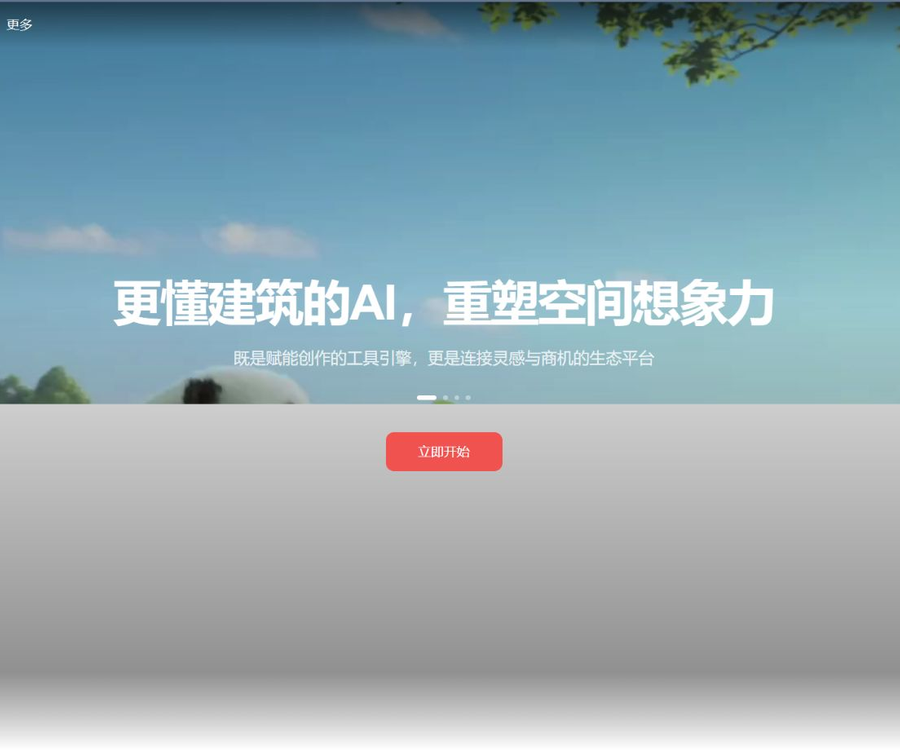
A professional AI design platform for architecture and space, based on large models
Tags:AI prompt instructionsWhat is Context AI?
Conjuring AI is a platform for cases, learning, and workflows focused on AI-based video and visual creation.
The official website emphasizes architectural and spatial imagination, while the current product offerings focus on video examples, infinite canvases, and collaborative creation.
Core functions
- Browse public AI video examples and creative approaches.
- Filter works by theme, duration, and popularity.
- View the models, prompts, and processes used in the case.
- Organize images, videos, and nodes on an infinite canvas.
- Utilize AI image, AI video, and AI conversation capabilities.
- Invite members to collaborate through the workspace.
Open-source works community
The exploration area uses examples as a starting point to help users understand the composition, rhythm, and methods of creation behind popular AI videos.
- Discover works by content theme.
- View the model tags associated with the case.
- Refer to the public prompts and workflows.
- Collect visual directions suitable for replication.
- Move from the case to your own creative canvas.
The term “open-source works” here refers mainly to the sharing of examples and methods, and it does not mean that the source code of the platform software is licensed under an open-source license.
Infinite canvas and creative workflow
An infinite canvas is ideal for managing inspiration, prompts, materials, and generation results in the same space.
- Organize the reference images and storyboards systematically.
- Retain the generation results of different versions.
- Steps for creating sequential images and videos.
- Invite members to view and collaborate.
- Reduce the need to copy assets between multiple tools.
AI image and video generation
Points can be used for AI images, AI videos, and AI conversations; the specific models and the amount of points required per use are indicated on the creation page.
- First, determine the aspect ratio of the image and the usage scenario.
- Describe the subject, environment, camera angle, and lighting.
- Use reference images to maintain consistency in characters or spaces.
- Create keyframes first, and then produce the video.
- Check for continuity in text, limbs, and movement.
- Important projects retain reproducible parameter records.
Work area and team collaboration
The workspace is used to store works in a centralized manner; the payment plan affects the number of available spaces, the number of members, and the number of users who can be online at the same time.
- The free version is suitable for personal use and collaboration between two people.
- The basic version provides 2 workspaces and 3 members.
- The Professional version offers 5 workspaces and 5 members.
- The flagship version allows an unlimited number of workspaces and up to 10 members.
- The team version allows an unlimited number of members and offers no restrictions on usage.
Guide to Using Conjing AI
- Register and log in to the Goujing AI account.
- Enter the exploration area to view similar video examples.
- Filter by topic, duration, and popular works.
- View the model, prompts, and workflow of the case.
- Create new workspaces and infinite canvases.
- Upload reference materials for which you have usage rights.
- Write prompt words that include the camera angles and style.
- Generate an image or keyframes for confirmation.
- Regenerate the video and compare multiple versions.
- Invite members to review or co-edit.
- Check the image, text, and copyright before exporting.
- Save the final parameters and authentication credentials.
Member price
Conjung AI employs a billing system that combines a free version, subscription memberships, and credit top-ups.
| Package | Monthly fee | Monthly points | Bonus with top-up |
|---|---|---|---|
| Free version | 0 yuan | 100 points as a gift upon registration | None |
| Basic version | 95 yuan per month | 1000 points | 5% |
| Professional Edition | 490 yuan per month | 5400 points | 10% |
| Flagship version | 990 yuan per month | 11,400 points | 15% |
| Team Edition | 1,900 yuan per month | 22,600 points | 20% |
The prices listed above were verified on August 30, 2026; annual discounts, promotions, and actual benefits are subject to those stated on the settlement page.
Comparison of benefits across different versions
| Equity | Free | Foundation | Professionalism | Flagship | Team |
|---|---|---|---|---|---|
| AI conversation | 5 times/day | 30 times per day | 100 times/day | Unlimited | Unlimited |
| Concurrent tasks | 1 | 3 | 10 | Unlimited | Unlimited |
| Work area | 1 | 2 | 5 | Unlimited | Unlimited |
| Works by region | 2 | 10 | 30 | 100 pieces | Unlimited |
| Members | 2 people | 3 people | 5 people | 10 people | Unlimited |
| 4K images | Not supported | Support | Support | Support | Support |
| Member usage control | None | None | None | None | Support |
Points rules
- A new account registered receives 100 points at once.
- For regular top-ups, 1 yuan is equivalent to 10 points.
- Monthly subscription points are valid only for the current billing period.
- Annual subscription points are issued on a monthly basis and do not carry over.
- Recharged points and complimentary points remain valid indefinitely.
- After the subscription expires, the top-ups and bonus points remain intact.
- The generation models and parameters can affect the actual consumption.
Rules for refunds and upgrades
- A refund request can be submitted within 7 days after purchase.
- The points associated with the current package must not have been used at all.
- Once package points are used, they generally cannot be refunded.
- Refunds are generally not available for purchases made more than 7 days ago.
- Subscriptions for which an invoice has already been issued are non-refundable.
- The new benefits will take effect immediately after the upgrade.
- The time required for processing refunds depends on the progress of the official review.
API and open-source status
As of the time of verification, no public developer API for ConJing AI nor any verifiable official source code repository was found.
- Public cases do not equate to open-source platform code.
- Publicly available prompts do not equate to granting any commercial rights.
- It is necessary to check separately whether third-party models are open source.
- Teams that need system integration should first consult the official sources.
Which users are it suitable for
- A beginner learning AI video production.
- Content creators who need inspiration from popular cases.
- Designers who create visuals for short films and advertisements.
- The team responsible for managing storyboards and creating assets.
- Operators who wish to reuse prompts and processes.
- Professionals who explore architecture and spatial vision.
Product advantages
- Cases, prompts, and creation tools are interconnected.
- An infinite canvas facilitates the management of complex visual processes.
- The free version allows for cost-effective testing of the main features.
- The package covers individual, professional, and team use cases.
- The paid version supports 4K images and higher concurrency.
- The team version provides control over member usage.
Usage restrictions and precautions
- The subscription points are reset at the end of the billing period.
- Advanced models may quickly consume points.
- AI-generated videos may exhibit flickering and distorted subjects.
- Prompt words and public examples are still subject to copyright restrictions.
- Check the team policies before uploading confidential materials.
- The generated results must be manually reviewed before they are published.
Copyright and privacy recommendations
- Only authorized images and videos should be uploaded.
- Permission for the use of portraits of individuals must be obtained.
- Do not directly copy the visual elements of protected brands.
- Remove client confidential information before making the workflow public.
- Team members are assigned permissions to access materials based on their responsibilities.
- Save orders and authorization credentials at the time of commercial release.
Frequently Asked Questions
What is Conjunction AI mainly used for?
It is used to browse AI video examples, learn prompt phrases, and create images and videos on an infinite canvas.
Is there a free version of Goujing AI?
Yes, the free version provides a basic workspace, 5 AI conversations per day, and bonus points granted upon one-time registration.
How much does it cost to become a Conjing AI member?
The monthly fee starts at 95 yuan, with additional professional and team packages priced at 490 yuan, 990 yuan, and 1900 yuan.
Are subscription points retained permanently?
No, subscription points are valid only for the corresponding billing period, while top-up points and complimentary points remain valid indefinitely.
Can I get a refund after purchasing?
A refund can be requested within 7 days of purchase if the package points have not been used at all; refunds are generally not possible for points that have already been used or for orders for which an invoice has been issued.
Is Construct AI open-source software?
No official repository containing the source code of the product was found; the open-source projects available on this platform are merely examples for sharing, and they do not represent open-source software.
Does Conjung AI offer public APIs?
As of the time of verification, no stable official developer API documentation was found; for system integration requirements, it is necessary to consult the official sources.
Tools similar to Context AI




 Guigong Network Security Registration No. 45132202000164