






Shy AI
A vertical platform for open-source creation of AI videos and replication of successful videos
Tags:AI prompt instructionsWhat is a cringey AI?
Xianchou AI is an AI video creation tool and an open community for creative works, centered around a workflow that utilizes an infinite canvas.
Users can connect script, image, video, and audio nodes on the same canvas, and they can also learn from and reuse the workflows of publicly available works.
Core functions
| Functions | Main function | Suitable scenarios |
|---|---|---|
| Infinite canvas | Freely arrange and connect creative nodes | Complex video workflows |
| AI conversation | Concepting scripts, prompts, and storyboards | Initial planning |
| AI image generation | Generate character, scene, and storyboard images. | Visual development |
| AI video | Convert text or images into dynamic footage. | Ads, short videos, and social media content |
| Voice and music | Additional voiceovers, recognition, and music materials | Comprehensive sound design |
| Work Community | View the process and fork it to your own canvas. | Learning, replication, and creative adaptation |
Infinity Canvas workflow
The AI in question breaks down the creation process into visual nodes, making it easier to make local adjustments and reuse those elements.
- Text nodes are used for scripts, prompts, storyboard descriptions, and content analysis.
- Image nodes are used for text-to-image generation, image reference, and camera keyframes.
- Video nodes are used for text-to-video generation, image-to-video generation, and comparing different models.
- Materials can be transferred between nodes, reducing the need to download and upload them across multiple platforms.
- The canvas can be saved as a project for further modification, copying, or sharing.
AI video models
The official documentation lists various third-party and domestic video models; the specific versions available should be based on the real-time list displayed on the canvas.
- The Seedance series allows you to select video options based on resolution and duration.
- The Dream series covers fast generation, high quality, and audio-enabled scenarios.
- Veo, Vidu, and PixVerse can be used for different styles and motion requirements.
- The MiniMax, Kling, and Wan series offer various options for speed or quality.
- Models such as Midjourney Video can serve as a supplement in terms of aesthetics and camera angle.
The model name, version, maximum generation count, and per-integration value will be updated; it is necessary to check the current parameters before creating a task.
Images, sounds, and digital humans
In addition to videos, the platform also includes images, audio, music, and digital human capabilities within the same points system.
- Image models can generate storyboards, covers, character, and product display images.
- Speech synthesis can provide initial audio tracks for narration and character dialogue.
- Speech recognition can convert audio into text.
- Music generation can be used to create draft soundtracks or background music without lyrics.
- Digital human nodes can be used for virtual hosts and voice-over content.
Before using audio, characters, and brand materials in commercial releases, it is still necessary to check the licensing and terms of service for those models.
Open community for works
Community projects can make the prompt words, model parameters, and production steps publicly available, so that others can understand the entire creative process.
- Users can view the completed works as well as their canvas structure.
- Once a suitable process is found, it can be forked to one’s own canvas for further modification.
- For public works, it is necessary to provide a title, a description, a cover image, and the final video.
- Works can receive likes, saves, comments, and exposure within the community.
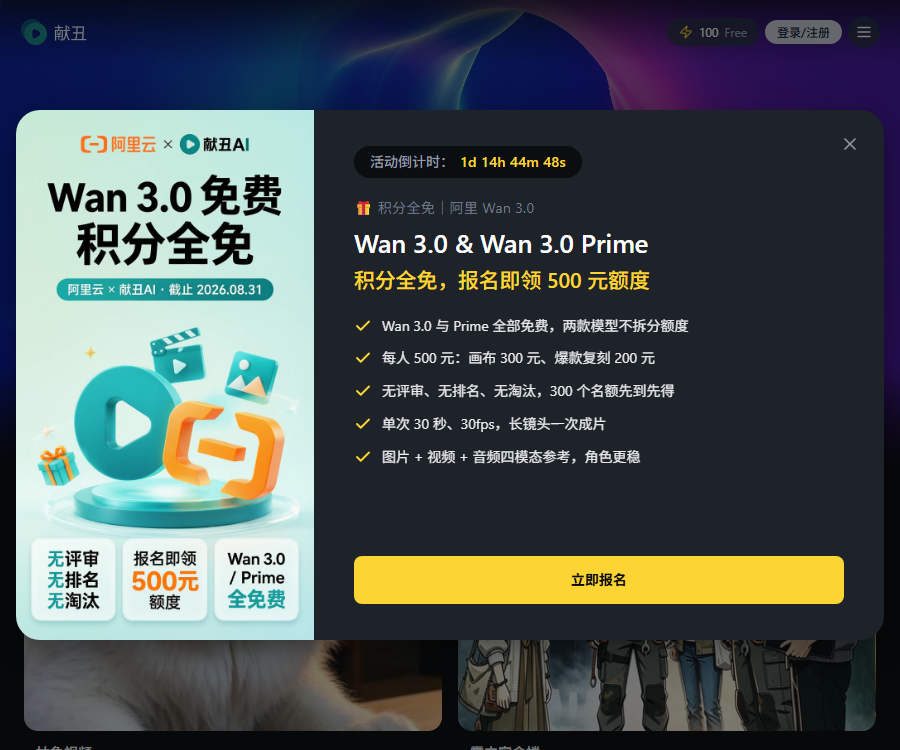
- Platform activities may award points based on the quality of open-source works.
The term “open-source works” here refers primarily to the public disclosure of the creation process; it does not mean giving up ownership rights to the works or making the source code of the platform available.
A tutorial on using the clumsy AI
- Register and log in to Xianchou AI; when creating a canvas for the first time, enter the invitation code as required on the page.
- Go to “My Works”, create a new project, and give the canvas a clear name.
- First, use text nodes to define the theme, target audience, script, and shot breakdown.
- Create a image node for each shot to standardize the characters, aspect ratio, and visual style.
- Add a video node, and select the model, resolution, duration, reference image, and prompt.
- Compare the generated results and redo only those nodes that are not satisfactory, thereby avoiding the need to redo the entire process.
- Add voiceovers, music, digital avatars, or speech recognition nodes as needed.
- Before exporting, check the continuity of the shots, consistency of the characters, copyright issues, and the total amount of credits used.
Price of monthly subscription plan
As of August 30, 2026, the official pricing page lists four monthly subscription plans as well as the features available in the free version.
| Package | Monthly fee | Monthly points | AI Conversation/Japanese | Concurrent tasks |
|---|---|---|---|---|
| Free version | 0 yuan | No subscription points available. | 5 times | 1 |
| Basic version | 95 yuan | 1000 | 30 times | 3 |
| Professional Edition | 490 yuan | 5400 | 100 times | 10 |
| Flagship version | 990 yuan | 11400 | No restrictions | No restrictions |
| Team Edition | 1,900 yuan | 22600 | No restrictions | No restrictions |
Prices, offers, and benefits may change; the terms applicable are those stated on the purchase page, the settlement page, and the current service agreement.
Comparison of package benefits
| Equity | Free | Foundation | Professionalism | Flagship | Team |
|---|---|---|---|---|---|
| 4K images | Not supported | Support | Support | Support | Support |
| Workspace | 1 | 2 | 5 | No restrictions | No restrictions |
| Spatial works | 2 | 10 | 30 | 100 pieces | No restrictions |
| Spatial members | 2 people | 3 people | 5 people | 10 people | No restrictions |
| Log in to the device | 1 unit | 3 units | 5 units | 10 units | No restrictions |
| Usage control | None | None | None | None | Support |
The team version comes with dedicated customer support; before using it, companies should verify the permissions of its members, the ownership of assets, and the access rules after someone leaves the team.
Points and refund rules
- New users receive 100 points as a one-time gift upon registration.
- The standard rate for regular top-ups is 1 yuan equal to 10 points.
- Additional bonuses of 5%, 10%, 15%, and 20% are offered respectively for the Basic, Professional, Flagship, and Team versions.
- Monthly subscription points are valid for the current period only; any unused portion will not be carried over.
- The points for the annual subscription plan are allocated on a monthly basis, and any unused portion each month is not carried over to the following month.
- Points earned through separate top-ups and those given as gifts are marked as valid indefinitely.
- A refund can be requested within 7 days of purchase, as long as the package points have not been used.
- Refunds are not available if the credits have been used, more than 7 days have passed, or an invoice has already been issued.
Generate price reference
The model consumes points based on the number of times it is used, the duration of use, the resolution, or the quality level; the value of 1 point is 0.1 yuan.
| Type | Public examples | Reference consumption |
|---|---|---|
| Image generation | Nano Banana | 1 point per sheet, starting from there. |
| High-quality images | Midjourney V7 | 12 points per attempt |
| Video generation | Jimeng, Veo, Vidu, and others | Adjust according to model and parameter variations |
| Speech synthesis | ElevenLabs | 1 point per transaction |
| Speech recognition | Whisper | 1 point per transaction |
| Music generation | MiniMax Music and others | 3 points per first order |
| Digital human | Ji Meng or Kling digital human | Starting from 15 points |
The price listed in the document is for reference only; the actual cost will vary depending on the model, duration, resolution, and distribution channel, and it should be based on the details provided before submitting the task.
CLI and Agent Skill
I’m embarrassed to admit it, but I’m providing a command-line tool intended for both regular users and AI agents, which can automatically submit tasks for generating images and videos.
- To install command-line tools, a Node.js and npm environment is required.
- Use the Access Key and project ID generated by the website when logging in.
- It is possible to dynamically query the currently available image or video models before generation.
- It supports submitting tasks for generating images, videos, and content in general.
- It supports analyzing Markdown structure and automatically generating and inserting images within the text.
- The Access Key is a sensitive credential and should not be placed in public repositories or articles.
API and GitHub availability status
The CLI uses a dedicated interface to access the presentation service, but this is different from a full-fledged universal developer API product.
- CLI handles tasks related to images, videos, and Markdown illustrations through a dedicated interface.
- Users need to create an Access Key on the web interface and associate it with the project.
- The official GitHub has released the Agent Skill and reference documentation repositories.
- This repository does not display a clear open-source license on its public project page.
- No server-side code for the platform used for showing embarrassing content, no model weights, and no source code for the full canvas system were found.
Therefore, it can be described as \"providing a public CLI and Skill repository\"; the entire AI platform should not be labeled as open-source software.
Which users are it suitable for
- Short-video creators: Responsible for the continuous creation of scripts, visuals, and shots.
- Brand and e-commerce team: Create advertisements, product presentations, and social media content.
- Professionals in film, television, and animation: Quickly create storyboards, concept previews, and sample videos.
- Music and digital human creators: combining visuals, voiceovers, music, and virtual characters.
- AI beginners: Learn prompt words and model parameters through public canvases.
- Developers and Agent users: Use the CLI to generate assets or Markdown images in bulk.
Usage restrictions and precautions
- Different models offer varying support for prompts, reference images, resolution, and duration.
- Video generation is random, and character appearances, actions, and continuity of shots require manual verification.
- Subscription points are reset on a monthly basis; it is necessary to estimate the actual frequency of use before making a purchase.
- Public canvases may reveal prompts, material structures, and commercial ideas.
- Copying someone else’s work does not automatically grant you commercial rights to the materials, music, or characters involved.
- Before publishing, it is necessary to check the requirements regarding portraits, trademarks, copyrights, platform rules, and AI identifiers.
Frequently Asked Questions
What can a basic AI do?
It allows for the connection of text, images, video, and audio elements on an infinite canvas, enabling the creation of a complete AI video workflow.
Is it possible to use the AI tool for free?
Yes, the free version offers basic conversations, the ability to handle one task at a time, and one workspace; new users also receive bonus points.
How much is the monthly fee for AI?
The monthly basic version costs 95 yuan, the professional version 490 yuan, the flagship version 990 yuan, and the team version 1900 yuan.
Do subscription points expire?
Yes, subscription points are reset on a monthly basis and are not carried over; points obtained through separate top-ups or as gifts are marked as valid indefinitely.
Can I copy someone else’s video workflow?
Yes, for public works, the prompt and parameters can be viewed, and they can be forked to one’s own canvas for further modification.
Is the awkward AI capable of providing a CLI?
It offers the ability to query models, generate images and videos, as well as to automatically plan and insert illustrations for Markdown documents.
Is Showoff AI open-source software?
The platform itself is not fully open-source; the official team has made the Skill repository available, while what is meant by \"open-source\" in the community refers to the public availability of the workflow for creating works.
Tools similar to the AI that makes mistakes.




 Guigong Network Security Registration No. 45132202000164