






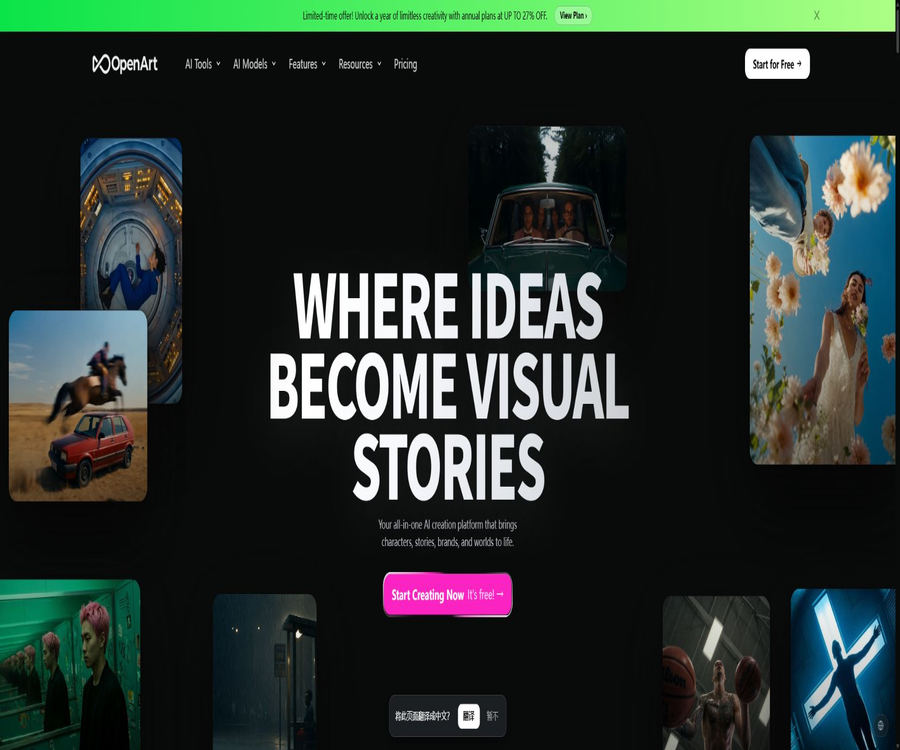
OpenArt Photo Booth
OpenArt Photo Booth – an intelligent tool focused on AI prompts
Tags:AI prompt instructionsTool Introduction
OpenArt Photo Booth was initially used to train custom models based on photos of individuals or pets, in order to generate personalized images with various styles and backgrounds.
The official website still includes a section for displaying the Photo Booth model, but the product navigation now classifies its core functions under role creation and model training; as a result, it is no longer a standalone tool that can be purchased separately.
Main functions
Role consistency creation
Users can create characters by referring to images, textual descriptions, or guided presets, and save them in a material library for use in subsequent creations.
- Character training focuses on fixing the appearance, style, and personality of a character, while still allowing for the creation of changes in expressions, poses, and scenarios.
- The saved characters can be used in image and video workflows, making them suitable for continuous content and brand characters.
- The generated results may still exhibit drift in the face, hands, clothing, or details, which requires filtering and correction.
General model training
Model training is more suitable for learning the overall style, theme, or visual patterns, unlike character training, which focuses on a single character.
- Personalized models can be trained and used in various generation tasks.
- The number of training sessions varies depending on the package plan, while the calculation costs are covered by the unified point pool.
Images, videos, and editing workflows
Today, OpenArt has evolved into an integrated platform that supports images, videos, characters, stories, audio, and editing functions; the capabilities of Photo Booth can be combined with these features.
- It supports text-to-image generation, image reference creation, local editing, background replacement, face swapping, and up to 4K scaling.
- Consistent characters can be introduced into videos, and the styles and motion effects can be compared using different models.
- With the paid plan, access is available to over a hundred advanced image, video, and audio models; the specific consumption varies depending on the model and the operations performed.
Usage tutorial
- Register for an OpenArt account and prepare clear, consistent reference photos that you have the rights to use.
- Enter the role or model training area, and select the type of training based on the criteria of character consistency or a universal style.
- Upload the reference image and fill in the role description, style, and purpose; once the estimated points to be used have been confirmed, training can begin.
- After the training is complete, call that character or model in a image or video generator, and provide the requirements for the scene, shot, and style.
- Check for similarities in identity, as well as details in the hands, text, and background; use local editing, background replacement, or zooming tools if necessary.
- Before downloading, verify the commercial usage rights associated with the package, and keep records of the authorization from real persons as well as the licenses for the materials used.
Which users are it suitable for
- Individual users who wish to create profile pictures, photos, and social media content using a small number of selfies.
- Short-video creators and story writers who need to maintain consistency in the characters across a series of images and videos.
- Create a marketing team that includes virtual ambassadors, product characters, or visual assets for the brand.
- Illustrators and designers who need to be trained in a specific style of art, rather than just in depicting individual characters.
Prices and packages
| Package | Monthly payment | Monthly price equivalent to annual payment | Primary interests |
|---|---|---|---|
| Starter | 14 dollars | 13 dollars | 4,000 points per month, around 13 personalized models, and 8 parallel tasks |
| Plus | 34 dollars | 27 dollars | 12,000 points per month, around 40 personalized models, and rights for commercial use |
| Pro | 56 dollars | 44 dollars | 24,000 points per month, around 80 personalized models, 32 parallel tasks, and priority support |
| Wonder | 240 dollars | 175 dollars | 106,000 points per month, around 353 personalized models, and some models available without any limit. |
New users are granted trial credits valid for seven days, as well as access to the daily free quota for using the basic models. The numbers of images, videos, and models shown in the package are estimates; the actual usage depends on the models and parameters selected.
The monthly base points are not carried over, and users at the Plus level and above can purchase additional point packs; prices, promotions, and the unlimited plan options may change, and the details shown on the payment page shall prevail.
Product advantages
- Everything from character training to the creation of images, videos, audio, and stories can be integrated within the same asset library.
- Role training is separated from general model training, which facilitates choosing a path based on identity consistency or visual style.
- The browser interface offers a complete workflow that includes generation, local modification, zooming, and export.
Usage restrictions and precautions
- Only the Plus and higher plans explicitly include rights for commercial use; for commercial projects, it is also necessary to check the licenses of the third-party models used.
- The default setting of privacy does not mean that no caution is needed; the reference photos will be processed and stored, and explicit permission must be obtained when real people are involved.
- Private works of non-subscribed users are stored for only a limited time, and deletions cannot be reversed; it is important to back up important creations promptly.
- Subscriptions are generally non-refundable; cancellation takes effect in the next billing cycle, and any unused monthly credits are not carried over.
Platforms and languages
- It can be used in desktop browsers and mobile browsers; the official help center states that a separate mobile app has not yet been released.
- The range of languages supported for the interface and prompts depends on the model chosen; the manufacturer does not provide a comprehensive list of all the languages that are supported.
API, MCP, and open-source status
OpenArt does not currently have a public API, nor are its official SDK or product source code available, so it cannot be considered open-source software.
The paid plans offer an OpenArt MCP connection, which allows compatible AI assistants to generate images and videos while using the credits from the same account; the MCP connection is not equivalent to a general developer API.
Frequently Asked Questions
Can Photo Booth still be used?
The page showing the old model is still accessible, but the actual creation process is now handled by OpenArt’s functions for handling characters and training models; it is necessary to follow the instructions provided on the current interface when using it.
Can characters be trained for free?
New accounts come with trial credits and a basic free quota, but model training is a resource-intensive task; whether it is possible to complete the training depends on the credit cost displayed on the interface for that particular operation.
Can the generated portraits be used for commercial purposes?
Plans at the Plus level and above offer rights for commercial use, but users still need to obtain authorization for real-person portraits, confirm the copyright of the materials used, and abide by the specific terms related to the models.
Tools similar to OpenArt Photo Booth




 Guigong Network Security Registration No. 45132202000164