






MolyPix.AI
MolyPix.AI: an intelligent tool focused on AI prompts.
Tags:AI prompt instructionsWhat is MolyPix.AI?
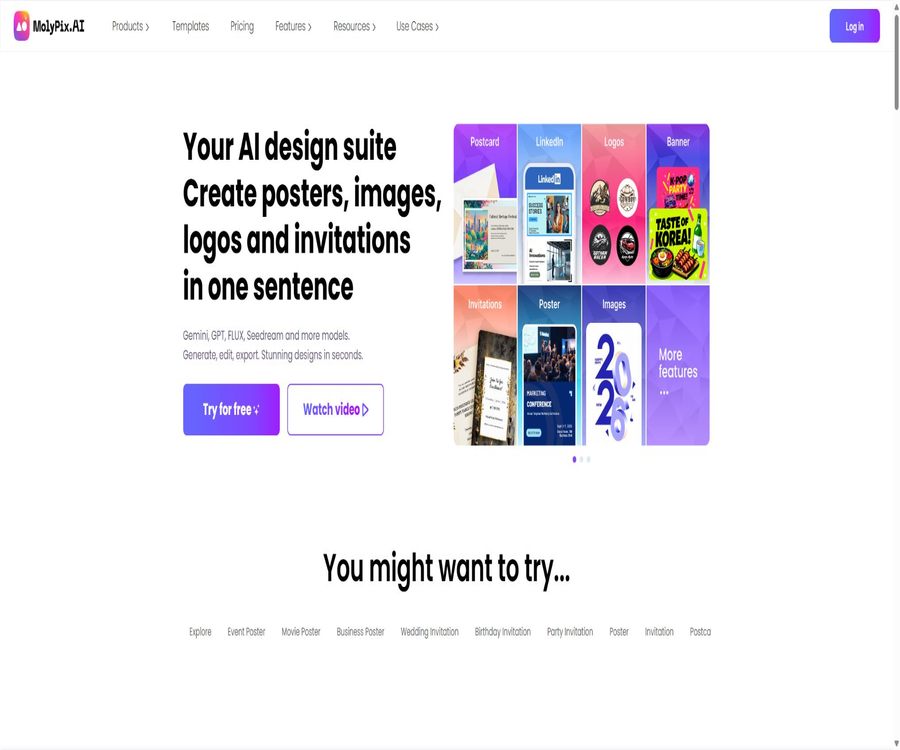
MolyPix.AI is a web-based AI graphic design platform that allows a textual description to be transformed into designs such as posters, invitations, social media images, postcards, and logos, all of which can be further edited.
It combines generative models with a hierarchical editor; its focus is not merely on generating an image, but also on allowing users to continue modifying the text, colors, elements, background, layout, and canvas size.
Main functions
DesignGPT and editable design generation
- Text-based design: By entering requirements such as the theme, target audience, purpose, text content, style, and size, the system will generate a design concept that includes text and layout.
- Layered editing: The text, images, and decorative elements in the generated result can be selected, moved, scaled, replaced, or deleted separately, making it suitable for correcting the content and details produced by AI.
- Prompt enhancement: This paid service can help expand brief requests by adding visual styles, composition elements, and design details; however, manual verification of the text against brand guidelines is still required.
- Automatic saving and history tracking: The content created or edited is stored in the corresponding history category, making it easy to work on previous projects again.
Templates, Remix, and brand materials
- Template library: You can select pre-designed templates by type such as posters, LinkedIn content, invitations, postcards, logos, etc., and then replace the text and images.
- Remix: Uses existing templates as a basis for structure and style, and creates variations through new text requirements; it is suitable for quickly producing materials from the same series.
- Brand Kit: Allows you to save brand colors, logos, and fonts so that the visual standards can be reused across multiple designs; this feature is available as a paid service.
- Custom color schemes: Paid users can create their own color combinations and apply them to their designs, thereby avoiding the need to enter color values manually over and over again.
AI image generation and editing
- Image generation: Various image models can be used to convert textual descriptions into visual content, which can then be arranged in a design editor.
- Background processing: Remove BG is used to identify the main subject and remove the background; it is suitable for product images, profile pictures, and promotional materials.
- Local modifications: Generative Fill or Magic Edit allow for the replacement of content or the addition of new elements by selecting a specific area and providing a textual description; Magic Eraser is used to remove unwanted objects.
- Image expansion and high definition: AI Expand expands the boundaries of the image, while Image HD enlarges it and enhances its details; these tools are useful for adjusting the original image to new aspect ratios.
- Similar images and styling: Generate Similar creates images with a similar composition or visual style based on the reference image; it also offers preset styling options such as watercolor, woodcut, and cyberpunk.
- Auxiliary tools: independent functions such as photo restoration, converting sketches into images, creating palettes, and adding text to pictures can be used for specific editing tasks.
Input, output, and editing ranges
| Task | Main inputs | Output or result | Usage notes |
|---|---|---|---|
| Text-to-design generation | Purpose, theme, copy, style, and size | Editable design with text and elements | Names, dates, prices, and contact information need to be checked individually. |
| Template revision | Templates, replacement copy, images, and brand elements | New posters, invitations, or social media images | Some templates and brand capabilities require payment. |
| AI image generation | Prompt words, models, and available settings | Images that can be inserted into the canvas | The selection of models and the number of generations are limited by integration rules and package constraints. |
| AI image editing | JPG, PNG, WEBP, or HEIC images along with editing instructions | Remove background, make local adjustments, enlarge the image, or enhance the results | The resolution of an uploaded image should not exceed 3000 pixels on one side; images with complex edges require manual inspection. |
| Download delivery | Completed design projects | Images used for preprocessing before publication or printing | High-definition downloads without watermarks are a paid service; the final resolution is determined by the export interface. |
Usage process
- Log in using an email address or a Google account, and first determine the purpose of the work, the target audience, the size, and any text that must be included.
- You can start by using tools for generating designs from text, templates, or standalone AI image generators; brand owners can first configure their logo, fonts, and colors.
- In the instructions, specify the theme, visual style, composition, colors, and text hierarchy; avoid using only very general statements.
- After comparing the generation options, go to the editor and modify the text, elements, background, layer positions, and canvas size one by one.
- When photo editing is needed, use background removal, local adjustments, erasure, image enlargement, or HD enhancement, and check the characters’ hands, edges, and small text.
- Before downloading, check the spelling, date, contact information, brand colors, image licensing, and platform dimensions; paid users can opt for high-resolution output without watermarks.
- Retain the project version; before the official release, check the cropping, clarity, and readability of the text on the target device or on printed samples.
Prices and packages
| Package or version | Price | Billing cycle | Core benefits or quota | Suitable for users |
|---|---|---|---|---|
| Free | 0 dollars | Long-term use | 6 points per day; up to 6 designs can be created, and the basic editor is available for use. | Experience creation and simple editing |
| Starter | $ | Monthly or annual payment | 200 points per month and up to 200 designs, granting access to high-resolution downloads without watermarks as well as to paid design options. | Individuals who occasionally create promotional materials |
| Pro | $ | Monthly or annual payment | 500 points per month and up to 500 designs, including paid editing, branding, and AI features | Creators and small teams that continuously produce content |
| Ultimate | $ | Monthly or annual payment | 3,000 points per month and up to 3,000 designs, intended for those who need to generate content frequently. | High-volume marketing and design workflows |
The current pricing page shows the discount for the first month of the Starter monthly plan, after which the regular monthly fee applies; the annual payment page displays the average monthly cost along with a 20% discount indicated. Regional taxes, promotions, and the actual payment cycle are subject to the details on the settlement page.
Some introduction pages still use old phrasing such as “20 bonus points,” which is inconsistent with the current free version that offers 6 points per day. New users should refer to the account balance after logging in and the settlement page for accurate information.
Limits on paid benefits and points
| Ability | Free version | Paid plans |
|---|---|---|
| Basic Editor | Support | Support |
| Generative design | Up to 6 per day | Up to 200, 500, or 3000 per month depending on the package |
| High-definition download without watermarks | Not included | Includes |
| Brand kits and custom color schemes | Not included | Includes |
| Professional templates and prompt enhancements | Not included | Includes |
| Remove background, similar images, high resolution, image enlargement, and magic editing | Not included | Includes |
Points are used to carry out creation or AI editing tasks, and the amount of points required for different tasks may vary. Points cannot be transferred, and purchases of points as well as membership fees are generally non-refundable. Subscriptions are renewed automatically, so users need to cancel them before the renewal date.
Suitable for users and scenarios
- Small businesses and event organizers: creating promotional posters, menus, opening photos, invitation cards, and materials for holiday promotions.
- Social media managers: Quickly create versions in different sizes and with various copy texts, then apply consistent brand colors and logos in the editor.
- Non-professional designers: Start with templates or a brief description of the desired design, which reduces the time needed to create the layout from a blank canvas.
- E-commerce and content creators: handling the background of product images, expanding visuals, adding text, and creating serialized visual content.
- Professional designers: Used for initial concept development and creating various variations, but ultimately printing, font licensing, and color management still need to be checked using professional tools.
Platform, API, and open-source status
| Project | Current situation | Explanation |
|---|---|---|
| Web application | Support | Create, edit, save, and download designs in a browser |
| Native mobile apps | Not confirmed yet | iOS or Android native apps released by the product team have not been confirmed. |
| Public APIs and SDKs | Not yet made public | Automated scraping should not be used as a substitute for official interfaces. |
| Browser extensions | Not confirmed yet | The official extensions released by the product team have not been confirmed. |
| Open-source status | Proprietary online services | No public source code or open-source license that represents a complete product was found. |
Copyright, Privacy, and Security
- Users retain the rights to their own uploaded content and the works they create, and can use these works for commercial purposes, provided that the text, trademarks, portraits, and any reference materials used are legal.
- User-generated content grants the service provider a non-exclusive, global license to use it for operating and improving the services; care should be taken when uploading content that relates to unreleased products, customer confidential information, or sensitive personal data.
- The platform handles account information, creates and edits content, as well as data related to usage patterns, devices, and networks; payments are processed by third parties, and the platform states that it does not store complete card details.
- The data may be shared with service providers for infrastructure, analysis, payments, etc., or it may be processed due to legal requirements or business transfers.
- Users may request access to, correction of, or deletion of their personal information within the applicable scope, but certain data may need to be retained due to legal requirements or legitimate business needs.
- The service is not available for children under 13 years of age; consent from a guardian must be obtained before handling photos, portraits, or information related to minors.
Advantages and limitations
- The generated result can be further edited layer by layer, making it more suitable for modifying text, colors, and layout compared to generators that only allow the export of flat images.
- Templates, brand kits, and AI image editing are all integrated within the same web-based workflow, making it possible to create simple marketing designs quickly.
- The free version has limited generation capacity; high-resolution downloads without watermarks, brand kits, and the main AI editing features are all available only as part of paid subscriptions.
- AI-generated small text, dates, logo shapes, facial details, and complex edges may contain errors; manual verification cannot be skipped.
- Currently, there are no official APIs, SDKs, or native mobile applications available, so it is not suitable as a foundational service for tasks that require programmed batch processing or deep system integration.
- The platform’s terms permit the processing of user content for operational and improvement purposes; materials that are highly sensitive or subject to confidentiality agreements require an internal compliance assessment first.
Summary
MolyPix.AI is ideal for quickly turning text-based requirements into editable marketing designs; it also allows for template modifications, brand standardization, and various AI-powered image edits all within the same workspace.
When selecting a package, one should take into account the amount of content generated per month, the possibility of downloading high-resolution versions without watermarks, the brand-specific features, automatic renewal options, and content licensing requirements, rather than focusing only on the monthly price.
Tools similar to MolyPix.AI




 Guigong Network Security Registration No. 45132202000164