






Idomoo AI Video Creator
Idomoo AI Video Creator – an intelligent tool focused on AI prompts.
Tags:AI prompt instructionsA one-sentence summary
Idomoo Lucas is an AI-based video creation platform designed for corporate teams; it enables the conversion of prompts, documents, web pages, presentations, or screen recordings into videos that include scripts, visuals, voiceovers, and brand elements. It also supports large-scale customization and system integration.
Tool Introduction
Lucas was developed by the enterprise video technology company Idomoo; it is currently used primarily in marketing, sales, customer communication, training, and knowledge dissemination. The platform integrates topic selection, scripting, storyboard creation, media assets, animation, voice-over, editing, and publishing into a single workflow.
It differs from ordinary video generation tools in that it places more emphasis on content approval, brand guidelines, corporate knowledge, customer data, and large-scale rendering. The team can create generic videos, as well as personalized videos with distinct content and action buttons tailored for different customers.
Current product status
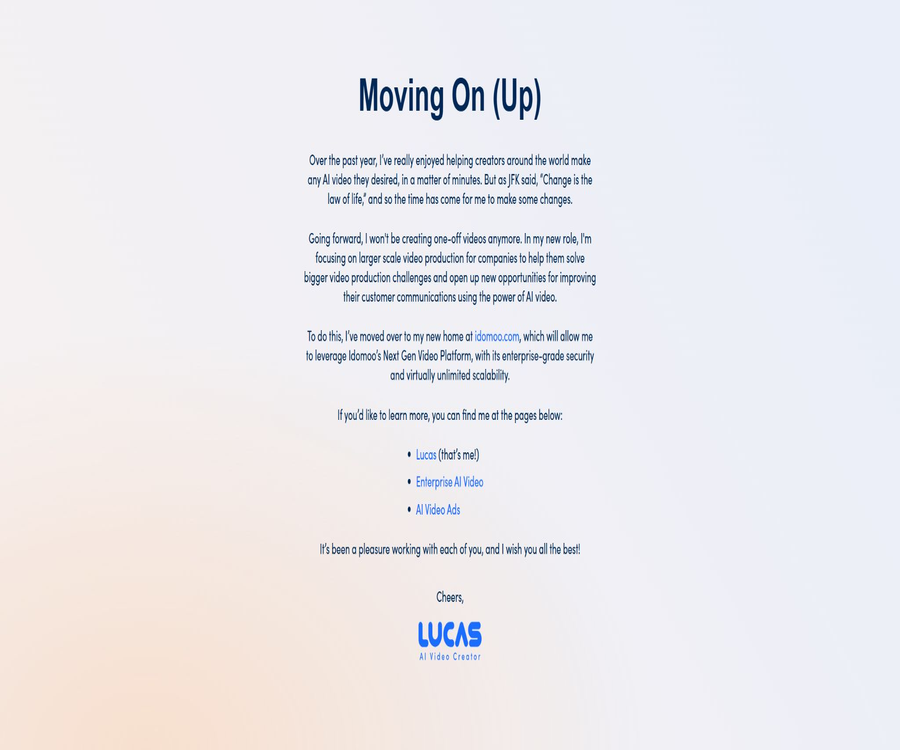
The original Idomoo AI Video Creator allowed creators to produce one-time videos, but this standalone service has stopped supporting the creation of individual videos. The original website now directs users to Lucas, Enterprise AI Video, and AI Video Ads, which are part of the Idomoo enterprise platform.
| Phase | Product format | Usage method | Current conclusion |
|---|---|---|---|
| Early independent services | Idomoo AI Video Creator | Individuals can register and create a one-time video. | The service for creating individual videos has been discontinued. |
| Current creative products | Lucas AI Video Creator | Enterprise workspace, demonstration, and sales activation | Continue to operate and update it. |
| Universal enterprise module | Enterprise AI Video | Convert documents, texts, web pages, and brand content into videos | Suitable for various business scenarios |
| Advertising module | AI Video Ads | Generate videos in common ad sizes and durations. | For marketing campaigns |
| Scalable platforms | Next Generation Video Platform | Data-driven, interactive, and personalized rendering | For enterprise integration and mass production |
Therefore, it should no longer be described in the catalog as a personal tool that allows individuals to purchase individual videos freely. A more accurate classification for it is that of an enterprise AI video and personalized video platform; the prices, permissions, and quotas must be determined by Idomoo based on the volume of business activity.
Main functions
Generate a complete video from prompts
After the user enters the theme, objectives, target audience, and tone, Lucas creates a creative brief and a video structure, and then generates scripts, scenes, visual elements, animations, music, and narration. Users can obtain an editable draft without needing to know traditional video editing software.
Convert documents to videos
The platform can read parseable PDFs, sales materials, instruction documents, and training materials, and organize the key points into slides and narrations that are more suitable for viewing. Scanned documents, image-based PDFs, or files with restricted access may not have their text extracted correctly.
Convert web pages to videos
After entering the content of the webpage that has permission to be used, Lucas can identify the key points of that page and create videos for introduction, promotion, or branding purposes. The webpage must be accessible and readable; dynamic login pages, anti-scraping measures, and complex interactive elements may affect the outcome.
Convert presentation to video
Presentation to Video allows each page of a presentation to be converted into a video scene, with narration generated from the speaker’s notes. It is suitable for turning training materials, sales presentations, and internal guidelines into playable content.
Convert screen recording to video
Users can upload existing screen recordings, or use the browser built into Lucas to record a screen capture; the system will then split the video and organize the relevant scripts. Pre-existing scripts can also be attached to the screen recordings, so that the generated narration is more in line with the intended content.
Brand and corporate knowledge
Teams can set flags, colors, fonts, tone, visual styles, and brand rules; they can also connect to approved knowledge materials. Lucas uses retrieval-enhanced generation to ensure that videos are based as much as possible on content permitted by the company, rather than relying solely on open-ended prompts.
AI avatars, voices, and dubbing
Videos can use built-in or custom avatars, synthesized voices, and narrations; visual avatars represent a more advanced feature. When real-person images, voice cloning, or employee-related content is used, explicit permission must be obtained, and procedures for withdrawing or disabling such content must be in place.
Touch-Up editing
After it is created, the script, shots, images, video clips, music, sounds, subtitles, brand elements, and action buttons can be modified in Touch-Up. Users can also adjust the order of the scenes, replace the media, and preview the complete video after the modifications have been made.
Interactive and personalized videos
Idomoo allows text, audio, images, video clips, and action buttons to be used as dynamic elements, enabling the creation of different versions based on customer data. The interactive player also supports click-driven conversions, self-selection options, and real-time customization.
Batch rendering and publishing
The platform can generate a large number of videos using data files, enterprise systems, or interfaces, and it employs dedicated players for distributing and tracking these videos. Its capabilities are designed to handle millions of videos simultaneously and offer a real-time processing speed of up to 100 times; however, the actual throughput depends on the configuration of the project and the resources designated under the contract.
Input and output
| Type | Available content | Primary uses | Precautions |
|---|---|---|---|
| Text | Themes, requirements, scripts, and brand guidelines | Generate videos from ideas | The more specific the description, the easier it is to achieve stable output. |
| Document | It can parse PDFs, documentation, and knowledge files. | Converting documents into videos and generating corporate knowledge | Scanned documents may need to have text recognition performed first. |
| Presentation | Slides and speaker notes | Training, sales, and internal communication | Complex animations are not necessarily retained in their original form. |
| Web page | Contents of pages that are accessible and can be used. | Web page summaries, product descriptions, and promotions | Logging in and accessing dynamic pages may fail due to extraction issues. |
| Screen recording | Upload a screen recording or one recorded in the browser | Software tutorials and process demonstrations | A separate script can be attached to control the narration. |
| Brand equity | Icons, fonts, colors, images, and style visuals | Maintain brand consistency | It is necessary to verify the copyright and commercial usage rights. |
| Customer data | Authorized customer attributes and business fields | Large-scale personalized videos | Consent, minimization, and access control must be implemented. |
| Output | Streaming videos, MP4, HLS, and interactive pages | Download, embed, share, and deploy | The specific format and download rights are subject to the package terms. |
| Learning output | SCORM package | Upload to the learning management system | It is necessary to verify whether the account has the capability for export. |
Standard creation process
- Define the video’s objectives, target audience, distribution channels, desired duration, and action buttons.
- Choose to start from a prompt, document, webpage, presentation, or screen recording.
- Choose an existing brand, or customize the logo, colors, font, tone, and visual rules.
- Submit the content and wait for Lucas to create a creative brief and a video structure.
- Check for consistency in scripts, facts, shots, materials, voiceovers, and branding.
- In Touch-Up, replace media, adjust scenes, subtitles, music, and action buttons.
- It is released after passing compliance, copyright, privacy, and accessibility audits.
- Optimize the next version of the video based on playback, interaction, and conversion data.
Large-scale implementation processes for enterprises
- Choose a video scenario that has clear business metrics and designated persons in charge of the data.
- Confirm the input fields, customer consent, data retention, region, and access rights.
- Design brand templates, dynamic elements, personalized rules, and default values for exceptions.
- Choose between real-time interface, data files, SFTP, or enterprise application integration.
- First, use de-identified test data to generate a small number of samples for manual verification.
- Validate scripts, pronunciation, field mapping, interactive buttons, and retry on failure.
- Launch in small batches and monitor rendering, distribution, playback, and customer feedback.
- Expand to full business volume after going through the auditing, deletion, and exit processes.
Editing, publishing, and analysis
- Modify text, visual media, animations, and background music for each scene.
- Edit narration, voice, profile pictures, subtitles, and pronunciation.
- Set up clickable action buttons and their target destinations.
- Generate versions of the content in different formats, lengths, and styles suitable for various channels.
- Upload the video to a hosted player, or download and embed it according to account permissions.
- View playback, interaction, and activity performance to support subsequent optimization.
- Export some AI videos as SCORM packages for use in learning management systems.
Personalized video capabilities
Personalization isn’t merely about displaying a name on the screen. Idomoo’s rendering technology allows dynamic text, audio, images, and video clips to become integral parts of the scene, with their content, order, and behavior being adjusted based on business data.
| Dynamic elements | Personalized examples | Business value | Risk control |
|---|---|---|---|
| Text | Name, plan, bill, or renewal information | Increase relevance | Field validation and default values |
| Audio | Read the customer information aloud in the narration. | Enhance friendliness | Pronunciation review and sensitive information control |
| Image | Product, location, account, or reward image | Match the customer’s situation | Material licensing and link validity |
| Video clip | Switch scenarios based on the customer stage | Provide differentiated explanations. | Rule testing and version management |
| Action button | Renewal, booking, more details, or self-service | Drive forward to the next steps | Target address and permission check |
| Interactive selection | Allow viewers to choose a theme or service path. | Improve self-reliance skills | Event logging and privacy notice |
Enterprise integration methods
| Method | Suitable scenarios | Main features | Key implementation points |
|---|---|---|---|
| Real-time generation interface | Generated instantly upon the user’s request | Structured data triggers rendering. | Authentication, rate limiting, retry, and idempotency |
| CSV batch | Regular marketing and operational activities | Batch generation after pre-uploading data | Field mapping and error row handling |
| SFTP | Controlled bulk data exchange | Suitable for scheduled tasks in enterprises | Keys, directory permissions, and cleanup policies |
| CRM integration | Sales, services, and customer lifecycle | It enables connection between HubSpot and Salesforce workflows. | Customer consent and field permissions |
| MCP server | Initiate video tasks from compatible AI agents | Create presentations, blueprints, and videos as tools. | Key management and output auditing |
| Player embedding | Viewing on websites, event pages, and within apps | Supports interaction and configuration | Browser compatibility, accessibility, and analytics notifications |
API and MCP
Idomoo offers an interface for generating corporate videos; it uses OAuth 2.0 for authentication and transmits the data needed for generation via structured requests. It also allows for the configuration of an IP allowlist, request signing, as well as encryption of both request and response contents.
Lucas MCP breaks down video creation into various tools such as creating briefs, querying briefs, creating blueprints, querying blueprints, creating videos, and querying videos. The duration of a blueprint can be set between 15 seconds and 900 seconds; once completed, the result is provided in MP4 or HLS video format.
| Phase | Function of the MCP tool | Main inputs | Main output |
|---|---|---|---|
| Creative Brief | Create and query briefs | Natural language prompts; brand identifiers are optional. | Processing status and briefing content |
| Video blueprint | Create and query blueprints | The briefing has been completed and the desired duration has been set. | Scenario-based video structure |
| Video rendering | Create and query videos | The blueprint has been completed. | Status, video address, format, and duration |
| Blueprint modification | Structured update scenario | Blueprints and modifications already available | Return the updated blueprint synchronously. |
- MCP can be integrated into compatible agent environments that support custom header information.
- After creating a task, it is usually necessary to monitor its status; success in submission does not mean that the video has been completed.
- Fields such as brand, style images, and action buttons will change with version updates.
- The production interface should retain task identifiers and handle timeouts, failures, duplicate submissions, and expired addresses.
- Any automatically generated results must undergo review in terms of content, brand, privacy, and copyright.
Security and corporate governance
| Ability | Public status | Enterprises still need to confirm. |
|---|---|---|
| ISO 27001 | Information Security Management Certification | Certificate scope, validity period, and applicable environments |
| ISO 42001 | Artificial Intelligence Management System Certification | AI risks, oversight, and incident processes |
| SOC 2 Type 2 | Compliance with enterprise security controls | Exceptions during the latest reporting period |
| HIPAA | Supports the requests of medical-related enterprises | Whether to sign a BAA and the specific scope of handling |
| ISO 27799 | Controls related to medical information security | Whether the project is included within the scope of application |
| Interface security | OAuth 2.0, allowlist, signing, and content encryption | Key rotation, permissions, and audit logs |
| Regional processing | It can be processed in cloud environments in the United States or the European Union. | Data residency, backup, and cross-border transfer |
The certification indicates that the platform has the necessary management and control systems in place, but it does not ensure that customers’ projects automatically meet all regulatory requirements. Companies still need to carry out data classification, define access rights, assess suppliers, provide employee training, and maintain ongoing monitoring.
Privacy and data processing
Idomoo handles registration and contact information, data related to service usage, device information, as well as text, images, audio, and video files uploaded by users. Companies may also upload data containing customers’ personal information; therefore, it is necessary to obtain appropriate consent first and to limit any unnecessary fields.
| Data category | Example | Uses | Usage suggestions |
|---|---|---|---|
| Accounts and Contacts | Name, company, email, and phone number | Activation, support, sales, and notifications | Only provide the information necessary for the business. |
| Use with the device | Access time, device, browser, and action events | Security, analysis, and experience optimization | Confirmation of Cookies and Analytics Notices |
| Upload content | Text, images, audio, video, and customer fields | Generate personalized videos | Obtain authorization and avoid sensitive information. |
| AI processing | Tips, scripts, sounds, and generation tasks | Calling AI and generating media | Confirm model vendor, training, and retention terms |
| Payments and transactions | Payment result, amount, and date | Subscriptions and billing | Restricted by contract and payment processes |
- The AI service providers listed in the privacy policy include Amazon Bedrock, ElevenLabs, and Anthropic.
- Cloud storage and processing may take place in the United States or the European Union, and companies should determine the appropriate region to use.
- The platform states that it does not rent out personal information, but it shares the necessary data with suppliers required to provide services.
- Before uploading third-party personal information, it is necessary to obtain informed consent and authorization, along with providing the relevant notifications.
- Videos and pages made publicly available can be accessed by others, and should not contain unnecessary sensitive data.
- The procurement contract should specify the retention period, proof of deletion, subcontractors, cross-border mechanisms, and incident notification.
Copyright and Usage Rules
Users must possess the necessary rights to upload text, web pages, trademarks, images, audio, videos, and portraits. Videos created in this way cannot be used to impersonate the original creators, nor can they be employed for illegal activities, infringement of rights, deception, or the processing of others’ information without their consent.
The trial videos of the former standalone service may contain the Idomoo logo and are intended for personal use only; paid custom videos grant the right to download them without watermarks. Since this one-time purchase option is no longer available, the current terms for corporate use are governed by the provisions regarding downloading, publishing, using in advertisements, reselling, and archiving as specified in the order and contract.
Prices and packages
Idomoo does not currently disclose any fixed monthly fees, seat fees, or prices per video; the pricing is determined based on the number of videos, the level of personalization, interactive features, support level, and the objectives of the project. The website offers demonstrations and quotation forms, and the prices of the old standalone services should not be used as a reference for the current packages.
| Plan or module | Public price | Billing cycle | Core benefits or quota | Suitable for users |
|---|---|---|---|---|
| Lucas AI Video Creator | Custom quote | Contractual agreement | Generation of tips, documents, and brand content, as well as Touch-Up editing. | Corporate content and business teams |
| Enterprise AI Video | Custom quote | Contractual agreement | AI-powered video and knowledge generation for general enterprises | Training, sales, and internal communication |
| AI Video Ads | Custom quote | Contractual agreement | Common ad specifications, durations, and iterations | Brand and advertising teams |
| Personalized Video | Custom quote | In accordance with the contract and scale | Data-driven batch personalization and interaction | Large-scale customer communication |
| API and MCP | Not made publicly available separately | By account and contract | Interface generation, agent tools, and system integration | Developers and automation teams |
| Comprehensive support services | Custom quote | By project or contract | Production, project management, technical configuration, quality inspection, and optimization | Companies that need operational management on their behalf |
The main factors affecting the quote
- The expected number of videos generated is related to the peak concurrency.
- Average duration, resolution, frame size, and output format.
- AI function tokens and the number of minutes required for video rendering.
- Personalized fields, interaction logic, and player requirements.
- Options for customizing brands, voices, avatars, and templates.
- APIs, CRM, SFTP, and data engineering tasks.
- Data area, security, compliance, and service level.
- Service creation, training, technical support, and event optimization.
Usage and quotas
Lucas uses two types of metrics to measure usage: video rendering time and AI function tokens. Different steps related to generation, modification, and media processing can consume varying amounts of these resources, and account administrators can view the remaining balance and usage amounts in the usage panel.
| Usage type | Measuring content | Possible operations that will be consumed | Control method |
|---|---|---|---|
| Video rendering time in minutes | Final rendered video duration | Generation, re-rendering, and batch output | Control duration, version, and task repetition |
| AI function Token | Work related to AI generation and processing | Briefings, scripts, media, audio, and revisions | Finalize the requirements first before generating the output, in order to reduce unnecessary iterations. |
| Advanced capabilities | Profile picture, voice, or custom modules | Advanced Visuals and Brand Experience | Confirm account benefits before activation |
| Interface task | Automated generation and querying | API or MCP workflow | Set speed limits, budgets, and alerts. |
Which users are it suitable for
- Marketing teams of companies that need to produce brand videos on a consistent basis.
- Learning teams that wish to convert training materials and presentations into videos.
- Business departments that need to create content for sales, onboarding, renewals, and customer service.
- Companies that need to create a large number of personalized videos using CRM data.
- Teams developing products, workflows, or agents that wish to incorporate video generation.
- Organizations with specific requirements regarding permissions, auditing, data areas, and enterprise security.
- Brands that hope to receive support in terms of production, setup, and events from a professional team.
Typical use cases
| Scene | Enter | Output | Metrics |
|---|---|---|---|
| Employee training | Systems, course materials, and presentations | Narrated videos or SCORM packages | Completion rate, understanding level, and production cycle |
| Customer onboarding | Account and product information | Personalized welcome and next steps video | Activation rate and number of support inquiries |
| Sales follow-up | Customer needs and sales materials | Targeted sales videos | Response rate, bookings, and conversions |
| Explanation of the bill | Bill fields and explanation rules | Data-driven tutorial video | Number of calls, comprehension, and satisfaction |
| Renewal and Retention | Deadline, rights, and customer status | Personalized renewal reminders | Renewal rate and churn rate |
| Product marketing | Web pages, documents, and brand guidelines | Promotion videos and multi-channel versions | Costs of viewing, clicking, and acquiring customers |
| Software tutorials | Screen recording and script | Operation video with narration | Production time and issue resolution rate |
Main advantages
- A complete AI video workflow is formed from scripts, storyboards, voiceovers, and editing.
- Videos can be created based on the content approved by the company and the brand’s rules.
- It supports various starting points such as documentation, web pages, presentations, and screen recordings.
- Touch-Up allows non-professional users to continue making adjustments to key details.
- Dynamic text, audio, images, and videos can be used for native personalization.
- It supports interactive players, CRM, batch data, APIs, and MCP.
- It features corporate controls such as ISO 27001, ISO 42001, and SOC 2 Type 2.
- You can choose between a self-service platform or end-to-end creation along with project support.
Usage restrictions and precautions
- The original one-time video service is no longer available; it cannot be purchased using the old process.
- Since there is no fixed public price, it is difficult for individuals and small teams to estimate the budget directly.
- The quality of parsing for documents, web pages, and screen recordings depends on their format and accessibility.
- The generation of scripts, facts, characters, pronunciations, and visuals still requires manual review.
- Profile pictures, voices, and some advanced features may require additional account permissions.
- Batch personalization involves customer data, so authorization and data minimization must be ensured.
- Interface and MCP automation require handling task failures, retries, and key security.
- Public performance figures cannot replace stress tests using actual materials and peak conditions.
- Third-party AI service providers will be involved in part of the processing, and it is necessary to clarify the boundaries of the contract at the time of procurement.
- The core product is not open-source software, nor does it come with complete code that can be deployed on one’s own.
Pre-purchase checklist
- Confirm the breakdown of costs for Lucas, personalized videos, interactive features, and production services.
- Confirm the video rendering time, AI tokens, storage, data usage, and excess usage rules.
- Request the technical specifications for APIs, MCP, CRM, SFTP, and players.
- Areas for verifying data, subcontractors, retention period, and deletion and backup policies.
- Confirm the scope of ISO and SOC reports, as well as the HIPAA agreement and the time limits for incident notification.
- Agree on brand assets, customer data, input content, and the rights to generate videos.
- Test the quality of Chinese scripts, pronunciation, subtitles, fonts, and localization.
- Agreed availability, support response times, version changes, and compensation for rendering failures.
- Verify export, migration, deletion, and player availability after contract termination.
API, GitHub, and open-source status
- Idomoo provides enterprise video generation APIs as well as access to public development documentation.
- Lucas provides MCP servers that can be invoked by compatible AI agents.
- The enterprise interface uses OAuth 2.0, and it is possible to add a whitelist, signatures, and content encryption.
- The platform also provides examples of player embedding and instructions for CRM integration.
- No official open-source repository for the complete Lucas or Idomoo platforms has been identified.
- The release of APIs, MCPs, and sample documents does not mean that the core generation and rendering systems are open source.
- The use by enterprises is subject to restrictions imposed by business contracts, account permissions, and applicable usage limits.
Basic information
| Project | Content |
|---|---|
| Tool name | Idomoo Lucas AI Video Creator |
| Original independent name | Idomoo AI Video Creator |
| Development company | Idomoo Ltd. |
| Product type | Enterprise AI video, personalized video, and interactive video platforms |
| Main inputs | Prompts, documents, web pages, presentations, screen recordings, and enterprise data |
| Main output | Brand videos, personalized videos, interactive videos, MP4, HLS, and SCORM |
| Creation module | Enterprise AI Video and AI Video Ads |
| Editing tools | Touch-Up |
| Development capability | Enterprise APIs, MCP, players, and system integration |
| Price pattern | Demonstrations, sales onboarding, and customized quotes |
| Safety | ISO 27001, ISO 42001, SOC 2 Type 2, and other corporate controls |
| Open-source status | The core product is not open source. |
| Current status | The original personal services have been discontinued, while Lucas’ enterprise products continue to be in operation. |
Frequently Asked Questions
Can Idomoo AI Video Creator also create individual videos?
The original standalone website stated that it would no longer produce one-time videos, directing users instead to the corporate platform. Current requests need to be evaluated through Lucas’ corporate products, demonstration, or sales processes.
What can Lucas use to create videos?
It can start with prompts, parseable documents, web pages, presentations, screen recordings, and corporate knowledge. The modules and advanced features available vary depending on the account.
Can it be edited after it’s created?
Yes. Touch-Up allows for the modification of scripts, media, music, sounds, subtitles, scenes, brand elements, and action buttons.
Is personalized video supported?
Supported. Businesses can use customer data to dynamically modify text, audio, images, video clips, and interactive content, and generate multiple versions in bulk.
How much is Idomoo?
Currently, there are no fixed public packages; the pricing is determined based on the number of videos, the level of support required, personalized features, interactivity, integration needs, and security requirements. The prices of the old standalone services should no longer be used as a basis for making purchases.
Is a free version available?
The current enterprise version provides access to functions for creating demonstrations and videos, but it does not specify any permanent, free standard packages or fixed quotas. The availability and limitations of the trial version are subject to the details shown on the account’s actual page.
Is an API provided?
Available. Companies can carry out production in real time through the video generation interface; they can also use data files, SFTP, CRM integration, and MCP to achieve automation.
What can MCP do?
MCP can generate creative briefs, video blueprints, and the final videos from compatible agents, and it also allows for tracking the status of each stage in the process. For production use, it is necessary to keep the account keys secure and to review the results produced.
Is Idomoo an open-source tool?
No. Interfaces, MCP, and sample documents are available for developers, but there is no official open-source code or license for a complete enterprise platform.
Is it suitable for individual creators?
The current focus is on businesses, and customized quotes are required. Individual users who only need to create short videos occasionally and want to use the service immediately will generally find the procurement process and the range of services offered to be too complicated.
Will the data be handed over to other AI service providers?
Some AI processing tasks make use of services such as Amazon Bedrock, ElevenLabs, and Anthropic. Companies should specify in the contract the details of the processing, the location where it will take place, the rules regarding data retention, training, and deletion.
Summary
The core value of Idomoo Lucas lies not in the rapid creation of ordinary short videos, but in enabling companies to produce videos that are editable, interactive, and suitable for large-scale distribution, based on brand knowledge and customer data. APIs, MCP, CRM integrations, and enterprise security features make it more appropriate for use within formal business processes.
The original Idomoo AI Video Creator has evolved from a one-time service for individuals to a product aimed at businesses; therefore, the current Lucas solution should be taken as the reference point when making a choice. It is recommended to first test the quality of the generated content using actual business samples, and only after that consider factors such as price, usage volume, data handling, copyright issues, security aspects, APIs, and termination terms.
Tools similar to Idomoo AI Video Creator




 Guigong Network Security Registration No. 45132202000164