






Bytebot
Bytebot, an intelligent tool focused on AI prompts
Tags:AI prompt instructionsA one-sentence summary
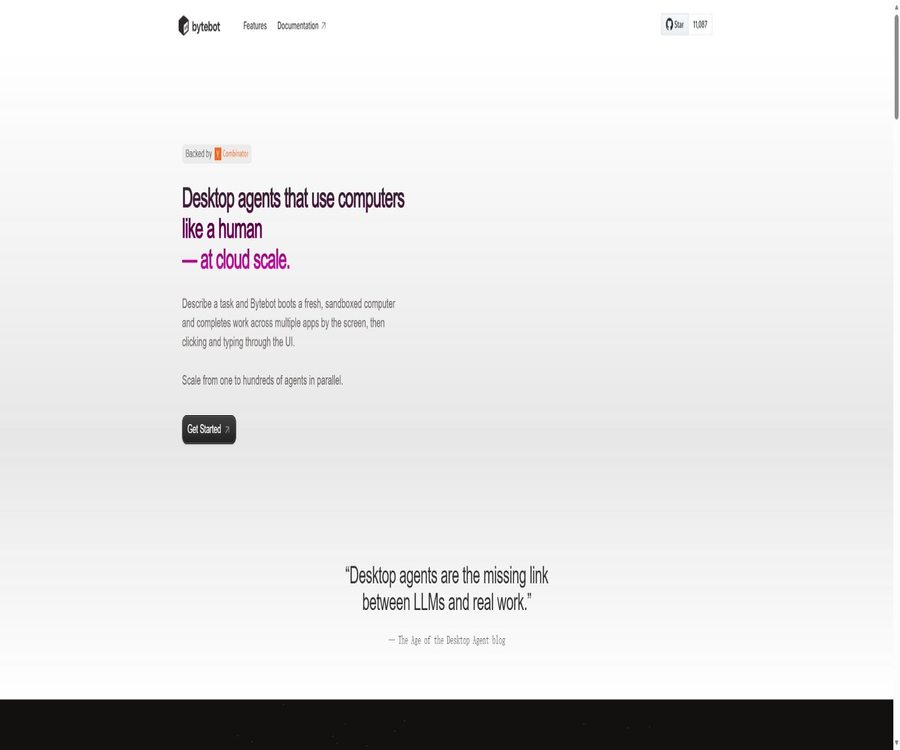
Bytebot is an open-source, self-hostable AI desktop agent that provides a separate Linux virtual desktop for the model, enabling it to view the screen, move the mouse, type text, manipulate files, and carry out natural language tasks across different applications.
What is Bytebot?
Bytebot is not merely a browser proxy that operates within the web page’s DOM; rather, it creates a containerized, automated environment that combines an Ubuntu desktop, AI task services, a web management interface, and a database. Agents can use Firefox, VS Code, the terminal, email clients, as well as applications installed by the users themselves.
The project was developed by Tantl Labs and the open-source community, with its code licensed under the Apache 2.0 license. It is important to note that the official GitHub repository was made read-only on March 7, 2026; although the official website and documentation are still accessible, upstream maintenance, bug fixes, and feature updates can no longer be carried out as in the case of an active project.
Current project status
| Check items | Current status | Impact on users |
|---|---|---|
| Official website | Still accessible | It provides information on the product’s positioning and its historical features, but it does not indicate that the hosting service is still in operation. |
| Official documentation | Still accessible | Docker, Railway, Helm, APIs, and the usage guides remain useful references. |
| Official GitHub | Archived, read-only | It is no longer possible to carry out normal merging and repairs through the original warehouse, nor can one wait for an update to the official version. |
| Source code license | Apache 2.0 | Use, modification, and distribution are permitted, provided that the license and attribution requirements are followed. |
| Cloud service prices | No current public price available. | Historical trials or early access versions cannot be presented as part of the current packages. |
| Security maintenance | There is significant uncertainty. | The deployer is responsible for conducting audits, applying patches, isolating the network, or using a branch that is under maintenance. |
System architecture
| Components | Technology and functions | Default purpose |
|---|---|---|
| Bytebot Desktop | Ubuntu 22.04, XFCE, and the desktop automation daemon | Provides a screen, mouse, keyboard, file system, and installable applications |
| AI Agent | NestJS task service and model invocation layer | Understanding tasks, planning actions, handling states, and managing conversations |
| Task Interface | Next.js web interface | Create tasks, view the desktop, check progress, and take manual control |
| PostgreSQL | Persistent database | Save tasks, messages, status, and related records |
| Model provider | Providers compatible with Claude, GPT, Gemini, or LiteLLM | Provides reasoning and visual comprehension capabilities. |
| Deployment layer | Docker Compose, Railway, or Kubernetes Helm | Run the entire system on local hardware, cloud servers, or a cluster. |
Main functions
- Natural language task: Describe the goal in plain language, and the agent will plan and carry out the desktop operations.
- Complete desktop environment: You can use a browser, editor, terminal, email, and other Linux desktop applications.
- File handling: uploading, downloading, reading, organizing, and creating PDFs, tables, documents, and other files.
- Cross-application workflows: Transfer information between websites, file systems, terminals, and desktop applications.
- Visual computer operation: Understand the interface by taking screenshots, and then perform actions such as clicking, scrolling, pressing keys, and entering text.
- Task status management: Records priority, running status, messages, operations, and historical results.
- Real-time desktop view: Observe the agent’s actions and the current status of the desktop from the task page.
- Manual takeover: When the agent encounters login issues, abnormalities, or difficulties in making decisions, the user can log in to the desktop to carry out the necessary steps.
- Persistent environment: The installed software and configurations can be used in subsequent tasks.
- Password manager support: 1Password or Bitwarden can be installed on the desktop to handle logins and two-factor authentication.
- Programmatic control: Provides task APIs, low-level desktop control APIs, and MCP endpoints.
- Multi-model access: It is possible to directly configure keys for Anthropic, OpenAI, and Google; other providers can also be connected through LiteLLM.
How does Bytebot work?
- Users can submit natural language objectives on the task interface or via the task API, and can attach files that need to be processed.
- The AI Agent reads the task and historical context, and breaks down the objectives into actions such as browsing, clicking, typing, uploading files, or running scripts.
- The Desktop container provides the current screen and the interface for executing commands, while the model selects the next action based on the visual results.
- After each operation, the system returns to a new screen state, and the agent continues to make judgments, correct errors, or request user assistance.
- After the task is completed, the messages, screenshots, and result files are saved, allowing the user to review the entire process and decide whether to use the output.
Two usage modes
| Pattern | Operation method | Suitable scenarios | Main risks |
|---|---|---|---|
| Autonomous task mode | After entering the target, the AI carries out continuous planning and execution. | Repeating processes, conducting research, organizing documents, and entering data with low risk | The model may make mistakes in clicking or entering data, or it may carry out actions that go beyond what is expected. |
| Manual takeover mode | The user enters the virtual desktop to handle the task manually before returning it. | Logging in, verification codes, abnormal pop-ups, and critical confirmations | It is still necessary to protect passwords, tokens, and sensitive documents during takeover. |
| Direct desktop control | Send specific mouse and keyboard actions through the interface or API. | Testing, debugging, and custom orchestration | The remote exposure control interface can lead to the entire virtual desktop being taken over. |
Self-hosted deployment tutorial
Pre-deployment preparations
- Install a Linux, macOS, or Windows environment that supports containers; for production environments, it is preferable to use isolated servers.
- The Docker version must be at least 20.10, and Docker Compose must be installed.
- At least 4GB of available memory should be prepared; complex desktop environments and parallel tasks require more CPU, memory, and disk space.
- Prepare the API keys for models compatible with Claude, GPT, Gemini, or LiteLLM.
- Since the official repository has been archived, first check the maintenance status, vulnerabilities, and community branches before deciding on the version to deploy.
Docker Compose installation process
- Obtain the code from the official archive repository and fix it to commits that have undergone internal review; do not rely on uncertain third-party mirrors.
- Copy the environment configuration file, fill in only the key of the selected model provider, and restrict the file’s read permissions.
- Check the ports, database passwords, privileged mode, and image tags in the Compose configuration to first enhance security.
- Build and start the four services: Desktop, Agent, UI, and PostgreSQL.
- Open the task interface only from a trusted network, and create a test task without any sensitive permissions.
- Check that the desktop, files, logs, and manual takeover are functioning properly, before gradually integrating the actual application.
Configuration after deployment
- Install only the applications that are truly necessary on the virtual desktop, remove unnecessary tools, and maintain minimal permissions.
- Configure a password manager for test accounts to prevent plaintext passwords from being included in prompts or environment files.
- Create a network allowlist to restrict access by intelligent fitness systems to the internal network, cloud console, and management systems.
- Configure task logging, screenshot retention, key rotation, disk encryption, and exception alerts.
- First, allow manual approval for high-risk actions such as sending emails, making payments, deleting files, and writing to the production system.
- After completing the security tests and business acceptance, add more concurrent desktops or scheduled tasks.
Supported models
| Access method | The supports listed in the official documentation | Usage features |
|---|---|---|
| Anthropic | Claude series | The default preferred route, suitable for complex visual tasks and desktop work. |
| OpenAI | GPT series | Suitable for general automation, as well as code and text-related tasks. |
| Gemini series | Suitable for multilingual and high-throughput tasks; actual performance requires testing. | |
| LiteLLM | Azure OpenAI, AWS Bedrock, Ollama, and other compatible providers | Easy integration with enterprise gateways, local models, or unified routing. |
The models are not provided free of charge as part of open-source projects; users must bear the costs associated with inference processing as well as comply with the service terms. Using local models can reduce external data transmission, but the capabilities in terms of desktop visualization, long-term task planning, and tool invocation may differ significantly from those of cloud-based models.
Which users are it suitable for
- Automation engineer: It is necessary to enable AI to control the entire desktop, rather than just invoking web interfaces.
- Development and testing teams: Automatically reproduce interface issues, execute end-to-end processes, and collect screenshot evidence.
- Enterprise IT team: Develop isolated interface automation tests for old systems that lack APIs.
- Document processing team: Responsible for reading, organizing, and entering data across files, browsers, and desktop applications.
- AI researchers: Study Computer Use, desktop agents, human takeover, and multi-model performance.
- Open-source developers: Create their own maintenance branches or dedicated desktop agents based on the Apache 2.0 code.
Typical use cases
- Supplier invoice processing: Log in to multiple portals to download files, organize the directories, and generate summaries.
- Cross-system data entry: Records are read from tables and then written into CRM or ERP interfaces that lack open APIs.
- Technical research: browsing materials, downloading PDFs, reading content, and creating comparison documents in an editor.
- Software testing: Launch the application, reproduce the user’s actions, capture screenshots of any errors that occur, and create test reports.
- Development verification: Run commands, modify sample files, start the service, and then check the results using a browser.
- Compliance data collection: Visit official organization websites, download documents, and update internal tracking tables.
- Email and file processing: Reads the attachments from specified emails, saves them in appropriate categories, and generates results awaiting review.
Product advantages
- It provides a complete Linux desktop that includes browsers, file systems, a terminal, and native applications.
- Natural language goals are suitable for tasks with frequent interface changes and those that are difficult to plan in advance.
- The self-hosted architecture allows enterprises to control the network, files, desktop images, and data retention.
- Manual takeover is supported; automation can be paused in cases of login issues, anomalies, or critical decisions.
- The Task API, Computer Use API, and MCP facilitate integration with custom proxies and scheduling systems.
- The Apache 2.0 license allows organizations to modify, deploy, and distribute their own versions.
- It can be connected to multiple cloud models or local models, without being forced to use a single inference provider.
- Each desktop is isolated in its own container, which facilitates the creation of work environments with different application configurations and permissions.
Important restrictions
- The official repository has been archived; the original project is no longer receiving regular maintenance, and its dependencies, mirrors, and deployment documents will gradually become outdated.
- Visual desktop operations are slower than deterministic APIs and scripts, and they are more susceptible to pop-ups, resolution changes, and interface modifications.
- The model may misinterpret the screen, click in the wrong location, overwrite files, or submit incorrect forms; therefore, high-risk operations should not be carried out without review.
- Container isolation does not automatically equate to security; privileged modes, mounted directories, network permissions, and keys can expand the scope of potential impacts.
- There are no usage limits for self-hosted software, but costs apply for model APIs, cloud servers, storage, bandwidth, and maintenance.
- The default local interface does not have any authentication; by being exposed directly to the public internet or untrusted local networks, it poses a serious risk of takeover.
- Password managers can help reduce the exposure of plaintext keys, but the desktop content and operation results visible to AI may still contain sensitive information.
- The project does not have any publicly available pricing for hosted cloud services or service commitments; therefore, the trial access options listed on the old website should not be considered as available commercial packages.
Security risks and reinforcement recommendations
By default, Bytebot’s Compose configuration maps desktops, tasks, interfaces, and database ports; the desktop containers operate in privileged mode, and the example database uses a default password. The official API documentation states that local access typically does not require authentication, and these configurations are suitable only for controlled development environments.
CVE-2026-30631, disclosed in July 2026, indicates that the file writing paths in the affected submissions can lead to command injection; the severity rating assigned to this vulnerability is 9.8. Since the repository has been archived, deployers cannot assume that official fixes will be provided in the future.
- Do not directly map desktop APIs, task APIs, databases, and VNC to the public network.
- Introduce strong authentication, TLS, IP allowlists, and request logging in reverse proxies or service meshes.
- Replace the credentials of the sample database, and prevent the database ports from being accessible from unnecessary networks.
- Evaluate whether it is possible to remove privileged mode and restrict the capabilities of the container, as well as the mounted directories and host access.
- Check the impact of CVEs; use audited patches or maintenance branches. Do not perform sensitive tasks if the impact cannot be determined.
- Store the model API key in a key management system; it must not be included in the code, images, or task descriptions.
- Assign a dedicated account with low permissions to the desktop, without using the personal main account or the production administrator account.
- Restrict outbound network and internal network routes to prevent agents from accessing systems that are not part of their assigned tasks.
- Manual approval is required for payments, deletions, sending messages, permission changes, and code deployment.
- Regularly clean up screenshots, downloaded files, chat histories, and persistent volumes, and verify the backup deletion policy.
REST API and MCP
| Interface | Default port | Primary uses | Safety precautions |
|---|---|---|---|
| Agent API | 9991 | Create, manage, query tasks, and update them in real time | By default, no authentication is required locally; authentication must be added manually when using it remotely. |
| Desktop API | 9990 | Screenshots, mouse, keyboard, files, and unified Computer Use actions | It is equivalent to control over the desktop; it is necessary to restrict access via the network and from external sources. |
| MCP endpoint | MCP path under 9990 | Allow compatible clients to invoke the desktop control tool. | Old documents use the SSE method; client compatibility must be verified in practice. |
| Web UI | 9992 | Submit tasks, monitor the desktop, and take manual control | Access control and session security need to be added at the periphery. |
| PostgreSQL | 5432 | Save task and message statuses, etc. | It should not be made accessible to the outside world; the default password must be changed. |
The Agent API is designed for high-level task management, while the Desktop API is used for low-level control of the mouse, keyboard, and screen. For production orchestration, task-level interfaces should be used preferentially, with the Desktop API being invoked only when it is necessary to determine specific control actions.
Developer onboarding process
- Start the audited version of Bytebot in an isolated environment, and verify that the task, desktop, and database services are functioning properly.
- First, create a read-only or side-effect-free test task through the task interface, and record the task identifier as well as any changes in its status.
- Poll tasks or subscribe to real-time updates to monitor statuses such as completion, failure, cancellation, and requests for assistance.
- When precise control is required, invoke the unified Computer Use action and check the screen displayed after each action.
- Add authentication, minimum permissions, rate limiting, timeouts, and idempotency controls for remote calls.
- Screenshots, files, and logs are considered sensitive data, and they should be encrypted, anonymized, and processed accordingly to meet business requirements.
- Perform regression and security tests before upgrading models, images, or community branches.
Price and actual cost
The source code for Bytebot can be used freely under the Apache 2.0 license, with no official subscription fees for open-source software. The official website does not provide prices for cloud hosting services as of the time of verification; therefore, it is not possible to specify a fixed monthly fee or state that the service is completely free forever.
| Cost items | Billing method | Is it necessary? | Explanation |
|---|---|---|---|
| Bytebot source code | Free and open source | Yes | It can be used and modified freely, but the Apache 2.0 license must be followed. |
| Model inference | Charged by the model provider on a pay-as-you-go basis or through subscription plans | It is usually necessary. | The costs associated with Claude, GPT, Gemini, or other models are borne by the user. |
| Server or Railway | Charged based on CPU, memory, disk, and runtime. | Cloud deployment is required. | Parallel desktops and long-running tasks significantly increase resource consumption. |
| Local hardware | Equipment, electricity, and maintenance costs | Local deployment is required. | Local models may also require a GPU and more memory. |
| Security and Operations | Cost of personnel or services | It is essential in a production environment. | Including authentication, patches, monitoring, backup, vulnerability, and dependency management |
| Official managed cloud | The current price is not available. | No | The history page mentions cloud capabilities, but it is not possible to determine the current status of purchases and services. |
Open-source license and maintenance status
Apache 2.0 permits the copying, modification, distribution, and commercial use of the source code, and it also includes corresponding patent licenses. When distributing modified versions, it is necessary to retain the license and attribution statements, as well as to clearly indicate the modifications made; the project’s trademarks are not automatically authorized as a result.
Open-source licenses remain valid for an extended period, but when a repository is archived, its official maintenance is ceased or suspended. If companies wish to continue using it, they must create their own branches, handle updates to dependencies, manage security issues, and establish their own release processes, or opt for community branches that are under ongoing maintenance.
Privacy and data processing
Self-hosting allows tasks, databases, screenshots, and files to remain within one’s own infrastructure, but the selected cloud model can still receive notifications, screen content, or file data. The extent of data transfer depends on the version of Bytebot, the way in which the models are connected, and how the tasks are implemented.
Using local models can reduce the need to send data outside, but it does not eliminate risks related to desktop permissions, logs, backups, and internal access. Before going live, it is necessary to map out the data flow, understand the policies of the model provider, and restrict screenshots, keys, and sensitive files in accordance with the principle of minimizing such elements.
Basic information
| Project | Information |
|---|---|
| Tool name | Bytebot |
| Tool type | Open-source AI desktop agents and Computer Use automation platforms |
| Development team | Tantl Labs and the open-source community |
| Core Desktop | Ubuntu 22.04 and XFCE |
| Deployment method | Docker Compose, Railway, Kubernetes Helm, or desktop components |
| Model support | Providers compatible with Claude, GPT, Gemini, and LiteLLM |
| Price pattern | The source code is free; users are responsible for the costs related to models, infrastructure, and maintenance. |
| REST API | Yes, it includes task APIs and Desktop APIs. |
| MCP | Yes, the Desktop service provides endpoints. |
| Official SDK | No separate SDK was found; example calls for the interfaces are provided. |
| Is it open source? | Yes |
| License | Apache 2.0 |
| Warehouse status | Read-only archiving starting from March 7, 2026 |
| Safety status | There are publicly known severe command injection risks, which require independent assessment and remediation. |
Recommendation score
The recommendation score is 3.2 out of 5. Bytebot’s full desktop interface, open-source code, variety of models available, and dual-layer API make it valuable for learning, research, and further development; it is particularly useful for understanding the architecture of desktop agents.
The deductions are mainly due to archiving in official repositories, the lack of ongoing upstream maintenance, a wide range of default deployment settings, and the existence of severe vulnerabilities that have been disclosed. At this stage, it is not recommended to use it for sensitive production applications, unless the team has the capability to carry out code audits, make repairs, implement isolation measures, and provide long-term maintenance.
Frequently Asked Questions
Is Bytebot free?
The source code can be used freely under the Apache 2.0 license. The model API, cloud servers, local hardware, storage, and security operations still require payment; as of now, there are no official pricing details for cloud packages available.
Is Bytebot still being maintained?
The official GitHub repository was made read-only on March 7, 2026, and can no longer be considered to be under active maintenance. The fact that the website and documentation are still online does not mean that new content is being published or that security issues are being addressed promptly.
Can it be used on Windows or macOS?
The core agent runs in a containerized Ubuntu desktop, while Windows and macOS can serve as Docker hosts or access points. It is not a native personal assistant that directly controls the user’s current Windows or macOS desktop.
Is local modeling supported?
The document outlines local model options such as Ollama through the LiteLLM integration. The performance in terms of desktop vision and handling complex tasks depends on the capabilities of the model, the context, and the hardware, and requires separate evaluation.
Is an API provided?
Available. The Agent API is used for task management, while the Desktop API is used for low-level control of the screen, mouse, keyboard, files, etc.; by default, the local interfaces do not require authentication.
Is MCP supported?
The Desktop service provides MCP endpoints, which allow desktop control tools to be made available to compatible clients. The documentation uses the older SSE connection method; it is necessary to verify protocol compatibility before connecting to newer clients.
Is Bytebot safe?
It is not possible to draw immediate safety conclusions. By default, unauthenticated interfaces, privileged containers, sample database passwords, as well as the known severe command injection vulnerabilities all require the deployment operator to take action to strengthen security and make repairs.
Will the data leave its own server?
Tasks and desktops can be self-hosted, but when cloud-based models are used, relevant prompts, screenshots, or file contents may be sent to the model provider. The actual data flow can only be determined by taking into account the code, configurations, and model policies.
Can it be used to operate banks and payment systems?
Technically, it is possible to control browsers and password managers, but financial transactions should not be carried out unsupervised in the current archived version. At a minimum, low-privilege accounts, manual confirmation, an isolated network, transaction limits, and thorough auditing are required.
Is the official SDK open source?
No separate official SDK has been found; the source code of the project itself along with examples of API calls are available. The fact that a product is open-source and whether an SDK exists are two different things.
Can it still be used for commercial purposes after archiving?
The license still permits compliant commercial use, but the team is responsible for handling maintenance, security, trademark issues, and any dependencies on third-party services. Before providing services to external parties, it is necessary to verify the permissions related to the models, applications, and content involved.
Summary
Bytebot demonstrates how a complete Linux desktop, AI planning capabilities, a task interface, databases, and a Computer Use interface can be combined to create a self-hosted desktop agent. It remains a valuable open-source resource that can serve as a starting point for further development.
But the most important fact at present is that the warehouse has been archived, and there are security risks that require careful handling. It is recommended to use it for isolated research and controlled prototyping; if it is to be put into production, an audited maintenance branch should be employed first, along with systems for authentication, patching, access control, network management, and manual approval.
Tools similar to Bytebot




 Guigong Network Security Registration No. 45132202000164