






Let's Enhance
Online tools that use AI to enlarge, remove noise, sharpen images, and improve their quality
Tags:Lossless enlargement of AI imagesWhat is Let’s Enhance?
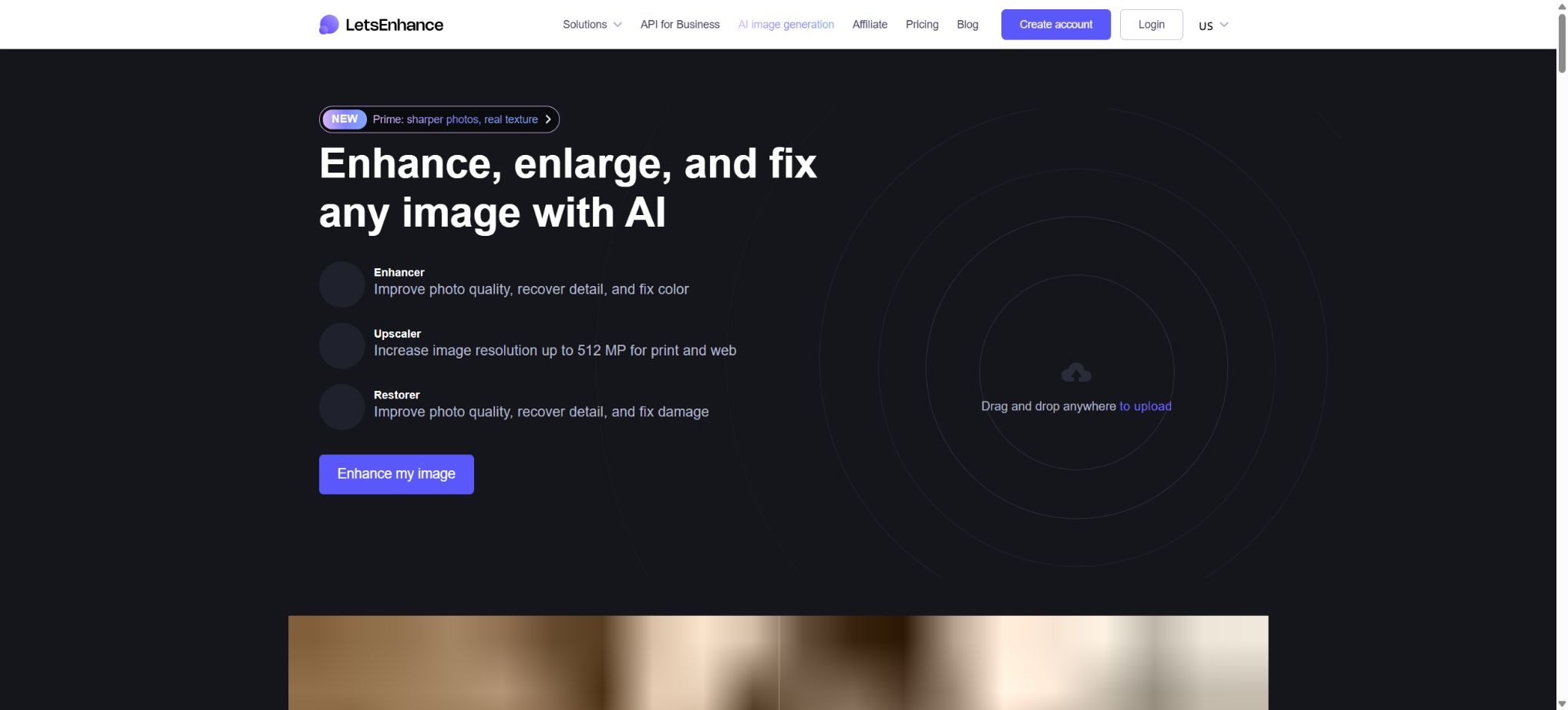
Let’s Enhance is an AI-based image enhancement and super-resolution tool that runs in the browser; it is used to enlarge low-resolution photos, product images, illustrations, and AI-generated images, while improving issues such as blur, noise, JPEG compression effects, as well as color and lighting problems. It is suitable for applications in photography, printing, e-commerce, real estate, design, and on-demand printing, where high-resolution outputs are required.
Unlike ordinary interpolation methods that simply enlarge existing pixels, Let’s Enhance uses neural networks to identify skin, hair, brick walls, fabrics, and other common textures, thereby generating new pixels that are appropriate. This results in sharper images, but the additional details are still based on the model’s predictions; they cannot be considered as restoration of information that was not originally present in the image.
Core functions
1. AI image enlargement
After uploading an image, it can be enlarged by a multiple factor, based on the desired width and height, the total number of pixels, or the print size. Depending on the mode and package selected, an enlargement of up to about 16 times is possible.
The maximum output resolution for the individual payment plan ranges from 256MP to 512MP, making it suitable for 4K, 8K, large screens, posters, canvases, T-shirts, and other applications that require high resolution.
The higher the magnification level, the more information the model needs to infer. The text, logos, facial features, patterns, and texture of the product in the smaller image may change; it is recommended to start by using a magnification of 2x or 4x, then increase it gradually, and compare the results with the original image at full size.
2. True texture enhancement by Prime
Prime is the default enhancement tool currently used for natural photographs; it focuses on preserving the natural textures of people, skin, food, clothing, and product materials, while reducing a plastic appearance and excessive sharpening. It is suitable for portraits, e-commerce applications, food photography, and any type of photography that requires authentic details.
Personality restoration can still alter details such as pores, wrinkles, eyes, and hair. Identity documents, medical and legal evidence, as well as historical archives should not consider the enhanced versions as the original records.
3. Gentle fidelity amplification
Gentle is suitable for images that contain small text, logos, vector edges, and clear graphics. It alters the content little; its focus is on scaling up the image while preserving its original shape, making it ideal for posters, packaging, icons, and brand visuals.
If the text in the original image is already unreadable, Gentle cannot restore it accurately either. Before official printing, all the text, barcodes, QR codes, and trademark outlines must be manually checked.
4. Strong fuzzy repair
Strong is useful for photos that are out of focus, have motion blur, or lack sufficient detail; it works to sharpen the edges more effectively, remove blur, and enhance the visible details. When people are in the photo, it can be used in combination with Face Enhancement to improve the appearance of their faces.
Extreme enhancement tends to cause halos, fake textures, and unrealistic features. It is suitable for salvaging unusable photos or for creative purposes, but not for documents and evidence images that require high fidelity.
5. Digital Art and AI-enhanced art
Digital Art is designed for illustrations, animations, logos, digital paintings, and works created using generative AI; it aims to preserve clean lines, color blocks, and style, rather than introducing the noise found in real photographs. It can enhance the output generated by tools such as Midjourney, Stable Diffusion, and DALL-E to suit sizes suitable for products, posters, and printed materials.
Abnormal hands, incorrect text, and composition issues in the original image do not disappear when the image is enlarged; in some cases they even become more apparent. The content should be corrected first, before proceeding with the final super-resolution processing.
6. Ultra generative scaling
Ultra is the mode with the greatest degree of variation; the extent of reconstruction can be controlled through Size of changes and Intensity. It is suitable for images that are very small, blurry, or lack detail, as well as for AI-generated art that requires richer textures.
Ultra will significantly redraw the content; accurate representation of identities, product details, and logos are not its strengths. When using it, it is necessary to keep the original image and consider it as a creative reconstruction rather than a lossless restoration.
7. Balanced and low-resolution modes
Balanced is used for moderate enhancement of ordinary photos, striking a balance between naturalness and clarity; the low-resolution mode is intended for web images that have been heavily compressed and are of small size.
Users should switch models based on the content type, rather than using the same preset for all images.
8. Noise removal, sharpening, and JPEG restoration
Enhanced processing can reduce particles, color patches, jagged edges, and JPEG compression artifacts, while also improving edge and local contrast. It yields cleaner results compared to simple sharpening, especially for night scene photos taken with smartphones, old web page images, and compressed product photos.
Excessive noise reduction can erase details such as skin, fabric, and fine lines, while excessive sharpening results in white edges. It is necessary to test different types of samples before performing batch processing.
9. Light AI and color correction
Light AI automatically adjusts brightness, exposure, contrast, white balance, and color to make product catalogs that contain dark or gray images as well as those with uneven lighting appear more uniform. It can be used in conjunction with operations such as zooming and sharpening.
Automatic color adjustment cannot replace the use of a color-calibrated display or the shooting of products under standard conditions. For clothing, paints, food products, and printed materials, it is necessary to verify their actual colors to avoid returns, exchanges, or misleading advertising as a result of color enhancement.
10. Face enhancement
Face Enhancement identifies the facial features in a portrait and adds details to the eyes, skin, hair, and contours; it is suitable for old photos, group photos, headshots, and small-sized portraits. It can be used in conjunction with modes such as Prime or Strong.
When low-resolution facial images lack identity information, the model may generate a face that \"seems clear but is not exactly the same\". Original scans should be saved and displayed alongside family records and identity-related data.
11. Background removal
The paid plan supports automatic image cropping and the creation of a transparent background, making it suitable for products, portraits, and design elements. According to the current pricing details, both the input and output resolutions for background removal are limited to 16MP, which is different from the 64MP limit for regular scaling tasks.
Edges need to be checked for hair, glass, jewelry, transparent plastics, and shadows. The Claid platform offers solutions for more complex tasks such as batch image extraction, background replacement, and shadow generation.
12. AI image generation
The individual payment plan allows for the creation of images from text, with the resulting images being ready to be enhanced, enlarged, and prepared for printing. It is suitable for concept diagrams, backgrounds, illustrations, and marketing drafts.
AI-generated content may contain incorrect text, trademarks, characters, and protected styles. Before using it for commercial purposes, it is necessary to check the platform’s terms, the rights associated with the material, and the copyright regulations in the relevant region.
Printing and 300DPI workflow
With Let’s Enhance, it is possible to enter the desired print size in inches or centimeters and to set the DPI value. A common standard for high-quality printing is 300 DPI; for example, a poster with dimensions of 24×36 inches requires approximately 7200×10800 pixels.
For distant viewing, the high output resolution can be reduced to a lower effective resolution as required by the printing plant.
DPI is merely a conversion factor between pixels and physical dimensions; it does not guarantee that the textures generated by the model will be accurate. Before sending the file for printing, it is necessary to check faces, text, fine lines, gradients, and edges at 100% scale, and to confirm with the printing shop the color space, bleed areas, and file format.
Batch processing
Users can upload multiple images at once and apply enhancements, zooming, color adjustments, and output settings to them uniformly; this is suitable for product catalogs, real estate listings, event photos, and print orders on demand. Enterprise versions can handle a higher number of images per month.
The same preset may not be suitable for different shooting conditions. It is recommended to group them by picture type, resolution, and level of noise; first process a small number of samples before handling the entire batch.
Price and version comparison
| Package or version | Prices, quotas, and core benefits |
|---|---|
| Free version | New accounts receive 10 free Credits, without the need for a credit card. The maximum size for input is 24MP or 50MB, while the maximum output size is 8MP; core enhancements are available in this free tier. Downloads made within this free limit come with watermarks. After purchasing any subscription or pay-as-you-go package, it is possible to redownload the images that were processed for free earlier and have the watermarks removed. The free quota is suitable for testing the actual quality of the images, but not for continuous production. The account is used to store the history of processing tasks and the downloaded results; the original images in the uploader are usually removed after 30 days. |
| Starter price | The Starter plan provides 100 Credits per month; the annual payment amounts to $9 per month, while the monthly payment is $12. Up to 600 unused subscription Credits can be saved, with a maximum input size of 64MP or 50MB, and a maximum output size of 256MP. This plan offers access to AI art, background removal, enhanced processing options, chat support, as well as early access to new features. The current pricing page indicates that results generated by the Starter plan are stored for 3 months. Users who need long-term storage should download the files promptly, as the online gallery should not be relied on as the only backup. |
| Pro price | The Pro plan offers 300 Credits per month; the annual payment amounts to $24 per month, while the monthly payment is $32. Up to 1800 Credits can be accumulated, and the maximum output volume is 350MP. The processed results can be stored for 6 months, and this plan includes the AI generation, image cropping, and priority processing features available in the Starter plan. The Pro plan is suitable for photographers, designers, and freelancers with regular monthly tasks. The Credits are replenished on a monthly basis with an annual payment, which does not mean that all the credits for the whole year are provided at once. |
| Max price | Max provides 500 Credits per month; the annual rate is equivalent to $34 per month, while the monthly payment is $45. Up to 3000 Credits can be accumulated; the maximum output resolution is 512MP, and the processed results are retained for 6 months. This option is suitable for large-scale printing and frequent batch processing tasks. The 512MP figure represents the maximum total number of pixels, but it does not mean that every image can be resized to this dimension – the quality of the original image and the choice of model still determine the final outcome. |
Free version
New accounts receive 10 free Credits, without the need for a credit card. The maximum size for input is 24MP or 50MB, while the maximum output size is 8MP; core enhancements are also available.
Free export with a watermark.
After purchasing any subscription or pay-as-you-go package, you can redownload the images that were processed for free previously and have the watermarks removed.
The free quota is suitable for testing the actual appearance of images, but not for continuous production. The account is used to store the history of processing operations and the downloaded results; the original images in the uploader are usually removed after 30 days.
Starter price
The Starter plan provides 100 Credits per month; the annual subscription costs $9 per month, while the monthly payment is $12. Up to 600 unused subscription Credits can be saved. The maximum input resolution is 64MP or 50MB, and the maximum output resolution is 256MP. This plan also offers access to AI art features, background removal, enhanced processing options, chat support, as well as early access to new features.
The current price page indicates that the results generated by the Starter version are stored for 3 months. Users who need to keep these records on a long-term basis should download them promptly; the online gallery should not be considered the only source of backup.
Pro price
Pro costs 300 Credits per month; the annual subscription amounts to $24 per month, while the monthly payment is $32. Up to 1800 Credits can be accumulated, the output resolution is limited to 350MP, and the processed results can be stored for 6 months. This plan also includes the AI generation, image cropping, and priority processing features available in the Starter version.
Pro is suitable for photographers, designers, and freelancers with regular monthly tasks. Credits are added on a monthly basis through an annual subscription; this does not mean that the full amount for the entire year is granted at once.
Max price
Max provides 500 Credits per month; the annual subscription costs $34 per month, while the monthly payment is $45. Up to 3000 Credits can be accumulated, the output resolution is 512MP, and the processed results are retained for 6 months. This option is suitable for large-scale printing and frequent batch processing tasks.
512MP represents the maximum total number of pixels, but it does not mean that every image is suitable for this resolution; the quality of the original image and the choice of model still determine the final result.
How are credits calculated?
Standard enhancement typically costs 1 Credit per image. Ultra and ultra-high target resolutions may require more Credits depending on the output size, and background generation as well as operations via enterprise APIs incur different charges.
Before running, check the real-time deduction prompts on the interface.
The unused Credits from the 100, 300, and 500 plans can be carried over, with a maximum balance equal to 6 times the monthly quota; the subscription must remain valid in order for these Credits to be retained.
After cancellation, the remaining balance will become invalid at the end of the paid period.
When downgrading, the maximum balance limit decreases along with the new plan, and any amount exceeding this limit will be lost.
Pay-as-you-go
Pay as you go refers to packages of Credits that are purchased once, with no expiration date; their unit price is usually higher than that of subscriptions. It is suitable for users whose tasks are not fixed and need to be handled only before project delivery, and it can also be used to supplement insufficient subscription credits.
The pay-as-you-go Credits are not included in the maximum balance limit of 6 times the amount associated with an individual subscription. The specific number of packages and their prices are subject to change; the details on the purchase page should be referred to.
Business plan
Business offers monthly Credit packages of 1000, 2500, and 5000, designed for higher volumes and greater output. The company’s introductory page shows that the self-service option starts at 1000 Credits, or $59, with an output volume of around 500MP.
For higher-end and enterprise capacities, rates are provided on a per-page basis or via a commercial quote.
Unused subscription credits under a business plan are not carried over and expire at the end of each cycle. When a personal plan is upgraded to a business plan, the previously accumulated credits generally remain valid only until the end of the original personal plan cycle; it is necessary to use those credits either before that time or to confirm this with support.
Pause, Cancel, and Refund
The monthly subscription can be suspended once every 6 months, for a maximum period of 3 months. During the suspension period, it is still possible to log in and use the accumulated Credits; if no action is taken to resume the subscription, the system will send a reminder before the suspension ends and will automatically resume charging.
Subscriptions can be canceled at any time. After cancellation, use of the service will continue until the end of the current period, after which the remaining balance and any membership benefits will become invalid. If you change your mind, you can request a full refund within 24 hours of purchase.
For other refunds, only the most recent and still active billing periods are considered; closed historical billing periods are not taken into account.
Image storage and privacy
According to the official help documentation, photos are stored in an encrypted format and can only be accessed by the account owner, in compliance with GDPR and CCPA requirements. The original files uploaded to the upload area are usually deleted 30 days after they are imported.
The processing results are stored according to the established plan for approximately 1 to 6 months; they can also be permanently deleted manually, either one by one or in batches.
Deleting an account will permanently remove all data, the history of edits, images that have been processed, the history of text-to-image conversions, as well as any remaining funds, and this data cannot be recovered. Images related to sensitive customers should be downloaded and deleted promptly after processing, and their storage in the cloud should be assessed in accordance with the organization’s policies.
Claid API
The developers of Let’s Enhance, as well as the high-capacity API, are provided by the Claid.ai platform, which belongs to the same team. This API supports functions such as image enlargement, quality improvement, color correction, background removal and blurring, background generation, product photography, modeling, shadow addition, image expansion, text-to-image conversion, and video generation from images; it also allows for receiving notifications of asynchronous task completion via Webhooks.
The trial version for businesses includes 50 API Credits and 50 Web Platform Credits. The costs associated with the official examples are as follows: upscaling – around 1 to 10 Credits; color enhancement – 1 Credit; background removal – 2 Credits; AI-based background processing – 3 Credits; text-to-image generation – 1 Credit; video generation from images over a period of five seconds – 35 Credits.
It is actually calculated based on operations and parameters.
Claid is related to the positioning of accounts and products in Let’s Enhance, but it is not the same interface: Let’s Enhance is designed for manual enhancement online, while Claid is intended for use with APIs, product photography, and automated workflows. Developers should obtain an API Key from the Claid console and check the current prices there.
API output and capacity
The Claid scaling interface allows for a magnification of up to about 16 times, with output resolutions exceeding 500 MP; images can be submitted via their URLs, by uploading files, or from cloud storage, and multiple processing steps can be combined into workflows. It is suitable for on-demand printing, market platforms, the real estate industry, food delivery services, and product catalogs.
High-capacity processes require control over retries, concurrency, the size of source files, and costs. Automated enhancements cannot replace manual sampling for quality inspection, especially in cases involving faces, text, logos, jewelry, and transparent products.
Supported platforms
- The mainstream desktop browser in web version;
- Mobile and tablet browsers;
- Integrate into websites, applications, and backend processes via the Claid REST API.
Let’s Enhance is based on cloud processing and does not provide a full offline desktop client. Network speed, queueing, and server availability can affect the time required to complete tasks.
Open-source status
The online services, training models, and enhancement engines provided by Let’s Enhance are not open-source projects. The fact that a small amount of development resources are made available on the official GitHub repository does not mean that the core products are open-source.
Third-party command-line clients available on the Internet are not equivalent to official SDKs or models that can be privatized.
Let’s Enhance Usage Tutorial
Complete a basic task.
- Clarify the purpose of the image, its dimensions, style, and requirements regarding commercial licensing.
- Upload the original images for which you have usage rights to Let’s Enhance, or enter clear instructions;
- Select AI image scaling to first generate low-cost candidates;
- Use Prime’s true textures to enhance and refine the composition, the main subject, and the details;
- Zoom in to examine faces, hands, text, edges, logos, and artifacts;
- Export after confirming the color, resolution, and licensing, while retaining the original image;
Create reusable professional workflows
- Create a list of brand colors, fonts, layout elements, and elements that are prohibited.
- Test AI image zooming, Prime true texture enhancement, and Gentle fidelity zooming separately;
- Use the same set of representative samples to compare quality, speed, and cost;
- Complex edges, text, and images of key products should be handed over for manual refinement.
- Standardize naming, dimensions, and review status;
- Batch processing and release are carried out after random inspections;
Which users is it suitable for?
- People who enlarge their phones and old photos to use in albums or posters;
- Designers who prepare materials for 300DPI printing, canvases, clothing, and on-demand printing;
- E-commerce management that ensures consistent clarity in product images, as well as appropriate lighting and background settings.
- Creators who use AI art tools such as Midjourney to create works for display and sale;
- Companies that handle real estate listings, menus, catalogs, and images uploaded by users;
- Platforms and development teams that use the Claid API to automatically enhance a large number of images.
Product advantages
- Different models are provided for photos, text graphics, illustrations, and blurred images;
- The output can be calculated directly based on the print size and DPI.
- For individual plans, unused Credits can be accumulated up to a limit of 6 months;
- It supports up to 16x zoom and outputs in the hundreds of MP;
- It also offers image masking, color adjustment, AI-generated content, and batch processing workflows;
- The Claid API is suitable for e-commerce and large-scale automation use cases.
Restrictions and Precautions
- AI upscaling does not restore the original information without loss; it generates speculative textures instead.
- Ultra, Strong, and face enhancement can particularly alter identities, text, and product details;
- Export is available for free with a watermark, and personal and commercial plans differ in terms of output pixels, storage, and carry-over rules.
- The Business balance is not carried over.
- The balance remaining after a personal subscription is canceled becomes invalid at the end of the cycle, and downgrading also reduces the cumulative limit.
- Although the pay-as-you-go packages do not have an expiration date, their unit price is higher;
- All processing is carried out in the cloud, and for sensitive or regulated images, it is necessary to first verify the requirements regarding authorization, privacy, and data processing.
Frequently Asked Questions
Is Let’s Enhance free?
New users receive 10 free credits; no credit card is required, and they can take advantage of enhanced features, though the exported files will have watermarks. After making a payment, it is possible to download a watermark-free version of the file, processed using those free credits.
How much does Let’s Enhance cost?
The annual subscription costs $9 for the Starter plan, $24 for the Pro plan, and $34 for the Max plan per month; the monthly subscription fees are $12, $32, and $45 respectively, corresponding to 100, 300, and 500 monthly Credits.
How much can it be zoomed in by?
Depending on the mode and package, the maximum value can be up to 16 times; the maximum output for individual plans is 256, 350, and 512 MP respectively.
The quality of the original image still determines the achievable effect.
Are Credits carried over?
For individual subscriptions, the amount incurred can reach up to 6 times the monthly limit; this is not the case for business subscriptions.
The balance remaining after cancellation becomes invalid at the end of the paid period, whereas the pay-as-you-go plan balance does not expire.
Is it suitable for printing?
It is suitable; the files can be prepared at the desired size and with 300DPI resolution, but it is necessary to check the text, textures, colors, and details of the model before sending them for printing.
Is there an API?
Yes, the API is provided by Claid.ai and offers functions such as zooming, enhancement, image cropping, background removal, product photography, and video processing; it is billed on a credits basis.
Should we improve Let’s Enhance, an open-source project?
It is not open source; it is a commercial cloud service, and the public GitHub resources or third-party clients do not contain the core models or the platform code.
Tools similar to Let’s Enhance


 Guigong Network Security Registration No. 45132202000164