






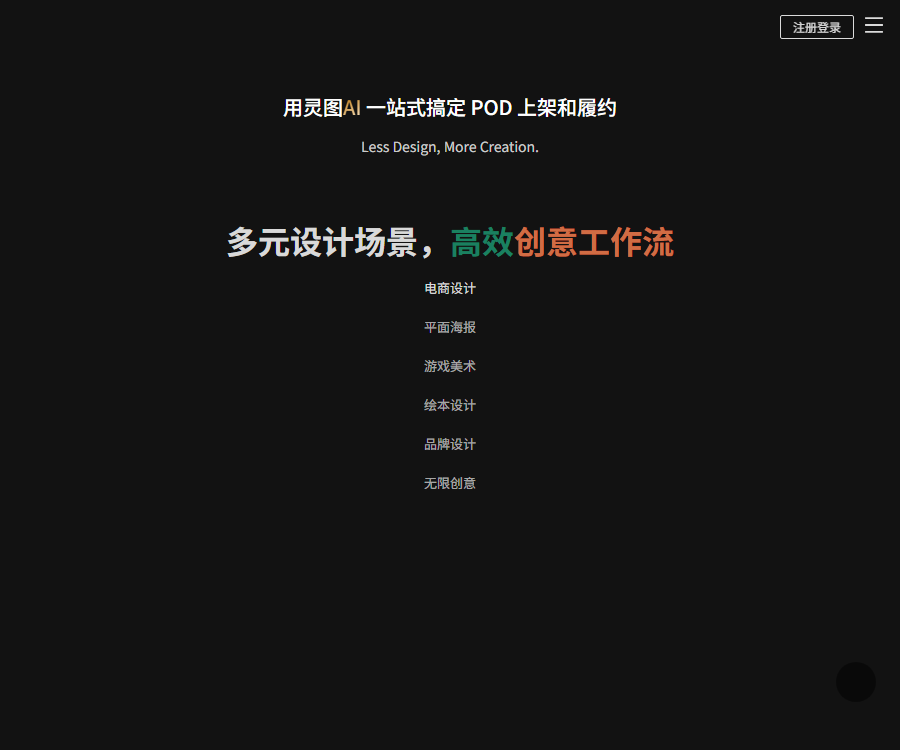
Lingtu AI
Created specifically for graphic design, it offers a hand-drawn appearance, a variety of styles, is easy to use, and enables creation at the element level!
Tags:Lossless enlargement of AI imagesWhat is Lingtu AI?
Lingtu AI is an AI-powered design platform designed for creative designers and POD sellers.
It is operated by Xiamen Lingtu Technology Co., Ltd., and its English brand name is LingVisions.
Product composition
| module | Primary uses | Suitable for users |
|---|---|---|
| Universal design workflow | Generating and processing creative materials | Designers and content creators |
| POD workflow | Batch design, template application, titles, and listing | Customizable sellers as needed |
| Customization based on provided designs | Remixing, group photos, image masking, and upscaling | Custom merchandise sellers |
| AI Toolkit | Image cropping, erasing, expansion, and zooming | E-commerce and graphic design professionals |
| Corporate cooperation | Style training and customization services | Brand and design team |
Main functions
- Describe the image materials in Chinese.
- Convert existing images to a specified style.
- Generate similar design variants based on the reference diagram.
- Control the character’s movements through posture references.
- Use outlines, color blocks, depth of field, and sketches to control composition.
- Automatically extracts the subject and creates material with a transparent background.
- Intelligently erase or replace visual elements.
- Expand the content and composition beyond the frame.
- Amplify images with low resolution without loss of quality and improve them.
- Extract the line art from the image.
- Execute the processes for batch applying templates, titles, and making products available for sale in POD.
- Develop a unique visual style tailored for the company.
Text-to-image generation
Text-to-image generation supports Chinese input, and it is possible to choose the style, refinement parameters, and image aspect ratio.
- First, write about the subject, setting, style, and composition.
- Give priority to using clear phrases, and avoid long sentences that contain conflicting elements.
- Add requirements for materials, lighting, lenses, and colors.
- Use exclusion options to remove unwanted elements.
- Generate more samples first, and then choose high-definition processing.
- The text and brand logos require manual correction later on.
Image style conversion
When changing the style of an image, it is advisable to take into account the original image’s contours, color patches, and depth of field, in order to maintain the key visual elements.
| Reference type | Main function | Suitable scenarios |
|---|---|---|
| Outline | Maintain the main shape and structure | Buildings, goods, and characters |
| Color blocks | Reference colors and area distribution | Colors for posters and illustrations |
| Depth of field | Refer to the hierarchical relationships before and after. | Scene and atmosphere images |
| Image style | Refer to the characteristics of characters or objects. | Serialized visual content |
| Creative sketch | Control the composition and the position of elements. | Conceptual design and proposal |
The higher the reference weight, the more similar the result will be to the original image; however, it may also reduce the degree of variation in the new image.
Similar image fission
Similar image fission allows for the bulk creation of variants with the same style or structure, based on a reference image.
- In normal mode, the reference weight can be adjusted.
- Image adjustment is used to modify the identified content.
- Artistic design patterns emphasize variations in style and details.
- The text enhancement mode is suitable for reference images that contain text.
- POD sellers can be used to expand printing options.
- Before using the reference images, it is necessary to verify the copyright and licensing.
Pose image generation
Pose image generation controls the movements and body structure of characters using pose templates or reference images.
- Choose a posture that is similar to the target action.
- Describe the characters, clothing, settings, and artistic style.
- Upload reference images for avatar styles as needed.
- Generate a prototype and check the limbs and hands.
- Make local adjustments to the face, clothing, and proportions.
- Confirm the permission for portraits and materials before commercial use.
Lossless amplification
Lossless scaling is used to increase the size of images and add additional visual details.
- First, ensure that the original image is not severely compressed and free of noise.
- Select the magnification level that meets the intended use.
- Examine the text, logo, and product texture after zooming in.
- When examining a person’s photograph, special attention should be paid to the eyes, teeth, and skin.
- A sample is made according to the actual dimensions before printing.
- The details added by AI are not equivalent to the original, true details.
Tutorial for lossless scaling
- Log in to the Lingtu AI web dashboard.
- Select lossless zooming from the AI toolbox.
- Upload images that you have the right to handle.
- Choose the magnification level based on whether it is for display, printing, or e-commerce use.
- First, use an image to test the processing effect.
- Compare the edges and textures of the original image with those of the enlarged image.
- Verify details of text, trademarks, people, and products.
- Download after confirming the consumption of spirit beans or membership benefits.
One-click image masking
One-click object removal identifies the main subject and removes the background; edge detection can also be performed by using the background color.
- Hair, transparent objects, and reflective edges require fine tuning.
- The background image of the product must comply with the requirements of the target platform.
- Check for residual pixels after exporting as a transparent PNG.
- Standardize image quality and composition before batch processing.
- Using background contrast allows you to quickly identify areas that were not properly selected.
Intelligent erasure and replacement
Smart erase is used to remove objects from the image, while smart replace is used to modify a specified area.
- The selection area covers the target while retaining a small amount of edge.
- When the background is complex, carry out multiple small-scale treatments.
- When replacing product elements, it is necessary to maintain proportions and perspective.
- For character illustrations, it is necessary to check the limbs, clothing, and overlapping elements.
- Do not use this feature to remove copyright markers in order to pass off content as original.
Image expansion
Image expansion allows new content to be generated around the original image, thereby changing its proportions and creating more space for layout.
| Uses | Suggestions | Key points of inspection |
|---|---|---|
| Horizontal image to vertical image | Protect the main entity and expand the surrounding space. | Background continuity |
| Negative space on the poster | Specify the direction of the text area | Do not generate garbled characters. |
| E-commerce main image | Match platform size | Ratio of products and actual structure |
| Scene extension | Explains light and perspective. | Edge seam |
Line drawing extraction
Outline extraction allows images to be converted into contour assets, which can be used for redesign, coloring, and print production.
- Original images with high contrast yield clearer lines more easily.
- In complex backgrounds, the main subject should be isolated first.
- Clean up broken lines and excess details after output.
- It is not possible to extract the line art from someone else’s work in order to avoid copyright issues.
POD workflow
The POD workflow is designed for on-demand printing and customized products, covering the repetitive steps from design to product placement on the market.
- Collect information on goods and materials that can be used.
- Extract the pattern and perform similar fission.
- Image cropping, upscaling, and adaptation to product templates.
- Generate sets of display images and titles in bulk.
- Generate product videos as needed.
- Submit the completed content to the listing process.
The categories listed on the home page include clothing, ironplate prints, home textiles, wall clocks, and phone cases, among others.
Tutorial for getting POD up and running
- Determine the sales platform, product categories, and printing specifications.
- Import your own or authorized original designs.
- Use the print extraction, fission, or creative generation functions.
- Check the pattern size, resolution, and transparent background.
- Select a product template to generate sets of images in bulk.
- After generating the title, check the keywords and actual attributes.
- Randomly check the display effect of different colors and sizes.
- Confirm the platform rules, copyright, and commercial licensing.
- First, launch a small number of SKUs for comprehensive testing.
- Save the source file, prompt, and authorization proof.
Customization based on provided designs
Customization based on provided images: Convert the customer’s images into visual materials suitable for customized products.
| Ability | Uses | Precautions |
|---|---|---|
| Automatic composition | Match the product layout | Retain important figures and main elements. |
| Style redraw | Generate comics or art-style images | Confirm that the customer agrees. |
| Group photo generation | Combine characters or pets | Check if the portrait matches the real person. |
| Removing background and extracting faces | Extract custom entity | Repair hair and edges |
| Super-resolution quality improvement | Improve low-resolution images | Details that do not exist cannot be restored. |
Corporate style training
Companies can seek brand style training to ensure that the content created adheres more closely to established visual guidelines.
- Clarify the source of rights for the training data.
- Remove watermarks, infringing content, and low-quality samples.
- Define brand colors, composition, and prohibited elements.
- Independent evaluation is conducted using samples that were not involved in the training.
- Confirm the model, data, outcomes, and the approach for handling after termination.
- Include the interfaces, concurrency levels, and service levels in the contract.
Spirit Beans and Members
The official user manual defines Lingdou and members as two different modes of use.
| Project | Main function | Current instructions |
|---|---|---|
| Free registration | Enter the platform and experience it. | Gifts and restrictions are determined based on the account. |
| Spirit Bean | Generating images and using certain functions | Different functions result in different deductions. |
| Spirit Bean Buns | Additional usable spirit beans available | The amount and validity period are as specified on the purchase page. |
| Members | Infinite generation and exclusive features | The rights and benefits are as specified on the current package page. |
| Enterprise services | Style training and customized collaboration | Quoting by project and contract |
Member benefits
The member benefits listed in the public manual include the following items; these may have been adjusted in the current version.
- Unlimited generation in the member area.
- A specific number of spirit beans are distributed each day.
- Spirit Beans are used to create channels quickly.
- Watermark-free copying and downloading.
- Download images at 2x and 4x resolution.
- Permissions for using the intelligent painting fabric LingPs.
- Certain batch and advanced tool benefits.
Price details
The information below was verified on August 31, 2026; the current price of the packages is not publicly available in a stable manner without accessing the official website.
| Items to purchase | Public price | Confirm before purchasing |
|---|---|---|
| Members | The stable amount has not been made public yet. | Cycle, daily spiritual beans, and advanced features |
| Spirit Bean Buns | The stable amount has not been made public yet. | Number of beans, expiration date, and reduction in functions |
| POD service | Refer to the actual page. | Workflow, listing, and fulfillment scope |
| Corporate style training | Custom quote | Data, models, interfaces, and services |
The final price, taxes, refunds, and benefits are subject to the settlement page and purchase agreement after logging in.
Notes on refunds
The official manual states that members and Lingdoubao are virtual online products, and refunds are generally not provided once the purchase has been completed.
- First, use the free trial to verify the quality of the generated content.
- Make small purchases to test the actual consumption of spirit beans.
- Check the validity period and available functions before purchasing.
- Do not purchase old packages based on historical articles.
- The statutory right to a refund takes precedence over the platform’s current terms and conditions.
Platform and client
| Platform | Current status | Explanation |
|---|---|---|
| Computer web version | Support | Complete design and workflow entry point |
| Mobile browser | Accessible | Complex designs are better suited for computers. |
| Official App | No findings yet. | Do not download third-party apps with similar names. |
| Public API | No findings yet. | For enterprise interfaces, separate consultation is required. |
Copyright and Commercial Use
- The image entered must be your own or authorized.
- Similar image fission cannot be used to plagiarize others’ work.
- For customizations of characters and pets, a license for using the images is required.
- Fonts, trademarks, and brand elements need to be checked separately.
- Perform reverse image search and copyright check before listing on POD.
- When using AI-generated works directly, it must not be presented as being created entirely by humans.
- Retain authorization, generation, and manual modification records.
API and open-source status
| Project | Current status | Explanation |
|---|---|---|
| Public API documentation | No findings yet. | It is not possible to claim support for open development access. |
| Official SDK | No findings yet. | Web tools are not the same as SDKs. |
| Complete product source code | Not open source | No verifiable official warehouses were found. |
| Enterprise interface | You can ask for advice. | The project plan and contract shall prevail. |
Usage restrictions
- Images generated may contain errors in structure, text, and hands.
- Lossless amplification cannot restore non-existent real information.
- The rules regarding members, spirit beans, and functional reductions may change.
- The POD platform and delivery capabilities must be confirmed on the current page.
- AI-generated content does not automatically grant the right to use third-party materials for commercial purposes.
- The effectiveness of corporate style training needs to be evaluated using real-world examples.
Frequently Asked Questions
What is Lingtu AI mainly used for?
It is used for AI image generation, photo editing, lossless scaling, e-commerce design, and bulk product listing in POD workflows.
Does Lingtu AI support lossless zooming?
Supported; it allows for increasing the size of images and enhancing their visual details, but text, product details, and facial features still require manual inspection.
What is the difference between Lingdou and membership plans in Lingtu AI?
Spirit Beans are consumed based on their functionality, while members enjoy unlimited options for generating them, as well as benefits such as watermark-free downloads in high resolution.
How much does a Lingtu AI membership cost?
The current amount is not consistently displayed on the official website when not logged in; the information on the account purchase page and the settlement agreement should be taken as reference.
Is Lingtu AI suitable for POD sellers?
It’s suitable; the platform covers functions such as print extraction, splitting, image masking, overlaying, adding titles, handling videos, and the process of putting products online.
Does Lingtu AI have an official app?
At present, no official app is available; it is primarily used through a web version on computers, while mobile devices can access it via a browser.
Is Lingtu AI an open-source tool?
No, there is currently no official open-source repository for the complete product, nor is there any public SDK available.
Tools similar to Lingtu AI


 Guigong Network Security Registration No. 45132202000164