






Imgupscaler
Imgupscaler, an intelligent tool dedicated to lossless image enlargement.
Tags:Lossless enlargement of AI imagesA one-sentence summary
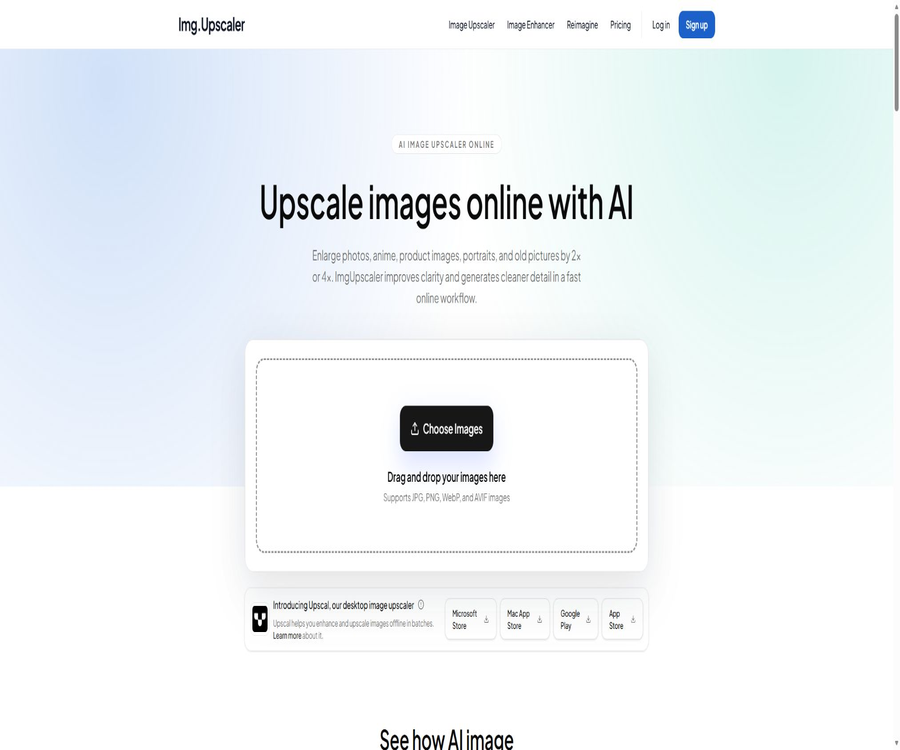
ImgUpscaler is an online AI tool for enlarging and enhancing images; it allows photos, animations, product images, portraits, and old pictures to be enlarged by 2 or 4 times, while the algorithms used generate clearer edges and textures.
Tool Introduction
ImgUpscaler is operated by Sparklightforce Limited; its web interface combines standard scaling, image quality improvement, and creative redrawing functions under one account. Users upload images, select the desired processing tasks and level of enhancement, preview the results, and then download them.
It is suitable for quickly processing web content, e-commerce images, presentations, social media content, and ordinary print documents. The details added by AI are the result of model inference; they do not represent the actual pixels that were not recorded by the original camera.
How to choose among the three web tools
| Tools | Main goal | Adjustable options | Suitable scenarios | Degree of alteration of the original image |
|---|---|---|---|---|
| Image Upscaler | Increase resolution and improve clarity. | 2 times or 4 times | Photos, animations, product images, and website visuals | Lower |
| Image Enhancer | Sharpen, reduce noise, and remove compression artifacts. | 1K, 2K, or 4K output | Blurred, noisy, and low-quality images | Medium |
| Reimagine | Zooming in simultaneously creates new textures and visual details. | Prompt, model, Creativity, and Resemblance | Concept art, architecture, illustrations, and experimental creations | It can be high or low. |
Standard scaling aims to preserve the composition of an image, while Enhancer focuses on improving the quality of the image. Reimagine allows the model to reinterpret the image on its own. When it is necessary to retain information such as the identity of people, the structure of products, or specific details in an image, the first two options should be used, with minimal generative modifications applied.
Main functions
2x and 4x AI amplification
The Image Upscaler uses super-resolution models to increase the size of images, aiming to produce clearer edges, textures, and local details. A 2x scaling factor is suitable for lightweight networks, while a 4x factor is appropriate for images that require a significant increase in pixel size.
Image quality enhancement
Image Enhancer helps to address issues such as mild blurriness, noise, JPEG compression artifacts, low contrast, and soft edges. It allows for the selection of 1K, 2K, or 4K resolution outputs, making it suitable for quickly improving image quality without the need for complex photo-editing software.
Enhanced with anime and illustrations
Line drawings, anime images, and digital illustrations can achieve cleaner edges and textures through modeling. However, fine lines, eyes, text, and patterns may still need to be redrawn, and the resulting output requires close inspection.
Portraits and Faces
The platform can improve the quality of skin, hair, and facial contours in low-resolution portraits, but the details it generates may alter age, skin type, or facial features. Automatic results cannot be relied on for use in identification documents, records, or personal identity verification.
Product images
E-commerce teams can enlarge product photos, remove compression-related distortions, and prepare a set of images with consistent dimensions using batch processing. The design may involve changes to the packaging text, logos, textures, and product edges; it is necessary to compare these changes with the original images before publishing them.
Old photos and scans
Old photos, travel photos, and low-resolution scans can be improved in terms of resolution and clarity. Severe damage, scratches, folds, and fading are not the main issues that standard enlargement methods are designed to address; complex damages require specialized tools.
Paid batch processing
Premium and Business plans support batch processing, making them suitable for preparing multiple product images, anime pages, customer materials, or event images at once. Free and guest users can only process images one by one.
Personal and commercial use
Both free and paid users can use the downloaded results for personal or commercial projects, without the need to purchase a package solely for commercial rights. Users still need to possess the copyright to the images, as well as any necessary permissions for portraits, trademarks, and other elements.
Reimagine: Amplifying creativity
Reimagine is not a conventional sharpening tool; rather, it generates new visual details based on the original image and the provided prompts. Users can choose models designed for portraits or for enhancing details, and they can adjust the balance between creativity and fidelity using the Creativity and Resemblance settings.
Prompt control
Prompt words are used to describe materials, lighting, atmosphere, architectural details, anime-style lines, or the texture of products. They do not guarantee an exact outcome; the more specific the wording, the greater the likelihood of a distinct reimagining of the image.
Creativity
A lower Creativity value places more emphasis on stable improvements, while higher values result in more textures and variations. It can be increased when concept exploration is needed; however, caution should be exercised when it comes to characters, products, and customer deliverables.
Resemblance
A higher value for Resemblance helps to preserve the subject, layout, and recognizable structures as much as possible, while a lower value allows for greater freedom in recreation. Even with a high value set, it is not possible to ensure that faces, text, and geometric shapes remain completely unchanged.
Model selection
The current page lists Portrait Model and Detailed Model, both with a target resolution of 2048 pixels. The former is more suitable for portraits, while the latter is better suited for buildings, illustrations, and complex textures.
Supported inputs and outputs
| Project | Currently supported | Precautions |
|---|---|---|
| Input format | JPG, PNG, WebP, and AVIF | Abnormal encoding or damaged files may cause failure. |
| Standard zoom | 2 times and 4 times | An increase in pixels does not mean that true details are restored. |
| Enhance output | 1K, 2K and 4K | Choose based on purpose rather than the maximum value. |
| Reimagine model | Portrait and Detailed | The target resolution is 2048 pixels. |
| Single-image processing | Available both for free and for a fee | Suitable for checking one by one. |
| Batch processing | Premium and Business | First, use a small number of sample images to confirm the effect. |
| Online videos | Not supported | Video enhancement is a separate Upscal application. |
The upload controls do not specify a fixed file size or maximum number of pixels allowed for input in the official documentation. Very large images, limitations related to mobile device memory or browser constraints can affect the process; it is necessary to follow the instructions displayed on the interface at the time of submission.
Tutorial for web version
- Keep the original file and create a copy for AI processing.
- Open Standard Zoom, Enhancer, or Reimagine based on the goal.
- Upload JPG, PNG, WebP, or AVIF images.
- For standard zoom, choose 2x or 4x; for Enhancer, select the desired output size.
- When using Reimagine, enter the prompt and adjust Creativity and Resemblance.
- Submit the task and wait for the cloud-based model to generate a preview.
- Zoom in to examine faces, hands, text, the edges of products, and background textures.
- When unsatisfied, reduce the intensity or change the tool, rather than repeatedly amplifying the same result.
- Download the final result and save the processing parameters for easy reproduction or rollback.
Batch production workflow
- Group the images by film, anime, products, and design drafts.
- Standardize the target size, ratio, and intended use for each group.
- Select one representative image from each group for a single-image test.
- Check the impact of the model on faces, text, line drawings, and product textures.
- Enable paid batch processing only after confirming the effectiveness.
- After processing is complete, organize the downloaded results by file name and purpose.
- Random samples are selected and each important image is reviewed individually.
- Complete the download and local backup before it is automatically deleted after 24 hours.
Recommendation settings for different images
| Image type | Suggested starting point | Conduct a focused inspection. | Unsuitable approaches |
|---|---|---|---|
| Portraits of people | 2x or low Creativity in Portrait mode | Eyes, teeth, hairline, and age | Use highly creative results directly as identification documents. |
| Product photos | 2x or 4x standard magnification | Symbols, labels, textures, and shapes | Replace real products with generated details. |
| Anime line art | 4x standard zoom or Detailed | Continuous lines, eyes, and text | Multiple consecutive enlargements |
| Architecture and Interior Design | Enhance details and increase similarity. | Doors and windows, perspective, and structure | Treat conceptual results as construction drawings. |
| Old photos | 2 times plus Enhancer | Character identity and genuine traces | Excessive skin smoothing and generation of missing content |
| AI-generated images | Enhancer or low-creativity Reimagine | Hands, text, and repetitive textures | Assume that amplification can fix all structural errors. |
| Compressed web image | 2x and noise reduction | Halos, color blocks, and sharpened edges | Select the maximum intensity directly. |
Free version and paid version
| Ability | Free | Premium | Business |
|---|---|---|---|
| Price | $ | $ | $ |
| Periodic quota | 50 points per month | 500 points per month | There is no upper limit on points. |
| Standard zoom | Support | Support | Support |
| Image Enhancer | Support | Support | Support |
| Reimagine | Support | Support | Support |
| Single-image processing | Support | Support | Support |
| Batch processing | Not supported | Support | Support |
| Advertising | Includes | None | None |
| Email support | Not listed | Includes | Includes |
| Team Seats | Not listed | Not listed | The current configuration lists 5 seats. |
Price packages
The price information was verified on August 23, 2026; the actual amounts, taxes, exchange rates, and discounts may vary, and the final figures will be those displayed on the settlement page.
Web subscriptions are available on a monthly or annual basis; the annual option requires payment of the full annual fee in one go. The prices are given in dollars, but actual taxes and settlement amounts may vary depending on the region, payment method, or account status.
| Package | Monthly payment | Annual payment | Annual equivalent monthly price | Core rights and interests | Suitable for users |
|---|---|---|---|---|---|
| Free | $ | $ | $ | 50 points per month, single image, with ads | Occasionally process a small number of images. |
| Premium | $ | 49 dollars | About $4.08 | 500 points per month, batch processing, no ads | Creators, marketers, and small teams |
| Business | 19.90 dollars | 69 dollars | About 5.75 dollars | No limit on points, batch processing, no ads | Enterprises and high-frequency production processes |
The discounts available for Premium annual and Business annual plans are significantly higher than those for monthly payments, but they require a larger upfront commitment. The schedule for issuing or renewing points in annual plans is not clearly explained in the price details; it is necessary to check this information on the billing and account pages before making a purchase.
Points and account rules
- Free accounts grant 50 points per month.
- Integration is used for AI processing tasks such as amplification, enhancement, and Reimagine.
- The Premium tier is priced at 500 points per month.
- There is no upper limit on the points available for Business markings, but reasonable use and system constraints must still be respected.
- The public page does not indicate the exact number of points required for each task.
- Monthly or annual subscriptions are automatically renewed on the billing cycle corresponding to the original purchase date.
- It can be upgraded, downgraded, or canceled from the account billing section.
- After cancellation, access rights and points remain valid until the end of the current paid period.
- There is no clear commitment regarding whether points can be accumulated across different periods.
Cancellation and refund
| Matters | Current rules | User operations |
|---|---|---|
| Unsubscribe | It can be done on the account billing page. | Cancel the next renewal before it expires. |
| Use after cancellation | It continues until the end of the current cycle. | Download the necessary results in advance. |
| Upgrade or downgrade | It can be changed in the account. | Confirm the effective time and price difference |
| Refund window | Payments that meet the criteria are due within 7 days. | Submit the order number, account email, and description of the issue. |
| Methods of refund | Return to the original payment method | It may take several business days for the funds to arrive. |
| Exception | The settlement page or applicable laws may specify different rules. | Read the final terms before making the payment. |
Websites and applications are not part of the same package.
The ImgUpscaler web subscription and the licenses for the Upscal and AI Enlarger apps are separate products. Purchasing the Premium or Business versions of the web service does not automatically unlock these apps, and buying the in-app plans does not add points to your web account.
| Products | Handling method | Main platforms | Key capabilities | Fees and relationships |
|---|---|---|---|---|
| ImgUpscaler Web | Cloud processing | Browser | 2x and 4x zoom, enhancement, Reimagine, and batch processing | Use website points and subscriptions |
| Upscal | Normal process: local offline | Windows, macOS, iPhone, and iPad | Image and video super-resolution | Independent download or in-app solution |
| AI Enlarger | Online and some offline modes | iPhone, iPad, and Android | 2x, 4x, 8x, batch, face, and filters | Independent in-app purchases |
Upscal offline application
Upscal emphasizes processing of image and video enhancements directly on the device itself; there is no need to upload media to a remote server, nor is it necessary to create an account. Windows and macOS can handle images and videos, while the performance of the advanced models on iPhone and iPad depends on the capabilities of those devices.
- The images can be enlarged by 2 times, 4 times, or 8 times.
- The video can be output in 720p, 1080p, 2K, 4K, or 8K resolution.
- Images can be exported in JPG, PNG, and WebP formats.
- Videos can be exported in MP4, MOV, and M4V formats.
- You can keep or mute the video and audio.
- It is possible to adjust noise reduction and sharpening.
- Normal enhancement is executed locally, with no remote processing history created.
- The processing speed depends on the device, resolution, video length, and zoom level.
Upscal price difference
The Upscal website lists the core offline workflow as free and subscription-free, while the Apple app page offers options for Pro subscriptions on a monthly or annual basis, as well as a one-time purchase. This can be understood as a combination of free core functions and advanced features available through in-app purchases; the final details are as indicated in the device store.
| Upscal solution | Reference price for the U.S. market | Public equity |
|---|---|---|
| Free | $ | A maximum of 5 images can be processed at a time; there is no limit on the number of times videos can be enlarged. |
| Monthly Pro | $ | Unlimited use |
| Yearly Pro | $ | Annual Advanced Authorization |
| Lifetime Pro | 39.99 dollars, one-time payment | Permanent Advanced Authorization |
AI Enlarger mobile app
AI Enlarger is another mobile application within the same product ecosystem; it allows images to be enlarged by 2x, 4x, or 8x, supports batch processing, facial retouching, as well as adjustments to color, lighting, and details. It does not automatically share data with the web-based tools ImgUpscaler and Upscal License.
| AI Enlarger solution | Reference price for the U.S. market | Billing method |
|---|---|---|
| Free download | $ | The internal capabilities of the application are available. |
| Monthly | 6.99 dollars | Renew monthly |
| Yearly | 19.99 dollars | Renew annually |
| Lifetime | $ | One-time purchase |
The Android version offers in-app purchases, but the prices vary depending on the region and the store account used. The cloud and offline modes of the mobile app, as well as the quantities available and the specific models, may also differ from those of the web version.
Privacy and image deletion
On the web version, images must be uploaded to the cloud for processing; both the original images and the resulting outputs are not stored as permanent files, and they are automatically removed within 24 hours after processing. Accounts, bills, and usage records are retained for as long as is necessary to provide services, resolve disputes, prevent abuse, and fulfill legal obligations.
| Data category | Processing purposes | Saving instructions | Precautions |
|---|---|---|---|
| Upload the original image | Zoom in, enhance, preview, and download | Automatically deleted within 24 hours | It will still go to the cloud before being deleted. |
| Generated result | Preview and Download | Automatically deleted within 24 hours | Save it locally in a timely manner. |
| Account information | Logging in, quotas, and services | Retained as required by business and legal obligations | It is possible to request access, correction, or deletion. |
| Google login credentials | Account identification and authentication | Includes email address, display name, and profile picture | A regular account can be used when it is not necessary. |
| Bills and limits | Payments, subscriptions, and disputes | Store for the required period of time. | It does not fall under the category of images that are deleted within 24 hours. |
| Device and usage data | Security, analysis, and improvement | Store for the required period of time. | Possible use of analytics and advertising partners |
Differences in privacy between offline applications and web pages
Normal enhancement with Upscal is carried out locally on the device, so there is no need to upload images or videos; whereas ImgUpscaler relies on cloud services and promises to delete the media files within 24 hours. When dealing with sensitive customer materials, it is necessary to choose the appropriate method based on the data requirements.
Copyright and commercial usage notes
The user retains ownership of the images, files, prompts, and other content uploaded, and grants the platform limited permissions necessary for processing, previewing, conducting security checks, and troubleshooting. The results obtained from downloads can be used for personal or commercial projects, but they do not override the copyright, privacy, and trademark restrictions associated with the original images.
- Do not upload photos of customers, artworks, or product images for which you do not have permission to handle.
- When dealing with photos of people, considerations must be given to portraits, privacy, and sensitive aspects.
- The new details generated by Reimagine may be similar to those in existing works.
- Product images must not use AI to create non-existent features or materials.
- The original unmodified images should be retained for use in archives, news, and as evidence.
- Check the text, logos, packaging, and identities of the people before a commercial release.
- Free results can also be used for commercial purposes, but the legal responsibilities do not decrease as a result.
The limits of AI’s capability for amplification
| Problem | AI can improve things. | AI cannot guarantee it. |
|---|---|---|
| The pixel size is insufficient. | Expand to 2 times or 4 times | Restore true sensor details |
| Mild blurring | Improve edge and local contrast | Fix severe out-of-focus issue |
| Compressed color blocks | Reduce some noise and a blocky appearance. | Fully restore the file to its state before compression |
| The face is too small. | Create clearer textures for the facial features. | Maintain 100% accuracy in identity information. |
| Product description | It might become clearer. | Ensure that each character and symbol is correct. |
| Anime lines | Improve continuity and sharpness | Do not change the details of the original artwork. |
| Missing area | Reimagine can create supplementary content. | Prove the true content of the original scenario |
Which users are it suitable for
- Ordinary users who need to enlarge content from social media, websites, and presentations.
- E-commerce and marketing teams that need to process product photos in bulk.
- Designers who wish to enhance AI-generated images and illustrations.
- Creators who need to prepare images with a higher resolution for printing.
- Users who wish to improve their anime line drawings, comic pages, and digital art.
- Designers who need to use prompts to explore the details of architecture, interiors, and conceptual designs.
- Upscal users who need to process sensitive images or videos offline on local devices.
Situations that are not very suitable
- Judicial and scientific images that require the restoration of absolutely accurate details.
- Organizations that cannot upload media to the cloud but insist on using the web version.
- Professional photo editing tasks that require reversible editing on a pixel-by-pixel basis and complete layers.
- Users who need to process videos on the web page.
- Development teams that require a formal API, SDK, or private deployment.
- Projects that require the model to leave faces, text, and product structures completely unchanged.
- The task is to treat the highly creative Reimagine outcomes as if they were actual buildings or products.
Main advantages
- Standard zoom, image enhancement, and creative redrawing are all available under the same web account.
- A free account grants 50 points per month and access to three types of tools.
- It supports JPG, PNG, WebP, and AVIF.
- The paid plan offers batch processing and an ad-free workspace.
- The annual price comes with a significant discount compared to the monthly price.
- Both free and paid results can be used for personal and commercial purposes.
- Web media is automatically deleted within 24 hours.
- There are also local, offline Upscal tools for images and videos.
Usage restrictions and precautions
- The web standard zoom options provide only 2x and 4x magnification.
- The free version can only process images one by one and includes ads.
- Batch processing is available only for paid plans.
- There is no publicly available table indicating the points required for each AI task.
- The fact that there are no score restrictions in business does not mean there are no technical or reasonable usage limitations.
- The details regarding the renewal amount for an annual subscription should be confirmed before making the purchase.
- Reimagine will automatically generate new visual information.
- Automatic deletion of images in the cloud is not the same as offline processing.
- Web, Upscal, and AI Enlarger need to be purchased separately.
- Prices and features in app stores may vary depending on region, device, and version.
API, GitHub, and open-source status
- ImgUpscaler does not provide public API documentation for image processing aimed at developers.
- No official SDK or command-line client was detected.
- No official GitHub repository for the ImgUpscaler web service was found.
- The Upscal page provides information on open-source licenses, but it is generally used to list the licenses of the dependencies.
- The fact that the dependent components are licensed under an open-source license does not mean that the entire application or cloud service is open source.
- There are no publicly available, self-deployable complete models, server systems, or account systems.
- When enterprises need to connect in bulk, they should first inquire about the partnership options; it is not allowed to extract data from web interfaces.
Basic information
| Project | Content |
|---|---|
| Tool name | ImgUpscaler |
| Operating entity | Sparklightforce Limited |
| Product type | AI image enlargement, enhancement, and creative redrawing |
| Web page zoom level | 2 times and 4 times |
| Enhance output | 1K, 2K and 4K |
| Input format | JPG, PNG, WebP, and AVIF |
| Free quota | 50 points per month |
| Website price | $ |
| Batch processing | Premium and Business support available |
| Commercial use | Both free and paid results are available. |
| Delete images in the cloud | Within 24 hours after treatment |
| Related applications | Upscal and AI Enlarger |
| Public API | Not confirmed |
| Open-source status | Not open source |
Frequently Asked Questions
Is ImgUpscaler free?
You can register for free and receive 50 points per month; the standard zoom, Enhancer, and Reimagine functions can be used one image at a time. The free version contains ads and does not offer batch processing.
How much can it be zoomed in by?
Web standards support zooming in by 2 times and 4 times; the Enhancer tool allows for output at 1K, 2K, or 4K resolution. Some mobile applications may also offer 8 times zoom, but this does not fall under the same features available with web subscriptions.
What is the difference between Premium and Business?
Premium costs 500 points per month and is suitable for regular creation; Business has no limit on the number of points and is intended for those who produce content frequently. Both options offer batch processing, Reimagine, email support, and an ad-free experience.
How much is it per year?
The premium version costs 49 dollars per year, while the Business version costs 69 dollars per year; the full annual fee is charged in one go. The actual taxes and the method for renewing the annual subscription will be determined at the time of settlement.
How long are uploaded images stored?
The original images uploaded via the web interface, as well as the generated results, are automatically deleted within 24 hours after processing. Accounts, bills, and usage records are not subject to this rule of short-term deletion of media files.
Can it be used for commercial projects?
Yes, both free and paid downloads allow for personal or commercial use. The user must still possess the legitimate rights to the images uploaded, as well as to any related people, trademarks, or works.
Is batch scaling supported?
Premium and Business plans support batch processing, while free and guest users can only process one image at a time. It is necessary to test the impact of the model on representative images before carrying out batch processing.
Will Reimagine change the original image?
Yes. It generates new details based on the prompt and creativity; Resemblance can only help maintain the composition and the main subject, but it cannot guarantee that the result will be exactly identical to the original image.
Can web members use it in the app?
Automatic sharing is not possible. The ImgUpscaler web subscription, Upscal, and AI Enlarger are separate products; separate authorization processes and purchases are required for each of them.
Can it be canceled or a refund issued?
Cancellation is possible from the billing page; the benefits that have been paid for remain valid until the end of the current period. Eligible payments offer a 7-day refund window, and it is necessary to provide order and account details.
Are APIs provided?
No public APIs or SDKs have been identified. When it is necessary to integrate image processing into a business system, it is necessary to contact the operators to discuss potential corporate partnerships.
Is ImgUpscaler open source?
No. The source code for web services, account management systems, and AI processing workflows is not made publicly available in its entirety; merely listing the licensing requirements for the various applications does not mean that the entire product is open source.
Summary
ImgUpscaler offers 2x and 4x scaling, image quality improvement, and customizable creative retouching, addressing a wide range of needs from handling individual images to processing large batches for commercial use. The free version is suitable for testing, the Premium version is ideal for those who create content regularly, and the Business version is meant for high-volume production.
When making a choice, it is first necessary to determine whether faithful scaling or generative redrawing is required; thereafter, the website points, annual discount rates, and batch processing options should be compared. For media that contains sensitive content, local Upscaling can be considered, but it is important to ensure that the three different licensing models are kept separate, and to always check the details of AI-generated faces, text, products, and structures.
Tools similar to Imgupscaler


 Guigong Network Security Registration No. 45132202000164