






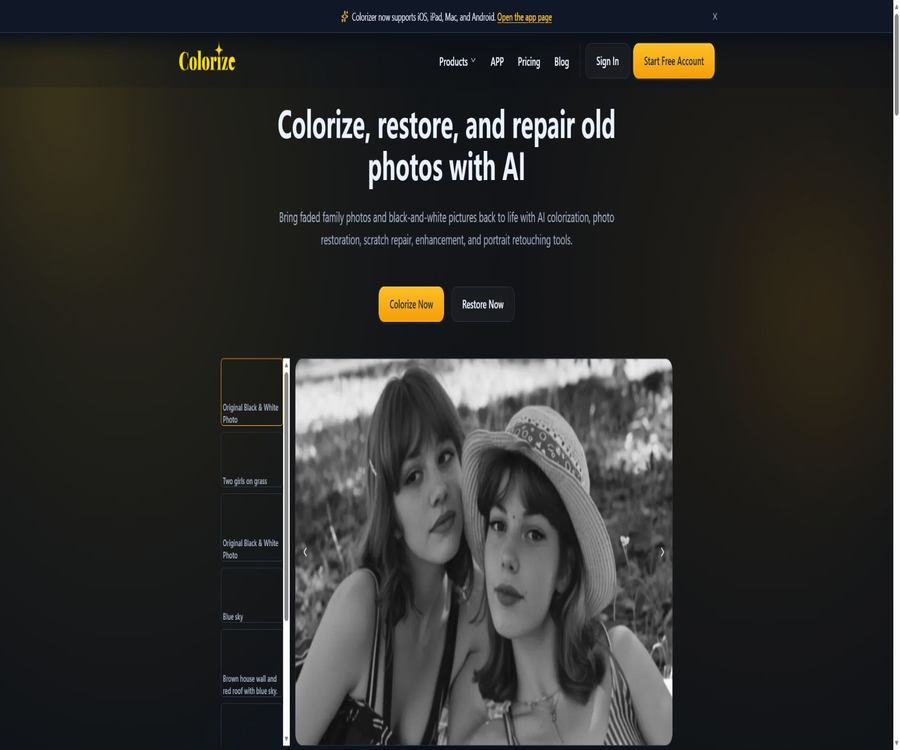
ImageColorizer
ImageColorizer, a smart tool focused on AI-powered image processing.
Tags:AI image optimization and repairA one-sentence summary
ImageColorizer is a set of AI-based tools for restoring old photographs; it can color black-and-white photos, improve their clarity, enhance portraits, repair scratches and folds, and enlarge images.
Tool Introduction
Since 2018, ImageColorizer has been offering services for processing old photographs; its main products at present are the web-based workspace and the Colorize mobile app. Users upload scanned photos, select the processing options they desire, and wait for the results to be generated in the cloud, without needing to know how to use Photoshop’s layer and repair tools.
It is better suited for quickly improving family photos, old portraits, historical snapshots, and images with minor damage. The AI estimates the colors and missing details based on the image, so the result is a visual reconstruction rather than an accurate restoration of historical facts.
Main functions
AI colorization of black and white photos
Colorize can identify portraits, clothing, the sky, plants, buildings, and background areas, and then add natural colors to grayscale photos. It enables the creation of a viewable version quickly, but it cannot determine the true colors of the clothing, eyes, or environment from that time period.
Comprehensive restoration of old photos
Restore is used to address issues such as fading, low contrast, blurriness, and age-related damage, and it attempts to restore the details of the face and the background. It is suitable for obtaining an overall result first, after which specific tools can be used to tackle individual problems.
Blurred enhancement and magnification
Enhance sharpens subtle details, increases contrast, and improves the appearance of low-resolution images. The textures that appear when scaling up are the result of model inference and cannot be considered as information that actually exists in the original image.
Old portrait face retouching
Retouch reduces noise in facial images, improves brightness, and restores details of the eyes, lips, and skin. The result can make the subject appear younger and smoother or alter their facial features; it is advisable to compare it with the original scanned image.
Repair of scratches, folds, and stains
Repair can reduce scratches, folds, tears, water stains, dust, and surface spots, and it fills in the missing areas by using the surrounding pixels. If the damage affects eyes, text, or important elements, automatic filling is more likely to result in incorrect structures.
Local cleanup and object removal
The product navigation provides a way to remove unwanted objects as well as surface defects; after the user selects the area in question, AI is used to reconstruct the background. The function for removing existing objects leads to a separate ObjectRemover service, and the account requirements, usage limits, and privacy policies may differ from those of ImageColorizer.
Batch processing
Starter, Premium, and Business plans include Legacy Batch Processing, which allows for the processing of multiple old photos at once. Creating and downloading files in batch mode consumes points; downloading the same image again will result in another point being deducted.
V2 model
The Business version offers unlimited use of the V2 model, but it does not provide a detailed explanation of the differences between V2 and the older models in terms of resolution, types of corrections available, and task speed. The term \"unlimited\" refers only to access to this model; it should not be interpreted as meaning that there are no limits on all functions, storage, or downloads.
Comparison of functions and applicable scenarios
| Photo issues | Recommended tools | Expected improvement | Conduct a focused inspection. |
|---|---|---|---|
| Pure black and white photos | Colorize | Add speculative elements. | Skin color, clothing, and the aesthetics of the era |
| Overall fading and blurring | Restore | Contrast and detail restoration | Is the person still recognizable? |
| Low resolution | Enhance or Restore | Sharpening and zooming | Whether to generate fictional textures |
| The face in the old portrait is not clear. | Retouch | Improvement of eyes, skin, and contours | Have the facial features and age changed? |
| Scratches and folds | Repair | Reduce surface damage | Is the completion of key areas reasonable? |
| Local debris | Object cleanup tool | Remove the specified area | Accounts and privacy for independent services |
| Multiple photos | Batch processing | Reduce duplicate upload operations | Points, order, and failed tasks |
Supported photo types
- Black-and-white family photos and personal portraits.
- Old photos that have faded, turned yellow, and lack contrast.
- Scans with mild to moderate scratches, folds, stains, and tears.
- Old images with low resolution or mild defocus.
- Photos that need to be prepared for sharing, family archives, or printing.
- Historic buildings, street scenes, artworks, and documentary snapshots.
- Digital archives that require batch coloring or restoration.
Web usage process
- First, scan the original photo at a higher resolution, and retain the unprocessed master copy.
- Log in to your account and select coloring, repair, enhancement, portrait processing, or scratch removal.
- Upload images that meet the file size and pixel limits.
- Select the available models and processing options, then submit the task.
- Waiting for the cloud processing to complete usually takes a few minutes.
- Compare before and after usage to examine the face, hands, background, and important text.
- Download the result once you are satisfied, to avoid additional downloads that would generate extra points.
- Use other specialized tools as needed to continue processing, and save each version.
Workflow for digitizing old photographs
- Clean the scanner glass by gently removing any loose dust from the surface of the photos.
- Scan in color mode with sufficient resolution, even if the original is a black-and-white photo.
- Save an intact master file; do not overwrite the unique file directly.
- First, correct the direction, trim the edges, and adjust the basic exposure.
- Test the same photo for restoration, colorization, and face enhancement separately.
- Compare multiple versions and choose the one that requires the fewest changes to the character’s identity.
- Record the AI processing steps and label the results as either a repaired version or a colored version.
- Back up the master version, the processed version, and the instructions to at least two different locations.
Input, Output, and Restrictions
| Project | Current rules | User suggestions |
|---|---|---|
| Paid upload size | Less than 100MB | For extremely large scanned files, retain the master file first and then copy and compress it. |
| Paid pixels | The single side shall not exceed 4000 pixels. | It will be scaled or compressed when it exceeds the limit. |
| Free quota | 50 points per month | First, use representative photos to test each tool. |
| Single-image processing | Available both for free and at a paid price | Suitable for detailed inspection |
| Batch processing | The paid version includes the older batch processing version. | First, verify the model’s performance in small batches. |
| Result saving | Download to local device | Cloud files will be automatically deleted. |
| Retention in the cloud | The original image and the resulting image will be deleted within 2 hours. | Download it promptly once the task is completed. |
Different dedicated pages and older versions of the software may display outdated rules such as 2MB, 2000 pixels, or 6000 pixels. The current pricing information specifies a limit of less than 100MB with 4000 pixels per side; however, the actual upload controls and the platform selected may impose more specific restrictions.
Free version and paid version
| Ability | Free | Starter | Premium | Business |
|---|---|---|---|---|
| Monthly price | $ | 6.9 dollars | 9.9 dollars | 19.9 dollars |
| Monthly points | 50 | 500 | 1000 | Fixed integrals not listed |
| V2 model | Within the free quota | Based on the package limit | Based on the package limit | Unlimited access |
| Single-image processing | Support | Support | Support | Support |
| Old version batch processing | Not included | Includes | Includes | Includes |
| All AI features | Includes | Includes | Includes | Includes |
| Advertising | Yes | None | None | None |
| Priority support | Not included | Includes | Includes | Includes |
Price packages
Web subscriptions are available on a monthly or annual basis; the annual plan requires payment of the full annual fee at once. The prices listed on the pricing page include the applicable taxes based on the billing address, and the final amount to be paid will be determined before completion of the transaction.
| Package | Monthly price | Annual price | Main limit | Suitable for users |
|---|---|---|---|---|
| Free | $ | $ | 50 points per month, processing of a single image, with ads | Occasionally edit one or two family photos. |
| Starter | $ | $ | 500 points per month, batch processing, no ads | Regularly organize the family photo album. |
| Premium | $ | $ | 1000 points per month, batch processing, no ads | More active repair users |
| Business | $ | $ | V2 model: unlimited access, batch processing, no ads | High-frequency archives and studio workflows |
Annual billing for Starter and Premium plans offers significant savings compared to monthly billing, while Business plans come with even greater discounts; however, paying in one lump sum also implies a longer-term commitment. It is advisable to first use the free quota to check whether old photos can be processed, before deciding whether annual billing is the better option.
How to calculate the integral
- Points can be used for the website’s AI processing features.
- Processing one image in a batch process typically costs 1 point.
- Downloading a processed image can also cost 1 point.
- Downloading the same image again will consume 1 more point.
- The subscription points are updated on a monthly basis starting from the date of the first subscription.
- Unused points can be carried over as long as the subscription remains valid.
- Upon expiration of the subscription, the accumulated points will be deleted.
- Downgrading or cancellation may also result in the cancellation of accrued points in accordance with the package rules.
How to understand unlimited access to Business?
Business does not specify any fixed monthly points; instead, it states that unlimited access to the V2 model is available. Before making a purchase, it is necessary to confirm whether the old model, bulk downloading, repeated downloads, and other AI functions are still billed based on points or under the rules of fair use.
Platform and version
| Platform | Product format | Key capabilities | Price considerations |
|---|---|---|---|
| Web | Browser workspace | All specialized tools for old photos and account points | Use the current website package |
| iPhone | Colorize app | Coloring, enhancement, portraits, and saving albums | In-app purchases can be independent. |
| iPad | Colorize app | Flat photo processing | In-app purchases can be independent. |
| Android | Colorize app | Coloring, enhancement, portraits, and album saving | Store prices vary by region. |
| Mac | Mobile app compatibility or desktop version | Coloring and enhancement of old photos | Check whether account benefits can be shared. |
| Windows | Old desktop version of PictureColorizer | Local interface and cloud-based AI processing | The information related to the old version of the permanent license may be outdated. |
The current main page focuses on showcasing iOS, iPad, Mac, and Android; the information provided still mentions desktop applications for Windows and Mac. The permanent license price of $29.95 mentioned in previous blogs, as well as the old pricing for mobile purchases, are not listed on the current main pricing page, so they should no longer be considered valid prices.
Usage on mobile devices
- Install Colorize from the app store and select old photos from your device’s gallery.
- Select Colorize, Enhance, or Retouch based on the goal.
- If necessary, crop the image first to prevent irrelevant edges from affecting recognition.
- Upload it to the cloud and wait for the task to complete.
- Drag the comparison line to check the differences before and after processing.
- Select a filter or an available additional effect.
- Save it to the album and confirm that the download of the cloud task has been completed.
Is the coloring result accurate?
AI colorization determines colors based on training data and the semantic meaning of the image; it is unable to restore the original colors that have been lost from the grayscale pixels. The same grayscale level can correspond to entirely different colors for clothes, eyes, vehicles, and buildings.
| Scene | Common biases | Verification method |
|---|---|---|
| Skin color | Slightly red, slightly yellow, or a tendency toward similarity among different individuals | Combining family information with original photos |
| Military uniforms and dress uniforms | Incorrect era and unit color. | Consult reliable historical archives |
| Eyes and hair | The model makes guesses based on common combinations. | Confirm with relatives or keep the black-and-white version. |
| Buildings and vehicles | Use modern or incorrect color schemes. | Comparative color materials from the same period |
| The sky and plants | Excessively bright or out of season | Reduce saturation and make manual adjustments. |
| Artworks | Change the author’s original color tone | Do not pass off AI-generated results as the original works. |
The boundaries of the capabilities related to repair outcomes
- Severely missing areas are filled in by AI imagination, rather than by retrieving the actual pixels.
- Face enhancement can alter facial features, wrinkles, age, and identity characteristics.
- Sharpening enlarges the particles and can also create textures on the skin or clothing.
- Scratches passing over letters and words can easily lead to incorrect structures.
- Coloring is influenced by the era, culture, and biases in the training data.
- It should be viewed at the target size before printing, rather than just looking at the thumbnail.
- The unmodified master files must be retained for museum, judicial, and research purposes.
Privacy and photo deletion
The current privacy policy states clearly that ImageColorizer does not offer any offline model processing capabilities or functions for storing files based on historical data. The original images uploaded for cloud-based processing, as well as the resulting outputs, are automatically deleted within 2 hours.
| Data category | Processing instructions | Save or delete | Precautions |
|---|---|---|---|
| Upload the original image | Cloud-based AI processing | Automatically deleted within 2 hours | Download it promptly after the processing is complete. |
| Generated result | Preview and Download | Automatically deleted within 2 hours | One cannot rely on long-term website backups. |
| Account information | Login, subscription, and support | The policy does not set a fixed deadline. | You can contact support to inquire about and delete it. |
| Log data | IP, devices, systems, configurations, and diagnostics | The policy does not set a fixed deadline. | Used for error and service analysis |
| Analysis and Advertising | Third-party analytics and advertising services | Follow the relevant service rules. | The free version includes ads. |
| Payment data | Processed by Paddle | The platform does not store card information. | The final taxes and fees are calculated based on the billing address. |
- Automatic deletion after 2 hours does not mean that the task is processed entirely offline.
- The photos are uploaded to the cloud before being deleted and processed by AI infrastructure.
- Third-party services may have access to limited technologies or data.
- Care should be taken when handling documents, medical, or other highly sensitive photos.
- Family archives should maintain a separate backup of both the local template and the downloaded version.
- Object removal is a separate service; its rules for photo processing must be checked separately.
Copyright and Content Responsibility
Users retain ownership of the files, content, and data they upload, and grant the platform limited permissions necessary to operate, protect, and improve the service. Users must still ensure that they have the right to upload photos of people, scanned documents, and works protected by copyright.
Colorizing or restoring historical photographs can alter the original message conveyed by them; it is best to indicate when such AI-driven processing has been applied when the photos are made public. In news, museum, academic, and judicial contexts, the original versions should also be provided, so as to prevent viewers from mistaking inferred colors or added details for factual information.
Subscription, cancellation, and refunds
| Matters | Current rules | User operations |
|---|---|---|
| Automatic renewal | Renewal on the same date, either monthly or annually | Cancel it in the account panel before it expires. |
| Use after cancellation | It can be used until the end of the current subscription period. | Use or record the remaining points first. |
| Carry forward of points | It can be carried forward during the valid subscription period. | Expiration, cancellation, or downgrade may result in deletion. |
| Refund window | Purchases that meet the criteria are valid for 7 days. | Submit order details and purchasing email address |
| Methods of refund | Return to the original payment method | The time when the funds arrive is determined by the payment service provider. |
| Payment methods | Credit cards and PayPal | Payments are processed by Paddle. |
Which users are it suitable for
- Ordinary users who wish to quickly colorize black-and-white family photos.
- Researchers who organize old photo albums, family trees, and family archives.
- Photography enthusiasts who need minor repairs for scratches and folds.
- Prepare to share old photos with family and friends, or to have them reprinted.
- Studios that need to process a large number of ordinary scanned documents in bulk.
- Users who wish to choose a tool among smartphones, tablets, and computers.
Situations that are not very suitable
- Archival projects that aim to restore the absolutely authentic historical character.
- Photos that are severely damaged and require manual reconstruction pixel by pixel.
- Confidential or regulated materials whose images cannot be uploaded to the cloud.
- Organizations that require a complete offline model and local batch processing.
- Development teams that request open APIs, open-source code, or private deployment.
- It is hoped that AI-generated results can be used in judicial contexts as a replacement for unmodified evidence photos.
Main advantages
- Coloring, restoration, enhancement, portrait processing, and scratch removal are all available under the same account.
- The process is simple, and no professional photo-editing skills are required.
- Free accounts grant 50 points per month.
- The paid version offers batch processing, priority support, and ad-free experience.
- Business offers unlimited access to the V2 model.
- It is compatible with Web, iOS, iPad, Mac, and Android.
- The current privacy policy provides a clear commitment to delete images within 2 hours.
- Monthly and annual payment options are available, along with a 7-day refund period.
Usage restrictions and precautions
- AI coloring is an estimation; it is not proof of the actual colors that existed in history.
- Reconstruction of faces and defects can alter an individual’s facial characteristics.
- Paid images must be less than 100MB in size and cannot exceed 4000 pixels on either side.
- Downloading the same image repeatedly may also result in points being deducted again.
- The cumulative points will be cleared once the subscription expires.
- The infinite scope of Business refers explicitly only to the V2 model.
- Batch processing is labeled as Legacy; it may be modified or replaced in the future.
- When an object is removed, it moves to a separate service, and the privacy-related conclusions outlined in this entry cannot be applied to it.
- The prices for old blogs and old websites no longer match those of the current packages.
- The product does not provide public APIs, SDKs, or open-source code.
API, GitHub, and open-source status
- No public API documentation for photo processing intended for users has been found.
- No official SDK or command-line tools have been identified.
- No official GitHub repository for the ImageColorizer core service was found.
- The app is downloaded under a limited, non-transferable, and revocable software license.
- The terms prohibit reverse engineering, decompiling, or extracting the source code of the service.
- The fact that a webpage is available does not mean that its content can be scraped or that automated, bulk access to it is permitted.
- When an enterprise interface is needed, it is first necessary to check with the support team to see if there is a private solution available.
Basic information
| Project | Content |
|---|---|
| Tool name | ImageColorizer |
| Product type | AI colorization, restoration, and enhancement of old photographs |
| Core functions | Colorize, Restore, Enhance, Retouch, and Repair |
| Time of going live | 2018 |
| Web platform | Support |
| Mobile platforms | iPhone, iPad, and Android |
| Desktop platform | Mac and older Windows programs |
| Free quota | 50 points per month |
| Paid price | $ |
| Batch processing | The paid version includes Legacy Batch Processing. |
| Image deletion | The original images and the resulting images in the cloud are automatically deleted within 2 hours. |
| Refund | Applications for eligible purchases can be submitted within 7 days. |
| API | Not disclosed |
| Open-source status | Not open source |
Frequently Asked Questions
Is ImageColorizer free?
It is possible to create an account for free; 50 points are awarded each month, and all AI functions are available. However, the free version contains ads and only supports processing a single image.
How many points are required for one photo?
In batch processes, processing or downloading one image typically costs 1 point each; re-downloading the same image will result in another charge. The specific cost for handling a single image shall be as indicated before submission.
Do unused points roll over?
Points can be carried over during the valid subscription period, but they are removed once the subscription expires. When a subscription is canceled or downgraded, the accumulated points may also be deleted in accordance with the rules of the plan.
How long are uploaded photos stored?
The current privacy policy states that the original images stored in the cloud as well as the resulting images are automatically deleted within 2 hours. Users should still download them promptly and keep a local copy of the original files.
Can it restore the true colors of photos?
No guarantee can be provided. AI estimates colors based on images and training data; as a result, the colors of clothing, skin tone, eyes, as well as vehicles and buildings may differ from what was actually the case in the past.
Is batch repair supported?
Starter, Premium, and Business versions include the older batch processing option, while the free version allows only processing of a single image. For large numbers of tasks, it is advisable to first test small batches and calculate the required download credits.
Which devices are supported?
The web version is available, as well as apps for iPhone, iPad, Mac, and Android. The help materials also mention the Windows desktop version, but the current focus of the main site is on mobile and Mac platforms.
Can I cancel my subscription?
Cancellation can be done from the account Dashboard; once cancelled, access is usually available until the end of the current period. Please download the results before the deadline, and keep in mind that any remaining points may be deleted at the end of the subscription.
Can I get a refund?
Purchases that meet the criteria come with a 7-day refund period; it is necessary to submit the order details and the purchase email address to support. Once approved, the refund will be issued using the original payment method.
Is business truly infinite?
The price page only specifies unlimited access to the V2 model; it does not guarantee unlimited access to all models, downloads, batch tasks, or storage. It is necessary to check the rules regarding fair use and other points systems before making a purchase.
Are APIs provided?
No public APIs or SDKs have been identified. When it is necessary to integrate repair functions into a business system, one should contact the support team to discuss potential corporate partnerships.
Is ImageColorizer open source?
No. Neither web services, AI models, nor desktop applications have their complete source code made available publicly; the software is used under commercial licenses.
Summary
ImageColorizer integrates the common tasks related to coloring old photographs, enhancing clarity, improving portrait quality, and repairing surface defects into a user-friendly workflow. It offers various subscription options, ranging from 50 free credits per month to unlimited access with Business V2. The clear 2-hour deadline for deleting images is also easier to understand than the vague guidelines regarding long-term storage.
It is best suited for creating shareable and printable visual revisions, but not for verifying historical colors or restoring lost information. For high-value photos, the original scans should be kept; the AI-driven modifications should be compared item by item, and factors such as resolution, pixels, privacy, and permissions must be checked before batch processing.
Tools similar to ImageColorizer


 Guigong Network Security Registration No. 45132202000164