






Enhance AI
Enhance AI to make AI-powered image optimization and restoration tasks more efficient and simpler.
Tags:AI image optimization and repairWhat is Enhance AI?
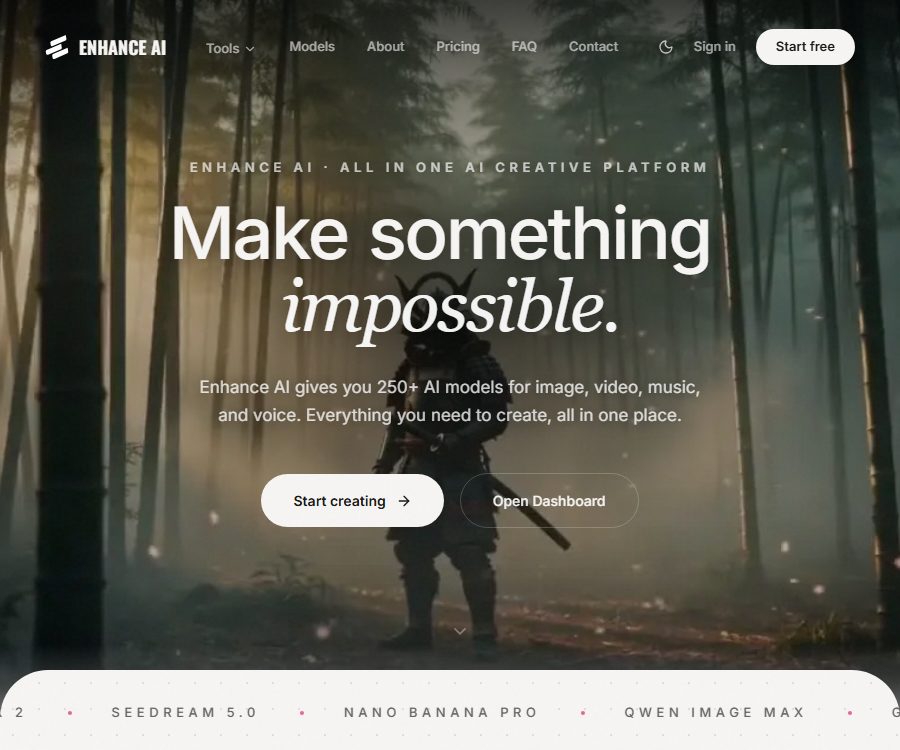
Enhance AI is an integrated AI creation platform developed by an Indian team using their own funds; it began operating in 2024. This platform brings together tools for handling images, videos, music, voice, chat, and code under one account, aiming to assist creators who do not want to switch between various generation services repeatedly.
It claims to offer more than 12 creation studios and over 250 models, including more than 150 video models and more than 16 chat models. The model library is constantly being updated; therefore, the specific models available, their costs, and the output specifications should be checked in the task panel after logging in.
Product positioning and development entity
| Project | The information has been verified. | Purpose of use |
|---|---|---|
| Product positioning | Multimodal AI creation and editing platform | Use the same account to create, process, and download the materials. |
| Operating entity | ENHANCE AI, a wholly-owned enterprise registered in India | The payment terms and procedures for resolving disputes are governed by the corporate information disclosed. |
| Founder | Kushal Sahu; his legally registered name is Vimal Kumar Sahu. | It helps to distinguish products with the same name. |
| Time of going live | 2024 | The current service is still rapidly adding more models and studios. |
| Delivery method | Accounts on the web page and those generated in the cloud | There is no need to deploy the model locally; however, it is necessary to upload prompts or materials. |
Main functions
AI image generation and reference image creation
Users can enter natural language prompts and select a model or style to generate images; they can also upload reference images for image generation and visual blending. The platform offers more than 30 preset styles, including realistic, anime, oil painting, watercolor, 3D rendering, and conceptual design.
- Text-to-image generation: Enter the theme, composition, lighting, camera settings, and style to obtain a high-resolution image that can be downloaded.
- Image reference: Use one or more images to guide the character design, color scheme, or visual style; suitable for character development and series content.
- Face generation: Create realistic or stylized avatars, characters, and portraits from prompts.
- Vector creation: Used to produce scalable logos, icons, and illustrations; the actual format and details should be verified before export.
- Styles and filters: Convert photos into effects such as oil paintings, animations, or sketches, ideal for quickly creating different versions of content.
Image editing, restoration, and enlargement
An image editing studio accepts existing images and text instructions; it can replace backgrounds, adjust lighting, remove objects, or regenerate specific parts of an image. It is better suited for the quick processing of marketing materials and social media images, and it is not equivalent to professional photo-editing software that offers pixel-level control.
- Background removal: It identifies the main subject and produces a version without a background, making it suitable for product images, profile pictures, and layout composites.
- AI upscaling: Increases the size of images and attempts to add details; it can be used for old images, low-resolution content, and generated images.
- Instruction editing: Describe in natural language the areas that need to be replaced, deleted, or repaired, and then compare the resulting output.
- Reference fusion: Combine the subjects or styles of two images to produce a new visual design.
Zooming in and making repairs yield model-based inference results; small text, facial features, product structure, and details in historical photos may be redrawn. When it comes to evidence, documents, or the authenticity of products, the original images should be retained and manually verified.
Video generation and editing
Video Studio, also known as Videoground, supports the creation of videos from text, from images, and the adjustment of video style. Users can specify prompts, aspect ratios, duration, and reference materials based on the available models, and then export the resulting videos in MP4 format.
- Text-to-video: Convert descriptions of scenes, actions, camera movements, and atmosphere into short videos.
- Video generation from images: Adds motion to product images, character illustrations, or concept art; the typical resolution of the resulting video is 720p to 1080p.
- Video to video conversion: preserves the original action structure while changing the characters, scenes, or artistic style.
- Reference video: Upload 1 to 4 reference images to define the visual style; some modes support video lengths of 3 to 12 seconds.
- Post-production tools: include lip-syncing, voice-over, motion transfer, video extension, background removal, zooming, and multi-segment timeline.
The platform’s overview claims support for a resolution of up to 4K and a duration of up to 20 seconds, but the resolution, duration, queue length, and price per task vary depending on the model chosen. It is necessary to check the parameters of the selected model as well as the estimated cost to be deducted from your wallet before submitting a task.
Music and text-to-speech
Music studios can create tracks with vocals or just background music based on textual descriptions; these tracks are suitable for video soundtracks, presentations, and creative drafts. Text-to-speech functionality converts scripts into narration, with the voice, language, and download format depending on the options available in the tool.
The creation of music and sounds may still be subject to the terms of third-party models, rights related to sound portraits, and the rules of distribution platforms. It is necessary to check the relevant rights and authorizations before using such content in advertisements, commercial releases, or to simulate human voices.
Multi-model chatting, retrieval, and coding
Chat AI allows the use of models such as Claude, GPT, Gemini, and Qwen within the same conversation, with the possibility to switch between them during the chat. It supports real-time web searching, image understanding, writing, research, and tasks in over 20 programming languages.
- Upload screenshots or images so that the model can interpret the visual content or provide editing suggestions.
- Use online searches to gather up-to-date information, but important facts still need to be verified by referring to the original sources.
- Switch between various chat models to compare differences in reasoning, creativity, and expression.
- 30 speech or dialogue tasks related to Indian languages were processed using EN Vani.
- Use secret chats for temporary conversations, but sensitive information should still not be entered into third-party model services.
Supported inputs and outputs
| Studio | Common inputs | Main output | Suitable for tasks |
|---|---|---|---|
| Image generation | Prompt, style, reference images | Bitmap images | Posters, concept art, social media content |
| Image editing | Existing images, editing instructions | Fix, enlarge, or remove the background from images | Product images, profile pictures, and processing of old images |
| Vector AI | Text description or design direction | Scalable graphics | Drafts of logos, icons, and illustrations |
| Video studio | Prompts, images, videos, audio tracks | Short videos and MP4 files | Short videos, ad drafts, character animations |
| Music and voice | Style description, lyrics, or script | Music, songs, or audio narration | Music, voice acting, content prototype |
| Chatting | Text, images, search queries, code | Answers, summaries, code, and research drafts | Writing, Q&A, programming, and data organization |
Usage tutorials and complete workflows
- Create an account and obtain a trial credit amount without the need to link a credit card first.
- Depending on the task, go to the image, video, music, voice, or chat studio; do not choose solely based on the popularity of the model.
- Enter a clear topic, purpose, visual requirements, and any restrictions; when working with existing materials, upload files for which you have the rights to use them.
- Select the model, scale, duration, style, and output quality, and check the estimated amount of tokens or wallet balance that will be used before submitting.
- After generation, check the consistency of the characters’ hands, text, brand elements, factual details, audio content, and consecutive shots.
- By modifying the prompts, replacing reference images, or switching models iteratively, it is possible to avoid wasting resources repeatedly in the same incorrect direction.
- Download the final file and save the original materials, prompts, date of creation, and the model used; for commercial projects, authorization records should also be kept.
Typical use cases
- Content creators: Produce short videos, covers, thumbnails, music, and voiceovers.
- Designer: Explore concepts, characters, style sheets, icons, and draft marketing visuals.
- E-commerce and marketing teams: handle product backgrounds, scale up images, and create ad variations as well as social media content.
- Video team: Convert scripts or static images into draft footage, and then handle voiceover, lip synchronization, and scaling.
- Independent developers and researchers: use multi-model chat to organize information, explain code, and draft prototypes.
- Small studio: Use a prepaid account to cover various media tasks, with manual renewal on a project-by-project basis.
Price and quota
The paid plans offered by Enhance AI are not automatic-renewing subscriptions; instead, they involve purchasing prepaid access for a fixed period of time. The price shown on this page is for a one-time 30-day subscription, and it is expressed in dollars. Promotions, taxes, payment methods, and region can affect the final amount to be paid.
| Package or version | Price | Billing cycle | Core benefits or quota | Suitable for users |
|---|---|---|---|---|
| Free trial | Free registration quota | Not yet made public | No credit card is required; the specific limit and renewal rules have not been made public yet. | First test |
| Basic | 19 dollars | Buy for 30 days at once | 2000 tokens, up to 6 parallel tasks, all studios | Lightweight personal creation |
| Growth | 39 dollars | Buy for 30 days at once | 5600 tokens, up to 10 parallel tasks, high support level | Ongoing content creation |
| Pro | 69 dollars | Buy for 30 days at once | 10,000 tokens, up to 15 parallel tasks, faster queue | High-frequency professional creators |
| Scale | 99 dollars | Buy for 30 days at once | 15,000 tokens, up to 20 parallel tasks, dedicated manager and customized solutions | Teams and studios |
| Video wallet | Top up starting from $5 | Charging is based on the actual rendering output. | Video tasks are independent of plan tokens; their cost varies depending on the model and the number of seconds. | Users who need video generation capabilities |
| Annual plan | The settlement page is the authoritative source. | Buy for 365 days at once | The page indicates a 20% savings for shorter periods; the exact amount will be confirmed at the time of settlement. | Long-term stable users |
Understanding tokens and video wallets
- Images, editing, music, voice, and chat typically draw from the planned token pool, with model costs varying.
- The price page includes information on both the unified token pool and the separate wallet for videos; for video-related transactions, the payment method indicated on the task confirmation page shall apply.
- All paid tiers make it possible to use various studios; the differences between these tiers lie in the amount of tokens available, the number of parallel tasks that can be handled, the queue system, and the level of support provided.
- After the 30-day or 365-day period expires, there is no automatic renewal; the user must purchase a new plan manually.
- The handling of unused tokens after the expiration date is not clearly specified; it is necessary to consult the support team before making a purchase.
Refund rules
Applications for a refund must be submitted within 24 hours of the initial purchase; once approved, the refund is usually issued back to the original payment method within 3 to 5 business days. The use of advanced features may result in a partial refund, while purchases made as part of promotions or discounts are handled on a case-by-case basis.
- Applications submitted after 24 hours generally do not qualify for a refund.
- Free use does not entail a refund; the amount that has already been used up may affect the amount of the refund.
- It is confirmed that violating the content policy will result in the account being terminated, the credit limit being revoked, and no refund will be provided.
- Before making a purchase, keep the settlement page, the order details, the duration of the package, and any records of communications regarding refunds.
Commercial use, copyright, and content responsibilities
The product page describes all paid plans as including a commercial license, stating that the generated content can be used for both personal and commercial projects. The legal wording in the terms is more cautious: users are responsible for their input and output, the platform retains the rights to its services and underlying technology, and it grants users a license to use the generated content.
The fact that something is suitable for commercial use does not mean that exclusive copyright rights are automatically granted for its use, nor does it imply that any restrictions related to third-party trademarks, characters, portraits, music, or training models are automatically removed. Ads, customer deliveries, and resale products must be reviewed in light of the terms applicable to the chosen model as well as the laws of the target region.
- Before uploading images, videos, audio, and text, users must have the rights or obtain the necessary permissions.
- It is not allowed to create content that is infringing, deceptive, illegal, intended to influence political campaigns, or adult content prohibited by the platform.
- Users grant the platform a long-term, non-exclusive license to host, use, copy, modify, and display their content for the purpose of providing operational services.
- By default, personal content is not used to train models without consent, but the content still needs to be sent to third-party models for generation.
- The generated results are probabilistic; characters, facts, text, and brand content must be reviewed manually.
Privacy, data, and security considerations
The platform collects account contact information, transaction confirmations, prompts, uploaded files, generated results, IP addresses, device information, records of feature usage, and error logs. The complete card details are received by the payment processing agency; the platform claims that it does not store the full card numbers on its own servers.
- The prompts and materials are sent to third-party model service providers that offer generation capabilities.
- Works posted in a public gallery will be visible to other users; do not set private projects as public by mistake.
- The system will automatically check all prompts, inputs, and outputs; the content that matches the rules may be reviewed manually.
- Users can request access to, retrieve, correct, or delete their personal data; the process of deleting an account may take up to 7 days.
- The platform disclosed general measures such as encryption and access control, but did not reveal the complete list of suppliers, the location where the data is stored, or the exact retention period.
- Do not include passwords, trade secrets, identification documents, or personal data obtained without consent in prompts, screenshots, source files, or chats.
Supported platforms
| Platform format | Current status | Explanation |
|---|---|---|
| Web version | Confirmed | Use various cloud studios after creating an account. |
| Mobile browser | Accessible web pages | The actual editing experience depends on the screen, network, and studio interface. |
| Native iOS apps | Not confirmed yet | Do not treat mobile web pages as native applications. |
| Native Android apps | Not confirmed yet | No corresponding official store page was found. |
| Browser extensions | Not confirmed yet | No official extensions have been verified. |
API, SDK, and open-source status
The terms and FAQs mention API access, but no public development documentation, authentication methods, rate limits, or a stable developer console were found in this case. Therefore, it is not possible to conclude that ordinary accounts already have access to public APIs.
- Public SDK: Not yet confirmed.
- Official GitHub organization: Not yet confirmed.
- Core platform source code: Its open-source status is not confirmed, and the terms prohibit reverse engineering or extracting the underlying models.
- Model provider: The platform aggregates multiple third-party models; however, this aggregation does not mean that these models or the platform’s code are subject to the same licensing terms.
- Enterprise integration: If bulk generation or system integration is required, it is necessary to first consult the support team regarding the interfaces, data processing methods, and commercial terms.
Main advantages
- One account covers images, videos, music, voice, and chat, reducing the need to switch between multiple platforms.
- There are many model options available; for the same task, it is possible to compare the speed, style, and cost of different models.
- The paid plan does not renew automatically; it is suitable for purchasing on a project basis and allowing for manual control of renewals.
- Image generation, restoration, background processing, and video production constitute a fairly complete workflow for handling media materials.
- The free registration quota allows you to test the interface and basic results first, without the need to link a credit card immediately.
Capacity limits and usage restrictions
- A large number of models does not mean that all of them are always available; third-party supplies, waiting times, and regional restrictions can change.
- Different models have varying consumption levels, and the page does not provide a complete table showing the token costs for all tasks.
- Videos use a separate wallet; the total budget cannot be determined solely based on the package tokens.
- Images, videos, music, and chat responses can all have issues related to facts, structure, or copyright.
- Strict content filtering checks both input and output, and it is not suitable for handling sensitive, confidential, or prohibited material.
- The native applications, extensions, public APIs, SDKs, and open-source licenses have not been fully verified.
Selection suggestions
- First, use the free quota to test the two or three most commonly used tasks, and record the amount of resources consumed per task as well as the quality of the results.
- If video production is the main focus, first calculate the costs associated with separate wallets; do not consider the planned tokens as part of the total budget.
- Choose a package based on the actual amount of work over 30 days, to avoid paying for parallel queues that will not be used temporarily.
- For commercial projects, it is first necessary to confirm the licensing for the output, the rights to any third-party materials, the customer’s confidentiality requirements, and the policies of the target platform.
- Before making the payment, check the current settlement amount, taxes and fees, deadline, refund window, and the rules regarding unused credits.
Frequently Asked Questions
Can Enhance AI be used for free?
You can register for free and obtain a trial quota without the need for a credit card. The exact amount of the free quota, its renewal cycle, and the available models are not yet publicly available; the information shown in your account should be taken as reference.
Are paid plans automatically renewed?
No. Both the 30-day and 365-day plans involve a one-time upfront payment for a fixed period; after that period ends, the user must purchase the service again on their own.
Can package tokens be used directly with all videos?
It cannot be understood in such a simple manner. The price page indicates that video rendering is charged from the balance of an individual wallet, while other studios use plan tokens; it is necessary to check the actual cost indicated before submitting a video.
Can the generated content be used for commercial purposes?
The paid plans indicate that a commercial license is included, but users must still ensure that they have the right to use the materials they input, and they must comply with the rules regarding third-party models, trademarks, portraits, and the platforms on which the content is to be published. The legal ownership of copyrights can also vary from one region to another.
Does Enhance AI offer a public API?
The terms of service mention APIs, but no complete public documentation, SDKs, or pricing information for developers are available at this time. Teams that need to integrate these systems automatically should first obtain written instructions regarding the interfaces and data processing.
Will the uploaded content be used for training?
The terms state that personal data will not be used for model training without consent by default, but the input data will still be processed by third-party models and subject to automatic content screening. Sensitive information should not be uploaded.
How long is the deadline for a refund?
The application generally needs to be submitted within 24 hours of purchase, and after approval, the payment is refunded to the original method within 3 to 5 business days. Large-scale purchases, purchases as part of promotions, or accounts that violate the rules may not qualify for a full refund.
Are there any mobile apps or browser extensions?
It has been confirmed on the web version, but no official native mobile app or official browser extension was found this time. Accessing via a mobile browser should not be referred to as a native app.
Tools similar to Enhance AI


 Guigong Network Security Registration No. 45132202000164