






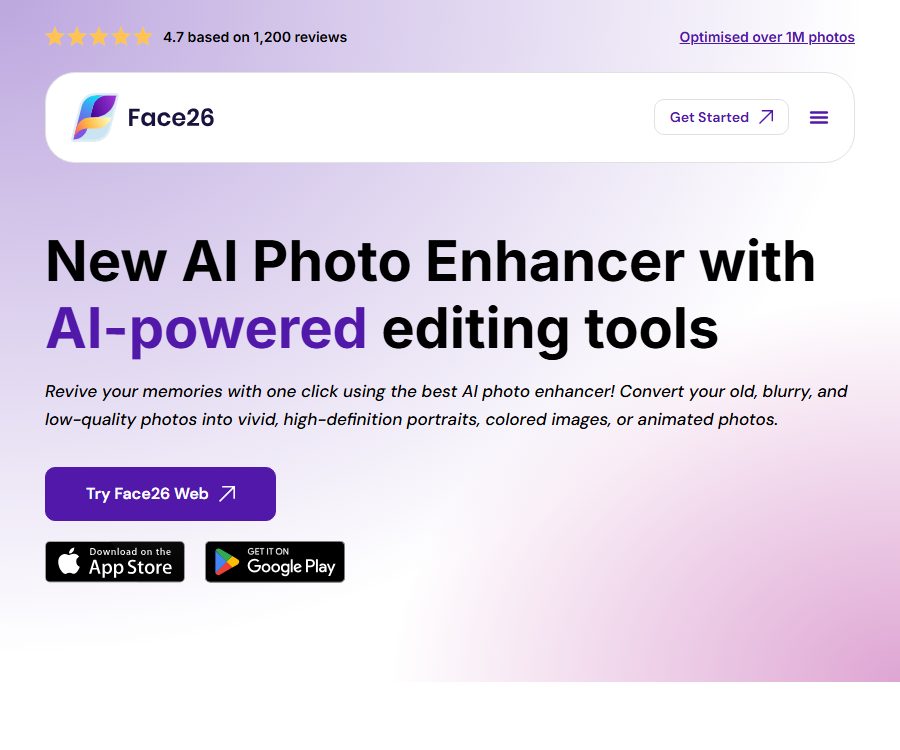
Face26 - AI Photo Enhancer to transform old Memories
Face26 – An AI photo enhancer that helps transform old memories; it makes the process of optimizing and repairing images using AI more efficient and simpler.
Tags:AI image optimization and repairWhat is Face26?
Face26 is an AI-powered photo enhancement and generation tool provided by TechArt26 LLC; it is currently available as a web application, as well as iOS and Android apps. Its main functions include restoring old photos, improving the clarity of facial features, and adding color to black-and-white images, with additional capabilities for editing portraits, backgrounds, and creating new images.
Users do not need to manually configure complex filters; they usually just need to upload a photo, select the appropriate tool, and download the resulting image. The AI recreates some of the pixels, so the enhanced version is an estimated output – it does not represent the true details that were not present in the original photo.
Main functions
One-click photo enhancement
Photo Enhancer is used to improve blurry, low-resolution, compressed, or color-distorted photos by automatically enhancing clarity, colors, and local details. It is suitable for old photos taken with mobile phones, social media images, and scanned family photos.
- Automatically enhances the color, sharpness, and visual clarity of everyday photos.
- Enlarge and enhance faces from group photos, class photos, or childhood pictures.
- Apply brightness and color correction to under-exposed images.
- After generation, it is still necessary to check whether the skin texture, teeth, eyes, and text have been altered accidentally.
Deblurring and noise reduction
Unblur Faces enhances the readability of faces, while Denoise is used to reduce noise resulting from low light levels, scanning, or compression. Both tools help improve the viewing experience, but severe motion blur and large areas of missing data cannot be reliably restored.
Restoration of old photos and colorization of black-and-white photos
Photo restoration addresses issues such as yellowing, damage, blurriness, and low resolution, while Colorize estimates the colors of skin, clothing, and the environment in black-and-white photos. The true colors of historical photographs cannot be determined solely based on AI outputs; the original unmodified versions should be retained for archival purposes.
Zoom in on the image for high resolution.
Upscale allows you to enlarge images, photos, objects, logos, or text; the product page describes the resulting quality as up to 4K. Enlarging improves the size of the display and the appearance of its edges, but it does not guarantee that small texts, badges, and facial features will remain perfectly accurate.
Re-coloring and color correction
Recolor allows you to change the color of cars, clothing, hair, or other elements, while Color Correction is used to fix color imbalances and underexposure. The former is better suited for creating creative variations, whereas the latter is appropriate for making basic adjustments to preserve the original appearance of a scene.
Portrait retouching and high-definition portraits
Face Retouch can smooth the skin and reduce wrinkles or spots, while FaceZoom allows for the creation of clearer headshots from larger group photos. Professional tools for creating headshots and dating photos can also generate new backgrounds, hairstyles, or different versions of the person in the image.
Image enhancement can alter age characteristics, skin texture, and facial structure; it should not be used for IDs, identity verification, medical purposes, or as evidence in legal matters. Before publishing a professional headshot, it is also necessary to ensure that the resulting image still accurately represents the person itself.
Background, object, and watermark processing
Background Remover can isolate people, pets, or objects, while other tools are used to remove unwanted objects, people, text, or watermarks. Removing watermarks is only possible for content for which the user has editing rights; it cannot be used to circumvent copyright markings.
Painting transformed into realism and product images
Photo Realistic Art transforms paintings, sketches, or AI avatars into realistic images, while Ecommerce Photos allows the creation of different scenarios based on basic product images. The resulting images can be used to develop and display drafts, but the product’s structure, colors, and packaging text need to be verified against the actual product.
Photo animation
Animate Photos adds motion to static portraits, turning old photos or pictures of people into short animations. It is suitable for family memorials and social media content, but not for proving that a person actually said or did something.
Web and mobile workflow
| Platform | Method of acquisition | Suitable scenarios | Precautions |
|---|---|---|---|
| Web application | Browser login | Batch organization on computers, no installation required | The public price needs to be checked on the account payment page. |
| iPhone and iPad | Download from App Store | Enhance and share directly after taking a photo. | iOS or iPadOS 15.6 or later is required. |
| Android | Download from Google Play | Processing old photos and regular images on mobile phones | Prices and features may vary by region and version. |
| Mac with Apple chips | Compatible with mobile apps | The desktop version uses the iOS edition. | macOS 12.5 or higher is required; the full compatibility has not been verified by the store. |
Steps to use the website
- Open the web app and register or log in to your account.
- Choose tasks such as photo enhancement, colorization, background removal, avatar creation, or animation.
- Upload the photos for which you have permission to edit by dragging and dropping or using the file selector.
- Select the processing intensity, color, or generation options, and submit the task.
- In the comparison view, check whether the faces, background, text, and colors appear natural.
- Save and download the results, while keeping a local copy of the original photos.
Steps to use the mobile app
- Install Face26 from the respective app store, and check the current subscription and trial terms.
- Launch the application, go through the tool’s introduction, and grant photo access as needed.
- Select photos from the album, or take old paper photos and crop them to the appropriate size.
- Run enhancement, coloring, zooming, or animation functions and preview the results.
- Confirm the number of uses or the image pack, then export it to a device or share it.
- If you are not using it, cancel the subscription in your app store account; uninstalling the app will not stop the automatic renewal.
How to achieve more natural results
- When scanning paper photos, keep the lens parallel to avoid reflections, shadows, and perspective distortions.
- First, cut out the frame and excess edges, then enhance the face and apply coloring.
- Start with mild enhancement to avoid over-smoothing of the skin or reconstruction of the facial features.
- Coloring black-and-white photos should be done with manual adjustments, taking into account the era, uniforms, buildings, and family memories.
- The small faces in the group photo can be cropped and tested individually; it’s not necessary to rely on enlarging the entire image at once.
- A 100% scaled inspection is carried out on details such as text, badges, fingers, glasses, and jewelry.
- Keep the original image, the scanned copy, and each version, to avoid overwriting the unique family records.
Which users are it suitable for
- Family photo organizer: Restore, colorize, and share old photos.
- Regular smartphone users: Improves blurry, low-light, and low-resolution photos.
- Photography and social media content creators: creating profile pictures, separating backgrounds, and generating visual variations.
- Enthusiasts of archives and local history: create display copies, but keep the original records intact.
- Small e-commerce sellers: Create draft product listings and manually verify the product details.
- Beginners in design: Quickly try out realistic rendering, background removal, and local cleanup.
Price and purchase methods
The Face26 website, as well as the iOS and Android versions, have different payment methods, and the amounts and available products may vary. The table below shows the prices currently listed in the iOS store for the United States; prices in other regions and on the website are subject to those displayed on the payment page.
| Package or version | Price | Billing cycle | Core benefits or quota | Suitable for users |
|---|---|---|---|---|
| Free download of the app | Free | Download | It can be installed; some features require in-app purchases. | Experience the interface first. |
| Weekly | 3.99 dollars | Automatic weekly renewal | For the subscription feature, please refer to the instructions on the purchase page. | Short-term intensive processing |
| Monthly | 9.99 dollars | Automatic monthly renewal | For the subscription feature, please refer to the instructions on the purchase page. | Sustained mild to moderate use |
| Yearly | 42.99 US dollars | Automatic renewal every year | For the subscription feature, please refer to the instructions on the purchase page. | Long-term use |
| Life-Time-Deal | 122.99 US dollars | One-time use | The specific features, number of uses, and future scope of services must be confirmed on the purchase page. | Users who do not wish to have their subscription renewed periodically |
| Image pack | 3.99 to 42.99 dollars | Buy per use | The store offers various quantities of products: 5, 10, 30, 70, 75, or 300 pieces. | Process on demand |
The same store may keep multiple image packs with similar quantities but different prices, which could correspond to different versions, promotions, or features. When making a purchase, it is necessary to check the product name, number of images, compatible tools, expiration date, and whether it is a consumable item.
Differences in price channels
| Channels | Confirmed information | The content should be verified. |
|---|---|---|
| iOS | List the prices for weekly, monthly, annual, lifetime subscriptions as well as image packs publicly. | Currency, taxes, and trial in the region |
| Google Play | Confirm that in-app purchases as well as monthly and annual payment options are available. | Current local prices and benefits |
| Web page | The payment page is available online, but the amount displayed on the public page is not stable. | Packages, number of uses, renewal, and web version permissions |
Auto-renewal, cancellation, and refunds
- Subscriptions are automatically renewed at the end of the current period, unless the user turns off renewal in advance.
- The iOS instructions require that auto-renewal be turned off at least 24 hours before the end of the current period.
- Shop purchases should be canceled through the subscription management in your Apple or Google account.
- Uninstalling an app does not cancel the subscription, nor does it automatically refund any amounts that have been paid.
- If cancellation occurs after the subscription period has begun, it is usually possible to use it until the end of that period, but no refund will be given for the fees of that period.
- Image packs and other consumable virtual items are typically part of a final transaction; they are non-refundable and non-transferable.
- Requests to modify or obtain a refund for orders edited manually on the website must be submitted within 14 days after delivery; this rule does not apply to the refunds offered for mobile subscriptions.
Supported platforms and basic information
| Project | Current status | Explanation |
|---|---|---|
| Web version | Available now | It can be used in both computer and mobile browser. |
| iOS and iPadOS | Available now | Store version 2.0.9, app size 121.3MB |
| Android | Available now | The Google Play page will still be updated in 2026. |
| Public API | Not yet made public | The development interface documentation and billing have not been verified. |
| SDK | Not yet made public | No development kit or embedded license was found. |
| Official GitHub | Not confirmed yet | The product page is not linked to an official warehouse. |
| Open-source status | Non-open-source delivery | It is currently available as web pages and store applications; this does not mean that the algorithms or models are made available to others. |
Product advantages
- Available on web, iOS, and Android; old photos can be edited on a computer or smartphone.
- Enhancement, de-blurring, colorization, zooming, and portrait retouching cover the common needs for photo restoration.
- Backgrounds, objects, product scenarios, and animation features can be processed sequentially on the same photo.
- The workflow is simple, making it suitable for ordinary users who lack professional photo-editing skills.
- The mobile privacy policy specifies the points at which images uploaded or generated in regular ways should be deleted.
Capacity limits and precautions
- AI enhancement can create fake hair, skin, teeth, text, and textures, and it cannot be used as evidence of historical facts.
- The colors in black-and-white photos are estimates; they may not correspond to the actual skin color of the people, their clothing, or the environment.
- Photo animations create movements that do not exist in reality, and should be avoided to prevent misleading viewers.
- Recent reviews of the store mention issues with loading times, animations, and the support experience; it is advisable to conduct actual tests before subscribing on a long-term basis.
- The term 4K does not mean that all inputs will be rendered at the same resolution or with true 4K detail.
- The features, quotas, and prices in app stores, on websites, and in different regions may vary.
Privacy and data storage
Mobile applications handle photos, videos, facial data, device identifiers, network addresses, usage records, crash information, and data related to advertisements. According to the policy, regularly uploaded photos are automatically deleted after optimization, images created are removed after 7 days, and images uploaded as AI avatars are deleted after 1 day.
- Images, image metadata, and facial data uploaded and generated are not shared with third parties in accordance with the policies.
- Images, videos, or audio files that are processed with the user’s consent for the purpose of ensuring quality and detecting faults can be retained for up to 3 years.
- Other personal data such as accounts, transactions, legal and security information may be retained for a maximum of 10 years after the termination of the agreement, for specific purposes.
- Suppliers, storage services, mobile analytics, advertising platforms, and authorized personnel may process personal data that is not in image format.
- Data may be transferred outside the European Economic Area, and protection is provided through mechanisms such as standard contract clauses.
- The policy allows users to submit requests for access, correction, deletion, restriction, portability, objection, and withdrawal of consent.
- The data security guidelines for Google Play state that it is not possible to delete data through its mechanisms, while the developer policies provide instructions on how to make requests regarding privacy within an application; the actual scope of what can be deleted should be confirmed with the service provider.
Methods for requesting privacy protection
- Install and open the app on the device; there is no need to repurchase a subscription in order to submit requests.
- On any interface, press and hold with four fingers to bring up the privacy menu.
- Select to send a privacy request, and follow the instructions to specify your needs regarding access or deletion.
- After submission, the confirmation message is saved; if it is no longer needed, the application can be uninstalled.
Copyright and commercial use
Users must have the right to upload photos, portraits, product images, and other content. Watermark removal, image generation, and animation should in particular not be used to conceal rights indications, pretend to be someone else, or mislead others.
- The mobile license is explicitly intended for personal, non-commercial use; a paid subscription does not automatically grant commercial rights.
- The website’s terms grant a broad and ongoing license for user-generated content; important, private, or client-related materials should be assessed first.
- For commercial projects, it is necessary to obtain separate approvals regarding output permissions, consent from the individuals involved, the authenticity of the products, and brand rights.
- The generated avatars, realistic images, and product scenarios may contain fictional details; therefore, false advertising should be avoided.
- When old photos involve living persons or family privacy, it is necessary to obtain the consent of the relevant individuals before sharing them.
Pre-purchase checklist
- Confirm whether to use a web page, iOS, or Android, and check the real-time price for that channel.
- Use a non-sensitive and representative blurred photo to test the performance and export restrictions.
- Compare the total cost of subscriptions and image packs to verify whether each feature consumes the same amount of quota.
- Record the date of automatic renewal; for short-term needs, one-time image packages can be given priority.
- Read the refund policies of the respective platforms; do not apply the 14-day rule for web orders to application subscriptions.
- Confirm the nodes for which images will be deleted, agree to the quality inspection process, and specify the scope for retaining account data.
- Keep the original image, and review each element such as coloring, facial features, and text details one by one.
Frequently Asked Questions
Can Face26 be used for free?
The app can be downloaded for free, but full functionality requires subscriptions and in-app purchases such as image packs. The number of free uses, trial periods, and export limitations vary depending on the distribution channel and account.
What issues in old photos can Face26 fix?
It can handle blur, noise, yellowing, low pixel count, black-and-white coloring, and facial enhancement. Areas that are severely damaged or missing can still be reconstructed by the AI through estimation.
Which platforms does Face26 support?
The supported devices currently include web browsers, iPhone, iPad, and Android; compatible mobile versions are also available for Macs with Apple chips. The features and prices may not be exactly the same across these devices.
Will charges stop if the app is uninstalled after subscription?
No, uninstalling does not equate to cancellation. The user must go to the subscription management section on the purchase platform to turn off automatic renewal and keep the confirmation of cancellation.
How long are uploaded photos stored?
According to the policy, regularly uploaded files are deleted after optimization, while the generated images are removed after 7 days; AI avatars uploaded are deleted after 1 day. Media files that are approved for quality improvement may be retained for a longer period.
Can AI colorization restore the true historical colors?
No guarantee can be provided; the color is determined by the model based on the image. Historical research or commemorative archives should retain the original black-and-white versions, marking any colored versions as having been processed by AI.
Can Face26 be used for commercial purposes?
The terms for mobile use grant a personal, non-commercial license; a commercial license cannot be assumed merely as a result of purchasing a subscription. Commercial clients must obtain written permission and verify the rights to the materials before using them.
Does Face26 provide APIs or open-source code?
At present, no public APIs, SDKs, official code repositories, or open-source models have been identified. The product is primarily used through hosted web pages and mobile applications.
Summary
Face26 is suitable for quickly improving old photos, blurry portraits, and black-and-white images; it can also handle tasks related to background processing, generating avatar images, and creating animations. Its availability on both web and mobile platforms makes it easier to organize family photos.
Before using it, it is important to compare the prices of different channels, as well as the options related to automatic renewal, image deletion, and long-term data storage. Additionally, the details generated by AI, historical color settings, and commercial permissions should be examined carefully.
A tool similar to Face26 – an AI photo enhancer used to transform old memories.


 Guigong Network Security Registration No. 45132202000164