






CopilotKit
CopilotKit, an intelligent tool focused on AI development frameworks
Tags:AI development frameworksA one-sentence summary
CopilotKit is a front-end framework for AI Agents designed for developers, used to integrate chat functions, generative interfaces, state sharing, tool calls, and human approval processes into real applications. It offers an open-source core that can be deployed independently, as well as persistent threads, managed monitoring, and an enterprise operations platform.
Tool Introduction
CopilotKit is not a chatbot intended for ordinary users; rather, it is an SDK and runtime for developing Agent product interfaces. Developers can use pre-built chat components to launch their applications quickly, or they can make use of the Headless API to have full control over the layout and interactions.
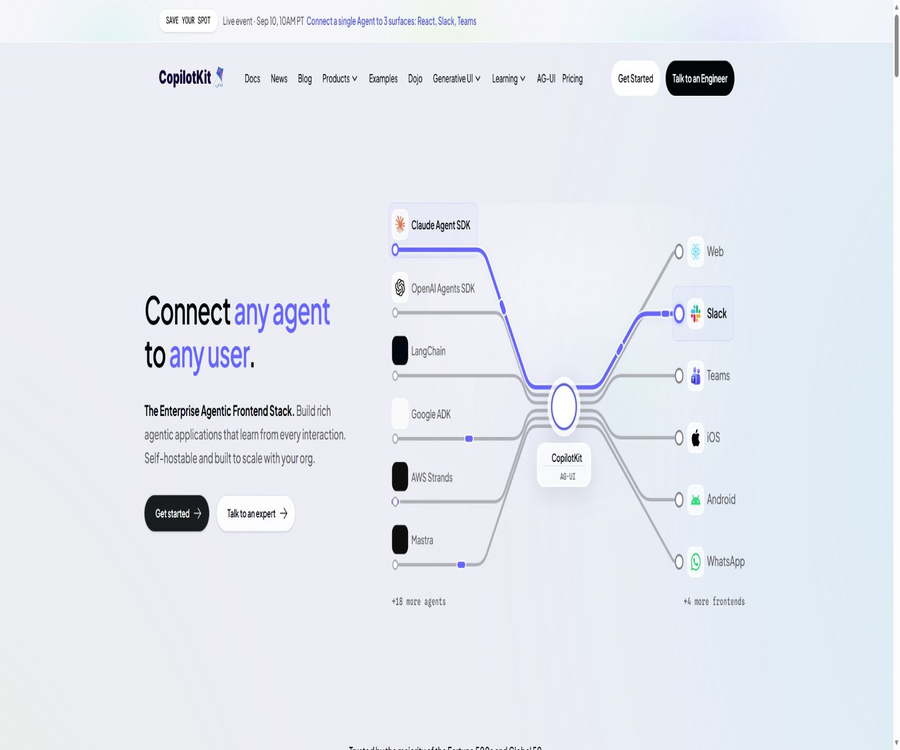
The framework connects the user interface to the Agent backend via AG-UI, enabling a single frontend to integrate with different models, frameworks, or custom Agents. The enterprise intelligence platform adds features such as persistence, real-time synchronization, an inspection console, and multi-tenant capabilities to the open-source runtime.
Product composition
| Hierarchy | Main content | Is it open source? | Applicable scenarios |
|---|---|---|---|
| CopilotKit frontend SDK | Chat components, Hooks, generative UI, and state interaction | Yes | In-app AI assistant and Agent interface |
| Copilot Runtime | Request processing, model, and Agent connection | Yes | Self-hosted application server |
| AG-UI protocol | Event standards for the Agent and the user interface | Yes | Inter-framework interoperability |
| Channels SDK | Slack and Microsoft Teams entry points | Some capabilities are included with the package. | Bring the same Agent into the work channel |
| Enterprise Intelligence | Persistent threads, synchronization, checking, management, and enterprise operations maintenance | Business platforms | Production environment and multi-tenant deployment |
Main functions
Pre-built chat components
CopilotChat, CopilotSidebar, and CopilotPopup enable the quick creation of a complete chat interface, supporting message streams, Agent responses, and tool functionalities. Teams can modify labels, welcome messages, themes, and interaction behaviors.
Headless UI
The headless approach provides only status and behavior, without requiring the use of default visual components. It is suitable for teams that already have a design system, accessibility standards, or complex product interactions, but it demands more effort in front-end development.
Generative UI
The Agent can render React components registered by task developers, package the results of backend tools, or update the interface based on streaming state. Declarative or open approaches such as A2UI and MCP Apps can also be used; however, the greater the degree of openness, the higher the requirements for verification and isolation.
Sharing status
The application interface and the Agent can read from and write to the same typed state, with synchronization taking place via events. It is suitable for use with filters, forms, canvases, and multi-step tasks, but it is necessary to handle permissions, conflicts, and server-side validation.
Front-end tool invocation
Developers can expose browser-side functions as Agent tools, such as for navigation, updating forms, or displaying confirmation dialogs. Any tool that has external side effects should include permission checks, parameter validation, and user confirmation.
Human intervention
The agent can pause at key steps to request user approval, edit inputs, retry, or upgrade the processing. This capability is suitable for processes that require human control, such as payments, deletions, publications, and high-risk decisions.
Backend tool display
When the backend Agent invokes a tool, the frontend can use custom cards to display parameters, progress, and results. This allows users to understand what the Agent is doing and to see ongoing feedback during lengthy tasks.
Multimodal and voice
The framework supports multiple types of attachments such as files and images, and it provides interfaces for displaying audio content and reasoning results within documents. Model support, storage options, and browser capabilities are still determined by the specific integration and package chosen.
Persistent threads and checks
Enterprise Intelligence enables conversations to be resumed across refreshes, devices, and sessions, and allows for the inspection of threads and events in the console. The open-source core can be customized by developers to implement persistence, but no managed interface is provided automatically.
Multi-device entry for Channels
The current official repository explicitly supports Slack and Microsoft Teams, allowing the same agent to retain tools, status, and manual approval capabilities. Discord, WhatsApp, Telegram, Google Chat, iMessage, and text messages are still marked as upcoming; they cannot be considered as already supported.
- Pre-built chat, sidebar, and popup Agent components
- Headless front-end interface with fully customizable visuals
- Static, declarative, and open generative UI approaches
- Two-way shared state between the agent and the application
- Front-end tool calls and back-end tool result presentation
- Manual approval, modification, retry, and upgrade processes
- Persistent threads, real-time synchronization, and managed inspection platform
- Integration with Slack and Microsoft Teams channels
What is AG-UI?
AG-UI is an open event protocol promoted by the CopilotKit team, designed to connect Agents with user interfaces. It transmits messages, status changes, tool calls, lifecycle events, and custom events, thereby eliminating the need for the frontend to develop a separate communication format for each Agent framework.
| agreement | Connected object | Primary uses |
|---|---|---|
| AG-UI | Agent and user interface | Streamed messages, shared status, generative UI, and human intervention |
| MCP | Agents and tools or data | Allow the model to access controlled external capabilities. |
| A2A | Agent and Agent | Cross-Agent delegation, collaboration, and context transmission |
| A2UI | Agent and declarative interface | Generate UI using constrained component descriptions |
These protocols are not substitutes for one another. A product can use the AG-UI service for front-end interaction, the MCP for accessing tools, and then connect to other Agents via A2A.
Supported Agent frameworks
The official documentation offers several options for backend integration, including built-in Agents, LangGraph, CrewAI, Mastra, Google ADK, AWS Strands, PydanticAI, Microsoft Agent Framework, Agno, LlamaIndex, and Claude Agent SDK.
| Backend route | Language or morphology | Suitable situations |
|---|---|---|
| Built-in Agent | TypeScript in-process Agent | Rapid prototyping and simpler tool cycles |
| LangGraph | Python or TypeScript | Stateful, multi-step, and schema-based workflows |
| CrewAI Flows | Python | Role collaboration and process orchestration |
| Mastra | TypeScript | Agents, tools, and workflows in the Node ecosystem |
| Google ADK | Gemini Agent framework | Google ecosystem and multi-Agent applications |
| AWS Strands | Python or TypeScript | AWS Agent development roadmap |
| PydanticAI | Python | Typed input/output and validation |
| Custom AG-UI Agent | Any backend | There are already self-developed agents or special protocols available. |
Front-end and channel support
| Frontend or channel | Current status | Explanation |
|---|---|---|
| React and Next.js | Official support | The most comprehensive coverage of documents and components. |
| Angular | Support | The official repository provides the source code and a quick start guide. |
| Vue | Support | The official repository provides the source code; the documentation is still being improved. |
| React Native | Support | Suitable for cross-platform mobile agent interfaces |
| Slack | Support | The Channels SDK provides mechanisms for interacting with threads and tools. |
| Microsoft Teams | Support | Channel for corporate collaboration |
| Other messaging platforms | Planned | It cannot be considered a current formal capability. |
Usage tutorial
Create the first CopilotKit application
- Prepare Node.js version 20 or higher, and determine the model service and API key to be used.
- Use the official CLI to create a new project, selecting the front-end framework, the Agent approach, and whether to enable persistent threads.
- Store the key in the server’s environment variables; do not include it in the client code or version control repository.
- Start the local project by first testing streaming chat, error conditions, and a simple tool call.
- After adding identity authentication, server-side authorization, and log masking, deploy it to the testing environment.
Add chatting to existing applications
- Install the core front-end components, UI elements, and runtime packages, and create a server-side runtime entry point using an existing framework.
- Configure a Provider at the application level to register the Agent or model with the runtime.
- Select the Chat, Sidebar, or Popup component and align it with the existing design and mobile layout.
- Add a read-only front-end tool to verify that parameters, results, and errors are all displayed correctly.
- Write operations are gradually made available, with user confirmation and server-side permission checks added for each side effect.
Connect to the existing Agent backend
- First, check whether the backend framework already has an official AG-UI adapter, and select the corresponding document version.
- Define the Agent identifier, thread identifier, initial state, and the types of tools that can be invoked.
- Register the Agent with Copilot Runtime, and restrict cross-user access as well as the channels through which requests can be sent.
- Check whether the message flow, status increments, cancellation, retries, and manual interruptions remain consistent.
- Simulate network disruptions, repeated events, long-running tasks, and concurrent tabs before production.
Deploy a persistent thread platform
- First, choose between Copilot Cloud or a self-hosted enterprise intelligence platform, based on the requirements regarding data storage and operational capabilities.
- The cloud-based solution generates project-level runtime keys after creating organizations and projects, and these keys are separated by environment.
- The self-hosted solution provides Kubernetes, Postgres, Redis, OIDC, as well as services for entry point management and key management.
- Configure the runtime platform address and credentials to verify thread restoration across refreshes and across devices.
- Set up retention periods, tenant isolation, backup mechanisms, key rotation, monitoring, and procedures for handling events.
Comparison of generative UI solutions
| Plan | Control method | Advantages | Key risk areas |
|---|---|---|---|
| Components as Tools | The agent calls the pre-registered components. | Clear type definition with controllable boundaries | Verify component parameters and available actions |
| Tool Call Rendering | Package existing backend tools | Suitable for displaying progress and results | Avoid leaking internal parameters and logs. |
| State Rendering | Based on Agent flow-based state rendering | Suitable for real-time meters and long-running tasks | Handling out-of-order situations, conflicts, and rollbacks |
| A2UI | Constrained declarative component tree | The layout is more flexible and verifiable. | Limit component directories and properties |
| MCP Apps | The interface provided by the embedding tool | The tool allows for specialized interaction. | A sandbox, channel trust, and permission control are required. |
Which development teams are suitable?
- SaaS team: Add context-aware Copilot to existing products
- Agent startup team: Quickly develops chat functions, tools, and a generative UI frontend.
- Internal corporate platform: Integrate process agents into web pages, Slack, or Teams
- Data Products Team: Enables Agents to control filters, tables, and visualization components
- Customer service and operations teams: Add manual verification before carrying out key actions
- Multi-framework team: Reducing the front-end costs associated with changing the Agent backend through AG-UI
- Compliance team: Uses self-hosted persistent layers and project-level isolation for managing conversations.
Typical use cases
| Scene | Recommendation capability | Key controls |
|---|---|---|
| In-app customer service | Chat component with search agent | Tenant isolation, channel referencing, and escalation to manual handling |
| Data Analysis Copilot | Shared status along with chart generation | Query permissions, value verification, and download controls |
| Form filling assistant | Front-end tools combined with manual verification | Field allowlist and preview before submission |
| Approval workflow | Human-machine collaboration plus backend tool cards | Approval identity, non-repudiable logging, and revocation |
| Developer Console | Headless UI with thread checking | Key isolation and error masking |
| Team Channel Agent | Channels SDK | Channel permissions, thread scope, and tool authorization |
Differences between open-source cores and enterprise platforms
| Ability | Open-source core | Enterprise Intelligence |
|---|---|---|
| Chat and streaming messages | Support | Support |
| Front-end tools and shared state | Support | Support |
| Generative UI | Support | Support |
| Connect to the AG-UI Agent | Support | Support |
| Persistent threads across refreshes and devices | It needs to be implemented by oneself. | Built-in |
| Real-time multi-tab synchronization | It needs to be implemented by oneself. | Built-in |
| Hosting the Inspector and management console | Not included | Built-in |
| Multi-tenant for organizations, projects, and users | Design it yourself | Built-in |
| Enterprise SLAs and dedicated engineering support | Not included | Provided by Enterprise |
The open-source core is sufficient for creating functional Agent applications; there is no need to use the CopilotKit hosting services. When persistence across sessions is required, teams can implement their own storage solutions or purchase an enterprise intelligence platform.
Prices and packages
As of August 22, 2026, the official pricing page currently offers four tiers: Developer, Pro, Team, and Enterprise. The earlier product PDFs and the old pricing pages displayed different amounts; the current official pricing page should be taken as the reference.
| Plan | Price | Threads and reservations | Storage | Suitable for |
|---|---|---|---|---|
| Developer | Forever free, 1 developer | Up to 200 items, retained for 3 days | 1GB | Personal prototypes and learning |
| Pro | $ | Up to 5,000 items, retained for 5 days | 10GB | A small team is working on creating the production version. |
| Team | $ | Up to 25,000 entries, retained for 14 days | 100GB | Multi-person development and optional self-hosting |
| Enterprise | Custom quote | No limit on threads; retention period can be customized. | Contact sales | Scalability, compliance, and dedicated support |
All versions – Developer, Pro, and Team – include cloud hosting, Inspector, a front-end SDK, back-end Agent connectivity, and a Headless UI. The Team version adds dedicated Slack support, while the Enterprise version offers SLAs, priority repairs, access to the roadmap, and up to 5 hours of technical support per week.
Channels quota
| Plan | Slack or Teams organizations | Number of channels | Channels points |
|---|---|---|---|
| Developer | 1 | 5 | A total of 500 |
| Pro | 1 | 10 | 2000 per month |
| Team | 2 | 20 | 5,000 per month |
| Enterprise | Customization | Customization | Customization |
The Channels credits represent the quota for using the channel capabilities of CopilotKit; they are not equivalent to the tokens of the underlying models. When a built-in model key is used, the cost associated with model inference is usually charged separately by the provider of that model.
Deployment method
| Method | Included content | Responsibility boundaries |
|---|---|---|
| Only the open-source core | Front-end SDK and runtime | The team is responsible for storage, models, authentication, and operations. |
| Copilot Cloud | Hosting persistent threads, monitoring, and platform management | The authorities are responsible for the basic operation and maintenance of the platform. |
| Team self-hosting | Optional self-hosted enterprise intelligent platform | Customers run databases, caches, identity management systems, and clusters. |
| Enterprise self-hosting | Customized enterprise platforms and support | The deployment and support responsibilities are defined according to the contract. |
| VPC or local | Enterprise is included; Team is optional. | Suitable for requirements regarding data residency and network isolation. |
A self-hosted enterprise intelligence platform cannot be made operational simply by downloading a single file. The official deployment approach requires Kubernetes, Postgres, Redis, an OIDC identity source, an entry point, key rotation mechanisms, and monitoring capabilities.
Product advantages
- The open-source core covers the entire workflow of chatting, tools, status management, and generative UI.
- AG-UI decouples the frontend from various Agent frameworks.
- Pre-fabricated components and the Headless approach offer a balance between speed and design flexibility.
- The human-machine collaboration capability is suitable for real business processes that involve side effects.
- The official integration supports TypeScript, Python, and various Agent frameworks.
- The same agent can be extended to web pages, mobile devices, and team channels.
- It is possible to gradually upgrade from a self-hosted, open-source core to a persistent enterprise platform.
- An active GitHub community, along with examples and documentation, facilitates problem resolution.
Usage restrictions and precautions
- It is a development framework, not a general chatbot that can be used right away after registration.
- The fact that open-source frameworks are free does not mean that the models, vector databases, hosting, and maintenance services are also free.
- Complex generative UIs require strict limitations on components, properties, and executable actions.
- The shared status and front-end tools require re-verification of permissions on the server side.
- Persistent threads, the management console, and real-time synchronization fall within the boundaries of the commercial platform.
- Self-hosted enterprise platforms require mature capabilities in Kubernetes management and database operation.
- The documentation maturity for mobile and non-React frontends may be lower compared to the React approach.
- The messaging platform planned for use cannot meet the commitments made to customers based on the current available capabilities.
- There is a discrepancy between the text in the official documentation and the license files in the repository; it is necessary to verify based on the specific version.
Safety and privacy
CopilotKit operates between the user interface, agents, models, and business tools; security measures must be in place at each of these layers. The fact that buttons are hidden on the front end does not equate to proper access control – all tool parameters as well as user identities must be re-verified on a trusted server.
The latest update to the official privacy policy dates from October 2023; it states that account information, usage data, IP addresses, as well as data related to browsers and operating systems are collected, and these data may be processed by third-party service providers. Companies should request updated documents regarding data processing, data retention, sub-processors, security measures, and incident response procedures.
- Store the model keys, platform keys, and tool credentials on the server side.
- Establish clear isolation boundaries for organizations, projects, users, and threads.
- Place deletion, payment, publishing, and sending operations after manual confirmation.
- Perform pattern verification on the component attributes and tool parameters generated by the Agent.
- Prevent prompt injection content from directly triggering high-privilege front-end or back-end tools.
- Anonymized messages, attachments, tokens, personal information, and business data in the logs
- Set retention periods, export, deletion, and backup policies for persistent threads.
- Check the security announcements, migration guidelines, and license changes before upgrading dependencies.
GitHub, SDKs, and licenses
The official CopilotKit repository contains directories for front-end packages, the runtime environment, examples, a CLI tool, and a Python SDK. The public page shows that it has approximately 36,900 stars and 4,600 forks. The README file in the repository as well as the main license file specify that the license used is MIT.
An official OSS comparison document still lists Apache 2.0, which is in conflict with the license used in the current main repository; the AG-UI separate repository explicitly uses the MIT license. When releasing or redistributing software, it is necessary to check the license file of the installed version, rather than relying solely on the overview page.
| Project | Current open-source status | License or instructions |
|---|---|---|
| CopilotKit main repository | Open source | The current root license is MIT. |
| Front-end SDK and Runtime | Open-source core | The license included in the installation version package shall prevail. |
| AG-UI protocol and SDK | Open source | The independent warehouse is currently set to MIT. |
| Enterprise Intelligence | Business platforms | It is not automatically made available just because of the core open-source components. |
| Self-hosted enterprise images and Helm deployments | Business visit | Scope of Team or Enterprise plans |
Basic information
| field | Content |
|---|---|
| Tool name | CopilotKit |
| Development company | Tawkit, Inc. |
| Tool type | AI Agent front-end SDK, runtime, and enterprise intelligence platform |
| Core protocol | AG-UI |
| Primary language | TypeScript, as well as back-end integration with Python and others |
| Main frontend | React, Next.js, Angular, Vue, and React Native |
| Primary channels | Web, Slack, and Microsoft Teams |
| Free plan | Developer is permanently free. |
| Minimum payment amount | Pro costs $39 per month. |
| Is self-hosting supported? | Open-source core support is available; enterprise-grade persistent platforms require corresponding packages. |
| Is it open source? | The core is open source; commercial enterprise platforms are subject to separate pricing. |
| Main warehouse license | The current setting is MIT. |
Recommendation score
It receives a rating of 4.7 out of 5 points. CopilotKit combines the most challenging aspects of agent front-ends, such as streaming interactions, tool presentation, status sharing, generative UIs, and human-machine collaboration, into a cohesive development framework.
It is most suitable for projects that have an engineering team and intend to integrate agents into real products. Before making a choice, it is necessary to clarify the boundaries between open-source and commercial solutions, the cost of the models, requirements regarding persistence, the level of maturity of non-React technologies, and the version of the license.
Frequently Asked Questions
Is CopilotKit free?
The open-source core can be used for free, and the Developer cloud package is also available indefinitely at no cost. However, costs related to model invocation, external databases, cloud resources, and team maintenance usually have to be covered separately.
How much is the lowest priced subscription plan?
The current Pro plan costs $39 per month and includes 5,000 threads, 5 days of data retention, 10 GB of multi-modal storage, as well as 2,000 Channel credits per month.
Is CopilotKit a chatbot?
It is not a ready-made general chat service, but rather a framework for developing chat and interaction interfaces for Agents. Users need to provide the model or Agent backend as well as carry out application integration.
Is it possible to do without Copilot Cloud?
Yes. The open-source core can run on one’s own infrastructure, and the team can handle authentication and persistence tasks on its own; hosted platforms, on the other hand, offer ready-made persistent threads as well as capabilities for monitoring and maintenance.
Which models are supported?
The built-in Agent can connect to models from OpenAI, Anthropic, Google, and those that support AI SDKs; other models can also be used through external Agent frameworks. The availability of these models depends on the specific backend in use.
Is LangGraph supported?
It is supported; the official version offers options such as Python, FastAPI, and TypeScript, and it represents one of the integrations with the most comprehensive set of functions.
What is the difference between AG-UI and MCP?
AG-UI is responsible for the real-time interaction between the agent and the user interface, while MCP handles the connection of the agent to various tools and data sources. The two complement each other and are often used together within the same application.
Can React components be generated?
Yes, the Agent can call pre-registered components, render the results produced by backend tools, or update the UI based on the shared status. In a production environment, it is necessary to restrict the list of components and the range of their attributes.
Is manual approval supported?
It is supported: the Agent can pause and wait for user approval, editing, retrying, or upgrading the process. True business permissions must still be controlled by the server side.
Is it compatible with Slack and Teams?
Currently, both are officially supported, subject to limitations regarding the number of packages, channels, and points. Several other messaging platforms are still in the planning stage.
What license does CopilotKit use?
The main GitHub repository and its root license are explicitly designated as MIT, but one of the official overview documents still states Apache 2.0. It should be the license specified in the actual repository version and the packages used that counts.
Is the enterprise intelligence platform open source?
No. CopilotKit adopts a two-tier approach that combines an open-source core with a commercial enterprise platform; persistent threads, managed testing, multi-tenancy, and enterprise support are part of the commercial features.
Summary
CopilotKit is suitable for creating AI Agent experiences that are truly integrated into products, rather than just standalone chat windows. Its open-source core provides comprehensive capabilities for chatting, tools, status management, generative UIs, and human-AI collaboration.
Once the project enters the production phase, it is necessary to decide whether to develop an in-house platform or to purchase an enterprise platform, based on considerations such as thread persistence, cross-device synchronization, the management console, and compliance requirements; at the same time, it is important to continuously monitor any changes in packages, dependencies, and licenses.
Tools similar to CopilotKit





 Guigong Network Security Registration No. 45132202000164