






AdminForth
AdminForth – makes AI development frameworks work more efficiently and simply.
Tags:AI development frameworksWhat is AdminForth?
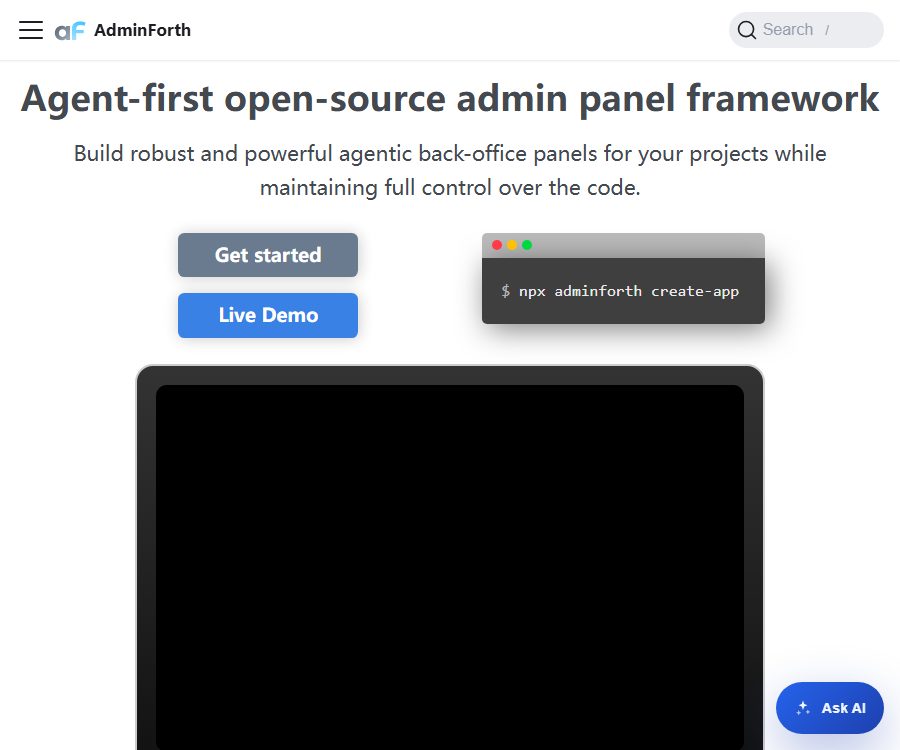
AdminForth is an open-source backend management framework designed for developers, built using TypeScript and Vue 3. It can connect to existing databases and quickly generate management interfaces with capabilities for adding, deleting, updating, and querying data, as well as for filtering and sorting.
The project emphasizes a Agent-first design; plugins can be used to enable AI-driven text completion, batch content generation, and the integration of intelligent agents into backend services. It is not a hosted, code-free SaaS solution – users must prepare their own runtime environment, database, and deployment resources.
Main functions of AdminForth
1. Generate a CRUD backend from the database
Developers can provide the database connection details to the command-line tool, which will then generate configuration settings from the existing tables. The resulting backend system supports common operations such as creation, viewing, editing, deletion, filtering, and sorting.
2. Multiple database connections
The current official documentation lists PostgreSQL, MySQL, MongoDB, SQLite, ClickHouse, and Qdrant. The Qdrant connector is read-only and does not offer the same level of full management capabilities as those available for other databases.
3. Users, Roles, and Access Control
The framework includes built-in functions for logging in and user management, as well as the ability to configure resources and access permissions. Plugins can add support for OAuth2 or OpenID single sign-on, along with TOTP and passkey-based two-factor authentication, making it suitable for internal operation backends.
4. Vue 3 interface expansion
Developers can use Vue 3 components to modify the display of fields, editing controls, table areas, sidebars, and page headers; they can also create custom pages and chart dashboards.
5. Common plugins for the backend
- Audit log: Records the history of changes made to data by users.
- Upload plugin: Upload the file to a compatible object storage service.
- Import/Export: Migrate or maintain table data in CSV format.
- In-line editing and quick creation: reduces the need to frequently open detail pages.
- Internationalization and rich text editing: Enhancing multilingual support and content management experiences.
- Background tasks: Schedule, monitor, and manage time-consuming tasks.
- Dashboard: Organizes data components within a visual interface.
6. AI text completion and batch generation
The AI completion plugin can generate text by taking into account the context of the current record, while batch AI plugins can create descriptions or images for multiple records. To utilize these functions, it is necessary to provide credentials for third-party model services; the quality of the results and the cost of using these services depend on the service chosen.
7. Agent Intelligent Proxy
The Agent plugin offers a natural-language interaction interface, allowing backend resources and custom skills to be utilized by agents. It is suitable for content management, data querying, and controlled data operations; however, it is necessary to impose restrictions on permissions and to retain human oversight.
Which users are it suitable for
- A development team is needed to quickly create an internal management backend for the existing database.
- Full-stack developer using TypeScript, Node.js, and Vue technologies.
- The team hopes to add auditing, two-factor authentication, and single sign-on to the operational backend.
- Product teams that need to integrate AI-driven writing, image generation, or data proxy functions into their business applications.
- Small and medium-sized projects that offer modifiable source code and the possibility to deploy the solution independently are desired.
Support for environments and databases
As of August 24, 2026, the official introductory documentation requires Node.js version 20 or higher. It is recommended to use command-line tools to create projects, with the front-end extensions generated being primarily based on Vue 3 components.
- PostgreSQL: Supports connecting to existing databases and generating resources.
- MySQL: Supports common data management scenarios.
- MongoDB: Can be used as a data source for document databases.
- SQLite: New projects can use a local SQLite database by default.
- ClickHouse: Suitable for connecting to analytical data tables.
- Qdrant: The current document specifies that it is a read-only connection.
AdminForth does not modify the structure of business databases on its own. For new SQLite projects, the command-line tool can generate Prisma files and migration scripts; for existing databases, the team’s own migration processes should be used.
Costs and open-source licenses
As of August 24, 2026, the main framework of AdminForth is available freely and under an open-source license; there is no paid version or cloud subscription offered by the developers. The main repository is licensed under the MIT license, which allows for use, modification, and distribution as long as the terms of the license and copyright statements are respected.
Being free and open-source does not mean that the operational costs are zero. Servers, databases, object storage services, domain names, monitoring services, as well as APIs for large models can all incur third-party fees; the exact amounts shall be indicated on the billing pages of each service provider.
Items that may incur costs
- The cloud servers or container platforms required to deploy Node.js applications.
- Managed PostgreSQL, MySQL, MongoDB, or ClickHouse services.
- The object storage and bandwidth used by the file upload plugin.
- API for large-model tasks such as text completion, batch AI processing, and invocation of Agent plugins.
- External infrastructure such as enterprise single sign-on, email, monitoring, and logging.
Quick Deployment Tutorial
- Prepare Node.js version 20 or higher, and ensure that a package management tool is available.
- Run the AdminForth creation command, and enter the project name and database connection address.
- If a database already exists, the data table resources required for backend management will be generated.
- If a new project is created, the default SQLite schema can be used along with the generated migration process.
- Check the user table, login credentials, environment variables, and database permissions.
- Start the local service to test listing, filtering, creating, editing, and deleting operations.
- Add auditing, two-factor authentication, upload capabilities, or AI plugins, and configure each external service individually.
- Replace the default credentials, set up keys for the production environment, and then deploy them to the controlled servers.
Tutorial on integrating AI plugins
- First, determine the specific business objectives for text completion, batch generation, or the use of agents.
- Install the corresponding plugin and create a model key with restricted permissions in the service provider’s console.
- Save keys using environment variables; do not include them in the source code or frontend components.
- Only the fields required for the task are passed to the model, while customer data and internal information are anonymized.
- Limit the resources, actions, and custom skills that agents can access.
- Use a test database to verify prompts, error handling, costs, and output format.
- Enable audit logging and add manual confirmation for modification or deletion operations.
- After going live, monitor model costs, failure rates, and changes in abnormal data.
Product advantages
- It can be connected directly to existing databases, reducing the effort required to develop generic backend pages from scratch.
- The TypeScript and Vue 3 technology stack facilitates growth for front-end and full-stack teams.
- Plugins such as authentication, auditing, uploading, import/export, and two-factor authentication cover common backend requirements.
- AI capabilities are closely integrated with data resources, and can be used for batch processing of content as well as for controlled agent operations.
- The main framework is licensed under the MIT license; there is no official paid version or cloud subscription requirement.
- It enables rapid creation of basic interfaces, while also allowing the development of custom components, pages, and APIs.
Usage restrictions and precautions
- AdminForth is a development framework, not a hosted backend service that becomes available immediately after registration.
- Deployment, backup, database security, upgrades, and troubleshooting are the responsibility of the using team.
- Qdrant currently only supports read-only operations; the field capabilities of other connectors may also vary.
- AI plugins rely on third-party models, which can result in incorrect content, delays, and ongoing subscription costs.
- There are higher risks when an agent is granted write or delete permissions; therefore, the principle of minimum privileges and manual approval should be applied.
- Plugins and dependencies need to be updated regularly, and a security review should be conducted before they are deployed in the production environment.
- The existing database should first be backed up, and separate accounts should be used to restrict access to specific tables and operations.
Security and privacy recommendations
Backend management systems typically handle customer data, order information, and operational data; therefore, database accounts should not have permissions that go beyond what is necessary for business operations. In a production environment, the default credentials must be replaced, and session keys as well as keys for third-party services must be stored securely.
- Enable two-factor authentication and create a separate account for administrators.
- Use audit logs to record creation, editing, and deletion actions.
- When deployed on the public network, TLS, access control, rate limiting, and security response headers are configured.
- Do not submit the production database connection string to the code repository.
- Before sending data to large models, verify the data classification, region, and supplier retention policies.
- Regularly test the backup and recovery processes, and pay attention to security updates for frameworks and plugins.
Explanation of the open-source status
The main source code for AdminForth is available in the official GitHub repository, and it is licensed under the MIT license; therefore, the framework itself can be considered open-source. Users are still required to retain the copyright notices and licensing statements specified by the license.
Just because the framework is open source does not mean that third-party models, databases, object storage services, or other dependent services are also covered. The price, terms of use, and data policies for each external service need to be checked separately.
Frequently Asked Questions
Is AdminForth free?
The main framework is free; there is no official paid version or cloud subscription, but self-deployment and third-party services may incur costs.
Can it be connected to an existing database?
Yes. Command-line tools can read existing databases and generate configuration settings, but database migration should still be handled by the existing tools and processes.
Can it be used without knowing Vue?
The basic CRUD interface can be generated through configuration and the command line. When making extensive modifications to field interfaces, as well as customizing pages and dashboards, it is more advantageous to have a good understanding of Vue 3.
Can AI functions be used for free?
AI plugins require the configuration of corresponding model services; whether these services are free or not, as well as their pricing, depend on the service provider chosen. AdminForth itself does not bear any costs related to external models.
Will AdminForth modify the database structure?
The framework itself does not change the structure of the business database automatically. When creating a new SQLite schema, it is possible to use command-line tools to generate Prisma migration files.
Summary
AdminForth is suitable for TypeScript and Vue teams that wish to create an scalable management backend quickly based on existing databases. It offers a comprehensive set of common backend plugins as well as AI agents, but for production use the team still has to handle tasks related to deployment, security, permission control, and the costs associated with third-party services.
Tools similar to AdminForth





 Guigong Network Security Registration No. 45132202000164