






LLaMA Factory
An open-source unified framework for fine-tuning, evaluating, and inference of large models
Tags:AI development frameworksWhat is LLaMA Factory?
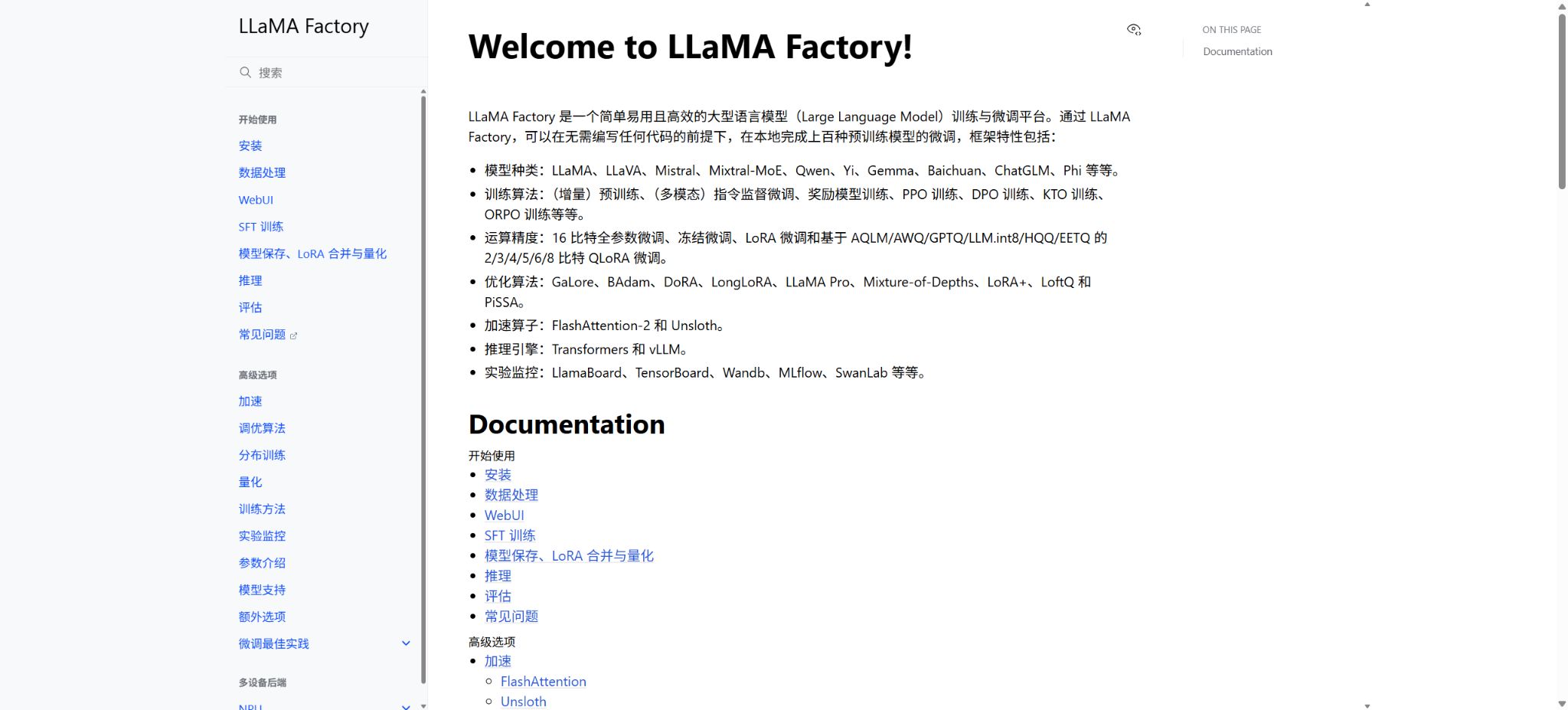
LLaMA Factory is an open-source framework for training, fine-tuning, evaluating, and inference of large language models as well as vision-language models. It integrates model loading, data templates, the training process, parameter-efficient fine-tuning, distributed training, quantization, export, and deployment capabilities within a single command-line interface and WebUI, with the aim of reducing the effort required to write training code repeatedly for different models.
The project supports over 100 LLMs and VLMs, including popular series such as LLaMA, LLaVA, Qwen, Mistral, Mixtral, Gemma, Yi, Baichuan, ChatGLM, and Phi. The framework does not provide model weights, training data, or GPU computing power; users must still comply with the licenses specific to each model and dataset.
0.9.5 version update
As of this verification, the latest officially released version is 0.9.5, which was published in May 2026. It introduces support for Qwen3.5, Qwen3.6, Gemma 4, and Transformers v5, and also includes adaptations and fixes related to FSDP2, ROCm 7.2, and Intel XPU.
The current installation documentation also updates the Python environment requirement to 3.11 or higher; when upgrading older projects, it is necessary to recheck the compatible combinations of PyTorch, Transformers, CUDA, and NPU components.
Changes in the version number can affect the model templates, configuration fields, and the quantization backend. It is not recommended to follow the main branch directly for production tasks; instead, it is necessary to keep the versions of LLaMA Factory, Transformers, PyTorch, the acceleration libraries, and the model constant, and to perform tests with short-scale tasks before making any upgrades.
Zero-code WebUI
The LLaMA Factory WebUI offers four main interfaces for training, evaluation and prediction, dialogue, and export. Users can select the model, training phase, dataset, fine-tuning method, quantization bits, learning rate, batch size, and output directory; after that they can start the task and view the logs. It is suitable for those who are new to fine-tuning large models or need to adjust the settings repeatedly.
The WebUI serves only as a tool for configuration and task initiation, and it does not reduce the memory and computing power requirements of the model itself. If there are errors in the model path, chat templates, data formats, quantization methods, or device settings, the interface will also fail to start.
Long-running tasks should still be accompanied by process management, logging, Checkpoints, and training monitoring.
Command-line and YAML configuration
Users familiar with the engineering process can initiate training using the command line or YAML files. The configuration files allow for specifying the location of the model, the dataset, templates, training phases, type of fine-tuning, optimizer to be used, precision settings, distributed processing methods, saving strategies, and evaluation parameters; this makes it possible to place them under version control and reproduce the process on multiple machines.
Formal projects should archive the configuration, dependency locks, data versions, random seeds, and code submissions together. API keys, access tokens, and internal storage addresses should not be written directly into public YAML files or logs; instead, they should be managed through environment variables or secret management systems.
Dataset format and template
Custom datasets usually require that their name, file path, field mappings, and format be specified in the data_info configuration. The framework supports fine-tuning via instructions, dialogue, multi-turn messaging, preference pairs, KTO feedback, as well as various multimodal data types such as images and videos.
If the data format does not match the selected training phase, an error will be generated immediately or incorrect labels will be produced.
Chat templates determine system prompts, role markers, stop signs, and tag masks. The same template should be used for training, evaluation, conversations, merging, and API deployment;
Just by looking at the decrease in loss, it is not possible to detect template misalignment; it is better to examine randomly the input and target tokens after tokenization.
Pre-training and supervised fine-tuning
The framework supports incremental pre-training and supervised fine-tuning. Incremental pre-training is used to enable the base model to continue learning domain-specific data, while supervised fine-tuning utilizes question-answer or dialogue examples to train the model’s ability to follow instructions.
The data structure, learning rate, training duration, and evaluation methods of the two differ; therefore, they cannot be substituted for one another by merely modifying the parameters of one stage.
Domain-specific datasets need to have duplicates removed, be cleaned, undergo copyright checks, and have their privacy aspects addressed. Supervised data also requires verification of the accuracy of answers, determination of appropriate rejection thresholds, ensuring consistency in format, and considering the distribution of lengths; low-quality synthetic data can introduce erroneous patterns into the model.
Full, Freeze, and LoRA
Full parameter tuning involves updating most or all of the model’s parameters; it offers high flexibility but results in the highest costs in terms of memory usage, communication requirements, and checkpoint creation. Freeze, on the other hand, trains only selected layers or modules, providing a balance between resource consumption and performance.
LoRA trains a small number of parameters using low-rank adapters, and it is the most commonly used method for personal workstations and multi-task adaptation.
The framework also supports methods such as DoRA, LoRA+, LongLoRA, PiSSA, LoftQ, LLaMA Pro, Mixture-of-Depths, GaLore, and BAdam. Not all of these methods are compatible with every model, device, or distributed backend; it is necessary to refer to the documentation for the current version as well as conduct small-scale experiments before making a choice.
QLoRA and low-bit quantization
QLoRA trains LoRA adapters on low-bit base models, which helps to significantly reduce memory usage. The framework supports 2-, 3-, 4-, 5-, 6-, and 8-bit configurations, and can be integrated with backends such as AQLM, AWQ, GPTQ, LLM.int8, HQQ, and EETQ; however, its actual usability is limited by the operating system, GPU, model structure, and version of the dependencies.
Low-bit training does not mean that it can be carried out on any graphics card. In addition to the model weights, space is also required for KV tensors, activations, optimizers, gradients, data batches, and context length.
Quantization may also reduce throughput or accuracy; it is therefore necessary to test both the stability of training and the outcomes in downstream applications.
Preference optimization and reinforcement learning
LLaMA Factory supports the training of reward models as well as various preference alignment methods such as PPO, DPO, KTO, and ORPO, covering multiple variants of direct preference optimization. Methods like DPO typically use win/loss response pairs, KTO can employ positive and negative feedback samples, while PPO requires components related to rewards, values, and strategies.
Preference data should have their length, topic, difficulty level, and annotator bias under control. An increase in rewards does not necessarily mean an overall improvement in accuracy, safety, and user experience; before official release, independent benchmarks, blind human evaluations, red-team testing, and regression assessments are necessary.
Multimodal model fine-tuning
This framework enables the training of multi-modal architectures such as LLaVA and Qwen visual language models, allowing images or videos to be input together with text messages. Multi-modal tasks are suitable for visual question answering, document understanding, chart analysis, and image description; however, different models have varying requirements regarding media placeholders, resolution, frame sampling, and templates.
Image and video data significantly increase the costs associated with storage, decoding, memory usage, and data loading. Before uploading or training such data, it is necessary to address risks related to personal portraits, copyrighted images, sensitive documents, and geographical information.
DeepSpeed, FSDP, and multi-machine training
Large model training can make use of solutions such as DDP, DeepSpeed, FSDP, FSDP2, and Ray; data parallelism, parameter sharding, and optimizer state sharding are employed to enable scaling across multiple GPUs or machines. Version 0.9.5 adds support for FSDP2, providing an interface for the newer PyTorch sharding mechanisms.
Distributed training requires a unified driver, communication libraries, a network, synchronized host times, and shared storage, along with proper configuration of global batching, gradient accumulation, and checkpointing methods. Scaling from a single GPU setup to multiple machines can lead to issues related to the learning rate, throughput, communication, and checkpoints.
NVIDIA, AMD, Intel, and Ascend NPU
Common environments include NVIDIA CUDA; support for AMD ROCm and Intel XPU is also available. The Ascend scenarios cover the Atlas A2 and A3 training series, and support pre-training, SFT, reward models, DPO, as well as methods such as Full, Freeze, LoRA, adapter merging, DDP, FSDP, FSDP2, and DeepSpeed. Additionally, some NPU fusion operators can be utilized.
The Ascend environment requires matching versions of CANN, drivers, firmware, as well as PyTorch and torch-npu; CUDA, ROCm, and XPU also have their own respective versions.
The presence of the hardware name in the documentation does not mean that all models and operators have been validated; compatibility tests must be conducted based on the model, precision, operators, and cluster size.
FlashAttention, Unsloth, and training acceleration
The framework can make use of FlashAttention-2 to reduce the memory and time requirements associated with attention calculations, and it is possible to choose acceleration methods such as Unsloth. These tools have specific requirements regarding the GPU architecture, PyTorch, CUDA, Triton, and the way in which the model is implemented; if installation fails, it is necessary to first return to the official environment to verify everything.
An increase in throughput should not come at the cost of numerical instability. After enabling mixed precision, gradient checkpointing, compilation, or fused operators, it is necessary to compare the loss values, gradients, GPU memory usage, speed, and overall performance; simultaneously, a baseline configuration that can be reverted to should be maintained.
Checkpoint, LoRA merging, and model export
During training, Checkpoints can be saved at each step or per Epoch, and it is possible to set the number of such Checkpoints to retain. Each experiment should use its own separate output directory, in order to prevent overwriting adapters related to different data sets, templates, or hyperparameters.
Once LoRA training is complete, it can be merged with the base model and exported or quantized according to the target backend.
The merging process requires sufficient CPU memory, GPU memory, and temporary disk space. The size of the merged model is similar to that of the original model, and it does not grant any rights for redistribution that were not available in the original model.
Before release, it must be accompanied by the correct license and model card.
Dialogue, batch inference, and vLLM
The framework offers command-line Chat and web-based dialogue interfaces; it allows for the use of basic models or specified LoRA adapters for evaluation. For batch predictions, the Transformers or vLLM inference engines can be utilized – vLLM is better suited for high-throughput generation, though its support options, quantization formats, and memory management methods differ from those used during training.
Successful training does not mean that the system is ready for deployment. It is necessary to test aspects such as the latency of the first token, throughput, concurrency, context length, termination conditions, structured output, GPU usage, and abnormal inputs; moreover, it is important to ensure that the loaded adapter, templates, and base model are fully compatible with each other.
OpenAI-compatible API
By using the API startup command, a model can be made available as a service compatible with OpenAI, thereby enabling existing clients, evaluation tools, or applications to connect to it. The server allows for the specification of the model, template, type of fine-tuning, and path to the adapter; it can also be integrated with stream-based output.
This interface serves as an entry point for deployment, rather than a hosted cloud service. For production use, it is necessary to implement additional mechanisms such as authentication, TLS encryption, rate limiting, auditing, content security measures, queue management, health checks, automatic recovery, and resource isolation; ports without authentication must not be exposed directly to the public network.
Experimental monitoring and reporting
The training configuration can be integrated with experiment tracking tools such as TensorBoard,Weights & Biases, SwanLab, MLflow, and Trackio, to log values such as Loss, learning rate, reward, throughput, GPU memory usage, and various evaluation metrics. Teams should standardize project names, run names, tags, and storage periods in order to ensure that experiments can be traced back easily.
The monitoring platform may receive configurations, logs, and generated samples. When enterprise data or user prompts are involved, local storage or a private deployment solution should be used, with the data being anonymized before it is sent over.
Installation method
The typical installation process involves cloning the official repository, carrying out an editable installation in a separate Python environment, installing the necessary components for evaluation, quantification, distribution, NPU support, or inference as required, and finally verifying everything using version control commands. The combination of dependencies varies depending on whether Windows, Linux, WSL, Docker is used, as well as the type of acceleration cards available.
Before installation, it is necessary to determine the training equipment and the backend first, and then select the appropriate versions of PyTorch and its drivers; this approach is more stable than trying to install all possible dependencies at once. On production machines, an inventory of the environment should be kept, and the model caches, data, outputs, and temporary directories should be stored on disks with sufficient storage capacity.
Price and usage costs
The core software of LLaMA Factory is available freely and openly, with no official subscription fees. The actual costs arise from GPU or NPU computing power, cloud servers, storage, networking, model downloads, data preparation, annotation, evaluation, and maintenance.
The costs associated with full-parameter training, multi-machine training, and handling long context data are much higher than those incurred in small-scale LoRA experiments.
Hosting services such as LLaMA Factory Online that are available on the internet represent separate cloud-based products or collaborative services; the price per GPU as well as the associated benefits can change over time, and therefore their costs cannot be considered equivalent to the prices of the official software from open-source projects.
Is it open source?
The LLaMA Factory repository is licensed under the Apache License 2.0, which allows for the use, modification, and distribution of the code under these terms. This license applies only to the project’s code; it does not cover third-party models such as Meta, Qwen, Google, or Zhipu, nor does it apply to user data, datasets, or the content that is generated.
Before commercial use, it is necessary to examine separately the code dependencies, model weights, tokenizers, as well as the terms related to the dataset and evaluation set. Certain models have restrictions on commercial use, the number of users, the domain of application, or the ways in which they can be redistributed.
LLaMA Factory Usage Guide
Complete a basic task.
- Install and configure LLaMA Factory, and create a separate project and runtime name for the experiments;
- Record the hyperparameters, data version, code version, and random seed in the training script;
- Update the initialization task via version 9.5 and connect to the appropriate cloud or on-premises service;
- Use a zero-code WebUI to continuously record losses, metrics, logs, and hardware status;
- Run a small-scale training session to check whether the number of steps, units, curves, and media samples are correct;
- After completion, save the model, configurations, results, and instructions for reproducing the experiment;
Create reusable professional workflows
- Standardize the naming conventions for projects, experiments, metrics, and labels;
- Include the 9.5 version update, the code-free WebUI, as well as command-line and YAML configuration in the training template;
- Establish version associations for datasets, code, environments, and models;
- Use the same evaluation set and comparison methodology to avoid focusing solely on the smooth curves;
- Restrict the scope of uploading sensitive samples, prompts, and model outputs;
- Set up exception alerts, retention policies, and conduct manual review before rolling them out to the team;
Which users is it suitable for?
- Students who wish to carry out their first LoRA or QLoRA fine-tuning using a WebUI;
- Algorithm engineers are needed to develop unified training methods for various open-source LLMs and VLMs;
- Research teams that conduct experiments with SFT, DPO, KTO, PPO, and reward models;
- Organizations that require distributed training using DeepSpeed, FSDP, or Ascend NPU;
- Developers who wish to integrate adapters, conduct batch evaluations, and deploy compatible APIs.
Product advantages
- Supports over 100 languages and visual language models;
- WebUI and CLI offer both ease of use for beginners and reproducible project workflows;
- Full, Freeze, LoRA, QLoRA, and a variety of other new fine-tuning methods are available;
- It supports pre-training, SFT, reward modeling, and various preference optimization phases;
- Compatible with DeepSpeed, FSDP, vLLM, and various types of hardware;
- Apache 2.0 is open-source, has an active community, and receives frequent updates.
Restrictions and Precautions
- The list of models that are supported is long, but not all combinations of training phases, quantization methods, and hardware are available.
- The WebUI cannot replace data cleaning, VRAM estimation, dependency management, and evaluation.
- Full-parameter fine-tuning requires a large amount of video memory and storage, and QLoRA may also be constrained by the operating system and the quantization backend.
- Enabling trust_remote_code will execute the code provided by the model repository; it is necessary to specify a trusted Revision and to verify its origin.
- Public services require authentication and security controls, while training data needs to have its privacy, copyright issues, and risks of prompt injection addressed.
Frequently Asked Questions
Is LLaMA Factory free?
The core code is available free of charge under the Apache 2.0 license. GPU cloud instances, storage, models, and data may incur costs, while third-party hosting services are charged separately.
Which fine-tuning methods does LLaMA Factory support?
It supports Full, Freeze, LoRA, QLoRA, as well as extensions such as DoRA, LoRA+, PiSSA, etc.; the training phases include pre-training, SFT, reward modeling, PPO, DPO, KTO, and ORPO.
Can it be used without any programming experience?
Training, evaluation, dialogue, and export can be configured through the WebUI, but it is still necessary to understand the model, data formats, templates, video memory requirements, and environmental dependencies. It is recommended to first use a small model with a limited amount of data to verify the entire process.
Can an API be deployed?
It is possible to use an API compatible with OpenAI, or vLLM for batch processing or high-throughput inference. To put it into operation on a full scale, it is necessary to implement one’s own systems for authentication, rate limiting, security auditing, and monitoring.
Is it compatible with Ascend NPU?
It supports the Atlas A2 and A3 training series, as well as various training phases and distributed solutions; however, the versions of CANN, drivers, firmware, PyTorch, and torch-npu must be compatible.
Is LLaMA Factory a model?
No. It is a training and fine-tuning framework that does not come with pre-built, commercially ready model weights.
Users need to select and download the base model that is compatible with the license.
Tools similar to LLaMA Factory





 Guigong Network Security Registration No. 45132202000164