






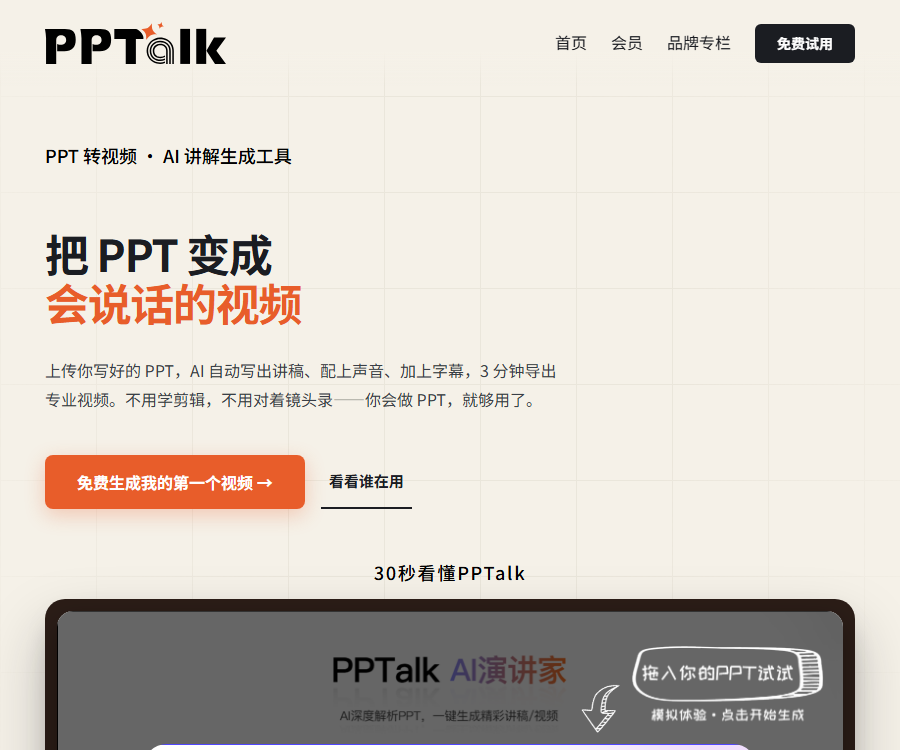
PPTalk AI Speaker
An AI-driven tool for improving office efficiency; it uses AI to analyze PPTs in depth and enables the creation of excellent presentation scripts or videos with just one click.
Tags:AI slides and presentationsWhat is PPTalk AI Speaker?
PPTalk is a tool that automatically converts PPT or PDF files into scripts, voiceovers, subtitles, and explanatory videos.
It is intended for users who have no experience in editing or recording, but who need to deliver training materials, micro-lectures, or presentation videos quickly.
Main functions
- Identify text, images, and formatting in PPT and PDF files.
- Organize the spoken script automatically based on the content of each page.
- Expand, condense, refine, and translate speech drafts.
- Use the built-in, realistic voice synthesis for narration.
- Upload voice samples to clone authorized voices.
- Automatically matches subtitle, page-turning, and voice-over timing.
- Export 1080P high-definition explanatory videos.
- Export the speech manuscript as a separate Word document.
Three-step generation process
| Steps | Platform processing | Users need to check. |
|---|---|---|
| Upload document | Analyze the textual and visual structure of PPTs or PDFs | Layout, font, images, and confidential content |
| Generate scripts and voiceovers | Organize narration texts and synthesize voices. | Facts, figures, terms, and tone |
| Export video | Match subtitles, page turning, and audio | Rhythm, pronunciation, subtitles, and image quality |
Supported files and exports
- It supports uploading presentations in PPTX format.
- Supports uploading files in the traditional PPT format.
- It supports using PDF as the basis for generating lecture scripts.
- 1080P explanatory videos can be exported.
- The script text can be exported as a separate DOCX file.
- Complex animations and external media should have their compatibility tested first.
AI script generation
PPTalk reorganizes the narration based on the logic of the pages, rather than simply reading the text on the slides word for word.
- Extract the title, key points, and page hierarchy.
- Understanding visual elements such as charts, flowcharts, and images.
- Add transitions and connections between different pages.
- Adjust the wording and focus of the explanation according to the industry context.
- It allows for the re-generation of the script when dissatisfaction exists.
- The final version still requires manual verification by the author.
Polishing of speech drafts
| Functions | Uses | Risk |
|---|---|---|
| Expand | Add background, examples, and transitions | Unverified information may be added. |
| Streamline | Reduce video length and avoid repeated expressions. | Key constraints may be missed. |
| Polish | Improve expression, tone, and fluency | It may change the original meaning. |
| Translate | Create scripts in different languages | Terms and numbers must be reviewed. |
| Regenerate | Try a new explanation structure. | There are significant differences between the versions. |
AI voice synthesis and timbre cloning
The official website claims to offer over eighty different sound colors, and it also allows users to upload short audio samples in order to create their own custom sound colors.
- Record clear speech for about twenty to thirty seconds in a quiet environment.
- Select a voice that suits training, roadshow, or educational scenarios.
- Check the pronunciation of specialized terms, English abbreviations, and numbers page by page.
- Explicit permission must be obtained before cloning someone else’s voice.
- When releasing content to the public, avoid giving the audience the impression that real people are involved in the recording.
- High-risk scenarios should indicate the use of AI-generated voices.
Subtitle and video export
The platform will automatically arrange subtitles and page flips based on the voiceover, and generate a high-definition video.
- Check subtitle punctuation and spelling errors before exporting.
- Adjust the length of the speech to control the time spent on each page.
- Avoid having subtitles cover charts, page numbers, and important data.
- Check the first and last pages, background music, and volume balance.
- After downloading, you can use other editing tools to further process it.
- The version and date of update for regulations and policies should be indicated.
Suitable for which scenarios
- Corporate security, compliance, and new employee training.
- Teacher-made micro-lectures, high-quality courses, and lesson explanations.
- Medical mentoring and patient health education.
- Product introduction, sales plans, and customer information.
- Financing roadshows and business plan presentations.
- Government briefings, performance reports, and work updates.
- Cultural and tourism guidance as well as knowledge dissemination.
- Videos explaining e-commerce products and promoting them.
PPTalk Usage Guide
- Organize the PPT or PDF and remove any information that does not need to be made public.
- Standardize the font and layout, and check whether the images display properly.
- Upload the document and wait for the system to analyze the page structure.
- Choose between training, micro-lectures, roadshows, or other presentation formats.
- Generate the speech script and verify the facts, figures, and terms page by page.
- Adjust the length of the explanation by expanding, condensing, or refining it.
- Choose a built-in timbre or use a voice authorized by you.
- Generate voiceovers and correct pronunciation, pauses, and stress.
- Preview subtitles, scroll through pages, and check the overall pace of the video.
- Export 1080P videos or download the Word script separately.
- Complete copyright, privacy, and content reviews before publishing.
Free trial
New users who register now can enjoy three types of benefits.
| Equity | Number of gifts given | Uses |
|---|---|---|
| Speech generation | 3 times | Experience the process from document to script |
| AI polishing | 3 times | Adjust the wording and length of the speech. |
| Standard timbre synthesis | 1 time | Experience voice-over and video effects |
The free credit amount and the details of the promotion may change; please refer to the account page after registration for accurate information.
Prices and top-up packages
The following are the RMB Huijing top-up options as displayed on the official website on August 30, 2026.
| Package | Price | Huijing | Suitable uses |
|---|---|---|---|
| A gift for beginners | 18 yuan | 200 | First test |
| Increased quantity, optimal choice | 88 yuan | 1000 | A small amount for daily use |
| The most popular choice | 198 yuan | 2600 | Ongoing production |
| Immediate SVIP access | 298 yuan | 4500 | Teams and training tasks |
| Super Value Selection | 999 yuan | 16650 | High-frequency professional use |
The platform uses pay-as-you-go recharging; the actual consumption amount, any discounts, and the settlement amount are determined according to the purchase page of the account.
How much does it cost to produce a video?
The cost of producing a promotional video for the official website is around 4 to 6 yuan, but this is an estimate based on typical scenarios.
- The number of pages in the document and the length of the presentation affect consumption.
- The duration of the voiceover and the type of voice tone can affect the cost.
- Recreating scripts or voiceovers increases consumption.
- Long videos and complex documents usually require more intelligence crystals.
- Before making a purchase, use the free quota to create a sample first.
Data security and privatization
The official website states that documents and audio are stored and transmitted in an encrypted manner, and are not used for training third-party models.
Enterprise users can also inquire about higher-level private deployment solutions.
- Delete sensitive information of customers, patients, and employees before uploading.
- Do not upload unpublished financial, contractual, or technical information.
- Companies should verify the location where data is stored and the expiration date for its deletion.
- The timbre samples must be obtained with the explicit permission of the recorder.
- For privatized procurement, it is necessary to define the model, as well as the boundaries for operation, maintenance, and upgrades.
- For important projects, keep the original files as well as a backup of the exported video.
Content accuracy
- AI may misinterpret the meaning of charts, flowcharts, and images.
- The speech may include facts that are not present in the PPT.
- Medical, financial, and policy-related content must be reviewed by experts.
- Data, units, dates, and references need to be checked one by one.
- The translation should be reviewed by someone familiar with the target language.
- Generating videos cannot replace the review by the person responsible for the content.
GitHub and open source
At present, no complete open-source repository for PPTalk that matches the official website’s identity has been found.
Repositories with the same name but whose home pages point to other domain names cannot be used as evidence of the open-source nature of this product.
The PPTalk AI speaker should be labeled as a closed-source online service.
Usage restrictions
- Complex animations, embedded media, and special fonts may be lost.
- AI-generated scripts may contain factual errors or unnatural expressions.
- Cloning sound colors requires explicit authorization and compliance labeling.
- The three-minute video that is produced as part of the promotion can be affected by the documents and queues involved.
- The actual cost varies depending on the number of pages, duration, and the number of times it is regenerated.
- Sensitive corporate documents should first undergo a security assessment.
Frequently Asked Questions
Which file formats are supported by PPTalk?
Officially, it supports PPTX, PPT, and PDF formats, and can identify the text and formatting structure within them.
What formats can PPTalk export?
It is possible to export 1080P explanation videos, and the AI-generated script can also be exported as a separate Word document.
Can PPTalk be tried out for free?
Yes, new users can currently receive three drafts, three revisions, and one synthesis with a standard voice tone.
How is PPTalk priced?
Huajing offers pay-as-you-go recharging options; the official website currently provides five package tiers ranging from 18 yuan to 999 yuan.
Is it possible to clone one’s own voice?
Yes, generally it is required to record about twenty to thirty seconds of clear audio, and only authorized voices may be used.
Will the uploaded PPT be used for training?
The official website states that documents and audio files will not be used for training third-party models, and sensitive information still needs to be handled with care.
Is PPTalk an open-source tool?
No, at present no complete official open-source code that matches the identity of the official website has been found.
Tools similar to the PPTalk AI speaker





 Guigong Network Security Registration No. 45132202000164