






DeckSpeed
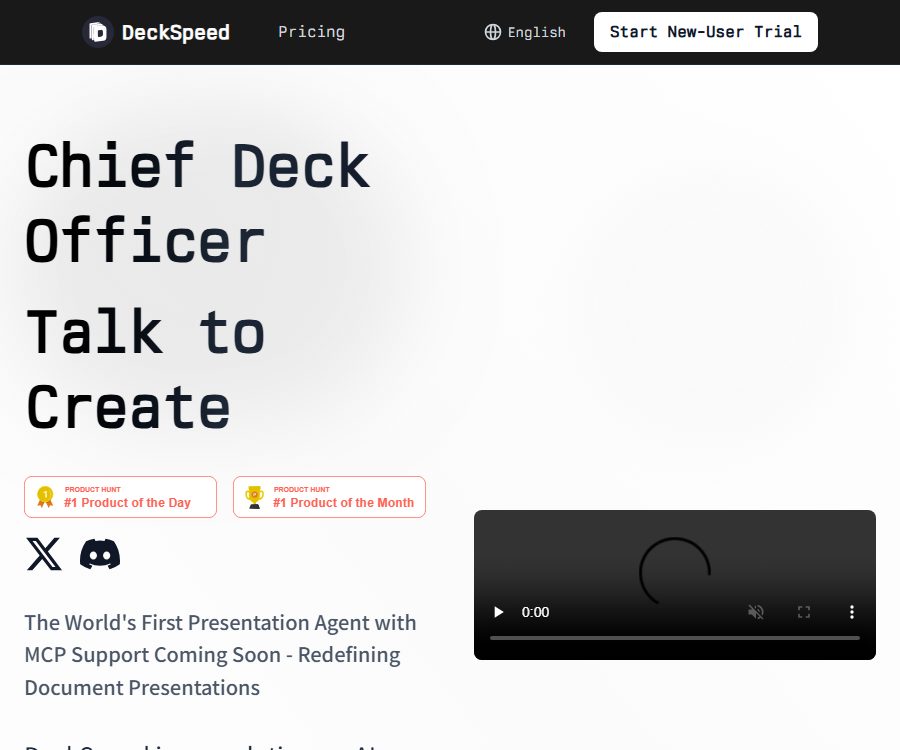
DeckSpeed – makes working with AI slides and presentations more efficient and simpler.
Tags:AI slides and presentationsWhat is DeckSpeed?
DeckSpeed is an AI-powered web-based presentation tool developed by CoreSpeed Inc.; users describe their requirements through dialogue, and the system generates personalized draft slides. It is designed for creators who do not want to start with fixed templates or blank pages, as it combines content organization, visual design, and feedback on revisions within the same chat interface.
The product can be registered and logged into at present, with the main access point being a browser-based application. It is more similar to an intelligent presentation tool than to a traditional slide-editing program that relies on dragging elements around.
Main functions
- Dialogue generation demonstration: By entering the topic, purpose, and target audience, the system plans the structure of the content and generates a complete draft, allowing for a ready-to-review version to be created from a rough idea.
- Personalized design: The products do not rely on fixed templates; instead, the layout and visual style are created based on the specific task at hand, thereby reducing the homogeneity between presentations with different themes.
- Integration of content and layout: Users can use natural language to request changes to the text, colors, style, or content, and the system will adjust the corresponding slides based on these requests.
- Real-time iteration: There is no need to start over after generation; modifications can be made continuously, thereby gradually reducing the gap between the current result and the target.
- Multiple types of presentation tasks: they can be used for pitch materials, project reviews, classroom handouts, reports, and proposal presentations; however, the facts, figures, and opinions presented still need to be verified by the user.
Input, processing, and output
| Phase | Provided by the user | System processing | The obtained results |
|---|---|---|---|
| Requirement description | Theme, purpose, audience, and key points | Understand the task and plan the narrative structure | Preliminary direction for the presentation |
| Draft generation | Content requirements and style preferences | Generate page content, layout, and visual composition | Draft slides available for review |
| Feedback for revisions | Suggestions on color, style, content, and layout | Update relevant pages based on the conversation. | Presentation after round-by-round optimization |
| Delivery | The confirmed version | Handle it based on the account’s current available capacity. | In-app demonstration or exportable files available |
The public page does not specify the types of files that can be uploaded, the number of pages per upload, the supported languages, the current export formats, or the compatibility of editable files. In particular, PDF exports, as mentioned in the past, as well as PowerPoint and Google Slides exports, which are planned, should not be considered part of the current available functions; it is necessary to check the actual export options within the application before delivery.
Usage process
- Register using an email address, or log in to the browser application via GitHub or Google; before using it for the first time, check the payment page to see if there is a trial period available for new users and what the renewal conditions are.
- Specify the type of presentation required, and clearly outline the theme, purpose, target audience, estimated number of pages, key information, and the desired tone.
- Review the draft generated by the system, focusing first on the narrative sequence, facts, figures, citations, and the amount of information per page.
- Make modifications using specific feedback, such as requesting less text on a certain page, adjusting the color scheme, highlighting key conclusions, or changing the structure of the content.
- Continue with multiple rounds of dialogue until the content and visuals are ready for use, then check the demonstration and export options available within the application.
- Conduct a manual check of font and image rights, brand guidelines, and sensitive information before downloading or delivering, and test it in an external demonstration environment.
Packages and prices
| Package or version | Price | Billing cycle | Core benefits or quota | Suitable for users |
|---|---|---|---|---|
| New user trial | Not yet made public | Displayed on the settlement page | Displayed only when available; duration, points, auto-renewal options, and cancellation terms are not listed on the public page. | Users for whom a quality assessment is generated for the first time |
| Plus | Not yet made public | Displayed within the app | The specific points and features can be viewed by logging in to the settlement page. | Low-frequency individual users |
| Pro | Not yet made public | Displayed within the app | The specific points and features can be viewed by logging in to the settlement page. | Professional users who continuously create presentations |
| Max | Not yet made public | Displayed within the app | The specific points and features can be viewed by logging in to the settlement page. | Users with higher usage levels |
The public pricing page only shows the Plus, Pro, and Max tiers; the real-time prices, points, trial options, and payment terms are displayed within the application after logging in. The historical prices listed on third-party websites do not reflect the current costs, and it is necessary to note the actual currency used, taxes, renewal date, and quota before making a purchase.
The rules regarding cancellation, refunds, expiration of points, and grade reduction are not currently outlined on the available public pages. If this information is not clearly displayed on the settlement page, it is necessary to obtain confirmation from support before making a payment; one should not assume that a trial period will end automatically or that a refund is possible after payment.
Platforms, Integration, and Open Source
| Project | Current status | Explanation |
|---|---|---|
| Web application | Already provided | Supports login via email, GitHub, and Google. |
| Native apps and extensions | Not confirmed yet | No official iOS, Android, desktop client, or Chrome extension was found. |
| API and SDK | Not yet made public | No development documentation or programmatic API for DeckSpeed was found. |
| MCP | Coming soon | The official website currently shows “Coming Soon”; it cannot be considered to be available yet. |
| DeckSpeed platform | Proprietary web services | The existence of a public repository does not mean that the product itself is open source. |
| Zypher Agent | Independent open-source framework | It was released by CoreSpeed and is licensed under Apache 2.0; it is not covered by the DeckSpeed product license. |
CoreSpeed has also made available the deckspeed-template template repository, but the list of repositories shown does not indicate any licenses in use. It is necessary to check the licensing details for each file before using or redistributing the code contained therein; the Apache 2.0 license applied to Zypher Agent cannot be applied automatically to these templates or to the DeckSpeed service.
Privacy and security
- During registration, name, email address, and password are collected; when using the service, information such as device model, operating system, unique device identifier, and mobile network details may also be gathered.
- Slides and presentations created, edited, and shared by users are temporarily saved until the computing resources are fully reclaimed after 30 minutes of inactivity.
- The platform claims that the data is stored on secure servers and that industry-standard encryption is used during transmission, but it does not disclose the specifics of the encryption methods employed or any independent security certifications.
- Cookies are used solely for authentication and to store basic preferences; the privacy policy clearly states that they are not used for behavior tracking, analysis, or advertising.
- Data may be transferred as part of business transactions, or it may be shared with service providers or disclosed as required by law; the platform states that it will not sell, trade, or rent out personal identification information.
- Users can request access to, correction of, deletion of, or objection to the processing of their data, as well as request data portability or withdrawal of consent; for these requests, it is necessary to contact support.
The recycling of computing resources after 30 minutes of inactivity does not mean that all account data, logs, backups, or third-party copies are deleted simultaneously. The privacy policy also does not specify whether user content is used for model training; written approval must be obtained before uploading customer data, confidential financial information, or personal data.
Copyright and commercial usage notes
- The current public page does not specify who owns the rights to the presentations, text, charts, and images, nor does it provide any clear license for commercial use.
- Users still need to verify the facts, data, and images generated by AI, and avoid using unverifiable statistics, brand logos, or protected materials in public presentations.
- In the absence of publicly available terms regarding refunds and responsibilities, enterprise procurement should clarify the rights related to the delivered products, confidentiality obligations, dispute resolution procedures, service availability, and data processing requirements.
- Before releasing it to the public, unauthorized media sources should be replaced, necessary citations added, and it should be ensured that the fonts and brand materials can be used in the target regions and channels.
Suitable for users and scenarios
- Entrepreneurs and sales teams: from creating product information, presentations, sales proposals, to draft reports for clients.
- Project and management staff: Prepare project reviews, quarterly reports, plan assessments, and internal communication materials.
- Teachers and trainers: Develop a structure for the lecture materials based on the course topics, and then adjust the level of detail in the content according to the learning objectives.
- Consultants and researchers: They can quickly establish a narrative framework, but the data, conclusions, and references must be verified by them themselves.
- Individuals without design experience: Use dialogue to modify both the content and the visual elements, thereby reducing the need for manual typesetting.
Capacity boundaries
- The public page does not list options for exporting, the number of pages, language settings, file uploading, or constraints related to collaboration; it also cannot ensure compatibility with PowerPoint or Google Slides as a default in important projects.
- The product relies primarily on prompts to make modifications; users who are accustomed to pixel-level dragging and master template control need to first verify the accuracy of the edits.
- AI may generate false facts, fabricated numbers, unbalanced layouts, or inappropriate images; so-called personalization cannot replace human review.
- Real-time packages and points are only displayed after logging in, while budget and renewal management require the actual billing page.
- MCP is still in the planning stage, and the API has not been made public; therefore, it is not appropriate to use an integration that has not yet been launched as a basis for making a purchase decision.
Frequently Asked Questions
How does DeckSpeed generate presentations?
The user describes the topic, purpose, and target audience, and the system generates a draft; thereafter, feedback in natural language can be used to adjust the content, colors, style, and layout.
Is there a free version of DeckSpeed?
There is no confirmed option for permanent free access at the moment. Trial periods for new users are displayed on the billing page only when available; the duration, quota, and renewal rules can be seen after logging in.
Is it possible to export in PowerPoint or Google Slides?
The current public page does not confirm these export formats. Past discussions do not reflect the current situation; it is necessary to check the export menu directly within the account before using it.
Does DeckSpeed support MCP?
It is not yet supported. The official website still lists MCP as a feature that will be released soon; therefore, it cannot be considered an integrated function that is already available.
Is DeckSpeed an open-source product?
It is not an open-source product that can be confirmed as such. The Zypher Agent framework of CoreSpeed uses the Apache 2.0 license, but this license does not apply to the DeckSpeed platform itself.
How long will the demonstration content be saved?
The privacy policy states that the content of the demonstrations is temporarily stored on computing resources and is completely removed once there is no activity for 30 minutes; however, the specific time frame for the deletion of account information, logs, and other copies is not disclosed.
Tools similar to DeckSpeed





 Guigong Network Security Registration No. 45132202000164