






Chat PDF AI
Chat PDF AI: an intelligent tool focused on AI-powered slides.
Tags:AI slides and presentationsWhat is FilePower AI?
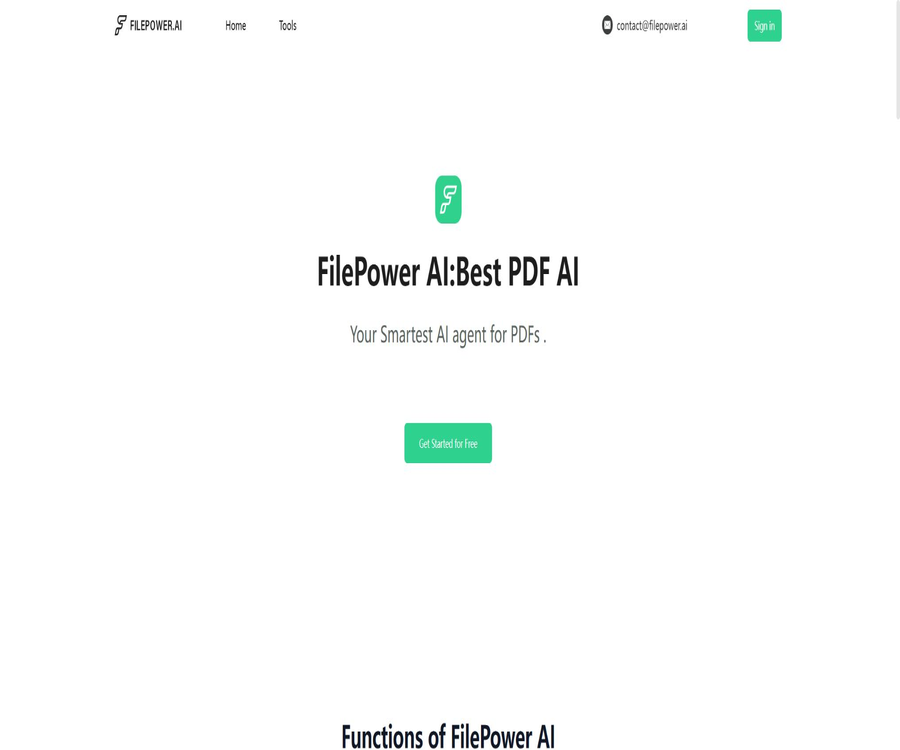
FilePower AI is an online AI platform for reading and processing files; its name was formerly often written as Chat PDF AI. It is operated by STARRYSKY LLC, and its main functions allow users to upload documents, after which it can generate summaries, translate content, and manage those files through dialogue-based queries.
The product can handle not only PDF files; the official website also lists common formats such as PPT, Excel, and Word. There are separate interfaces available for PDFs, including readers, editors, extractors, and translators, but the specific functions available depend on the dashboard after logging in.
A one-sentence summary
FilePower AI can convert PDFs and common office documents into interactive content, allowing for tasks such as searching, asking questions, generating summaries, translating text, reading, editing, and archiving—all within the same web-based interface.
Main functions
Interact with PDFs and office documents
After a user uploads a file, they can ask questions about its content in natural language, seek specific viewpoints, or request explanations for certain concepts. The responses are generated automatically by AI, which helps to quickly locate relevant information; however, they cannot replace a thorough review of the original text page by page.
Summary of long documents
AI PDF Summarizer is used to extract the main ideas, key points, and concise summaries from long documents; it also allows the results to be saved or downloaded. The summaries may omit certain conditions, exceptions, and numerical data, so it is still necessary to consult the original text for contracts, papers, or financial documents.
PDF translation
Users can upload PDF files, select the target language, and have the translation generated; the website states that every effort will be made to preserve the original format. Complex tables, scanned pages, two-column layouts, and technical terms are prone to errors or inaccurate translations, so manual proofreading is required before using the translation in official contexts.
AI PDF reader
The reader offers functions such as search, zooming, bookmarking, highlighting, and page navigation, and is suitable for reports, papers, manuals, and legal documents. The official website states that bookmarks and highlights can be saved automatically, but there is no complete information available regarding account synchronization, offline functionality, and the duration for which data is retained.
PDF editing and annotation
The editor page lists functions such as editing text, images, and links, merging files, adding or removing pages, as well as inserting comments and highlights. The official website recommends keeping PDF files under 50MB to ensure a more stable experience; it is also advisable to review the layout and fonts again before saving or downloading the file.
Document management
The files uploaded can be organized and archived in the workspace, thereby creating a personal document library. Since the data is processed through online services, confidential contracts, unpublished research results, and documents containing personal information should not be uploaded until the terms related to data handling have been confirmed.
Input and output
| Task | Common inputs | Output | Needs review |
|---|---|---|---|
| Document Q&A | PDF, PPT, Excel, Word, etc. | Natural language responses | Whether the answer truly comes from the document and whether the context is complete. |
| Content Summary | Long PDFs, reports, papers, or e-books | Summary and key points | Numbers, constraints, conclusions, and citation locations |
| Document translation | PDF and the target language | Translate content or translate files | Terms, tables, headers, footers, and layout |
| File reading | Search, highlighting, bookmarks, and page navigation | Saving, synchronization, and performance for large files | |
| PDF editing | Editable PDF | Files that have been modified, merged, split, or annotated | Font replacement, links, images, and page order |
| Document archiving | File uploaded successfully | Online file repository | Access permissions, deletion, and retention rules |
How does FilePower AI work?
The system first reads the uploaded file and creates content that can be searched by AI; it then selects the relevant sections based on the current question in order to generate an answer. Whether images, complex tables, and layout structures can be understood correctly depends on the quality of the files and the platform’s current recognition capabilities.
| Phase | System processing | User responsibilities |
|---|---|---|
| Upload | Receive and store files awaiting processing. | Confirm authorization and remove sensitive information. |
| Analysis | Extract text, page, and possible table information. | Check whether scanned documents and complex layouts are recognized correctly. |
| Search | Based on the issue location, relevant document segments. | Pose specific questions and indicate the chapter or scope. |
| Generate | Answers, summaries, or translations organized by language models | Verify the original text, numbers, and terminology. |
| Save | Keep files and some results of operations in the account | Manage files, accounts, and deletion requests |
| Export | Download the summary, translation, or editing results | Check the format, copyright, and intended use. |
Upload a file and start the Q&A session.
- Create a FilePower AI account and log in to the dashboard to check the current limits on free messages and files.
- Select a test document that does not contain sensitive information, and verify that you have the permissions to upload and process it.
- Upload PDFs or other supported files using the file selector or by dragging and dropping.
- After the parsing is complete, ask about the document’s topic, outline, and key concepts to assess the quality of recognition.
- Continue to ask questions that include page numbers, chapters, tables, or specific terms, in order to reduce vague answers.
- For important answers, the original text is reviewed item by item before deciding whether to save them, share them, or use them in work.
Steps to generate a reliable summary
- First, explain the purpose of the summary, the target audience, the length, and the key fields that should be retained.
- The AI is required to list the conclusions, evidence, figures, risks, and items pending confirmation separately.
- Process long files by chapter, to avoid losing important details in a single summary.
- Select key paragraphs from the original text and correct omissions, factual errors, and overgeneralizations.
- Before downloading or copying the final summary, add the file name, version, and date of manual verification.
Steps for translating and editing PDFs
- Upload a PDF with a representative layout, and select the target language or editing task.
- Process a small number of pages first to check that tables, images, fonts, and terminology are correct.
- Create a glossary of proper nouns to establish consistent translations for names of people, brands, products, and regulations.
- After completion, compare each page with the original document, paying special attention to numbers, units, dates, and negative words.
- Download the modified file, and then use a regular PDF reader to check compatibility and links.
Which users are it suitable for
- Student: Skim through papers, lecture notes, and e-books, and create reading notes that need to be verified.
- Researchers: Identify terms, methods, data, and conclusions from the lengthy report, and then review the original text.
- Office staff: Organize work reports, meeting materials, presentations, and common business documents.
- Content creators: Extract background information, create outlines, or work with multilingual reference materials.
- Financial and consulting professionals: Identify the indicators and risks outlined in the reports, but do not consider AI-generated responses as the final analysis.
- Legal and compliance officers: Used for preliminary navigation and summarization; formal opinions are still reviewed by professionals.
Typical use cases
- Extract market definitions, key metrics, and main conclusions from dozens of industry reports.
- Translate the foreign-language PDF into a preliminary Chinese version, and manually correct the technical terms.
- Consult the product manual for specifications, installation steps, and common fault locations.
- Organize the course materials into chapter summaries, review questions, and lists of key concepts.
- Merge, split, or annotate PDFs before downloading them for personal reading and internal collaboration.
- Create a personal document library to keep bookmarks, highlights, and notes from multiple readings.
Product advantages
- Document chatting, summarization, translation, reading, and editing are all integrated within one web-based application.
- In addition to PDF, the official website also lists common office formats such as PPT, Excel, and Word.
- The process of uploading content and posing questions is intuitive, making it suitable for users with no experience in programming or RAG deployment.
- PDF readers offer standard reading features such as search, bookmarks, highlighting, and zooming.
- A free trial or a limited number of free messages are provided, allowing users to test the performance with actual files first.
- The terms of service allow for canceling monthly or annual subscriptions via the account.
Usage restrictions and precautions
- AI-generated responses, summaries, and translations may contain factual errors, omissions, or unwarranted additions; it is essential to verify important information against the original text.
- On various pages of the official website, marketing statements such as “unlimited files” and “no size restrictions” are used, but the terms retain the right to adjust the amount of data used as well as set limits per hour.
- The editor page suggests that files should be under 50MB; the actual upload limit and processing speed are determined by the instructions displayed in the dashboard.
- Scans, handwritten text, complex tables, formulas, two-column formats, and low-resolution images may reduce the accuracy of recognition.
- The free trial is at the platform’s discretion; payment details may be required, and it will automatically switch to a paid version once the trial period ends.
- Subscriptions are automatically renewed on a monthly or annual basis, and the rules regarding refunds are stated on different pages; it is therefore necessary to save the terms related to payment and refunds before making a purchase.
- The account is intended for personal use only; the terms prohibit sharing of accounts, misuse of automated scripts, circumventing restrictions, and reverse engineering.
- It lacks features such as enterprise-level permissions, team spaces, audit logs, data residency options, and compliance certifications; therefore it is not suitable for handling highly sensitive data without prior evaluation.
Prices and subscription options
As of August 21, 2026, the official website confirms the existence of a limited number of free messages, a free trial period, as well as monthly or annual subscription options. However, the pricing page does not display the exact amounts and package details consistently. The prices listed on third-party sites vary from each other, so they should not be regarded as the current official prices.
| Usage method | Price | Billing cycle | Confirmed content | Suitable for users |
|---|---|---|---|---|
| Limited free use | Starting from $0 | Based on the current account limit | The website’s refund policy states that a limited number of free messages are provided for testing purposes. | First test of document recognition and response quality |
| Free trial | It is subject to the page where it is enabled. | Time limit | It may be provided by the platform; for example, when a payment method is entered, charges may be applied automatically after the process is completed. | Users who evaluate the full functionality of the product and are willing to handle renewal processes. |
| Paid subscription | Stable amount not disclosed | Monthly payment | Prepayment is done on a periodic basis with automatic renewal; cancellation can be carried out through the account or by contacting support. | Individual users who are constantly working on documents |
| Paid subscription | Stable amount not disclosed | Annual payment | Payment is made annually in advance with automatic renewal; the specific benefits are as indicated on the settlement page. | Users who have been using it for a long time, identified. |
| Enterprise solutions | No public solutions were found. | Not disclosed | The official website does not list team permissions, SLAs, or corporate pricing ranges. | Companies need to conduct separate consultations and safety assessments before making purchases. |
The terms state that the subscription price can be adjusted, and the billing for inputs and outputs or the hourly limits may change depending on the model’s capacity. Cancellation must be carried out before the renewal date; the refund policy suggests cancelling at least seven days in advance, but the actual procedure should be based on what is displayed in the account and the payment receipts.
Refunds and auto-renewal
| Matters | Public rules | User suggestions |
|---|---|---|
| Automatic renewal | Automatic renewal upon the expiration of the monthly or annual billing cycle | Record the renewal date immediately after purchase. |
| Method of cancellation | Account management page or contact support | It must be submitted and the confirmation saved at least seven days before the renewal date. |
| Try it free, then pay | The trial period for entering payment information may incur charges at its end. | If it is not to be used anymore, it should be canceled before the trial period ends. |
| General refund | Refund and fraud policies generally do not provide refunds. | First, thoroughly test it using free messages. |
| Terms refund window | Another section of the page specifies the conditions for a refund within three days after purchase. | The rules vary; written confirmation from support is required before making a payment. |
| Incorrect or disputed deductions | The platform will conduct an investigation based on the transaction details. | Submit orders, dates, and payment proofs in a timely manner. |
Supported platforms
| Platform | Support status | Explanation |
|---|---|---|
| Web page version | Support | Uploading, Q&A, summarizing, translating, reading, and editing are all done through a browser. |
| Windows | Through a browser | No standalone Windows client was found. |
| macOS | Through a browser | No standalone macOS client was found. |
| Linux | Through a browser | Compatibility depends on the browser and the uploading functionality. |
| iOS | Mobile browsers can try it. | No official independent apps were found. |
| Android | Mobile browsers can try it. | No official independent apps were found. |
| Browser extensions | No findings were detected. | No official Chrome or other extensions were found. |
| APIs and SDKs | No findings were detected. | There are no public developer APIs or software development kits available. |
File format and processing recommendations
| File type | Support information for the official website | Handling suggestions |
|---|---|---|
| Fully supported core formats | Give priority to PDF files with searchable text; for scanned documents, check the recognition quality first. | |
| PPT | The FAQs on the official website are presented in the main format. | Check whether the text boxes, charts, and notes have been read. |
| Excel | The FAQs on the official website are presented in the main format. | Check each item including table headers, formulas, units, and merged cells. |
| Word | The FAQs on the official website are presented in the main format. | Check revisions, annotations, headers, and embedded objects. |
| Images and tables | The PDF page states that it can be read. | The ability to recognize is affected by clarity and layout. |
| Large files | The page claims to support large files. | It is recommended to keep the edit page under 50MB and to test it first with a sample. |
Privacy and data security
The privacy policy states that names, email addresses, phone numbers, addresses, IP addresses, browser information, device identifiers, as well as access and diagnostic data are collected. Cookies, pixels, and SDKs are used for functional purposes, analysis, and advertising. This information may also be provided to payment services, hosting providers, mail service providers, affiliated companies, and marketing partners.
The official website claims to use encryption along with other technical and organizational measures, but it does not disclose the encryption algorithms used, the time frame within which data is deleted, the locations where data is stored, the purposes for which models are trained, nor any independent compliance reports. The claim of \"advanced encryption\" alone is not sufficient to prove that the system is suitable for handling confidential or regulated data.
- Delete ID numbers, bank account details, health records, customer lists, and third-party personal information before uploading.
- Corporate documents must first undergo data classification, authorization checks, and supplier security assessments.
- Do not share your account credentials with colleagues, and log out before leaving public devices.
- When it is necessary to delete data, the files, chats, and account must all be removed at the same time, and confirmation from support should be sought regarding any backend retention.
- Before enabling advertising or analytics cookies, check the browser’s privacy settings and restrict tracking if necessary.
- Official contracts, financial and legal documents must retain their original local copies along with records of manual review.
Copyright and commercial usage notes
Users can only upload files that they own or have permission to process; they are not allowed to copy, translate, or modify content belonging to third parties and subject to restrictions through this platform. Before releasing summaries, translations, or edited versions of such content, it is necessary to verify the licensing status of the original work, as well as the personal information involved and the intended purpose of use.
AI-generated responses and translations may be similar to materials from third parties, or they may distort the original meaning. For commercial use, manual revision, fact-checking, and rights verification are required; the results produced by the platform cannot be considered to entail automatic authorization.
APIs, SDKs, and GitHub
To date, no public API, developer documentation, API key console, or official SDK for FilePower AI has been found. The web-based functions are designed for manual use, and the terms of service prohibit the use of automated scripts to manipulate or abuse the service.
No official GitHub repositories or source code for FilePower AI or STARRYSKY LLC could be found either. The terms of service prohibit reverse engineering, and the rights to the services, models, and algorithms are reserved; therefore, these products should be classified as not being open source.
Basic information
| Project | Information |
|---|---|
| Tool name | FilePower AI |
| Common old names | Chat PDF AI |
| Operating entity | STARRYSKY LLC |
| Tool type | AI tasks for Q&A, summarization, translation, PDF reading, and editing |
| Core format | PDF, with PPT, Excel, and Word listed publicly |
| Main platforms | Web page version |
| Price pattern | Limited free messages, free trial, monthly or annual subscriptions |
| Public fixed price | It is not currently possible to obtain accurate information from the official website. |
| Registration requirements | A complete workstation requires creating an account. |
| Age requirement | Account users must be at least 18 years old. |
| Chinese support | Translation supports multiple languages, but a complete list of these languages is not available publicly. |
| Public API | No findings were detected. |
| Official SDK | No findings were detected. |
| Official GitHub | No findings were detected. |
| Is it open source? | No |
Recommendation score
Its recommendation score is 3.8 out of 5. FilePower AI brings together functions such as file querying, summarization, translation, reading, and editing in one interface, making it suitable for individual users to quickly process ordinary PDF files and office documents.
The main shortcomings are the lack of transparency regarding the prices of the available packages, the file size limits, data retention periods, model details, and corporate security information. Moreover, the claim of “infinity” on some marketing pages does not correspond to the adjustable restrictions specified in the terms and conditions. Sensitive files and long-term subscriptions should be evaluated with caution.
Frequently Asked Questions
What is the relationship between Chat PDF AI and FilePower AI?
In the database, Chat PDF AI corresponds to the file chat functionality of FilePower AI. The official website currently uses FilePower AI as the name of the product, and lists PDF chat as one of its core features.
Is FilePower AI free?
The official website offers a limited amount of free messages or a free trial, but it does not specify the exact amount available in a clear and consistent manner. Some trials may automatically turn into paid services once payment details are entered; it is therefore necessary to check the expiration date before starting such a trial.
Which file formats are supported?
The official website lists the main file formats such as PDF, PPT, Excel, and Word. To determine whether tables, charts, formulas, and embedded objects in different formats can be parsed correctly, it is necessary to test them with actual files.
Can PDFs be edited?
The editor page lists functions such as text, images, links, merging, adding or deleting pages, comments, and highlighting. It is recommended to keep the PDF file size under 50MB to ensure a more stable editing experience.
Are AI summaries reliable?
It can only serve as a supplementary aid for reading. Summaries may overlook exceptional cases, numbers, and the reasoning process; academic, financial, legal, and medical content must be verified by referring to the original text.
Can it translate PDFs with complex layouts?
The official website states that the format will be preserved, but complex tables, scanned pages, two-column layouts, and special fonts may still suffer from alignment issues. It is recommended to translate a small number of pages first before deciding whether to process the entire document.
Is uploading files safe?
The platform claims to use encryption measures, but it does not provide sufficient documentation regarding document retention, data storage areas, or independent compliance proofs. Confidential or regulated documents should not be uploaded before a thorough assessment of the supplier has been carried out.
How to cancel subscription?
You can cancel the renewal through the account management page or by contacting support. It is recommended to cancel at least seven days in advance in accordance with the refund policy, and keep the confirmation of cancellation as well as the payment records.
How long is the deadline for a refund?
The policies on the official website vary: the terms of service specify a three-day period after purchase, while the refund policy states that refunds are generally not provided. Before making a payment, it is necessary to obtain written confirmation from support regarding the specific rules applicable to the current order.
Does FilePower AI provide APIs?
No public APIs, developer keys, or SDKs were found. The terms also prohibit the abuse of the service through automated scripts, and web page upload interfaces cannot be used as public APIs.
Is FilePower AI open source?
It is not open source. No official source code repository has been found, and the terms explicitly prohibit reverse engineering of services, models, algorithms, and systems.
Can the generated content be used for commercial purposes?
It cannot be generalized. Users need to have the right to handle the original files, and they must check the summaries, translations, and edited versions for aspects related to copyright, privacy, accuracy of facts, and the rules specific to the industry in question.
Summary
FilePower AI is suitable for quickly converting ordinary PDF files and office documents into materials that can be used for answering questions, generating summaries, translating text, and managing information. Its integrated workspace offers convenience for students, researchers, and those working in everyday office tasks.
When using it, treat the AI-generated results as supplementary clues, and pay close attention to account restrictions, automatic renewals, differences in refund amounts, and file privacy. First, verify the quality of recognition and export using non-sensitive samples before deciding whether to subscribe or upload important data.
Tools similar to Chat PDF AI





 Guigong Network Security Registration No. 45132202000164