






PPT.AI
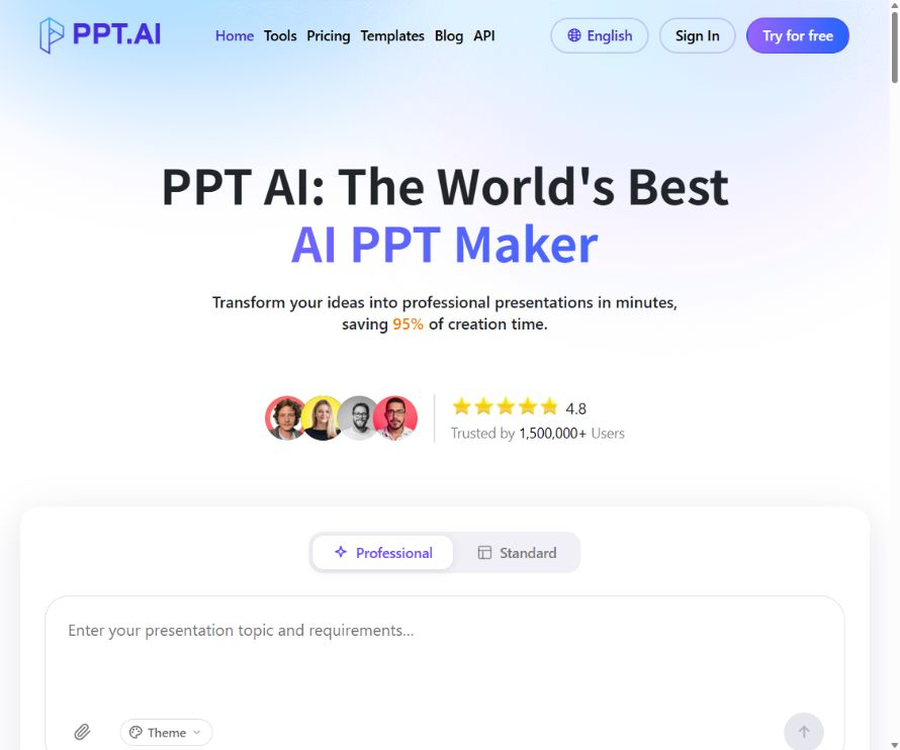
PPT.AI – an intelligent tool specialized in AI-powered slides.
Tags:AI slides and presentationsWhat is PPT.AI?
PPT.AI is an online AI tool for creating and editing presentations. Users can enter a topic, or they can upload text, documents, tables, existing PPT files, e-books, or images; in addition, web pages and YouTube content can also be used as sources for generating presentations.
The system analyzes the material, organizes the outline, matches appropriate templates, and creates a preliminary version of the slides. Users can modify the text, colors, images, and layout online, after which they can export the result in PPT, PPTX, or PDF format.
Main functions
- Generate a complete presentation based on a theme or detailed prompt.
- Convert text, Word documents, PDF files, tables, old PPTs, and e-books into slides.
- Extract key points from web page content and generate a structured page.
- Extract themes, key points, and presentation structure from YouTube videos.
- Identify content from images and create editable presentations.
- Organize the content according to scenarios such as general use, teaching, work summaries, and business plans.
- Adjust the wording according to the audience, such as students, teachers, administrators, and customers.
- Choose a tone such as professional, friendly, technical, academic, persuasive, or concise.
- Use a template library to achieve layout and visual matching.
- Edit text, fonts, colors, images, and page layout online.
- Supports multi-language generation and translation.
- Export in PPT, PPTX, and PDF formats; the premium plans come without watermarks.
Supported generation entry points
| Entrance | Suitable scenarios | Key points of inspection |
|---|---|---|
| Theme | Create courses, reports, plans, and presentations from scratch | Specify the audience, objectives, number of pages, and required content. |
| Text | Convert notes, outlines, or articles into PPTs | First, remove duplicate paragraphs and irrelevant information. |
| file | Convert reports, papers, tables, old PPTs, or e-books into slides | Check tables, citations, page numbers, and omitted content |
| Website address | Organize public web pages into presentations | Verify validity period, access rights, and copyright. |
| YouTube | Convert lectures, interviews, or course videos into PPTs | Subtitle recognition and speaker opinion may be incorrect. |
| Image | Create a page from screenshots, posters, or charts | Text recognition, chart structure, and image licensing |
File format and size restrictions
During verification at the official website’s upload portal, it is indicated that the maximum size for regular files is 10MB, while the maximum size for images is 5MB. The FAQ section on the homepage lists only some of the most common file formats; the upload options, on the other hand, provide a more complete list of supported formats.
| Type | Supported formats | Public size limit |
|---|---|---|
| Document | DOC, DOCX, PDF, TXT, MD | The single file should be less than 10MB. |
| Presentation | PPT, PPTX | The single file should be less than 10MB. |
| Table | XLS, XLSX, CSV | The single file should be less than 10MB. |
| Websites and e-books | HTML, EPUB, MOBI | The single file should be less than 10MB. |
| Mind map | XMIND, MM | The single file should be less than 10MB. |
| Image | PNG, JPG, JPEG, BMP | The single file should be less than 5MB. |
Scene, audience, and tone settings
- General scenarios are suitable for quickly obtaining a basic structure from a theme.
- The teaching materials are suitable for course handouts, in-class presentations, and the explanation of concepts.
- Work summaries and plans are suitable for internal reporting and periodic reviews.
- Project reports and solutions address progress, risks, and action recommendations.
- Research reports are suitable for organizing data into a preliminary draft for academic or professional presentations.
- Product and company introductions are suitable for marketing, sales, and brand presentation.
- Business plans are suitable for entrepreneurial projects and internal project discussions.
- Popular science and public lectures are suitable for explaining complex topics to non-professional audiences.
When addressing students, managers, or customers on the same topic, the page structure and wording should differ. PPT.AI allows for the selection of the audience and tone, but users still need to make manual adjustments based on the actual context of the meeting.
AI-Powered PPT Creation Tutorial
- Log in to PPT.AI and select from the options of theme, text, file, website address, YouTube, or image.
- Provide a clear theme, and specify the purpose of the presentation, the target audience, and the key points that must be included.
- Select the language, use case, audience, tone, and length of the content.
- When uploading a file, verify its format, size, and content permissions.
- Select a basic or an advanced model available, and submit it for generation.
- Check whether the outline is complete, remove duplicate sections, and adjust the order.
- Select a template and generate a complete slide.
- Correct facts, numbers, titles, images, and layout page by page.
- Export as PPT, PPTX, or PDF, and perform the final checks locally.
Tutorial on Converting Documents to PPTs
- First, organize the hierarchy of the original title, the table of contents, the conclusions, and the captions for the charts.
- Remove sensitive data and personal information that is not suitable for uploading.
- Supported formats can be uploaded through the file upload option; the files must not exceed 10MB in size.
- Select Report, Teaching, or another presentation scenario that is the closest match.
- Let the system first extract the outline; do not accept all chapters directly.
- Check the numbers, citations, tables, and constraints against the original text.
- After the page is generated, adjust the information density and visual hierarchy per page.
- After exporting, return to the original file to verify the key conclusions.
Tutorials on converting YouTube videos and web pages into PPTs
- Verify that the video or webpage is publicly accessible and permits corresponding use.
- Copy the content address and paste it into the corresponding generation entry.
- Specify the chapters, viewpoints, time periods, and desired number of pages to extract.
- After creation, check the video subtitles, the author’s views, and the publication date of the webpage.
- Remove content that has been added to the system but lacks reliable evidence.
- Add the necessary sources for the images, text, and opinions cited.
- Reorganize the page order and conclusions based on the audience of the presentation.
What use cases are supported?
- Teachers convert lesson plans, teaching materials, and mind maps into classroom presentations.
- Students organize their papers, reading notes, and project materials into a presentation.
- Workplace users create work summaries, plans, and meeting materials.
- The project manager creates a weekly report PPT outlining the progress, risks, and next steps.
- Sales staff create product descriptions, customer solutions, and company profiles.
- Entrepreneurs create a preliminary version of the pitch deck based on the business plan and research materials.
- The researchers organized the reports and tables into a presentation structure.
- Content creators convert videos, web pages, or long articles into visual outlines.
It is not very suitable for which tasks
- Demos requiring strict approval for enterprise templates, brand assets, and global locking.
- PowerPoint that requires complex animations, interactivity, macros, or precise data integration.
- Contracts, medical records, financial information, or any confidential data cannot be uploaded to the cloud.
- All details of the original text and formally cited academic works must be retained.
- Team processes that require real-time comments, approvals from multiple people, and fine-grained permissions.
- Environments that require local offline deployment, source code auditing, or private models.
Free version and points system
The real-time pricing page uses monthly credits, and it estimates the number of items that can be generated using \"Professional PPT\" and \"Standard PPT\". The actual consumption depends on the model, the number of pages, and the complexity of the task; the number of packages offered does not guarantee a fixed output volume.
The FAQ on the official website still shows information regarding the old versions of the free plan as well as the Plus and Pro plans; this information does not exactly match the current pricing. According to the public details, free users are allowed 3 documents per month, a maximum of 15 pages, access to over 50 templates, and downloads with watermarks – the actual limits depend on the account’s quota after logging in.
Comparison of member prices and packages
The following are the reference prices in US dollars as shown on the real-time price chart for August 2026. The page displays the monthly, annual payment options as well as the discounted reference prices; dynamic discounts may vary, and the final amount will be determined on the settlement page.
| Package | The page shows the reference price. | Monthly points | Professional PPT estimation | Standard PPT estimation |
|---|---|---|---|---|
| Free | $ | It is subject to the bonus credit available for the account. | About 3 updates are released publicly each month. | Up to 15 pages with a watermark |
| Plus | $ | 300 points | About 10 copies per month | About 30 copies per month |
| Pro | $ | 1,200 points | About 40 copies per month | About 120 copies per month |
| Max | $ | 3,500 points | About 116 per month | About 350 copies per month |
Common benefits of paid plans
- Access a complete library of over 800 templates.
- A single presentation may have up to 35 pages.
- Offers advanced editing and brand customization.
- Export to PPT and PDF is supported.
- Export without the PPT.AI watermark.
- Priority technical support is provided.
- Monthly points are updated at the end of each billing period; the specific rules for point transfer depend on the account settings.
Why is there another set of prices on the official website?
The FAQ on the home page still lists Plus at $9.9 per month, or $7.9 when paid annually, and Pro at $19.9 per month, or $13.9 when paid annually. This information is in conflict with the pricing details for the Pro and Max subscription plans shown on the price cards; it should therefore be considered outdated content that has not yet been updated.
Subscription, cancellation, and refunds
PPT.AI’s official refund policy provides a 3-day window for refunds, but it requires that no usage credits have been spent from the account. If credits have already been generated or used, it may not be possible to obtain a refund, even within those 3 days.
- An application can be submitted within 3 days of purchasing new units or at the start of each subscription period.
- At the time of application, the account must be in good condition and not have any used credits.
- Accounts that have been inactive for more than 3 days, those that have used up their points, accounts in violation of rules, and those marked as non-refundable do not qualify.
- Transaction fees are not covered by refunds.
- Refunds that meet the criteria are usually processed within 3 to 5 business days.
- The funds are returned to the original payment method, and it may take longer for them to appear in the bank account.
- The refund will automatically cancel the active subscription and deactivate the paid features.
- A regular cancellation only prevents further charges; the current benefits remain valid until the end of the current billing period.
- No proportional refund for the unused period will be provided outside the 3-day window.
Privacy and data usage
PPT.AI’s privacy policy states that it collects data related to accounts, payments, content generated from presentations, devices, usage patterns, and interactions with AI. The platform uses this information to provide services, offer personalized experiences, analyze performance, prevent fraud, and improve the AI systems.
The policy states that anonymized data may be used to improve AI, and personal information will not be utilized for training without explicit consent. Google Workspace data is subject to even stricter restrictions; it cannot be used for advertising, marketing, or the training of AI models.
- The training rules applicable to regular uploaded content differ from those applicable to Google Workspace data.
- User content may remain available for 30 days after the account is terminated.
- Some legal compliance data may be retained for a longer period.
- Data may be transferred across borders to servers located outside the user’s country.
- Users can request access to, correction of, deletion of, export of data, or restrictions on certain processing activities.
- The platform uses encryption for transmission and storage, but it does not guarantee absolute security.
- The service is not available for children under 13.
Security recommendations before uploading files
- Delete ID numbers, accounts, customer lists, and confidential financial information.
- Do not upload contracts, medical records, or trade secrets that have not been approved by your organization.
- Use only the minimum necessary files; do not upload the entire database.
- After generation is complete, delete the unnecessary files and demonstrations.
- Before sharing the presentation, check the link permissions and hide pages.
- Enterprise users should first verify the data location, suppliers, and internal compliance requirements.
- The account uses a strong, unique password to safeguard payment and login information.
Copyright and Content Creation Rules
The terms of service state that users retain ownership of the content they upload, and grant the platform a non-exclusive license to use such content for the purpose of operating the service. Users must confirm that they have the right to upload documents, images, videos, and web content.
The terms impose restrictions on both the creation of templates and the use of their content; individual and commercial use is permitted, but sales, redistribution, or any other form of utilization is not allowed without written consent. Commercial projects must check the latest version of the license terms before publishing them.
- Do not upload or create illegal, infringing, malware, or harmful content.
- Keep the necessary sources when citing web pages, videos, and reports.
- Check the trademarks, people, and copyrighted materials in the auto-generated images.
- Do not treat the numbers, citations, and examples generated by AI as verified facts.
- Retain upload authorization, generation records, and manual review records.
Pre-export checklist
- Check whether the title, outline, and the key points on each page serve the objectives of the presentation.
- Check the name, date, amount, percentage, unit, and statistical criteria.
- Return to the original file to verify references, charts, formulas, and conclusions.
- Standardize fonts, colors, alignment, spacing, image styles, and brand elements.
- Remove duplicate pages, generic text, and unfounded model additions.
- After exporting to PPTX, check for font replacements, line breaks, and image cropping.
- After exporting the PDF, check the pagination, clarity, and any hidden information.
- Play the presentation in its entirety on the actual conference equipment and control the speaking time.
Product advantages
- It supports various entry points such as topics, text, files, web addresses, YouTube, and images.
- The file formats include documents, tables, old PPTs, e-books, and mind maps.
- It can be customized based on scenario, audience, tone, and length of content.
- It offers multi-language interfaces including Chinese, as well as the ability to generate presentations.
- There is a rich selection of template libraries; according to the paid plans, there are over 800 templates available.
- It is possible to modify text, images, colors, and layout online.
- It supports common export formats such as PPT, PPTX, and PDF.
- The subscription packages show estimated production amounts, making it easier to compare different usage levels.
Usage restrictions and precautions
- There are clear discrepancies between the package options and prices shown on the real-time price card and those listed in the FAQ on the homepage.
- The generated quantity is an estimate based on points, and it is not a fixed production commitment.
- The free version allows up to 15 pages, and the downloads include watermarks.
- Under the paid plan, the maximum number of pages that can be made public in a single presentation is 35.
- Regular files are limited to 10MB, while images are limited to 5MB.
- AI summaries may omit the conditions, footnotes, and opposing views in the original text.
- Web page and video conversion is affected by access permissions and subtitle quality.
- Automatic design can still result in overcrowded text, irrelevant images, and repetitive layouts.
- Exporting to PPTX does not guarantee complete consistency across all font and software environments.
- Content from ordinary users may be used anonymously to improve AI systems.
- The terms impose restrictions on the resale and redistribution of the generated content.
- There is no public version for local offline deployment or self-hosting.
GitHub and the open-source status
The real-time search did not yield any official source code repository that has a direct link on the PPT.AI website. Web editors, template systems, content analysis tools, and presentation generation services should be classified as closed-source online products.
PPT.AI claims to support the use of various third-party models or combinations thereof, but this does not mean that the platform’s code, templates, or model weights are made available under an open-source license. Projects similar to AI PPT on GitHub cannot be considered the official version of PPT.AI.
Basic information
| field | Content |
|---|---|
| Tool name | PPT.AI |
| Operating entity | DeepOpen, LLC |
| Tool type | AI-powered slide creation and online editing |
| Input method | Topics, text, files, web addresses, YouTube, and images |
| Export format | PPT, PPTX, and PDF |
| Supported languages | Chinese, English, Japanese, Korean, and other languages |
| Price pattern | Free tier, Plus, Pro, and Max subscription plans with points |
| Whether API is provided | The official website provides an API entry point; the specific scope of access is determined by the control panel. |
| Is installation required? | No, it is for online use on web pages. |
| Is it open source? | No |
Recommendation score
4.3 / 5. PPT.AI offers a wide range of input formats and scenario options, making it suitable for quickly turning existing materials into preliminary presentation drafts; however, the price information on its official website is inconsistent, and there are limits on the number of files and pages allowed. Significant manual verification is required before the presentation is finalized.
Frequently Asked Questions
Can PPT.AI be used for free?
Yes. The FAQ on the official website states that free users can generate 3 documents per month, with a maximum of 15 pages per document; they can use more than 50 templates and download the documents with watermarks attached. The available quota for such accounts may change from time to time.
Which files does PPT.AI support?
It supports various formats such as Word, PDF, TXT, Markdown, PPT, tables, HTML, e-books, and mind maps; regular files should be less than 10 MB in size.
Can YouTube videos be converted into PPTs?
Yes. Users can submit a video link to have an outline and slides generated, but it is necessary to verify the subtitles, the viewpoints expressed, the timing, and copyright issues.
How much is the paid package?
The price chart for August 2026 shows that the Plus version costs $9.9 per month, the Pro version $27.9 per month, and the Max version $69.9 per month; higher discounted prices are also indicated there. Dynamic discounts and the cost for annual payment are specified on the settlement page.
Can I get a refund after purchasing?
An application can be submitted within 3 days of making a new purchase or at the start of a new billing period, provided that no points have been used at all. Using any points usually means that the request for a refund is not eligible.
Will the uploaded content be used for training?
The privacy policy states that anonymized data may be used to improve AI, and personal information is not used for training without explicit consent; Google Workspace data is definitely not used for AI training.
Can PowerPoint be exported?
It is possible to export in PPT or PPTX format; PDF is also supported. The free version may contain watermarks, and it is still necessary to check the fonts, line breaks, and layout after exporting.
Is PPT.AI open source?
It is not open source; no official repository containing the source code of the product was found on the official website.
Tools similar to PPT.AI





 Guigong Network Security Registration No. 45132202000164