






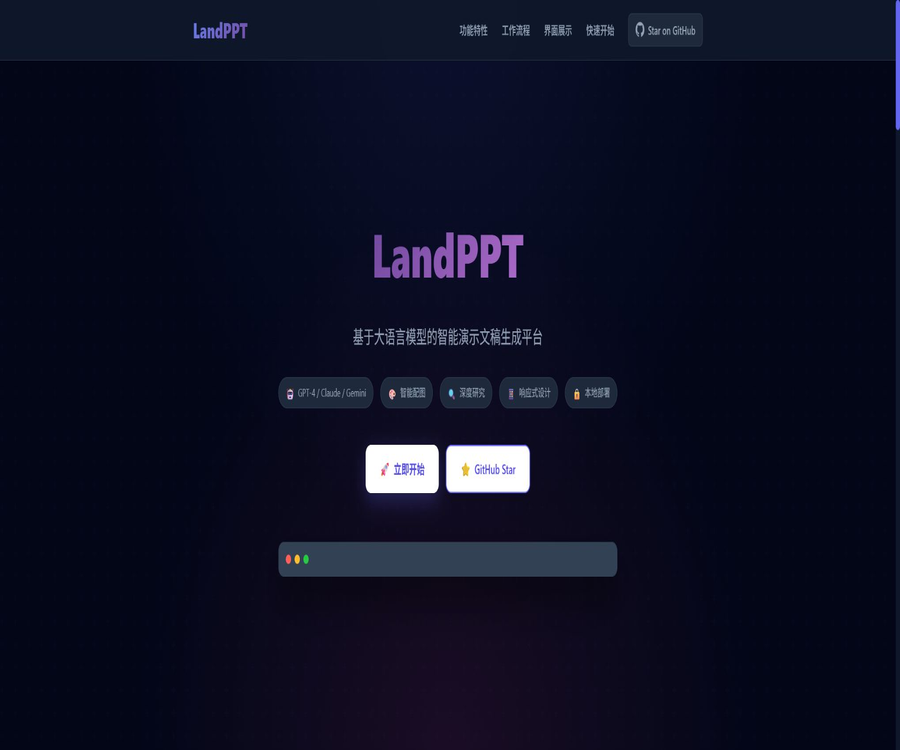
landppt
LandPPT, an intelligent tool focused on AI-powered slides.
Tags:AI slides and presentationsWhat is LandPPT?
LandPPT is an open-source presentation generation platform based on large language models; it can convert a topic or an existing document into an outline, slides, a speech script, and an explanatory video. The platform offers a web editor, a template system, advanced research tools, intelligent image selection, and the ability to export content in multiple formats.
It offers an official online experience, as well as the possibility of private deployment using the source code, a single Docker container, or Docker Compose. The project is licensed under Apache License 2.0; however, certain external models, image services, and editable PPTX components come with separate fees and licenses.
Core workflow
| Phase | Main tasks | The content can be adjusted manually. |
|---|---|---|
| Confirm requirements | Fill in the topic, audience, number of pages, purpose, and style. | Objectives, length requirements, template guidelines, and speech requirements |
| Outline generation | AI planning sections and page structure | Title, order, key points, and main points per page |
| Content analysis | Search for information, analyze documents, and provide background context. | Source scope, content used, and fact verification |
| Slide generation | Generate HTML pages and accompanying images in parallel | Layout, text, images, and color scheme |
| Editing and refinement | Interactive modification and editing using a canvas | Elements per page and overall visual design |
| Deliver export | Export as PPTX, PDF, HTML, images, slides, or video | Format, notes, subtitles, and sharing status |
Core functions
One-click generation of topics or documents
Users can enter a topic or upload files in PDF, Word, Markdown, TXT, Excel, or PowerPoint format. The system first creates an editable outline, and then generates a complete HTML presentation simultaneously.
Multi-model aggregation and task routing
LandPPT supports OpenAI, Anthropic, Google, Azure, as well as services that comply with the OpenAI protocol; it can also be connected to local Ollama models. Administrators can assign different models to outlines, pages, editing functions, templates, and slideshows, in order to strike a balance between quality and cost.
In-depth research
After configuring Tavily or SearXNG, the system can search for web pages, extract content, and generate research summaries. The research functionality is an optional module; to obtain accurate facts, it is still necessary to consult the original materials.
Smart image matching
The sources of images include local image libraries, online image repositories, and AI-based image generation services; the system can automatically match the theme and adjust the size and format of the images. The image service is disabled by default, and it is necessary to enable it along with providing the corresponding service keys.
Templates and visual references
The platform offers global templates as well as templates for various scenarios such as general use, tourism, and education; it is also possible to extract layouts from reference PPTX files. Users can upload images as visual references so that the AI can adjust the style according to the specific project.
AI editing and canvas adjustment
After it is generated, the content, layout, and style can be modified through the sidebar via dialog boxes; editing is also possible directly on the canvas. The mechanism for restarting and restoring a phase allows one to redo only the failed or unsatisfactory parts.
Scripts, voiceovers, and videos
LandPPT can generate speaker notes for each page, and it provides page-by-page narration through Edge-TTS or the optional ComfyUI voice workflow. After installing ffmpeg, it is also possible to export 1080p videos with audio and subtitles.
Export and share in multiple formats
It supports exporting in PDF, HTML, PPTX, image, DOCX, Markdown formats, as well as video explanations; it is also possible to create a page for public sharing. Such a sharing page can include audio of the explanations along with subtitles.
Automated interface
The project offers REST interfaces with API Key authentication, as well as call interfaces in the style of OpenAI, which can be integrated into scripts, workflow platforms, and CI tasks. A strong, dedicated key must be set up for production environments.
List of main functions
- Generate presentations from topic descriptions or various document formats.
- First generate a structured outline, then create the content page by page in parallel.
- Configure different models and service providers for various tasks.
- Use local Ollama models to reduce external data transmission.
- Supplement real-time research materials using Tavily or SearXNG.
- Select images from your local gallery, online galleries, or AI image generation services.
- Use scenario templates, reference PPTX files, and AI-driven adaptive layout.
- Modify text and layout through dialogue and visual canvases.
- Generate speech drafts, page-by-page voiceovers, subtitles, and explanatory videos.
- Export to PDF, HTML, PPTX, images, DOCX, and Markdown.
- Generate an online sharing link and disable it as needed.
- Integrate automated workflows via REST API.
What use cases are suitable?
- Corporate technology team: Deploy AI presentation generation services on the intranet.
- Teachers and trainers: Convert course materials into lesson plans and explanatory videos.
- Research and consulting staff: Create structured reports from the data.
- Product and operations team: Quickly develop plans, conduct reviews, and prepare project reports.
- Open-source developers: templates for further development, models, and export workflows.
- Content creators: Generate speech drafts, voiceovers, and shareable online presentations.
- Multi-model users: Different models are assigned for outlines, designs, and scripts.
- Teams that place emphasis on data control: they combine local models with private storage.
What situations are not very suitable
- Individual users who have no understanding at all of servers, Docker, environment variables, and API keys.
- Users who require a solution that is ready to use right away and are unwilling to bear the costs associated with models and infrastructure.
- Teams that need the ability to edit the height of each PPTX element but do not have a commercial license for Apryse.
- Serious publishing scenarios in which AI is required to generate content automatically, without the need for human review.
- Projects that require professional, brand-designer-level detailed animations and sophisticated master control.
- Multi-user organizations that are unable to maintain databases, object storage, caching, and background tasks.
Online experience usage guide
- Go to the official online experience and register or log in.
- Enter the presentation theme, target audience, number of pages, scenario, and design requirements.
- Choose whether to upload documents, activate research, or generate slides.
- Review the AI outline and adjust the page order as well as the key points on each page.
- Generate a presentation and check each page for facts, text density, and image copyrights.
- Use AI conversations or canvases to modify pages that are not satisfactory.
- Choose an appropriate format for export, or generate a sharing page for demonstration.
Tutorial for deploying local source code
- Prepare Python 3.11 or a later version as well as SQLite.
- Obtain the official repository and create a separate virtual environment.
- Install project dependencies and copy example files for environment variables.
- Configure at least one AI service key, or connect to a local Ollama instance.
- Generate a strong random application key and set non-default administrator credentials.
- After starting the service, access it from the local machine; first create a short test project.
- Reopen network access only after confirming that export, storage, and logging are functioning properly.
Docker Production Deployment Tutorial
- Prepare Docker and Compose, and assess the requirements for CPU, memory, storage, and concurrency.
- Obtain production orchestration files and examples of environment variables from the official repository.
- Configure AI keys, application keys, database passwords, and API authentication keys.
- Start the Web, Worker, PostgreSQL, Valkey, and MinIO services.
- After initializing the administrator for the first time, turn off automatic initialization and change the password immediately.
- Configure TLS, upload limits, timeouts, and the correct base address in the reverse proxy.
- Test asynchronous export, object storage, backup, and fault recovery.
- After going live, monitor the queue, disk usage, model invocation frequency, and abnormal logins.
Comparison of deployment methods
| Method | Main components | Suitable scenarios | Maintenance costs |
|---|---|---|---|
| Official online experience | Browsers and official cloud services | Quick trial and demonstration | Low, but the amount and service rules are determined by the platform. |
| Running Python locally | Python, SQLite, in-memory caching | Personal testing and development | Lower |
| Docker single container | Application containers and local volumes | Single-machine trial and small-scale services | Medium |
| Docker Compose | Web, Worker, PostgreSQL, Valkey, MinIO | Generate multi-user and background tasks | Higher |
| Kubernetes and Helm | Clusters, persistence, keys, and scaling | Enterprise-grade high-availability deployment | High |
Model and external service dependencies
| Ability | Required or optional dependencies | Costs and boundaries |
|---|---|---|
| Outline and HTML slides | At least one AI model service or local model | External APIs are billed based on the service provider, while local models utilize one’s own computing resources. |
| In-depth research | Tavily or SearXNG | Tavily may charge a fee, while SearXNG needs to be deployed manually. |
| Online images | Pixabay, Unsplash, etc. | Subject to the limits and permissions set by various image library APIs. |
| AI image generation | OpenAI, Gemini, SiliconFlow, Pollinations, and others | Charged based on the service provider model and images |
| Standard editable PPTX | Apryse License Key | A separate business license is required. |
| Picture-based PPTX | Apryse is not required. | Pages usually cannot be edited element by element. |
| Explanation video | ffmpeg | The software is free, but it uses the computer’s processing power and storage resources. |
| Advanced local voice | ComfyUI and the corresponding TTS workflow | Additional GPUs, models, and deployment maintenance are required. |
How to choose the export format
| Format | Editability | Visual fidelity | Suitable uses |
|---|---|---|---|
| HTML | Further modifications can be made in LandPPT or at the web page level. | High | Online demonstrations and sharing |
| Low | High | Archiving, printing, and delivery in a fixed layout | |
| Standard PPTX | Higher | Affected by the conversion capability | Continue editing in PowerPoint |
| Picture-based PPTX | Page elements are usually not editable. | Usually high | Emphasize presentations with visual consistency. |
| Image | Uneditable | High | Preview, social sharing, and embedding |
| DOCX or Markdown presentation | High | Not applicable | Speech preparation and content review |
| MP4 video | Pages cannot be edited directly. | High | Recorded lessons and automated explanations |
The difference between standard PPTX and image-based PPTX
The standard editable PPTX format relies on the Apryse commercial component, which allows for subsequent modifications to text and objects in PowerPoint. Without a commercial license, this export capability cannot be considered a completely free feature that comes as part of an open-source project.
Image-based PPTX files do not rely on Apryse; complex CSS styles and icons make it easier to maintain the visual appearance, with each page being primarily composed of images. When editing individual elements, changing text, or reorganizing content, it is better to opt for standard PPTX files.
Price and actual usage cost
The source code for LandPPT can be obtained freely under the Apache-2.0 license and used to develop one’s own version; however, the official online platform does not currently disclose any fixed membership plans or uniform pricing. Developing such a version does not mean zero cost, as expenses can arise from models, search functions, images, servers, and components related to commercial use.
| Cost items | Is it necessary? | Common billing methods | Control recommendations |
|---|---|---|---|
| LandPPT source code | Essential | Apache-2.0, no source code licensing fees | Comply with licenses and third-party statements |
| Large language models | Essential | By Token, Request, or Own GPU Cost | Route large models by task size |
| Server | Self-construction is necessary | Cloud servers, containers, or custom devices | Scale up from single-machine testing |
| Databases and object storage | Production recommendations | Capacity, request, and backup costs | Set lifecycle and cleanup rules |
| In-depth research | Optional | Cost of searching via API or using self-built services | Enable it only when real-time data is required. |
| Web and AI image generation | Optional | Image library quota or generation fee | Give priority to using existing materials. |
| Apryse license | Standard editable PPTX is required. | Commercial quote | Use image-based PPTX when no editing is required. |
| Emails, verification codes, and OAuth | Multiple users available for selection | Third-party service quota or subscription | Configure according to the registration scale |
Pure local vs. privatized boundaries
LandPPT can connect to local models such as Ollama, and it allows databases, caches, and file storage to be deployed within one’s own environment. This reduces the need to send presentation content to external model services.
If Tavily, a network of image resources, cloud-based image generation services, external TTS solutions, or third-party models are enabled, the data will still pass through the corresponding services. Private deployment must be determined based on the actual configuration; it is not sufficient to consider only the location where the application is deployed.
- The local model is responsible for the outline, pages, and scripts, which helps to reduce the amount of content that needs to be sent externally.
- The network research group sends queries to the search service.
- External image generation services receive image prompts and relevant context.
- The OAuth, email, and verification code functions are connected to their respective third-party platforms.
- Public sharing allows those who have the sharing link to access the corresponding content.
Production safety configuration
The project documentation emphasizes the need to modify the application key, administrator password, and API Key, and to avoid using the default accounts provided in the development environment. Automatic initialization of administrators is disabled by default in production environments; the corresponding switch should not be left enabled after the initial creation.
- Delete or modify the default administrator account and default password.
- Strong random keys are generated separately for application sessions, APIs, and databases.
- Do not submit the actual key to Git or write it to a public repository.
- Manage credentials for secret management models, image libraries, and search services.
- Rate limiting is implemented for uploading, registering, logging in, and generating API configurations.
- Back-end configuration and template management are available only to trusted users.
- Check the content, audio, subtitles, and attachments before sharing them publicly.
- Regularly back up PostgreSQL and MinIO, and conduct recovery drills.
- Update images, dependencies, and security patches in a timely manner.
Product advantages
- It is open-source under Apache-2.0, which facilitates auditing, further development, and integration with enterprise systems.
- It covers the entire process, including requirements, outlining, research, generation, editing, script preparation, and export.
- It supports multiple cloud models as well as Ollama local models.
- It can follow a task-based routing model, taking into account quality, speed, and cost.
- It supports document import, real-time research, and image sourcing from multiple sources.
- It offers both dialog-based editing and canvas-based adjustment.
- There are a variety of export formats, and audio and video commentary is supported.
- It offers various deployment methods such as stand-alone, Compose, and Helm.
- REST interfaces facilitate integration with automation and business systems.
- The production architecture includes backend Workers, caching, and object storage.
Usage restrictions and precautions
- At least one AI model service or the computing power needed to run a local model is required.
- It is open source and free of charge, but it does not include costs related to models, servers, searching, or image generation.
- A standard editable PPTX file requires an Apryse commercial license.
- Although image-based PPTX files maintain good fidelity, the elements within them are usually not editable.
- The facts, data, and citations generated by AI must be manually verified.
- For online images and AI-generated images, it is necessary to verify the copyright and terms of commercial use.
- Production deployment involves databases, caching, object storage, and backend task maintenance.
- Default accounts or weak passwords pose serious security risks.
- External models and research services can change the boundaries of data privacy.
- Complex animations, brand templates, and precise formatting may still require manual design.
GitHub and the open-source status
The official repository for LandPPT is maintained by sligter; as of the time of verification, it contained around 3,600 Stars and over 470 Forks, and updates were still being made to it. The repository includes the source code, testing materials, Docker files, Compose configurations, Helm files, as well as documentation and example templates.
The project is licensed under the Apache License 2.0, allowing it to be used and modified as long as the conditions of this license are respected. External components such as Apryse, models, libraries, search functions, and TTS are governed by their respective licenses and terms of service.
Basic information
| field | Content |
|---|---|
| Tool name | LandPPT |
| Tool type | Open-source AI platform for generating and editing presentations |
| Primary language | Python |
| Backend framework | FastAPI |
| Minimum Python version | 3.11 or higher |
| Local default storage | SQLite and in-memory caching |
| Recommended components for production | PostgreSQL, Valkey, MinIO, Worker |
| Supported models | OpenAI, Claude, Gemini, Azure, compatible interfaces, Ollama |
| Export | PDF, HTML, PPTX, images, DOCX, Markdown, MP4 |
| Deployment method | Source code, Docker, Compose, Helm |
| Is it open source? | Yes |
| License | Apache License 2.0 |
Recommendation score
4.8 / 5. Among open-source AI PPT tools, LandPPT offers a comprehensive set of functions; it excels in terms of multiple modeling options, local deployment, research capabilities, as well as support for slideshows and videos. The main challenges associated with it are the costs involved in deployment and maintenance, the expenses related to external services, and the reliance on commercial software for editing PPTX files.
Frequently Asked Questions
Is LandPPT free?
The source code can be used freely under the Apache-2.0 license, but the model API, servers, search functions, image handling tools, and commercial export features may incur costs. There is no fixed, uniform pricing scheme available for the official online version.
Does LandPPT support local deployment?
Supported. It can be deployed using Python, a single Docker container, Docker Compose, or Helm; different architectures should be chosen for personal testing versus multi-user production environments.
Can it be used entirely offline?
By connecting to Ollama’s local models and disabling research, network imaging, and external services, it is possible to run the application largely in a local environment. Whether it is truly offline still depends on the components that are enabled.
Is it possible to export an editable PPTX file?
Standard PPTX files are supported, but an Apryse commercial License Key is required. It is possible to export PPTX files in image format without this component, though the page elements cannot usually be edited individually.
Is it possible to create PPTs from PDF or Word?
Yes, it also supports input in formats such as Markdown, TXT, Excel, and PowerPoint. The quality of the parsing result is influenced by the scanning quality, the complexity of the tables, and the font used.
Which models are supported?
It supports OpenAI, Anthropic Claude, Google Gemini, Azure OpenAI, various compatible interfaces, as well as Ollama local models. Administrators can also select different models for specific tasks.
Can explanation videos be created?
Yes. After configuring the voice settings and installing ffmpeg, it is possible to generate audio, subtitles, and 1080p videos on a page-by-page basis.
Is LandPPT open source?
Yes, the official repository is licensed under Apache License 2.0. Third-party models, libraries, Apryse, and other services do not automatically inherit this license.
Tools similar to LandPPT





 Guigong Network Security Registration No. 45132202000164