






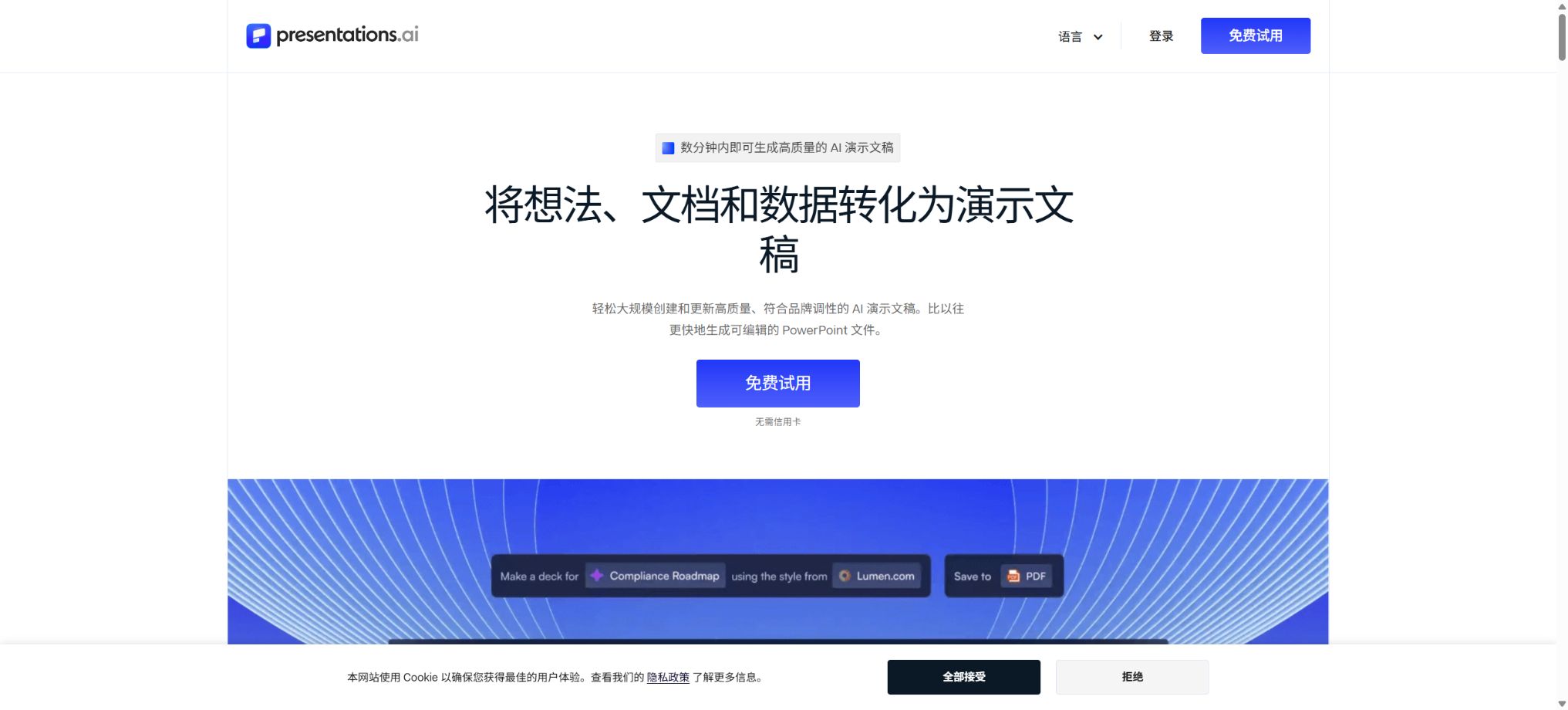
Presentations.AI
AI tools that enable the rapid creation of branded presentations from prompts, documents, and data
Tags:AI slides and presentationsWhat is Presentations.AI?
Presentations.AI is a platform for creating and designing AI-powered presentations; it allows topics, outlines, notes, documents, or web pages to be quickly transformed into complete slides. The system handles the narrative structure, text on the pages, layout, images, charts, and visual hierarchy all at once.
It is designed for individuals and teams who need to create business presentations, emphasizing brand synchronization as well as the ability to export editable PowerPoint files. Once created, the presentations can be further edited, collaborated on, shared, and analyzed via a web interface.
Main functions of Presentations.AI
- Create PPTs from a theme:Enter the goal, target audience, and content requirements to automatically generate an outline and complete slides.
- Import from multiple sources:It supports extracting content from PDF, Word, PPT, web pages, notes, and videos.
- Automatic narrative structure:Different sequencing is used for roadshows, sales, the board of directors, courses, and reports.
- Adaptive layout:It automatically adjusts the layout, images, text, and visual highlights when the content changes.
- Clip-E Assistant:Use natural language to rewrite, simplify, expand, and adjust the content of slides.
- Brand Sync:Retrieve the logo, colors, and fonts from the company’s website and apply them to the presentation.
- Charts and data visualization:Convert data, processes, and comparison relationships into charts, tables, and infographics.
- Exportable editable PPTX:Generate a file that can be further edited in PowerPoint or Google Slides.
- PDF and link sharing:Export to PDF, publish an online link, set a password, or embed in a web page.
- Team collaboration:Invite members and visitors to review, edit, and manage presentation projects together.
- Browse analysis:Statistically analyze the views of presentations and the level of engagement per page.
- Automation and APIs:Generate personalized demos using Zapier, Make, REST APIs, and Webhooks.
Comparison of supported input methods
| Input method | Suitable scenarios | Key points to prepare |
|---|---|---|
| Theme or prompt | Create proposals, courses, and pitch decks from scratch | Explain the audience, objectives, number of pages, tone, and conclusions |
| Outline or notes | A structure already exists; only design and expansion are needed. | Check the chapter order and the key information on each page. |
| PDF or Word | Convert reports, plans, and research materials into presentations. | Remove irrelevant appendices and mark the data that must be retained. |
| Existing PPTs | Restructure old presentations or standardize a new style. | Confirm that images, charts, and brand materials are editable. |
| Web page URL | Create introductions for products, companies, or article content. | Check the freshness of the webpage, its copyright status, and the integrity of the data captured. |
| Videos such as on YouTube | Organize the content of public videos into courses or summaries. | Check the subtitles, timing, and video usage permissions. |
Presentation.AI package prices
The figures shown below are the prices in US dollars as displayed on the official pricing page; the platform adjusts these amounts according to the purchasing power of each country or region. The Pro and Gold plans are presented as an average monthly cost on an annual basis, while taxes, credits, and promotions are determined based on the details on the account billing page.
| Package | Price | Credits | Primary interests |
|---|---|---|---|
| Starter | Free | The current pricing page shows 100. | The Starter model and Agent: up to 20 pages per single demonstration. |
| Pro | $ | 5000/per billing cycle | Advanced AI, high-quality PPT exports, browsing analysis, and brand customization |
| Gold | 100 dollars per month, 1200 dollars for annual payment | 50,000/per billing cycle | Cutting-edge models, Agents, premium brands, and shared knowledge bases |
| Multi-user Pro | Purchase in quantities of 5, 10, 25, or 50 seats. | The sharing quota is provided based on seat packages. | Team collaboration, visitors, and centralized management |
| Enterprise or custom | Contact sales | In accordance with the contract | Brand governance, automation, white labeling, and enterprise control |
Some pages of the official FAQ may still show different figures regarding the historical free credits; the current pricing should be based on the pricing page and the account balance. The platform currently offers annual or quarterly subscriptions only, and the monthly average price shown on those pages should not be interpreted as a requirement to make payments on a monthly basis at any time.
Credits consumption rules
| Operation | Credits consumed | Explanation |
|---|---|---|
| Generate slides | 5 credits/page | Generating 20 pages requires approximately 100 credits. |
| Export PowerPoint | Additional 5 credits per page | Generate and export a page totaling approximately 10 credits. |
| Manual editing | It usually does not consume energy. | Routine manual modifications to text, images, and layout |
| Export PDF | No credits are consumed. | The free version may provide output in low resolution or with watermarks. |
| Features such as AI-generated images | Possible additional consumption | It is based on the actual deductions recorded in the billing history. |
With 5,000 credits in the Single User Pro plan, it is theoretically possible to generate and export around 500 pages; however, regenerating content, using AI-generated images, and other AI-related tasks reduce the actual number of pages that can be created. Users can view their history in the planning and billing sections, and they can purchase additional credits when their quota runs out.
Tutorial for creating PPTs with AI
- Define clear goals:Specify the audience, duration of the presentation, decision-making objectives, number of pages, and the data that must be included.
- Select input:Choose the source with the most complete information from prompts, outlines, documents, or web addresses.
- Check the outline:First, confirm the background, the problem, the evidence, the solutions, the benefits, and the sequence of next steps.
- Set style:Select a business, educational, roadshow, or other template, and configure the brand information.
- Generate slides:Let the system handle the text, layout, images, and visual elements, and then check each page individually.
- Simplify content:Retain one central conclusion per page, and remove lengthy paragraphs as well as repeated arguments.
- Final export:Preview the animations, fonts, charts, and page proportions before using credits to export the PPT.
Generate presentations from PDF or Word
- Remove directories, duplicate headers, irrelevant appendices, and pages with poor scanning quality from the source file.
- The official FAQ states that for the Starter version, the file size should not exceed 10 MB, while for the Pro version it should not exceed 40 MB and the number of pages must be less than 100.
- After uploading, specify the chapters, data, charts, quotes that need to be retained, as well as the desired number of pages.
- Check whether the system extracts the images and tables correctly; if they are incomplete, prepare the original materials to replace them separately.
- Rewrite long narrative sentences into presentation titles, key figures, and brief supporting points.
- After generation, the source document is reviewed item by item to verify facts, figures, units, and the context of the references.
Brand Sync Usage Guide
- Prepare the website:Ensure that the company’s official website displays the logo, primary colors, secondary colors, and brand font correctly.
- Set the organization domain name:Enter the official website domain in the organizational information so that the system can extract the brand elements.
- Check assets:Ensure the logo is clear and the colors are accurate, and upload the required icons and banners.
- Configure font:Choose a font that works properly in PowerPoint and on team devices.
- Generate a draft:First, test around 5 pages to check the branding effect on backgrounds of different shades, as well as on charts and images.
- Establish standards:Fix the title hierarchy, footer, color palette, and image style, then extend it to teams.
Notes on exporting to PowerPoint
- Exporting to PPT requires a Pro membership or higher, with an additional charge of 5 credits per page.
- Complete the approval of the content and design on the web page before exporting, to avoid unnecessary consumption of credits.
- Editable PPTX files still require checking for font replacements and alignment in the target PowerPoint version;
- Animations of objects on a single page can be exported, but the transitions between pages may not be retained.
- When animation is needed, use the corresponding PPT download version provided in the email;
- After export, different presentations can be merged in PowerPoint; however, reliable cross-file copying is not supported at the moment on this platform.
- Before the formal presentation, it should be played in its entirety on a real computer and projection device.
Who is Presentations.AI suitable for?
- Entrepreneur:Create financing roadshows, investor updates, and product launch presentations.
- Sales Team:Generate customer proposals, solutions, and personalized presentations.
- Consulting and agents:Convert research reports into client presentations quickly.
- Marketing Team:Create presentations for activities, brands, strategies, and business analysis.
- Customer Success:Complete the quarterly business review, renewal, and onboarding training materials.
- Teachers and curriculum creators:Organize handouts, articles, and videos into teaching slides.
- Corporate team:Maintain brand consistency through Brand Sync and template governance.
Product advantages
- Created in one go, from content structure to visual design, offering more than just a textual outline;
- It supports various types of input, including topics, documents, web addresses, videos, and existing PPTs;
- Brand Sync can automatically extract logos, fonts, and brand colors;
- The adaptive template adjusts its layout in response to changes in the content, thereby reducing the need for manual formatting.
- An editable PPTX file is generated, which can be further edited in PowerPoint and Google Slides.
- It offers capabilities for linking, embedding, passwords, analysis, collaboration, and automation.
Usage restrictions and precautions
- The free Starter version is suitable for testing, but it has limited page limits, credits, and export capabilities;
- Generating content and exporting PPTs each incur credits, and repeated generation will significantly increase costs;
- AI may fabricate facts, figures, examples, and citations; business presentations must be verified.
- The platform does not currently support the stable copying or merging of slides from different presentations.
- After it is created, the AI cannot add slides to existing presentations directly – template pages must be added manually.
- Currently, built-in narration, as well as the export of music and videos, are not supported.
- Deleted presentations cannot be restored automatically within the product; it is necessary to contact support, with no guarantee of success.
Subscriptions, refunds, and data security
The official FAQ states that subscriptions are generally not refundable, as free credits are provided at the time of registration for testing before making a purchase. To disable automatic renewal, one must go to Settings > Plans & Billing; deleting the account does not automatically cancel the subscription that is still valid.
The platform states that the content of these demonstrations will not be shared with other customers, nor will it be used to train its AI models. Corporate files should still be uploaded with the minimum level of access required, and sensitive information must be controlled through shared links, visitor permissions, passwords, and exported files.
API, MCP, and open-source details
Presentations.AI offers capabilities based on Zapier, Make, REST API, Webhooks, and white-labeling; it can automatically generate presentations whenever a form is submitted, when there is a change in the sales stage, or when a project starts. The specific prices for these APIs, as well as access rights and usage limits, are determined through the enterprise or developer console.
The platform and its core AI components are not open-source products. There is a Presentations.AI MCP Server project on the official GitHub, but using it still requires a Presentations.AI account. Open-source PPT tools such as Presenton available on GitHub are separate products and cannot be considered as the source code for this platform.
Frequently Asked Questions
Is Presentations.AI free?
The Starter package is available for free; the current pricing page indicates 100 credits, with a maximum of 20 pages per presentation. The free quota is sufficient for testing the quality of the generated content, while exporting PPT files requires a paid subscription.
How much does Presentations.AI Pro cost?
On the pricing page for the United States, the cost is $20 per month on an annual basis, which amounts to $240 for the whole year; this amount includes 5,000 credits. The price may vary depending on the country, and the actual cost is indicated on the settlement page.
Is it possible to export an editable PowerPoint file?
Yes, versions Pro and above support exporting editable PPTX files, but 5 credits are charged for each additional page. After export, it is still necessary to check the fonts, alignment, animations, and the target PowerPoint version.
How many credits are required to create one page of PPT?
According to the official FAQ, generating one page costs 5 credits, and exporting it in PowerPoint requires an additional 5 credits. Exporting in PDF format generally does not cost any credits, but the free version may have watermarks or lower resolution.
Is Presentations.AI open source?
The core platform is not an open-source product; the developers only provide connection tools such as MCP. Presenton and other similar projects on GitHub are not the same as Presentations.AI.
Tools similar to Presentations.AI





 Guigong Network Security Registration No. 45132202000164