






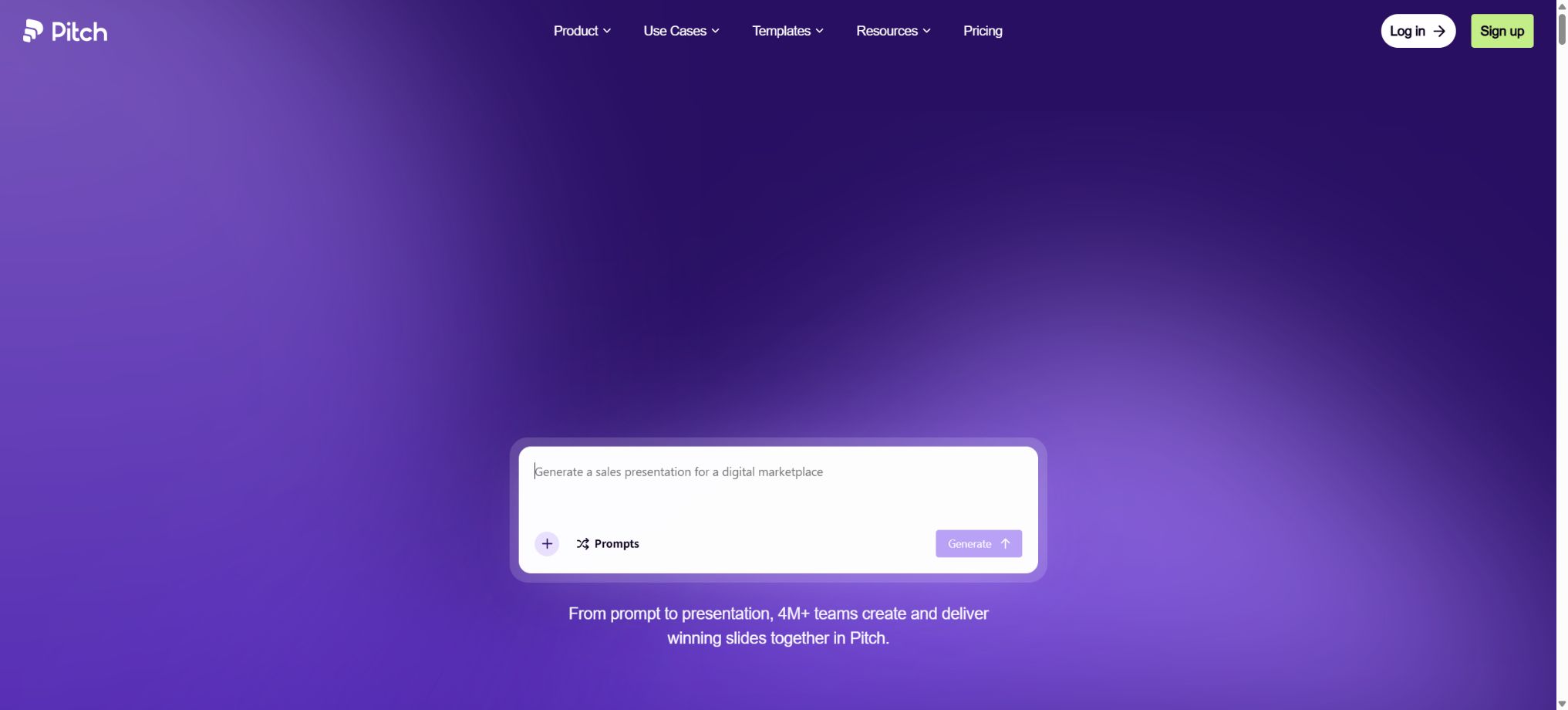
Pitch
A demonstration workspace that integrates AI-generated content, brand collaboration, sharing, and access analysis.
Tags:AI slides and presentationsWhat is Pitch?
Pitch is an online presentation platform designed for startups, sales teams, marketing teams, design teams, and corporate organizations; it was developed by Pitch Software GmbH in Berlin, Germany. It integrates AI-powered PPT creation, visual editing tools, brand templates, multi-user collaboration features, presentation capabilities, link sharing options, a sales resource library, and audience analysis within a single workspace. Its goal is not merely to create slides, but to cover the entire process from the initial draft through to customer follow-up.
Founded in 2018, Pitch is currently used by over 4 million teams. It can generate presentations from prompts or uploaded files, and it also allows for the import of existing PPTX files for further editing.
Compared to traditional desktop PPT tools, Pitch places greater emphasis on real-time collaboration, sharing links that always point to the latest version, brand templates, and access analytics; whereas compared to tools that rely solely on AI for content generation, it retains full manual editing capabilities, team permission controls, and sales delivery functions.
Pitch Agent and AI features
- Generating a presentation from prompts:By describing the topic, target audience, objectives, and desired structure, Pitch Agent will generate an initial narrative, page titles, text content, and visual elements. Users can either choose from templates or upload documents as a reference.
- Created based on a file:Reports, plans, or other documents can be used as context to help the Agent identify the key points and organize them into slides. The resulting output may still miss numbers, misinterpret tables, or alter the original meaning; therefore, important data must be verified against the source files.
- Dialogue in the existing demonstration:In the lower right corner of the editor, Pitch Agent can be launched; it can be asked to add pages, rewrite content, replace all images, or answer questions related to the current presentation.
- Block-level quick operations:After selecting text, images, or other objects, you can use AI functions specific to that object type, such as refining the content, compressing it, expanding it, proofreading it, changing its tone, enhancing the image, or replacing its visual elements.
- Brand tone and audience personalization:It is possible to check whether the content aligns with the brand’s identity, and to adjust the information for different customers, industries, and roles; it makes it easy to transform a single template into multiple sales proposals.
- AI image processing:It is possible to create or adjust images, remove backgrounds, enhance visual elements, and replace content. AI editing can alter details of products, people, and logos; therefore, each page should be reviewed carefully before it is used in commercial purposes.
- Workspace control:Administrators can turn off AI entirely in Workspace Settings, which is suitable for teams that do not want generative AI to process internal data.
AI operations are based on a points system: each action such as generating content, rewriting text, editing images, or performing other tasks results in a certain amount of points being deducted. The workspace allows users to monitor their usage and set an additional budget for points, thereby preventing unlimited consumption by team members.
The draft generated by Pitch Agent is an editable version; it does not guarantee that the facts, design structure, and narrative logic meet the standards required for the final delivery.
Slide editing and design
- Free format editing:It supports text, images, shapes, icons, tables, charts, videos, GIFs, and embedded content; it is possible to control the position, size, color, borders, shadows, alignment, and hierarchy of these elements.
- Professional templates:More than 150 customizable templates are available, covering financing pitches, sales proposals, project plans, brand guides, market reports, and team meetings. Teams can also save their own templates.
- Brand assets:The paid plan allows the upload of custom fonts, images, and videos; it also enables members to reuse consistent logos, colors, fonts, and layouts through templates and a material library.
- Content variables:For Team and higher tiers, it is possible to set customer names, dates, amounts, etc. as variables, which are updated in real time throughout the entire presentation; this makes it suitable for creating personalized sales materials on a bulk basis.
- Find and Replace:It is possible to locate the same text throughout the entire presentation and replace it in bulk, as well as convert selected words into variables.
- Interactive embedding:Teams and higher tiers can embed web content from platforms such as Figma, Airtable, Calendly, and LottieFiles, allowing dynamic or interactive information to be displayed during presentations.
- Charts and data:Data can be imported from services such as Google Sheets, Google Analytics, and ChartMogul to create charts; after the data is updated, it is still necessary to verify the metrics used and the status of the updates.
Team collaboration
Multiple people can edit the same presentation at the same time, and they can view others’ cursors, comments, as well as the status of assigned and used pages. Work areas are divided into public folders, private folders, and Teamspaces, which make it easier to organize content by department, client, or project.
The Team plan offers 30 days of version history, while the Business plan provides unlimited version history, allowing for the restoration of old pages or content that was accidentally deleted.
Paid workspaces are charged based on the number of editable seats, which include Owner, Admin, and Creator; Commenters can view and comment for free, without occupying any paid seats.
External guests can only access the presentations that have been shared separately; they cannot see the entire workspace. Therefore, this approach is suitable for inviting customers or partners to conduct reviews.
Free allows up to 5 members, all of whom must be administrators; Plus permits only 1 member.
A Team can have up to 25 members; a Business account can have up to 200 members.
More than 200 people require Enterprise.
Speeches, Sharing, and Pitch Rooms
- Real-time sharing link:Use links to show demonstrations to customers or colleagues; when the source file is updated, the link automatically displays the latest version, eliminating the need to resend attachments repeatedly.
- Speaker view:It supports speech notes, timing, a preview of the next page, and a customizable speech interface; it also allows multiple members to take turns controlling the presentation and speaking together.
- Page recording:Short videos or narrations can be recorded for the page, allowing the recipients to watch the explanations in asynchronous scenarios.
- Advanced Links:It tracks data such as the number of visits, page views, and time spent on the site; it also allows visitors to provide an email address, set a access password, download PDF files, and receive notifications about visits.
- Pitch Rooms:Aggregate presentations, documents, and additional resources in a single sales collateral link to observe how potential clients browse the content. Team plans include 2 shared rooms, while Business plans offer an unlimited number of rooms.
- Custom domain name:Teams and above can share presentations and rooms using their own domain names, thereby ensuring a consistent brand experience for external users.
Viewing data can help determine customer interests and the best time to follow up, but time spent on a page does not necessarily indicate genuine interest; visitors may also forward the content, open it in the background, or use privacy tools. When collecting email addresses and analyzing behavior, visitors should be informed, and applicable data protection requirements must be complied with.
Import, Export, and Compatibility
Pitch supports importing PPTX files. Presentations from Google Slides, Keynote, or other software usually need to be exported as PPTX first before they can be imported.
Fonts, animations, charts, SmartArt elements, complex gradients, and content from third-party plugins may not be preserved entirely; it is necessary to check each page after importing.
Free allows the export of PDF files with a Pitch identifier, as well as the use of share links that include the brand name. Plans at Plus and above remove the brand identifier from such files and enable export in PPTX format;
However, PPTX files exported from Pitch may experience font replacement, differences in animations, and reduced interactivity in PowerPoint.
When dealing with important clients or physical devices, it is necessary to have both PDF files and PPTX files that have been tested on actual equipment available.
Pitch offers web applications, desktop applications for Windows and macOS, as well as mobile applications for iOS and Android. The desktop versions allow for viewing and editing offline, but it is necessary to open the desired presentation first before going offline, and multiple users should not try to modify the same page at the same time.
After reconnecting to the network, a synchronization process is required.
Mobile devices are better suited for browsing, commenting, and sharing, but they do not offer a complete desktop-level editing experience.
Free version and paid price
The following are the official dollar prices for the U.S. market, excluding sales tax; the annual payment rate is approximately 17% lower per seat compared to the monthly payment.
Subscriptions apply only to one workspace and are not automatically extended to other workspaces within the account.
| Package or version | Prices, quotas, and core benefits |
|---|---|
| Free | $ |
| Plus | 15 dollars per month; when paid annually, the cost is 13 dollars per month. This plan is intended for just one person. It includes 6,000 AI credits per year, as well as the ability to use 5 guest accounts, customize fonts, upload videos, remove the Pitch brand from the documents, and export them in PPTX format. |
| Team | $ |
| Business | 30 dollars per seat per month; the annual payment rate is 25 dollars per seat per month. A maximum of 200 members are allowed. Each seat earns 9,000 points per year, and access is provided to Guest accounts, Advanced Links, Pitch Rooms and Teamspaces, as well as the ability to create items in bulk, use Collections for storing materials, and keep an unlimited number of version histories. |
| Enterprise | Custom quotes are available; a minimum of 30 seats are required, and support for more than 200 users is provided. Additional features include SAML SSO, SCIM, a dedicated customer success manager, customized training, priority support, and invoice settlement. |
The monthly Plus plan entitles users to 500 AI points per month, while each seat in the Team plan receives 500 points per month, and each seat in the Business plan gets 750 points per month. For the annual payment option, 6000 or 9000 points are allocated over the course of the year.
Points are shared within the workspace and reset upon renewal.
The official help page once contained an old statement indicating that Plus granted 250 points per month, but both the current pricing page and the updated page detailing the payment options specify a cost of 6000 per year or 500 per month; the details shown on the settlement and workspace usage pages should be taken as the reference when making a purchase.
Paid workspaces allow for the setting of an additional credit budget; any excess credits cost $0.004 each. It is possible to set a fixed limit or an unlimited budget, with charges being applied only based on the actual amount used.
The “Unlimited” option here refers to an additional budget for spending, it is not unlimited free AI.
The team should limit the budget and regularly check the consumption of various resources.
Pitch usage tutorial
Complete a basic task.
- Specify the presentation topic, objectives, duration, and number of pages;
- Import reliable data into Pitch and remove any irrelevant or sensitive information;
- Use the Pitch Agent and its AI features to create an outline first, rather than finalizing the document directly;
- Select templates, illustrations, and visual hierarchies through slide editing and design;
- Check each page for numbers, citations, charts, font sizes, and layout;
- Perform a full-screen preview before exporting in the desired format;
Create reusable professional workflows
- Create brand templates, title hierarchies, and a library of common pages;
- Fix the sequence of Pitch Agent and AI functions, slide editing and design, as well as team collaboration;
- Specify one key point per page and control the text density;
- Assign the review of facts, visuals, and presentation logic to respective responsible persons;
- Test fonts, animations, and proportions on different devices;
- Save the source files, versions, and records of final approval;
Storage and restrictions
- The Free workspace offers a total of 10GB of storage in accordance with fair use policies, while the paid plans provide 10GB per member.
- For the free plan, the maximum size of a single image that can be uploaded is 5MB, while with the paid plan this limit rises to 1GB per image.
- Plus supports up to 10 videos per page, with each video not exceeding 5MB in size;
- The so-called unlimited streaming and storage are still subject to limitations related to fair use, file type, and service stability.
- The web embedding used in the demonstration relies on third-party services and network connections, and it may stop working when offline or if there are changes in access rights.
- If a public link has no password or email restrictions, anyone who has that link can access it.
- Confidential financing information, customer contracts, and internal data should be shared under controlled conditions, with links to them being removed promptly;
Integration capability
Pitch can utilize images from Unsplash, Giphy animations, Brandfetch logos and icons, as well as content from YouTube, Vimeo, Loom, and Google Sheets, Google Analytics, ChartMogul, HubSpot, etc. The HubSpot integration allows Pitch Rooms to be linked to CRM transactions.
The integrated functions may vary depending on the package, licenses, and third-party APIs; original records of key data should be retained.
Whether it is open source and whether an API is provided
The Pitch editor, Pitch Agent, the collaboration backend, sharing analytics, and desktop applications are not open-source products. The developers do not provide a complete Pitch code repository that can be deployed by ordinary users, nor do they offer the core functions for generation and editing as public APIs for general use.
GitPitch, PitchAI, and other open-source projects with similar names available on the internet are not the same product as Pitch.com.
Pitch supports a variety of ready-made integrations and interactive embeddings; Enterprise offers deeper organizational integration. However, the catalog should not describe it as offering an \"open API\" or an \"open-source PPT tool\", unless an official developer platform is released in the future.
Which users are it suitable for
- Founders and startup teams that need to swiftly carry out financing pitches, board meetings, and company introductions;
- A sales team that creates sales proposals, customer plans, Pitch Rooms, and tracks visit data;
- Marketing and design teams that need brand templates, fonts, a material library, and access control;
- Individual users who wish to create a draft of an editable PPT based on prompts or existing documents;
- Remote teams that require real-time collaboration, commenting, task assignment, and version restoration;
- Consulting firms and agencies that wish to update content continuously via links and reduce the back-and-forth of attachments.
Advantages
- The free version allows the creation of an unlimited number of demonstrations over an extended period, making it suitable for establishing workflows first;
- After being generated by AI, it can still be edited in detail just like with regular presentation software.
- Brand templates, variables, and asset libraries are suitable for ensuring consistency on a large scale;
- Links, Pitch Rooms, and analytics cover the sales phase that follows the delivery of the presentation;
- PPTX import and export reduce the barriers to working with the PowerPoint ecosystem;
- Guests and free Commenters allow external reviewers to avoid using paid editor slots.
Usage restrictions and precautions
- The numbers, citations, market information, and customer names generated by AI may be incorrect, and it is necessary to verify them page by page;
- Before uploading business plans, financial data, customer lists, or unreleased products, it is necessary to verify the organization’s AI policies and data processing protocols.
- Administrators can disable AI directly;
- When importing and exporting complex PPTX files, the layout may change, and interactive elements, fonts, and animations are particularly prone to incompatibility.
- The final presentation should be tested on actual projection equipment, browsers, and various versions of PowerPoint, with an offline PDF backup also prepared.
- Access analysis involves personal behavior data, and the collection of email addresses as well as the tracking of notifications must be based on legal grounds.
- Public links should not contain confidential information that should not be forwarded;
- For former members, expired customers, and clients whose transactions have been concluded, their access rights should be revoked or the links to them should be disabled promptly.
Frequently Asked Questions
Is Pitch free?
The free version can be used indefinitely; it supports up to 5 members and an unlimited number of demonstrations. However, the share links and PDF files carry the Pitch brand, and the AI comes with a one-time credit of 100 points.
Can Pitch generate PPTs automatically?
Yes. Pitch Agent can create a complete presentation based on prompts, uploaded files, and templates; it can also add, rewrite, and edit content within existing pages.
How much is Pitch?
For the U.S. market, Plus costs 15 dollars per month, Team costs 23 dollars per seat per month, and Business costs 30 dollars per seat per month; the annual rates are 13, 19, and 25 dollars respectively, with custom quotes available for Enterprise plans.
Can Pitch export to PPTX?
Plus and higher versions support exporting PPTX files without a brand logo. Free version mainly provides PDF files with a brand logo along with links.
After exporting, check the fonts, animations, and layout in PowerPoint.
Does Pitch have audience analytics?
Team offers 25 Advanced Links and 2 Pitch Rooms, while Business provides an unlimited number of them, along with information such as views, page views, and time spent on the site.
Is Pitch open source?
It is not open source, and there is no official full version that can be deployed on one’s own. Projects with similar names such as GitPitch and PitchAI have no connection to Pitch.com.
Tools similar to Pitch





 Guigong Network Security Registration No. 45132202000164