






DHTMLX
DHTMLX makes AI programming more efficient and simpler.
Tags:AI programming toolsWhat is DHTMLX Chatbot?
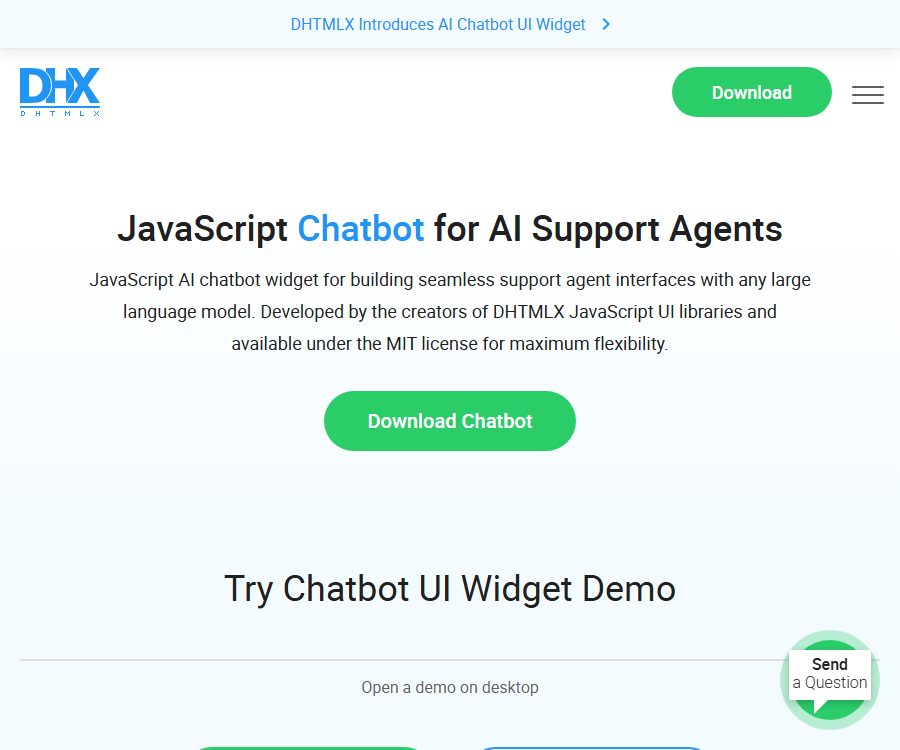
DHTMLX Chatbot is a JavaScript component used for creating AI chat interfaces, suitable for web applications such as customer service assistants, enterprise knowledge bases, and multi-agent conversations. It offers a configurable front-end interaction layer, but it does not include large language models, knowledge bases, account systems, or a hosted backend.
Developers need to connect the components to their own server or to a provider of models, and then decide on the methods for authentication, message storage, retrieval enhancements, content filtering, and usage control. As a result, it is more similar to a UI development kit for chat applications, rather than a ready-to-use chatbot service.
Core functions
- It offers four ways to present messages: blocks, bubbles, cards, and flow, allowing selection based on the product’s visual style.
- It supports plain text and Markdown messages, and allows setting between word-by-word display and stream input mode.
- It is possible to establish single-agent or multi-agent chats; the sidebar is used for creating, selecting, and deleting sessions.
- It supports loading existing chats and messages, facilitating connection to business databases for restoring historical records.
- A read-only mode is provided, suitable for displaying conversation records, audit pages, or non-editable presentations.
- The interface adapts to narrow screens and mobile browsers, but it is not a standalone native mobile app.
- The size of the component is approximately 65KB, making it suitable for embedding in existing web pages without the need to recreate the entire chat layout.
Input, Output, and Data Structures
| object | Key input | Component behavior | Developer responsibilities |
|---|---|---|---|
| Message | Number, role, text, typing status | Display user or agent messages | Verify the content and save it securely. |
| agent | Number, name, avatar, response function | Switch or invoke different proxies | Connect models or business services |
| Session | Session number, proxy, and historical messages | Select and restore chats from the sidebar | Achieve persistence and access control. |
| Configuration | Layout, format, sidebar, read-only, caching | Change the interface and interaction methods. | Select the settings that meet the product’s requirements. |
The agent’s response function can return a message directly, or it can return asynchronous results. When integrating with the server, developers usually send the message to their own interface and then pass the interface’s response to the component for display.
Installation and initialization
| Installation method | Usage features | Suitable scenarios |
|---|---|---|
| npm | Install the component package after configuring the DHTMLX private registry. | Modern front-end projects that use build tools |
| CDN | Scripts and styles are loaded directly; you can choose either the latest version or a specific fixed version. | Prototypes, demonstrations, and simple web pages |
| Static files | Download and deploy the dist file on your own. | Internal networks or projects that require a fixed-version setup |
- Choose the installation method to add the component scripts and styles to the project.
- Prepare an HTML container and create a ChatBot instance.
- Configure the current user, proxy, message format, layout, and sidebar.
- Write a proxy response function to send the user’s messages to its own backend.
- Model keys are securely stored on the backend, where authentication, rate limiting, and error handling are handled.
- Convert the model response into component messages; streaming display can be achieved by appending messages.
- Test the history records, delete sessions, check the mobile layout, and address any abnormal network conditions before going live.
Chat interface configuration
Message layout and format
The render configuration allows switching between four different message templates, while the format option lets you choose between text and markdown. Markdown is suitable for displaying code, lists, and rich-text content; however, it is still necessary to ensure that the model’s output is processed securely, so as to prevent unfiltered content from appearing on the page.
Multiple agents and chat history
Agents, chats, activeAgent, and activeChat are used to organize multiple assistants and conversations. In customer service solutions, agents can be assigned according to departments, while internal assistants can be categorized based on knowledge bases or task types.
Read-only and local caching
The readonly option prevents users from modifying the data on the interface, while the withCache option allows messages to be stored locally in the browser. If the messages are sensitive, using a shared device or browser cache could pose a risk of leakage; therefore, developers should consider disabling caching and opting for controlled server-side storage instead.
What can the component API do?
- Add, delete, or select chat sessions.
- Add new messages, append text to existing messages, and switch typing status.
- Send messages to the component, or request the corresponding messages when selecting a session.
- Read and dynamically update the current configuration.
- Monitor or intercept actions such as adding new messages, deleting sessions, and selecting sessions.
The API here is an interface for programming front-end components, and it is not the hosted AI inference interface provided by DHTMLX. To invoke a model, it is still necessary to use the API of the model provider or the company’s own inference service.
Connect to OpenAI or other models
The document provides examples of integrating with OpenAI and shows how to convert historical messages from components into the dialogue format required by the model. The product can also be connected to Claude, Gemini, or other models that support server-side calls; the specific capabilities of these models are determined by their respective providers.
- The frontend listens for events related to new messages from users.
- Send the necessary session context to the protected business backend.
- The backend verifies the user’s identity and credit limit before invoking the model service.
- Filter or transform the response, and return the regular results or segmented results to the frontend.
- Answers are presented through new or additional messaging methods, while handling timeouts and retries.
The demonstration code may call the model directly in the browser for ease of reading, but in a production environment API keys should not be included in the frontend; otherwise, visitors can access those keys and incur unauthorized charges.
Price and license
| Package or version | Price | Billing cycle | Core benefits or quota | Suitable for users |
|---|---|---|---|---|
| DHTMLX Chatbot | Free | Long-term use | Complete chat UI components, licensed under MIT. | Individual and commercial Web developers |
| Model API | Decided by the supplier. | According to the supplier’s rules | Dialogue generation, model quotas, and related services | Projects that require answers from true AI |
| Backend and infrastructure | Bear the cost yourself. | According to the deployment plan | Authentication, databases, logging, retrieval, and security controls | Production environment projects |
The fact that chatbots are available for free does not mean that the entire AI application comes at no cost, nor does it imply that all other DHTMLX components are free as well. Model calls, servers, databases, monitoring services, and third-party services may all incur separate costs.
The MIT license generally permits use, copying, modification, distribution, and commercial exploitation, but it is necessary to retain the license and copyright notices when distributing the material. Teams should conduct a compliance review using the actual license text that comes along with the download package.
Version, GitHub, and open-source status
- Chatbot 1.0 was released in 2024; the current version that is available for use is 1.0.3.
- Components can be obtained via npm, CDN, or static packages, and come with public documentation, API specifications, and examples.
- In the DHTMLX GitHub organization, no public repository containing the source code for the Chatbot component can be found; therefore, the other example projects in that organization cannot be used as a source for this component’s code.
- The fact that a component is licensed under the MIT license and whether it is hosted on GitHub are two separate matters; the rights granted by the license depend on the actual package that is distributed.
Privacy and security
DHTMLX Chatbot does not provide a unified backend for hosting chats; it is up to the application developers to decide how the chat data will be handled. Enabling local caching, using third-party models, or saving data in a business database all entail different implications in terms of privacy and responsibility for storage.
- Model keys are stored only on the server, with separate credentials used for different environments.
- Validate, escape, or securely sanitize user input and Markdown output.
- Set minimum collection, access permissions, retention period, and deletion mechanisms for historical messages.
- Inform the users about the supplier of the model being used, the purpose of the data, cross-border data transfers, and the scope of manual review.
- Avoid recording full prompt texts, keys, and sensitive personal information in the logs.
- Set authentication, rate limiting, cost caps, and abuse detection for model calls.
DHTMLX’s website privacy policy covers download forms, analysis tools, marketing activities, order-related data, and support-related data; it states that deletion requests will be processed within 30 days. This policy does not apply automatically to chat applications created by users themselves, as such applications’ operators still need to provide their own privacy policies.
Suitable for users and scenarios
- Front-end developer: Quickly create a chat interface with a history feature and various message layouts.
- SaaS team: Package existing model services into branded customer service solutions or product assistants.
- Corporate R&D team: Integrates the backend for internal knowledge retrieval with a unified dialogue interface.
- Prototype designer: Use CDN and simulated responses to quickly test chat interactions.
- Education and technology products: feature mentors, code assistants, or multiple task agents.
Advantages and limitations
Main advantages
- Free MIT license, suitable for personal and commercial projects.
- Focusing on the UI layer, it allows for the replacement of different models and backends.
- It offers a variety of message layouts, Markdown support, a history function, and fairly comprehensive multi-agent capabilities.
- The installation method is flexible, and examples of methods, properties, events, and integration are provided.
Capacity boundaries
- It does not include models, knowledge bases, vector retrieval, content moderation, or a production backend.
- There is no ready-made user login, permission, billing, or operations backend.
- The local cache keeps messages in the browser; for sensitive scenarios, the storage mechanism needs to be redesigned.
- Model quality, latency, costs, and data policies depend on the provider.
- The OpenAI examples made public are not production-ready security architectures that can be copied verbatim.
Frequently Asked Questions
Is DHTMLX Chatbot a complete AI robot?
No. It mainly provides a chat interface and front-end APIs; model inference, knowledge bases, the back-end, and account systems require integration by developers.
Is DHTMLX Chatbot free?
The components are free and available under the MIT license. External model APIs, servers, and other commercial components are not included in the cost.
Can it be used for commercial projects?
The MIT license permits commercial use, but the license and copyright notice must be retained when redistributing the material. It is necessary to check the license text contained in the actual download package before releasing it officially.
Which large models are supported?
The component is not tied to any specific model; developers can connect it to OpenAI, Claude, Gemini, or other systems via their backend. Availability and pricing are determined by the respective services.
Is streaming responses supported?
The interface can be updated gradually by adding messages and showing the typing status. A true streaming protocol as well as recovery from connection loss require implementation on the backend side.
How to install it?
It is possible to use npm, CDN, or download static files. For production projects, it is advisable to use a specific version to avoid unintended changes resulting from updates to the latest version.
Where are chat records saved?
When withCache is enabled, the data can be stored locally in the browser; otherwise, it can be provided by the developer’s server. The component does not determine the retention period and deletion rules for the application as a whole.
Can it be used on a smartphone?
The interface is responsive to narrow screens and can be embedded in mobile web pages. It is not a standalone iOS or Android app provided by DHTMLX.
Can the model key be placed on the frontend?
This should not be done. The keys should be stored on the backend, which is responsible for handling authentication, rate limiting, and model invocation.
Is there a public GitHub repository?
At present, there is no publicly available repository for the source code of the Chatbot main component. The MIT license, the possibility of downloading and distributing it, and hosting it on GitHub are not the same thing.
Summary
DHTMLX Chatbot is suitable for development teams that already possess models or backend capabilities and wish to quickly add a chat UI. Its value lies in its configurable interface and front-end APIs, while its readiness for production use depends on the secure backend, data management, and model integration implemented by the team.
Tools similar to DHTMLX



 Guigong Network Security Registration No. 45132202000164