






In3D Translation Site
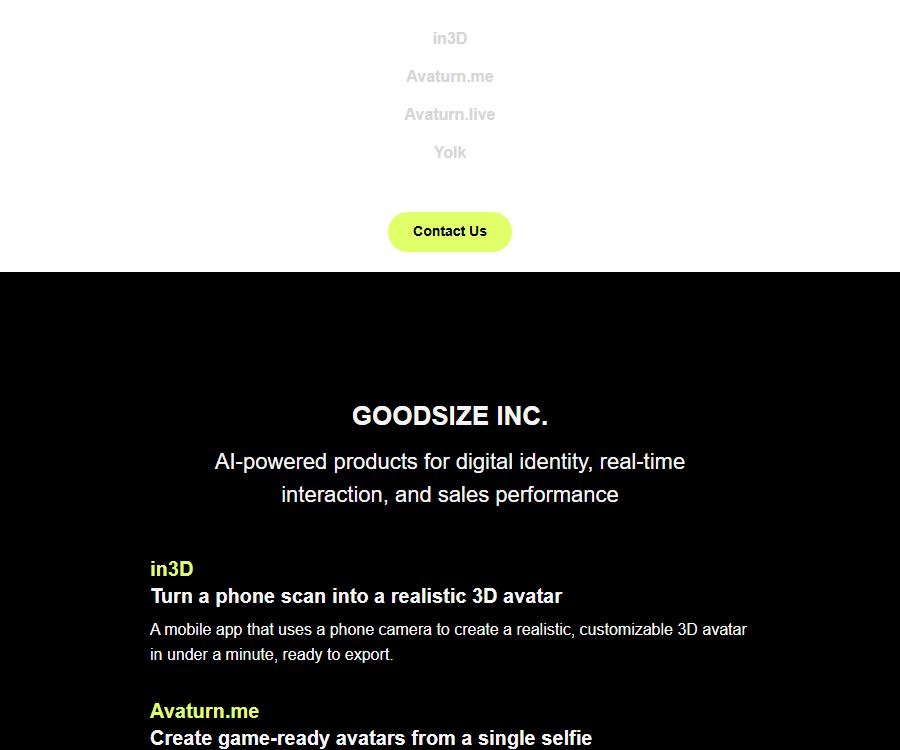
In3D transforms people into realistic avatars; it uses the phone’s camera to create realistic and customizable avatars for your metaverse, games, or applications within a minute.
Tags:AI programming toolsWhat is in3D?
in3D is a 3D avatar scanning tool developed by Goodsize Inc.; its main purpose is to use a smartphone camera to convert a person into a customizable, exportable 3D character.
The term “translation site” in the database name does not reflect the current purpose of this product; in3D does not possess any verified language translation functionality.
The relationship between in3D and Goodsize, Avaturn
| Name | Product positioning | Current relationship |
|---|---|---|
| Goodsize Inc. | Product development company | The current product portfolio includes in3D, Avaturn.me, Avaturn.live, and Yolk. |
| in3D | Scanning of the real human body and face for use in mobile phones | The Application and Developer Portal remains accessible, and the content on the product pages was updated some time ago. |
| Avaturn.me | Avatars available for games generated from selfies | The new generation of avatar platform introduced by Goodsize is not simply in3D under a different name. |
| Avaturn.live | Phenotypic AI avatars for real-time conversations | A standalone product, with functions different from those of the in3D scanning application. |
When selecting an integration solution, it is necessary to assess based on the current capabilities of the product; the functions, prices, or terms of Avaturn cannot be applied directly to in3D.
Main functions
Generate a real-person 3D avatar from video selfies
- The user records a video of the person as instructed by the application; after processing in the cloud, a 3D avatar with the person’s body shape and facial features is generated.
- The typical generation time indicated in the application description is about one minute, but the network, device, scanning quality, and service load can all affect the waiting time.
- Scanning requires no professional modeling skills, making it suitable for quickly creating personal virtual avatars, game character prototypes, and demonstration assets.
- The result is a visual representation of the character, rather than medical, clothing design, or ergonomic measurement data.
Character customization, fitting, and animation
- After it is generated, virtual clothing can be tried on the avatar, and animated, augmented reality, and cartoon-style experiences can be viewed within the app.
- According to the initial official technical specifications, the avatars use skeletons compatible with Mixamo as well as high-resolution textures; however, the actual export result should be based on the details of the file in question.
- Users can share their profile pictures with friends, allowing them to view or interact with them on their own devices.
- Exporting to clothing, animation, and specific platforms may be restricted by version, subscription, one-time in-app purchases, or device capabilities.
Export in multiple formats
- FBX is suitable for traditional 3D software, game engines, and skeletal animation workflows.
- GLB facilitates the transfer of single-file assets that include meshes, materials, and textures, and it is suitable for both web pages and real-time 3D scenes.
- USDZ is primarily used for augmented reality previews and related production processes within the Apple ecosystem.
- The application also lists export options such as MetaHuman, Character Creator, VRChat, GTA V, and Second Life; some of these are available as separate paid services.
Developer APIs and SDKs
- The developer portal offers scanning APIs, tokens, documentation, integration guides, and example scans, making it suitable for integrating real-person avatars into products.
- The Web SDK and API can be used to initiate scans from web pages or custom workflows; the specific endpoints, callbacks, and response fields shall be those specified in the current document after logging in.
- The Unity and Unreal Engine SDKs are used to copy or import the avatars generated by applications into real-time 3D projects.
- The production platform requires coordination with the team to determine capacity, service level, support, data processing, and the business contract.
Input, processing, and output
| Stage | Enter | Generate results | Precautions |
|---|---|---|---|
| Character scanning | Videos and photos recorded within the app, along with TrueDepth data from the supported device | 3D avatars of people’s bodies and faces | Personal consent, stable lighting, and sufficient space for shooting are required. |
| Appearance editing | The generated avatars, costumes, and in-app options | Customized virtual avatar | The materials and features may vary depending on the version or package. |
| General export | The avatar that has been generated | FBX, GLB, or USDZ files | After importing, it is still necessary to check the bones, materials, proportions, and textures. |
| Platform export | Profile picture and target platform settings | Workflow assets such as MetaHuman and Character Creator | The target software version and paid export options can affect the results. |
| Product integration | API tokens, scanning processes, and application logic | Avatars that can be used in one’s own products | Restricted by scanning limits, licenses, and production agreements. |
The complete process for scanning with a smartphone
- Install in3D on a supported mobile device, and first read the instructions regarding the camera, photos, cloud processing, and subscriptions.
- Ensure that the person being scanned has given informed consent; minors must be supervised by a guardian, and scanning third parties without permission is not allowed.
- Choose a space with even lighting, a simple background, and enough space to turn around safely; avoid backlighting, reflective surfaces, and crowded areas.
- Wear clothing that highlights the contours of the body, and tidy up any large pieces of clothing or hair that cover the face or body.
- Follow the on-screen instructions to record a complete video; do not suddenly change the distance, posture, or recording speed.
- Upload the file and wait for it to be processed in the cloud; afterwards, examine the face, hands, feet, proportions, and the edges of the clothing from the front, side, and back.
- Customize the appearance and animations according to the task, and determine before making a payment whether a generic file or one tailored for a specific platform is required.
- Export in the target format to conduct compatibility testing in Blender, Unity, Unreal Engine, or other target software.
- After completing the project, delete the account or scan the data as needed, and save a backup of your legitimate assets.
Methods to improve scanning quality
- Use soft, even lighting, and avoid strong shadows, overexposure, and reflective surfaces.
- Ensure the entire body of the person is clearly visible; avoid having the arms pressed against the body, legs overlapping each other, or rapid camera movement.
- Loose clothing, long skirts, complex hairstyles, and transparent materials may be reconstructed as inaccurate geometric shapes.
- Clean the lens before scanning and maintain a stable network connection; in case of failure, it is better to take a new photo rather than repeatedly exporting the same defective model.
- Once it enters the production pipeline, check the joint bends, facial details, texture seams, sole height, and coordinate direction.
Platforms and integration methods
| Platform or method | Current use | Key constraints |
|---|---|---|
| iPhone and iPad | Scanning, editing, animation, AR, and model export | The app store lists versions with an English interface and iOS 12 or later. |
| Android | Mobile scanning and profile picture creation | The data provided by Google Play is subject to the actual devices that are compatible with the app. |
| Web SDK and API | Integrate scanning into your own website or products | The speed limit for free testing is limited; commercial use requires approval. |
| Unity SDK | Import the profile picture into the Unity project | To verify the engine version, skeletons, materials, and target platform. |
| Unreal Engine SDK | Import the avatar into the Unreal project | Processes such as MetaHuman still require configuration of the target software. |
| Blender and Character Creator | Continue editing, binding, and producing. | It belongs to the workflow after export; it is not a built-in full modeling tool. |
Price and quota
| Package or version | Price | Billing cycle | Core benefits or quota | Suitable for users |
|---|---|---|---|---|
| Mobile apps | Free download | Use as needed | Installation for testing is available; scanning and exporting are restricted by in-app purchases and the privileges of the current account. | First-time users |
| 5 scans | 19.99 dollars | Monthly subscription | The five monthly scanning tasks listed for stores in the United States may be displayed repeatedly if they have the same name. | Low-frequency personal creation |
| 10 scans | 35.99 dollars | Monthly subscription | 10 scans per month | Individual users who continuously create characters |
| 20 scans | 59.99 dollars | Monthly subscription | 20 scans per month | Creators with a higher frequency of creation |
| 60 scans | 179.99 or 199.99 dollars | Annual subscription | Stores in the United States display two prices with the same name side by side. | Continuous users throughout the year |
| 5 additional scans | 19.99 dollars | Single purchase | Add 5 scans | Those who temporarily exceed their plan limit |
| Export to specific platforms | $ | Single purchase | The store lists standalone export projects such as VRChat, GTA V, and Second Life. | Users who need assets from the target platform |
| Developers can test for free | Free | Daily speed limit | Up to 2 scans per day | API Concept Validation |
| The developer conducted 100 tests. | 100 dollars | One-time testing package | 100 scans; the page also displays a $300 reference for comparison | Larger-scale integration testing |
| Production and platform solutions | Contact sales | Contractual agreement | Production capacity, support, and commercial terms are determined on a project basis. | Platforms and corporate clients |
The amounts mentioned above for mobile devices come from the app stores in the United States; the currency, taxes, products with similar names, promotions, and available items may vary depending on the region and account.
Before making the payment, the information on the settlement page within the device should be followed; for developer packages, the portal account and the sales contract are relevant references.
Subscription, cancellation, and refunds
- Subscriptions via the Apple channel are billed through an Apple ID, and they are automatically renewed on a monthly or annual basis.
- It is usually necessary to turn off automatic renewal at least 24 hours before the end of the current period; the account will be charged for renewal within 24 hours prior to the end of that period.
- Subscription management and refunds via Apple Channels should be handled through the respective store accounts, with the approval of refunds determined by the store’s rules and local laws.
- Single platform exports and additional scans should not be considered as reusable subscription benefits.
- Android, APIs, and enterprise contracts may have different rules regarding settlement and refunds, which need to be verified separately before making a purchase.
Commercial use and licensing restrictions
- Avatars created using the in3D API can be used in commercial or non-commercial games, experiences, videos, virtual worlds, and other projects.
- These avatars or services must not be used to develop 3D scanning technologies for humans or objects that compete with in3D.
- Avatar files, derivative files, and rendered images cannot be sold as NFTs, nor can they be sold or distributed in the form of paid 3D models.
- Free distribution of avatars is allowed, but the project must still respect the portrait rights, privacy, contracts, and third-party intellectual property of the persons whose images are scanned.
- The standard terms of service grant only a limited personal license for using Goodsize content; the commercial licensing for APIs cannot be confused with the licensing for regular application content.
- For projects subject to customer payment, the appropriate production agreement must be obtained prior to release, along with a written confirmation of the intended use.
User content and copyrights
- Users retain ownership of their content such as photos, videos, and text, and they must ensure that they have the right to upload and process it.
- The user grants Goodsize the permission to use, copy, modify, and process such content for the purpose of providing services during the term of the agreement.
- The terms of service classify user-generated 3D avatars as part of Goodsize’s content; it cannot be assumed that simply because one’s own avatar has been scanned, there is an unrestricted right to resell such models.
- The application is not a backup service; models, videos, and project files should be saved separately in a controlled storage location.
- It is necessary to obtain the appropriate authorization before scanning other people, copyrighted clothing, trademarks, or character designs.
Privacy and cloud processing
- The privacy policy states that the app collects the video provided during scanning, as well as the TrueDepth data from the device being used.
- Mobile devices have limited processing power, so photos and videos are processed and edited by Google Cloud Platform and Amazon Web Services.
- The application only uploads the photos and videos that the user has explicitly recorded during the scanning process, and it states that these files are encrypted using a key stored on the device itself.
- Videos are used to provide 3D body scans, and they may also be used, in an anonymized form, to improve technologies internally.
- Service providers may be involved in cloud processing and data annotation; in the context of annotation, the data is not linked to any account.
- It may also collect information on application usage, purchase history, device details, social login credentials, as well as data related to analysis and advertising.
- Body videos and facial data are highly sensitive; users should not scan others without legitimate grounds and explicit consent.
Deletion, retention, and policy differences
- The privacy policy states that users can remove information, including videos, by submitting a request through the legal information section in the app settings.
- The Google Play Data Security page indicated that developers did not provide a way to submit deletion requests, which is inconsistent with the privacy policy.
- When discrepancies are encountered, first check the settings within the current application, and use the privacy contact channels to determine the scope of deletion, the backup details, and the completion time.
- The privacy policy does not specify a uniform retention period for all categories of data; therefore, it is not possible to guarantee that all copies will be deleted immediately after the account is removed.
- Users located in Europe may have rights to access, correct, delete, transfer, restrict, and object to processing.
- The privacy policy indicates that it was last updated in 2021; before using the application, it is necessary to review the current policy within the app as well as the data disclosure information provided by the store.
Safety and age restrictions
- The service is intended for users aged 13 and above; those who have not reached legal adulthood should be supervised by their parents or guardians.
- The platform claims to employ commercially reasonable security measures, but no cloud-based processing of human images can be considered risk-free.
- For team projects, access to the original scans should be restricted, a retention period should be set, test tokens should be separated from production tokens, and the permissions of those whose scans are processed should be documented.
- API tokens should be stored only on the server or in key management tools; they must not be included in the client code, in public repositories, or in shared screenshots.
- Data related to faces, bodies, and minors may be subject to specific regulations in the respective regions; legal and security assessments must be carried out prior to putting such data online.
API integration process
- Create an account on the developer portal, and first read the guidelines regarding the use and restrictions of avatars.
- Use the free quota to carry out the basic verification, and experience the processes of scanning guidance, uploading, waiting, retrying in case of failure, and obtaining results.
- Generate an API token and store it in controlled server configurations, without exposing it to end users.
- Based on the current document, integrate the Web SDK or API to log request status, scanning tasks, and callback results.
- Import the generated avatar into Unity or Unreal Engine to check the bones, textures, coordinates, and performance requirements.
- Design recovery processes for camera rejections, interrupted uploads, exhausted quotas, generation failures, and user withdrawal of consent.
- Purchase 100 test packages before expanding the testing, and check the actual deduction through the account panel.
- Before putting it into production, contact the team to confirm the price, concurrency limits, support options, data processing procedures, deletion processes, and the terms regarding commercial use.
Capacity limits and usage restrictions
- Mobile phone video scanning is fast, but its geometric accuracy, as well as the detail in hand movements, hair, and loose clothing, usually cannot match the results obtained in professional scanning studios.
- Creating a avatar may require fixing issues such as model penetration, texture seams, bone weights, and material settings in 3D software.
- Some sections of the product page and the policy page were updated earlier, and the long-term availability of their functions cannot be assessed solely based on old blogs.
- The current application features an English interface, and there is no confirmed commitment to localization in Chinese.
- The free tier provided by developers allows only 2 scans per day, which is not suitable for testing with multiple users or for ongoing production use.
- The format, price, and compatibility requirements for specific platforms may vary; it is necessary to conduct a small-scale test on the target platform before making a purchase.
GitHub, SDKs, and open-source status
| Project | Current status | How should it be understood? |
|---|---|---|
| in3D mobile app | Proprietary products | There is no confirmed, complete open-source license for the product. |
| Scanning models and cloud services | Proprietary technology | The weights of the core models, the training code, and the backend implementation are not made public. |
| Web SDK and API | Developer integration capabilities | The fact that it can be integrated does not mean that the SDK, services, or generation models are open-source software. |
| Unity and Unreal Engine SDKs | Provided to integrators | The right to use is governed by the developer agreement; please check the license included in the current package. |
| GitHub | The official, complete open-source product repository has not been confirmed. | The third-party avatar projects that are found cannot be considered part of the official in3D code. |
Which users are it suitable for
- Individual creators who wish to quickly create their own 3D avatars for use in games, animations, or augmented reality projects.
- 3D designers and content teams who need to continue working on the characters in FBX, GLB, or USDZ format.
- Unity, Unreal Engine, and web developers who want to test the process of scanning real-person avatars.
- Teams for games, virtual events, and digital fashion that possess capabilities in agreed-upon management, privacy governance, and post-model development.
Scenarios that are not suitable for direct use
- Medical diagnosis, accurate body measurement, pattern making for clothing production, identity verification, or forensic reconstruction.
- Scanning third parties without consent, or collecting images of minors’ bodies without proper oversight and compliance procedures.
- It is planned to sell avatar models, renderings, or derived assets as NFTs or paid models.
- Projects that require fully offline processing, open-source core algorithms, or the immediate deletion of all data.
- A workflow that requires high-precision assets of cinematic quality without any budget for manual model editing.
Frequently Asked Questions
Is in3D a translation tool?
No, the verified in3D product is used for scanning, editing, and exporting 3D avatars of real people for mobile phones; no language translation function has been confirmed.
Who developed in3D?
in3D was developed by Goodsize Inc., which currently also operates products such as Avaturn.me, Avaturn.live, and Yolk.
What formats can be exported in 3D?
The mobile app lists FBX, GLB, and USDZ, and offers support for MetaHuman, Character Creator, as well as certain virtual platform workflows.
How long does it take to generate a profile picture?
The typical time indicated in the product description is about one minute; the actual time required will vary depending on the network, the device used, the quality of scanning, and the service load.
Can in3D be used for free?
The mobile app can be downloaded for free, but scanning, subscription, and export to specific platforms involve in-app purchases; developers are allowed 2 scans per day for free testing.
Does in3D support Unity and Unreal Engine?
Yes, the developer page offers integration methods for Unity and Unreal Engine; however, the compatible versions and licenses must be checked in the current SDK documentation.
Can in3D avatars be used for commercial purposes?
API avatars can be used in commercial and non-commercial games, experiences, or videos, but they cannot be employed to develop competitive scanning technologies, nor can they be distributed as paid 3D models.
Can in3D avatars be sold as NFTs?
No, the developer’s license explicitly prohibits selling avatar files, derivative files, or rendered outputs as NFTs.
Will in3D upload the scanned video to the cloud?
Yes, photos, videos, and TrueDepth data are processed in the cloud; the cloud service providers listed in the policy include Google Cloud Platform and Amazon Web Services.
How to delete in3D scan data
The privacy policy states that users can be removed from the legal information section within the app settings, but the information provided by the store differs; after performing this action, it is necessary to confirm with the team regarding the scope and status of the removal.
Is in3D open-source software?
It is not an open-source product that has been officially recognized; the APIs and engine SDKs represent integration capabilities, and they do not indicate that the mobile applications, scanning models, or cloud services are open source.
Are in3D and Avaturn the same product?
No, both are part of the Goodsize product portfolio; Avaturn is a newer avatar platform, and its features, prices, and terms cannot be taken as representing those of in3D.
How to add a FAQ Schema
This page presents the FAQs using a “Frequently Asked Questions” header, subheadings for each question, and answer paragraphs that follow; website templates can use this to generate structured FAQPage data.
Structured data must be exactly consistent with the questions and answers visible on the page, and it should be generated uniformly using the publishing template; script tags or hidden questions and answers must not be included in the main text.
Tools similar to the In3D translation website



 Guigong Network Security Registration No. 45132202000164