






Gling Translation Site
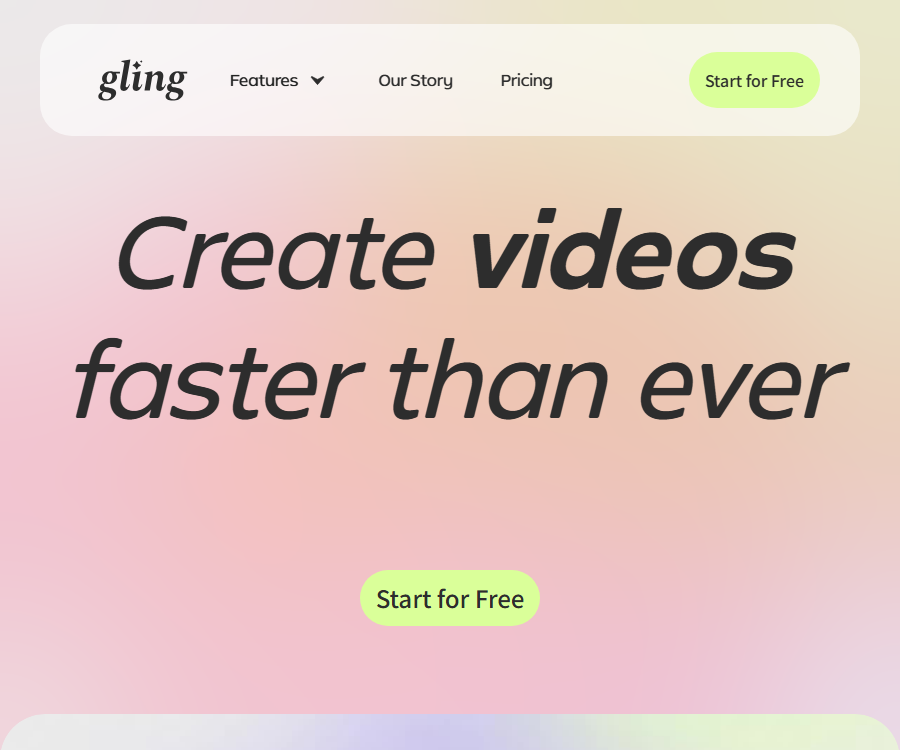
Gling automatically detects and removes silent or poor-quality shots from your original footage. It was created specifically for those who produce “talking head” content for YouTube.
Tags:AI programming toolsWhat is Gling AI?
Gling AI is an AI-based video editing tool developed by Gling, Inc.; it is designed to assist creators of YouTube videos featuring speeches, interviews, and tutorials in processing the raw footage and carrying out initial editing.
The name in the database includes “translation site”, but this product is not a tool for translating web pages or documents; its main functions are speech transcription, removal of poor-quality footage and pauses, followed by the addition of subtitles, scaling, and video overlay.
Main functions
Automatically delete faulty shots and duplicate recordings.
- After a user uploads audio material that includes multiple recordings, the AI analyzes the voice and the context to identify the segments that were spoken incorrectly, repeated, or abandoned.
- The system generates a simplified timeline, reducing the need for segment-by-segment playback, annotation, and manual cutting.
- Users should review each cut before exporting, as proper nouns, deliberate repetitions, comedic pauses, or complex narratives may be misinterpreted.
Removal of pauses and filler words
- AI can shorten or eliminate long pauses, as well as handle filler words such as “um” and “ah” that affect the rhythm.
- This feature is suitable for rough editing of courses, product explanations, podcast videos, and solo voiceovers.
- Excessive editing can make the tone sound hasty and may cause abrupt cuts in sound or visuals; therefore, it is necessary to restore the relevant segments in accordance with the rhythm of expression.
Video editing based on text
- After the text is transcribed, users can select or delete words just as they would when editing a document, and the corresponding video and audio will be adjusted accordingly.
- The textual timeline makes it easy to quickly locate specific topics, mistakes, and redundant sentences, and it also reduces the learning effort required for the initial editing using a traditional timeline.
- Transcription errors do not necessarily indicate an error in the video; before deleting them, it is necessary to check the context and the relevant points using the player.
Subtitles, audio, and video enhancement
- Subtitle tools can generate video subtitles from transcriptions, and allow the SRT subtitle files to be exported separately.
- Audio enhancement can reduce background noise and improve the clarity of human voices, but severe clipping, reverb, and overlapping speech from multiple people may still not be corrected.
- Automatic zooming and framing allow for adjustments such as bringing elements closer, moving them farther away, or changing the perspective at key points, thereby reducing the monotony that comes from using a fixed camera position.
- Users need to check the punctuation of subtitles, as well as names, numbers, and proper nouns; they must also avoid having automatic scaling cut off gestures, presentation elements, or text on the screen.
Multiple camera angles and layout design
- Multi-camera editing is used to organize footage from different camera angles, and it is suitable for interviews, podcasts, and presentation videos.
- The AI B-roll feature allows additional visuals to be added to spoken segments, reducing the time needed to search for supplementary footage one by one.
- The processes for exporting separately recorded multi-camera and microphone footage are supported only for DaVinci Resolve or Final Cut Pro.
- To export in Premiere Pro, MP3, or MP4 format, users who use separate audio and multiple cameras should first perform synchronization using external software.
Short videos, titles, and chapter aids
- Short-video extraction tools can identify segments from longer videos that are suitable for independent release, for use in vertical-format content such as Shorts.
- The YouTube title generator provides draft titles based on the video’s theme, while the chapter generator helps organize the different time points.
- The system also provides suggestions for the next video, which is useful for creating a list of content topics.
- The selection of titles, chapters, and short videos is merely a set of suggestions for creation; before publishing, it is still necessary to verify the facts, context, copyright issues, and platform guidelines.
Generate a video based on the link.
- The quota table for paid plans includes the usage amount for generating videos from links, with the measurement unit being the number of characters generated.
- Users can convert the content of a link into a video draft, but they must ensure that they have the rights to use the relevant text, images, and other materials.
- This feature shares the quota associated with the package for editing duration when uploading materials; the limits for these two aspects cannot both be considered as fully available capacity.
Input, processing, and output
| Stage | Enter | Main processing | Output |
|---|---|---|---|
| Initial editing of the voiceover | Videos or audios with voice. | Transcription, bad frame detection, removal of pauses and filler words | Simplified editable timeline |
| Text clipping | Transcribed text and selection area | Text operations are mapped to audio and video cut points. | Synchronously modified video draft |
| Subtitles | Speech and transcription | Sentence segmentation, time codes, and subtitle formatting | On-screen subtitles or SRT files |
| Image enhancement | Video and content highlights | Automatic composition, scaling, and B-roll assistance | A more complete video timeline |
| Short video extraction | Long videos | Look for segments that can spread independently. | Short video draft |
| Final export | Projects after review | Rendering or project exchange | MP4, MP3, SRT, or XML files |
Supported formats, languages, and platforms
| Project | Current support is confirmed. | Precautions |
|---|---|---|
| Use the platform | Web applications, Windows desktop applications, macOS desktop applications | The native iOS or Android app has not been confirmed. |
| Material direction | Horizontal and vertical video | After automatic composition, it is necessary to check whether the subject has been cropped. |
| Input type | Videos, audios, and multiple files within the same project | Audio materials that are unavailable are not suitable for processes that rely on transcription. |
| The codec can be identified. | AAC, H.264, MP3, Opus, Vorbis, VP8, VP9, AV1, and some PCM formats | Containers, sampling rates, and device encoding can still affect uploading. |
| Finished product output | MP4, MP3, and SRT | Free finished videos with watermarks |
| Output of professional projects | XML workflows required for Premiere Pro, Final Cut Pro, and DaVinci Resolve | The free version does not allow export of professional projects. |
| Interface language | Currently, it is mainly in English. | The language of the interface and the language used for speech recognition are not the same concept. |
Identifiable spoken languages
The voice languages listed in the current help materials include English, Spanish, Portuguese, French, German, Russian, Italian, Dutch, Hebrew, Ukrainian, Hindi, Danish, Norwegian, Swedish, Finnish, Czech, Polish, Slovak, Hungarian, Greek, Arabic, Chinese, Korean, and Japanese.
The fact that a language is available does not mean that all accents and mixed languages can be transcribed accurately; it is necessary to select the correct language before uploading, and to pay close attention to names, brands, numbers, and terms.
Complete usage tutorial
- Create an account and access the web editor, or download and install the desktop application for Windows or macOS.
- For a new project, upload the original video or audio with clear voice, or multiple materials required for that project.
- Select the correct voice language so that the system can carry out transcription and preliminary analysis.
- View the bad shots, duplicate recordings, pauses, and filler words that AI suggests deleting, and restore each item that was mistakenly removed.
- In the text editor, remove redundant sentences, and in the player, check for cuts between scenes, sound transitions, and the overall context.
- Enable subtitles, noise reduction, automatic scaling, B-roll, multiple camera angles, or short video extraction as needed.
- Proofread subtitles, chapters, titles, and all automatically generated content, and verify copyright, facts, and brand representation.
- Choose MP4, MP3, SRT, or professional editing project formats for export; the free version comes with watermarks and restrictions on the export of projects.
- Save the finished products and original materials in your own storage; do not rely on cloud projects as the only backup.
Current price plan
| Package or version | Price | Billing cycle | Core benefits or quota | Suitable for users |
|---|---|---|---|---|
| Free | $ | Monthly | 1 hour per month for AI-based media editing; the resulting videos can be exported indefinitely but with watermarks; no advanced support available | Users who test workflows and use low-frequency, short-duration content |
| Plus monthly plan | 20 dollars | On a monthly basis | 10 hours of media usage per month, or videos generated from 300 words of text, or a combination of both; export without watermarks | Personal creators with fixed updates |
| Pro monthly plan | 40 dollars | On a monthly basis | 30 hours of media usage per month, or 900 words for video generation, or a combination of both; advanced support available. | High-frequency channels and small content teams |
| Elite Monthly Plan | 100 dollars | On a monthly basis | 100 hours of media usage per month, or videos generated from 2,700 words of text, or a combination of both; advanced support available. | Users who produce large quantities of videos |
| Plus annual plan | 10 dollars per month, converted accordingly | Settled on an annual basis | The monthly data limit is the same as that of the Plus monthly plan; for the annual plan, a 50% discount is shown at present. | Creators who can keep using it for a year |
| Pro annual subscription | Equivalent to 20 dollars per month | Settled on an annual basis | The monthly data limit is the same as that of Pro Monthly; with annual payment, a 50% discount is shown at present. | Users who produce high-frequency content on a stable basis |
| Elite annual plan | 50 dollars per month, converted accordingly | Settled on an annual basis | Monthly quota equivalent to that of Elite monthly plan; annual payment currently shows a 50% savings. | Long-term, large-scale production team |
The annual price is the monthly rate displayed on the page, but no charges are deducted on a monthly basis; the actual taxes, currency, promotions, and available packages are subject to those specified on the settlement page.
Free version: limits on quota and export capabilities
- It can be used for free without the need to enter credit card details, but it provides only 1 hour of AI-powered media editing per month.
- The free version allows video export, but the resulting video will have a watermark; moreover, it is not possible to export to Premiere Pro, Final Cut Pro, or DaVinci Resolve.
- The paid plans offer watermark-free exports, while Pro and Elite also include advanced support.
- Unused monthly hours are not carried over to the next month.
- The duration of the uploaded media and the length of the video generated from the link can be utilized in accordance with the rules of the package; the counter within the account shows the remaining quota.
Cancellation, downgrading, and refunds
- Users can cancel or downgrade their subscription at any time from the billing page on the application’s main menu.
- After cancellation, it can still be used until the end of the current subscription period, after which it will operate according to the new plan settings.
- The public price details do not specify a uniform deadline for refunds, a formula for calculating refunds for the amount already used, or the conditions for refunds if payment is made on an annual basis.
- Before making a purchase, it is necessary to confirm the currency, taxes and fees, the payment cycle, and the credit limit. For requests for refunds, you should contact the support team, as the decision will be made on a case-by-case basis.
- If a paid account is incorrectly shown to offer a free plan, first verify the login email and login method; do not purchase the same subscription multiple times.
Privacy, security, and data retention
- The service processes the videos, audios, and edited content uploaded by users; it may also collect email addresses, account details, usage patterns, device information, and browsing data.
- When logging in or authorizing through Google, data such as the name, email address, and activities associated with the account may be processed, and it is stated that the limited usage requirements of the Google API are being complied with.
- When connecting to YouTube, data related to channels is obtained through the YouTube API, in order to provide personalized and automated features.
- Personal information can be provided to suppliers who offer services as instructed, and it may also be disclosed or transferred due to legal, security, anti-fraud requirements, or corporate transactions.
- The service utilizes encryption, firewalls, and secure transmission methods, but it should be noted that these measures do not guarantee the absence of risks of leakage, alteration, or loss.
- The current public policies do not specify the exact retention period for uploaded videos, generated files, project copies, and backups.
- The terms state that the service is not obligated to back up users’ content; such content may be deleted without prior notice, so users should keep local copies and backups of their projects.
Copyright, Commercial Use, and Limits of Liability
- Users must have the rights necessary to upload videos, music, images, scripts, and portraits, and they are responsible for their own content.
- It is not allowed to upload content that violates copyright, trademarks, privacy rights, publicity rights, or other third-party rights.
- The current product is aimed at YouTube creators, but the licensing terms specify personal, non-commercial use.
- Due to the discrepancy between the product’s positioning and the commercial wording of the previous version of the terms, explicit authorization must be obtained before using brand accounts, customer projects, advertisements, and paid services.
- Automatic subtitles, titles, chapters, and accompanying visuals may contain errors; the publisher still needs to carry out checks regarding accuracy, copyright issues, and compliance with platform rules.
API, SDK, and open-source status
| Project | Current confirmed status | Explanation |
|---|---|---|
| Web application | Already provided | It allows you to upload materials, carry out initial AI editing, and export the results. |
| Windows and macOS | Desktop download is available. | The system version and update requirements should be checked within the product. |
| iOS and Android | The official native app has not been confirmed yet. | Applications with similar names cannot be considered the same product. |
| Browser extensions | Not yet made public | The official expansion store page has not been confirmed. |
| Public APIs and SDKs | Not yet made public | The development documentation, keys, limits, or prices have not been confirmed. |
| Official GitHub | Not confirmed yet | The list of tools found is not from the official code repository. |
| Open-source status of the product | No open-source release available | No open-source license for the core products or models was found. |
Which users are it suitable for
- YouTube creators who record a large number of solo voiceovers and need to quickly remove mistakes, re-record sections, and eliminate pauses.
- I hope to complete the initial editing of the video in text form, and then hand it over to professionals who use specialized software for further refinement.
- Teams that need tutorials or knowledge content with automatic subtitles, audio cleanup, scaling, and chapter drafts.
- Operators who are willing to manually review the context and rhythm in order to extract short clips from longer videos.
Scenarios that are not suitable for direct use
- Films without dialogue, relying mainly on musical rhythms or carefully crafted visual narratives.
- Organizations that require local offline processing, private deployment, public APIs, or auditable open-source code.
- Projects that cannot accept having their uploaded media processed by external cloud services, or those with strict requirements regarding data residency, are not suitable.
- Teams that plan to create customer advertisements, paid courses, or brand-related commercial content before obtaining a commercial license.
- It is hoped that AI will be able to handle multilingual terms, overlapping voices from multiple speakers, and complex scenarios involving multiple cameras accurately, without the need for further review.
Frequently Asked Questions
Is Gling a translation tool?
No, the core product of Gling AI at present is a video editor designed for voiceovers and YouTube creators; speech transcription is used for editing and adding subtitles, rather than for general web translation.
Can Gling be used for free?
Yes, the free plan includes 1 hour per month for AI-powered media editing and does not require a credit card; however, the exported videos have watermarks, and they cannot be exported to the three professional editing software programs listed.
What content will Gling automatically delete?
It can detect faulty lenses, duplicate recordings, long pauses, and filler words, but any automatic trimming might lead to errors; it is necessary to preview each segment before exporting.
Does Gling support Chinese videos?
The list of languages supported by speech recognition includes Chinese, but the interface is primarily in English; Chinese names, terms, numbers, and texts that combine Chinese and English still require manual verification.
Can Gling be exported to professional video editing software?
Paid users can take advantage of the project export processes available for Premiere Pro, Final Cut Pro, and DaVinci Resolve; the free version does not offer this feature.
Is Gling available for Windows and Mac?
Yes, downloads for Windows and macOS desktop versions are available, as well as a web-based application; a native mobile app developed by Gling, Inc. has not yet been confirmed to exist.
Is the payment quota carried over?
No, the unused monthly hours are not carried over to the next month. Moreover, the number of words in a video generated from a link and the duration of the media content can together consume the same quota allocated to that package.
Can it still be used after canceling the subscription?
Yes, after cancellation or downgrading, it can be used until the end of the current subscription period; no fixed deadline for refunds is specified, and each case must be assessed individually.
Can Gling be used for commercial videos?
The terms specify that access to the service is permitted only for personal, non-commercial use; therefore, customer projects, advertisements, and paid content require prior authorization from the service provider.
Does Gling provide APIs or open-source code?
At present, there are no confirmed public APIs, SDKs, official core code repositories, or open-source licenses; therefore, the list of third-party tools cannot be considered official open-source projects.
How to add a FAQ Schema
This page organizes the FAQs under the title “Frequently Asked Questions”, with subheadings for each question and answer paragraphs that follow; the publishing system can use this to generate structured FAQPage data.
The questions and answers in the structured data should correspond word for word to the content visible on the page, and be displayed uniformly through the website template; script tags or hidden questions and answers should not be inserted in the main text.
Tools similar to the Gling translation website



 Guigong Network Security Registration No. 45132202000164