






Datature
Datature – makes AI programming more efficient and simpler.
Tags:AI programming toolsWhat is Datature?
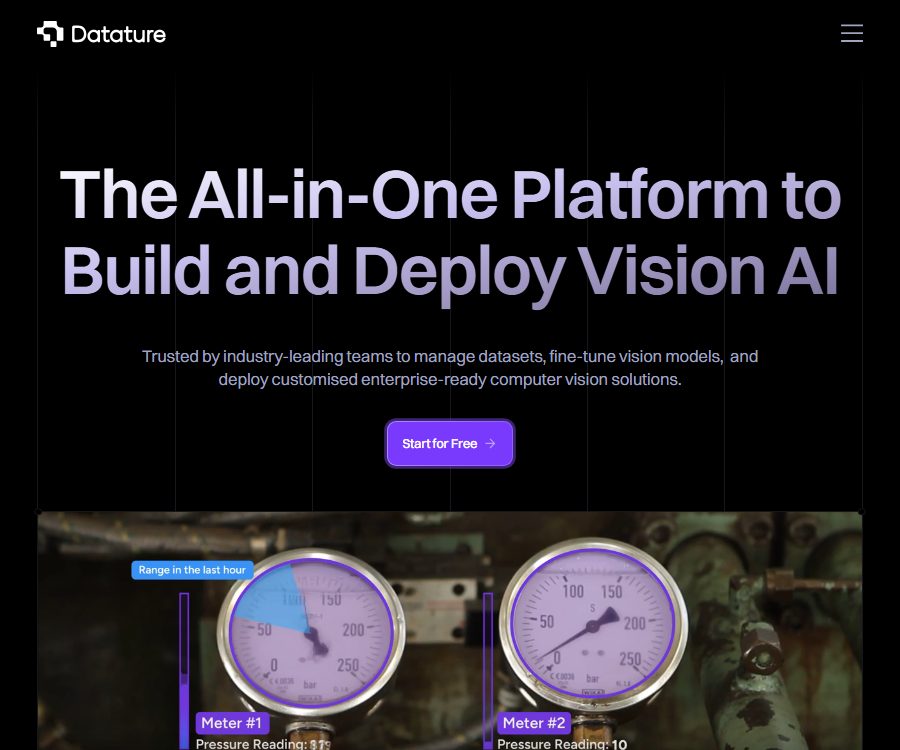
Datature is an end-to-end computer vision platform offered by Singapore-based Datature Analytics Pte Ltd. Its core product, Nexus, integrates data management, annotation, model training, evaluation, and deployment within a single workspace. It provides both a no-code interface as well as Python SDKs, management interfaces, and inference interfaces, making it suitable for scaling from prototype testing to production applications.
Key capabilities
- Dataset management: Upload and organize images, video sequences, and related metadata, while maintaining training assets through tags, versions, and project structure.
- AI-assisted annotation: It supports classification, bounding boxes, key points, instance or semantic segmentation, as well as certain types of 3D annotation; it also offers tools such as SAM, IntelliBrush, automatic annotation, and a collaborative review process.
- Visual training: Connect data, enhancement, and model nodes using drag-and-drop workflows, adjust parameters such as architecture, batch size, and number of training iterations, and then use cloud GPUs for training.
- Evaluation and iteration: Save the training checkpoints, visualize and compare predictions with the actual labels, and based on the analysis results return to the steps of data cleaning, rescaling, or active learning.
- Production deployment: Publish the selected model as a managed inference interface, export it to common frameworks, or deploy it on local devices, edge devices, own servers, and private clouds.
- Automated integration: The Python SDK and management interfaces enable the orchestration of the entire lifecycle, including asset upload, annotation synchronization, training initiation, result export, and deployment.
Supported visual tasks and results
| Task | Typical input | Output | Applicable scenarios |
|---|---|---|---|
| Image classification | Images sorted by category or awaiting labeling | Image category and confidence level | Content categorization, quality grading, product identification |
| Object detection | Image or video frames with bounding box labels | Object category, location, and confidence level | Defect detection, person and vehicle recognition, inventory counting |
| Key points | Image with coordinates of key areas | Key point positions and posture structure | Human posture, movements, and component positioning |
| Image segmentation | Pixel-level mask annotation | Instance or region mask | Medical imaging, crops, materials, and analysis of complex contours |
The complete process from data to deployment
- Register a Nexus workspace and create a project; select the category—detection, key points, or segmentation—based on the task at hand.
- Import images or sequences to establish category and label standards; for sensitive data, it is necessary to first determine the storage location, access permissions, and compliance requirements.
- Labeling is carried out manually or with the aid of AI tools, and data consistency is verified through review, consensus, or version control processes.
- In the visual workflow, set data partitioning, enhancement, model architecture, and training parameters, then initiate GPU-based training.
- View the losses, metrics, and predictions to determine the appropriate checkpoint; if the results are not satisfactory, go back to the data and labeling stage to proceed with further iterations.
- Export the model to a framework supported by the account, or create a managed inference deployment; after making calls via the key, it is also necessary to monitor latency, failures, and data drift.
Packages and usage amounts
| Package or version | Price | Billing cycle | Core benefits or quota | Suitable for users |
|---|---|---|---|---|
| Free | 0 dollars | Long-term free quota | Up to 300 images, 300 MB of storage space, 5 models that can be exported, and 300 minutes of training time per month; 1 user per project | Learning, teaching, and small prototypes |
| Developer | Contact sales | In accordance with the contract | Up to 50,000 images, 5TB of storage, 50 models that can be exported, and 3,000 minutes of training time per month | Developers, researchers, and early product teams |
| Professional | Contact sales | In accordance with the contract | Up to 350,000 images and 35 TB of storage, including team collaboration, automation, production deployment, and expert support | The expanding machine learning team |
| Enterprise | Custom quote | In accordance with the contract | Millions of images, custom storage, self-hosted or private clouds, fine-grained workspace permissions, and compliance support | Large enterprises, governments, and regulated industries |
Additional training time, team seats, deployment containers, implementation services, and custom development require separate quotes. Some of the specifications listed in the public documentation have been updated over time; the actual capacity, model export formats, regions, taxes, and service levels are subject to what is specified in the account dashboard and the sales contract.
Python SDK, API, and model export
| Ability | Uses | Prerequisites or restrictions |
|---|---|---|
| Python SDK | Manage workspaces, projects, assets, tags, sequences, annotations, training, outputs, and deployment | Python 3.8 or a newer version is required, and project secrets must be used for authentication. |
| Management API | Automatically upload data from external systems, synchronize annotations, and orchestrate the training process. | Permissions are governed by project roles and plans; keys must not be written to the client or uploaded to public repositories. |
| Inference API | Submit images to the managed model and receive structured predictions. | Production deployment is primarily intended for Professional plans or custom solutions; computing and container quotas need to be confirmed. |
| Model export | Use the trained models for local, mobile, or edge inference. | The free version is based primarily on TensorFlow, while the more advanced options include TFLite and ONNX; the actual format depends on the choices available for a particular project. |
Open-source status and official code
- Datature Nexus is a hosted business platform; its complete server code and platform source code are not made available under an open-source license.
- The official resources repository contains tutorials, Notebooks, SDK guides, as well as examples for inference and edge deployment; it is licensed under the MIT license.
- Portal is a standalone tool for model loading and for visualizing the results of image or video processing; it can run in a browser or an Electron environment, and is licensed under the Apache-2.0 license.
- The platform also offers Discolight repositories under the MIT license; the fact that these components are open source does not mean that the cloud platform, the models, or the results obtained from user training are automatically subject to the same license.
Privacy, Security, and Compliance
- The platform handles account identity, contact information, device and network details, transaction records, usage data, as well as the data that users upload for computer vision projects.
- The privacy policy permits the provision of necessary information to service providers for purposes such as hosting, databases, email, payments, analysis, and support; cross-border storage or processing may occur as a result.
- Personal information is generally retained until the service is completed or until legal requirements are met; the policy specifies that conversations and personal data can be kept for up to 6 years, while the deletion of accounts may take up to 60 days, and backup copies do not necessarily disappear immediately.
- Datature states that it has passed the SOC 2 Type II audit; its static and transmitted data are encrypted, access tokens and keys are encrypted at the application layer, and database backups can be taken as frequently as every 12 hours.
- Medical teams should only store HIPAA-protected health information on the hosting platform after signing a business partnership agreement with the operator; compliance statements cannot replace the customer’s own responsibilities regarding access control, data masking, and auditing.
- Payments are processed by Stripe, and the platform claims that it does not store any information related to credit cards; however, no cloud service can guarantee absolute security, so production systems should have minimal permissions and their credentials should be rotated regularly.
Suitable users and scenarios
- Machine learning engineer: Quickly carry out data preparation, training experiments, model comparison, and deployment validation.
- Researchers and university teams: Conducting visual experiments without maintaining the entire GPU and annotation infrastructure.
- Manufacturing and construction teams: Develop models for defect detection, quality inspection, and identification of equipment or safety-related behaviors.
- Medical and life sciences teams: carry out image segmentation or classification, but first need to ensure data compliance as well as configure protocols and access controls.
- Agriculture, retail, urban, and energy teams: used for crop monitoring, inventory analysis, detection of people and vehicles, and inspection of infrastructure.
Advantages and limitations
| Aspect | Actual value | Capacity boundaries |
|---|---|---|
| End-to-end workflow | Reduce the cost of transferring data between annotation, training, and deployment tools. | Deep automation still requires an understanding of data quality, metrics, and deployment architecture. |
| AI-assisted annotation | It can accelerate the annotation of complex outlines, bulk data, and iterative projects. | Automatically generated results must be sampled; deviations can directly affect the performance of the model. |
| Code-free training | Enable non-framework experts to configure common visual experiments as well | It cannot replace model selection, error analysis, and domain validation. |
| Multiple deployment options | It can be connected to managed interfaces, local environments, edge devices, and private infrastructure. | Production interfaces, self-hosting, compliance, and high capacity usually require paid contracts. |
Refunds and purchasing considerations
The standard free version does not require a credit card, but the current public page does not specify a fixed amount for the paid versions nor any general deadline for refunds. Before purchasing the Developer, Professional, or Enterprise versions or adding additional resources, it is necessary to clarify the minimum duration of use, any extra charges that may apply, refund policies, data migration procedures, deployment locations, as well as the procedures for exiting or deleting the service in the quotes and order details.
Frequently Asked Questions
Is programming required for Datature?
Basic data annotation, workflow configuration, training, and evaluation can be carried out through a web interface. Automation, integration with external systems, and production-level inference usually require knowledge of Python or the ability to develop interfaces.
Can the free version be used to train models?
Yes, the current free version offers 300 minutes of training per month, and it allows processing up to 300 images as well as exporting 5 models. These limits are quite low, making it more suitable for learning and creating prototypes rather than for ongoing production tasks.
What visual tasks does Datature support?
The core tasks include image classification, object detection, key point detection, and pixel-level segmentation. The specific architecture, as well as support for 3D data and medical formats, vary depending on the workflow and approach; these details should be determined at the time of project creation.
Can the model be deployed on one’s own device?
The supported formats can be exported, and examples of edge deployment are available for reference; it is also possible to arrange the use of own servers or a private cloud as part of an enterprise solution. The computing power, conversion compatibility, and inference performance of the target hardware still need to be tested separately.
Is Datature open-source software?
The core Nexus cloud platform is not an open-source product with its complete source code made available publicly. The official example resources, the Portal visualizer, and some supplementary projects are licensed under the MIT or Apache-2.0 licenses respectively.
Can medical data be uploaded directly?
Protected health information cannot be uploaded simply based on the HIPAA statement listed on a page; the team must first sign a business partner agreement and establish guidelines regarding data areas, role permissions, auditing, data masking, as well as the organization’s own compliance procedures.
Summary
Datature is suitable for teams that wish to use a unified platform for handling visual data, performing annotation tasks, training models, and deploying them. The free version is sufficient for testing small-scale workflows, while the Python SDK and inference interfaces enable further automation. Before going into production, it is important to carefully review the pricing details, data capacity, export formats, deployment architecture, and protocols related to sensitive data.
Tools similar to Datature



 Guigong Network Security Registration No. 45132202000164