






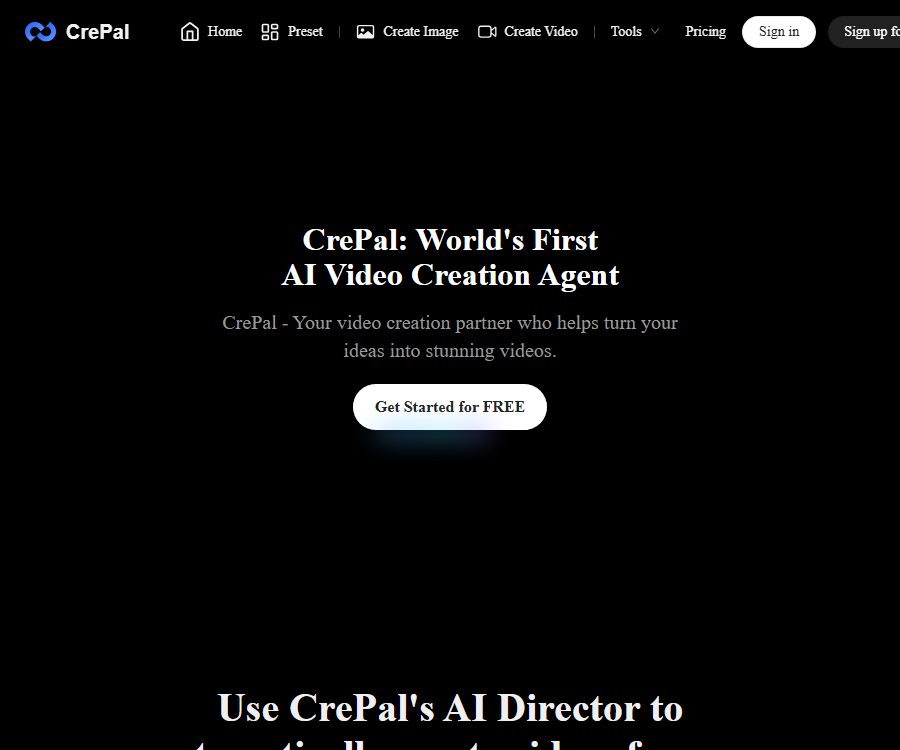
CrePal
CrePal – makes AI programming more efficient and simpler.
Tags:AI programming toolsWhat is CrePal?
CrePal is an AI video creation and editing platform launched by SIGNOO PTE. LTD.; it functions as an AI Director Agent capable of coordinating various generation models.
Users can submit an idea, a complete script, a PDF file, an image, or an existing video; the system will then create a multi-shot version of the content, which can be modified through dialogue and exported as a finished video.
Main functions
Creating a complete video from an idea
- After the user enters a theme, ad concept, or script, AI Director breaks down the scenario and creates a shot-by-shot plan.
- The system integrates image generation, shot sequencing, narration, music, subtitles, and basic editing, thereby reducing the need to transfer materials between various tools.
- Suitable for ads, explanatory videos, slide videos, music videos, training content, and social media clips.
Story Mode and Director Mode
- Story Mode is designed for users who are creating content for the first time; its focus is on enabling the AI agents to carry out the scripts and visual sequences.
- Director Mode offers more detailed control over the camera and creative aspects, making it suitable for reviewing the plan first and then making adjustments scene by scene.
- Neither of these two modes can replace manual review; continuity of the characters, logical flow of the footage, and the accuracy of the subtitles still need to be checked.
Multi-model scheduling
- The platform lists publicly Google Veo, Pika Labs, Seedance, Runway, Suno, as well as some open-source video models.
- AI Director selects the appropriate capabilities for images, videos, and music based on the task, and users can also switch between models as available.
- Model availability, generation speed, resolution, and integration overhead vary depending on the package and task settings.
Dialog-based editing and real-time preview
- During the generation process, it is possible to monitor the progress of the scene, and natural language commands can be used to request that the visuals be replaced, the rhythm adjusted, the voiceover changed, or the shot redone.
- This approach is suitable for users who lack experience in editing professional timelines, and it also makes it easy to quickly compare multiple versions of an idea.
- Complex frame-by-frame processing, precise color grading, and professional audio mixing may still require dedicated editing software.
PDF, images, and existing video processing
- PDF to Video allows reports, presentations, stories, or proposals to be converted into a video format, with additional visuals, narration, and subtitles.
- Image and video materials can be used as visual references or input for editing, in order to maintain the appearance of products, people, or the direction of existing shots.
- AI Video Editor receives the original video and text instructions, then performs automatic editing according to the selected format.
Mini Apps designed for specific tasks
- Ad Remix accepts product images and reference videos to quickly create product ads with a similar rhythm and structure.
- AI Talking Avatar generates video clips of digital avatars that speak, based on given dialogue or themes; Lip Sync is used to synchronize the mouth movements with the audio.
- AI Story, AI MV Generator, Explainer Video, and AI Ads Video provide simplified ways to handle tasks related to storytelling, music, explanations, and marketing.
- References to advertisements, portraits of people, as well as sounds and music all require legitimate authorization; imitating a structure does not equate to having permission to use the copyright of the original work.
Input and output
| Task | Main inputs | Output | Common uses |
|---|---|---|---|
| Complete video generation | Prompts, themes, or scripts | Multi-scenario video drafts | Ads, explanations, and social videos |
| PDF to video conversion | PDF, reports, or presentation content | Videos with narration and subtitles | Knowledge dissemination and proposal presentation |
| Ad replication | Product images and reference videos | Product ad candidates | E-commerce and marketing testing |
| Digital voice broadcasting | Lines, themes, character materials | Voiceover or lip-sync video | Introduction, training, and content management |
| Video editing | Original video and editing instructions | Automatically edit into a video. | Material organization and rapid redesign |
For videos, you can choose between a 16:9 widescreen format, a 9:16 vertical format, or a 1:1 square format, and they can be exported in MP4 format. The actual resolution, watermarks, and available models depend on the privileges associated with your account.
Usage process
- First, determine the purpose of the video, the target platform, the resolution, duration, audience, and whether a commercial license is required.
- Choose either full video creation or the corresponding Mini App, enter your ideas, paste the script, or upload PDFs, images, and video materials.
- Answer the supplementary questions from AI Director, and check the generated scripts, storyboards, sequence of shots, and arrangement of materials.
- Generation begins once the plan is confirmed; you can monitor the progress for each scenario and keep an eye on the estimated points consumption.
- Use dialogue commands to modify inappropriate shots, narration, music, subtitles, rhythm, or visual style.
- Preview the full video to carefully check character continuity, text, product information, audio-video synchronization, and factual accuracy.
- After confirming the package permissions and material licenses, export the MP4 file, and save the project files, the original materials, and the final video.
Suitable for users and scenarios
- Marketing and e-commerce team: Creates product advertisements, promotional videos, and various creative versions.
- Self-media and short-video creators: Quickly convert topics, scripts, or long texts into horizontal or vertical format content.
- Educators and trainers: Adapt reports, presentations, and course materials into explanatory videos.
- Music and story creators: They combine storyboard, music, subtitles, and generated visuals to create conceptual works.
- Small teams and individual users: Use conversational workflows to create a preliminary draft, which is then refined with professional tools.
Price and points
CrePal uses a points system; the amount of points consumed varies depending on the model, the method of creation, the video length, and the resolution. Paid members can purchase additional points, while free users can receive up to 5 rewards by upgrading their account or through invitations.
| Package or version | Price | Billing cycle | Core benefits or quota | Suitable for users |
|---|---|---|---|---|
| Free | 0 dollars | No subscription required | The Standard Model and finite integrals; the specific initial values have not been made public yet. | Personal assessment and learning |
| Plus | 29 dollars; the annual rate corresponds to 26 dollars per month. | Monthly or annual payment | 3,000 points per month; priority queue; access to all image and video models; export without watermarks; possible to purchase additional points | Ongoing content creation |
| Pro | Settlement shall be based on the account records. | Monthly or annual payment | Advanced models come with higher credit limits; the specific figures are not fully listed on the current public page. | Generated more frequently |
| Max | Settlement shall be based on the account records. | Monthly or annual payment | It includes one-on-one support; the specific prices and points are not yet available. | Users who require dedicated support |
| Team | Contact sales | Customization | The seats, quotas, and management rights related to the team plan need to be confirmed separately. | Organizing and coordinating teams |
On the annual payment page, both “up to 40% discount” and “17% savings” are indicated; moreover, the equivalent price for an annual payment as shown on Plus does not exactly match these figures. The actual price, taxes, regional discounts, and final benefits shall be based on the details displayed on the account settlement page.
Commercial use and content rights
- The paid plan includes commercial usage rights as well as the option to export content without watermarks; it can be used for advertising, social media, client work, presentations, e-commerce, courses, and website content.
- There are contradictions in the rules regarding commercial use of the free version: in some places it is specified that it is intended for personal evaluation and learning, while in other places it is stated that all versions can be used commercially; yet the terms prohibit commercial distribution of outputs with watermarks.
- Free output is more suitable for non-commercial testing, prior to obtaining written confirmation; for official commercial projects, a paid solution that provides clear commercial rights should be used.
- Users retain the right to upload and create content, but by submitting such content they grant the platform the permission to use, modify, display it, and grant sub-licenses for the purposes of operating, improving, and promoting the service.
- Making the generated content public also grants the platform and its affiliated entities a permanent, global license to use it, download it, distribute it, and create derivative works from it.
- The generated results are not guaranteed to be unique – other users may obtain similar content; users still need to address issues related to copyright, trademarks, portraits, audio rights, privacy, and platform disclosure requirements.
Subscription, cancellation, and refunds
- Subscriptions are automatically renewed; once canceled, they remain valid until the end of the current billing cycle. Refunds on a pro-rata basis are generally not provided for cycles that have already begun.
- Points do not expire during the active subscription period, but unused subscription points are generally not refundable.
- In the event that a system failure prevents generation, points will be refunded automatically as much as possible; if automatic recovery does not occur, a support request can be submitted for investigation.
- Failures caused by issues with the network or browser may only allow for a retry; points are not necessarily refunded.
- Once the subscription package has been delivered, it is generally not refundable; in case of incorrect or duplicate charges, you should contact support within 14 days after the deduction.
- If a refund is approved, it will be issued to the original payment method; the processing time is usually 5 to 10 business days, and local consumer protection laws remain applicable.
Platform, API, and open-source status
- On the web version, you can start creating content for free right away; after registering an account, you can save a history of your projects and manage your subscriptions.
- The privacy document mentions iOS and Android apps, but no official store entries that can identify the developers have been found at present; the specific locations and download status are also unknown.
- No verifiable official desktop client or browser extension has been found; third-party web-based applications are not equivalent to native clients.
- The developer API, SDK, official code repository, or platform open-source license have not yet been made public.
- The integration of open-source video models on the platform does not mean that the CrePal product itself is open source, nor does it automatically grant users rights to use those models or to deploy them.
Privacy and security
- The service may collect email addresses, usage data, social login information, cookies, device identifiers, crash logs, as well as account and payment-related information.
- The images uploaded may contain faces; they are used for video creation and are usually deleted automatically shortly after processing is completed.
- Images may be sent to third-party rendering services that are bound by contracts; do not upload unauthorized facial images, private materials, or trade secrets.
- After an account is deleted, most personal data is removed within 30 days; projects and the content they generate remain intact until the user deletes them, while billing records may be kept for up to 7 years.
- Identifiable usage logs are typically retained for up to 12 months, communication records can be kept for 24 months, while anonymized or aggregated data can be retained for an even longer period.
- The platform implements security measures, but it does not guarantee absolute safety; users should control what they upload and download important files promptly.
Capacity limits and precautions
- Multi-model automatic scheduling can reduce the workload associated with model selection, but it does not guarantee that the model preferred by the user will be used for each shot.
- In long videos, there may be inconsistencies in the characters’ appearances, clothing, settings, pacing of the shots, and sound; these issues need to be corrected on a scene by scene basis.
- Automatic conversion of PDFs may result in the loss of tables, numbers, citation details, or context; professional content must be checked item by item against the original document.
- The functions of advertising replication and style reference cannot replace copyright licensing, nor should they lead consumers to misunderstand or assume that it is an authentic endorsement.
- The production cost varies depending on the model, duration, and resolution; before mass production, it is necessary to first use short test clips to verify the performance and the energy consumption.
Frequently Asked Questions
Can CrePal be used for free?
Yes, the free version provides standard models and finite integration; the specific initial limits are not yet disclosed. The commercial-oriented outputs available in the free version contain inconsistencies, so they are more suitable for personal use in evaluation and learning purposes.
Can CrePal convert PDFs to videos?
Yes, PDF to Video can convert reports, presentations, or narrative materials into video drafts that include visuals, narration, and subtitles; however, the key facts still need to be verified manually.
What video aspect ratios does CrePal support?
Currently, 16:9 landscape, 9:16 portrait, and 1:1 square formats are supported; the output format is MP4, while the resolution and watermark depend on the package chosen.
Can paid content be used for commercial purposes?
The paid plan includes commercial usage rights as well as the option to export files without watermarks, but users still need to ensure that the input materials, images, voices, music, and the final output do not violate any third-party rights.
Are points refunded if generation fails?
In the event of a system failure, points will be refunded automatically as much as possible; if this does not happen, you can contact support for further investigation. Failures caused by network or browser issues may require a retry.
Does CrePal provide APIs or open-source code?
The developer APIs, SDKs, official code repositories, or open-source licenses for the platform have not yet been made public; integrating open-source models does not mean that the CrePal product itself is open source.
Tools similar to CrePal



 Guigong Network Security Registration No. 45132202000164