






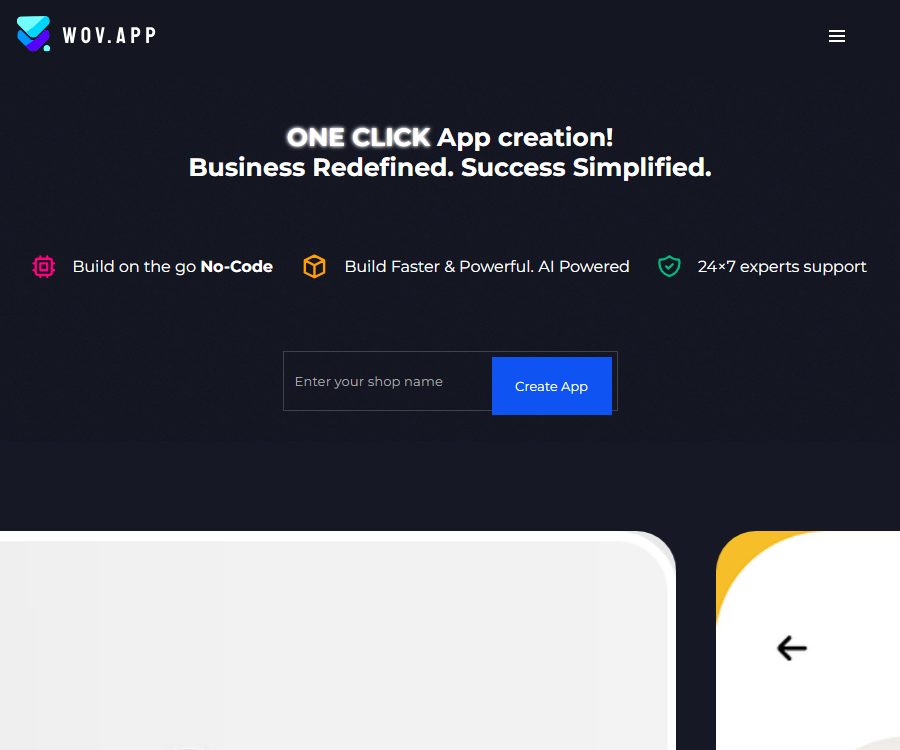
Create Shopping Apps faster than ever. Powered by AI
Create shopping apps faster than ever. Powered by AI, it makes AI-driven programming more efficient and simpler.
Tags:AI programming toolsWhat is WOV?
WOV is a code-free e-commerce application builder developed by Ascent24 Technologies LLP, which helps businesses turn their online stores into branded Android and iOS shopping applications.
Its core values lie in templates, drag-and-drop editing, synchronization of store data, and real-time mobile preview, rather than the creation of native applications of any kind. The product is described as being AI-powered, but the specific AI models, the scope of automated generation, and the usage rules have not yet been made public.
Main functions
Code-free design and templates
- Users can select predefined themes, and then adjust the home page, product pages, shopping cart, and login page by dragging and dropping, making edits, and setting colors.
- Templates are suitable for quickly establishing the basic structure, but the brand owner still needs to prepare the logo, color scheme, banners, categories, and store descriptions.
- The free version allows for design and preview, while the paid version includes the option to have a team create and submit applications for Android and iOS.
Store connection and real-time synchronization
- Shopify merchants can install the WOV app and connect it to their existing store, using products, orders, and collections to enhance the shopping experience on mobile devices.
- The current Shopify app page lists features such as real-time synchronization, unlimited products and orders, multiple currencies, and multi-language support.
- The WOV page also mentions WooCommerce, Magento, and BigCommerce; however, the current status of their plugins as well as the exact scope of synchronization need to be confirmed before making a purchase.
Real-time mobile preview
- After making modifications in the editor, it is possible to view the results on mobile devices; this makes it suitable for checking the layout, images, colors, and navigation before submitting the content to a store officially.
- On Android, the WOV App Preview is available; it allows users to preview apps by scanning a code and to manage the appearance of those shopping apps.
- The preview version of the app is not the final shopping application that the merchant delivers to consumers, nor can it replace full-scale testing across different device sizes and system versions.
Products, shopping carts, and user experience
- The builder allows for the customization of common e-commerce pages such as product pages, collections, login pages, shopping carts, and home pages.
- Multilingual support and multiple currencies are suitable for stores operating across different regions, but currency conversion, translation quality, taxes, and payment methods still depend on the settings of the store.
- Before going live, it is necessary to test whether the search functionality, product variants, inventory levels, discounts, checkout process, account login, and order status are consistent with those of the original store.
Push notifications
- Shopify’s feature list includes abandoned carts, restocking, promotions, as well as automatic and custom push notifications.
- Notifications can be used to bring users back and to inform them of changes in inventory, but they must comply with the requirements regarding operating system permissions, frequency limits, as well as privacy and marketing consent.
- The delivery rate and conversion rate of push notifications are influenced by device settings, user permissions, and message quality; they cannot be considered a guarantee of sales.
Published on the app store
- The Premium or Pro plans include the ability to develop Android and iOS applications and publish them on Google Play and the Apple App Store.
- Before making a payment, the merchant should verify the ownership of the developer account, the relevant certificates, the store’s approval status, as well as the arrangements for updates, maintenance, removal from the platform, and account transfer.
- The approval decisions for apps from Apple and Google are made by those respective platforms, and WOV cannot guarantee that every app will be approved or will remain available for download.
Input and output
| Stage | Main inputs | Main output | Key points of inspection |
|---|---|---|---|
| Connect to the store | Shopify stores and licenses | Synchronized product, collection, and order capabilities | Scope of permissions and synchronization accuracy |
| Visual design | Theme, Logo, Colors, Banners, and Page Layout | Branded mobile app interface | Device compatibility and accessibility |
| Functional configuration | Login, shopping cart, multiple currencies, multiple languages, and notification rules | Interactive shopping process | Checkout, inventory, and privacy |
| Real-time preview | Build version or QR code information | The preview effect on the phone | The preview version is not equivalent to the official store version. |
| Published by the store | Application materials, icons, screenshots, certificates, and policy information | Applications from the Android and iOS app stores | Review, accounts, and ongoing updates |
Usage process
- Check the store platform and compatibility; Shopify can be installed from the app store, while for other platforms it is necessary to verify the status of the plugins with the service provider first.
- Connect the store and grant the required permissions, then check whether the product, collection, inventory, and order information are synchronized correctly.
- Select a theme and customize the logo, colors, home page, product page, shopping cart, and login interface.
- Configure multiple languages, currencies, push notifications, and integration plugins, while setting limits on notification and customer data permissions.
- Use the Android preview app or real-time preview to examine the main pages, and test the purchasing process on various phone screen sizes.
- Choose the paid publishing option, and discuss with your team the developer account fees, store costs, materials required for approval, update timing, and subsequent maintenance.
- Submit it to Apple and Google for review, and after it goes live, continuously test synchronization, crashes, checkout processes, and notification functionality.
Suitable for users and scenarios
- Shopify merchants: Create branded shopping applications without having to set up a dedicated development team.
- Small e-commerce brands: Use the free version for design and previewing first, before deciding whether to proceed with a paid release.
- Growth Team: Reaches customers who have the app installed through replenishments, promotions, and abandoned purchase reminders.
- Cross-border stores: Enable the display of products in multiple languages, with different currencies, and for various regions.
- Agent: Creates mobile prototypes for clients quickly, but it is necessary to agree in advance on ownership of the account and the resulting products.
Price packages
The annual payment amounts specified on WOV’s own pages differ from those on the Shopify app pages; the monthly price is 49 dollars in both cases. The information below is presented separately for each channel, while the final price, taxes, and benefits shall be as indicated on the actual installation or billing page.
| Package or version | Price | Billing cycle | Core benefits or quota | Suitable for users |
|---|---|---|---|---|
| Free | 0 dollars | Long term | No time limit; real-time preview; over 10 themes; brand customization; unlimited products and orders | Design, verification, and internal preview |
| Premium monthly payment | 49 dollars | Every 30 days or monthly | Includes free-tier benefits; allows for the creation and release of Android and iOS applications; no restrictions on products or sales. | Businesses preparing for official launch |
| Shopify Channel Annual Plan | 180 dollars | Every year | The Shopify page claims a 69% savings; it includes features for building and publishing on two platforms. | Long-term users who installed it through Shopify |
| WOV Page Pro – annual payment | 499 dollars | Every year | Release on two platforms, free updates, brand customization, and an unlimited range of products | Merchants that use the WOV builder directly |
The price difference between the two annual subscription versions is significant; this difference may be due to differences in distribution channels, promotional offers, or changes in benefits. It cannot be assumed that $180 applies to all accounts. Before making a purchase, it is necessary to save details such as the duration of the subscription, the total cost, and the listed benefits.
Refunds, cancellations, and maintenance
- The terms of Ascent24 Technologies state that digital products are sold once purchased, and no refunds or returns are provided.
- The terms do not clearly specify the self-service cancellation portal for WOV subscriptions, the access period after cancellation, or the method for receiving reminders regarding automatic renewal.
- The paid plan includes free updates, but the specific duration of support, compatibility with various operating systems, as well as the scope of emergency repairs and major updates have not yet been made public.
- Before making the payment, it is necessary to confirm the cancellation process, service updates, store account management, the delivery of source code, and the handling of applications after the business is discontinued.
Platforms and integration
| Platform or integration | Current status | Primary uses | Precautions |
|---|---|---|---|
| Shopify | The official app is now available. | Connect to stores and create a shopping app | Check store compatibility before installation. |
| WooCommerce | Mentioned on the product page | Connect to an existing online store | Plugins, synchronization, and pricing need to be confirmed. |
| Magento | Mentioned on the product page | Connect to an existing online store | The scope of support for the current version needs to be confirmed. |
| BigCommerce | Mentioned on the product page | Connect to an existing online store | The current installation entry needs to be confirmed. |
| Loya and Wishlist | Shopify pages are listed as compatible. | Loyalty and wish list | Independent fees and data terms may apply. |
| WOV App Preview | The Android app is now available. | Real-time preview on mobile phone | It is not a consumer application. |
API, source code, and commercial rights
- No public APIs, SDKs, official code repositories, or open-source licenses intended for developers have been found; therefore, WOV should be considered a closed-source hosting and building service.
- It is not publicly stated whether the vendor has access to the complete source code for generating the application, to projects that can be compiled independently, or to rights for permanent migration.
- The product is intended for use in commercial e-commerce applications, but the brand materials, product images, fonts, plugins, and third-party content still require permission from the merchant.
- Before official adoption, the contract should specify ownership of the application, developer accounts, signature certificates, source code, data export options, and usage rights after termination.
Privacy and security
- The developer’s privacy policy covers information such as browser type, language, pages visited, time, IP address, username, email address, contact list, and details required for transactions.
- The policy states that personal information will not be rented or sold, but it can be shared with employees, contractors, and affiliated organizations required to provide the services, and it may be processed across borders.
- Websites use cookies, advertising partners, and Google’s remarketing techniques; users can limit such tracking through their browser or advertising settings.
- The store’s data security statement for the Android preview app claims that no data is collected or shared, but this statement applies only to that preview app and does not reflect the policies of the builder, the final app developed by the seller, or the e-commerce platform.
- The public policy does not specify the exact retention periods and deletion procedures for WOV store data, customer accounts, orders, push tokens, and build files.
- Before connecting to a real store, use the minimum required permissions, test the store with dedicated developer accounts, and verify the customer data processing agreement.
Capacity boundaries
- WOV is primarily used in e-commerce shopping applications, and it cannot replace native development that requires complex offline logic, hardware interfaces, or highly customized interactions.
- The description of AI-powered solutions does not mention the models or the specific mechanisms of automation; therefore, it cannot be inferred that complete applications can be generated using natural language.
- Templates and synchronization can reduce the time required for the initial version, but performance, accessibility, crash issues, checkout processes, and approval mechanisms still need to be continuously tested.
- Currently, the Shopify app does not have any public user reviews, and there is a lack of sufficient feedback from stores to assess its long-term stability.
Frequently Asked Questions
Can WOV turn a Shopify store into an app?
Yes. It can be connected to Shopify stores; it allows for the use of themes and drag-and-drop editing to create shopping interfaces, and it enables the development and release of Android and iOS applications in the paid plans.
Can free plans be published on app stores?
The free version is mainly used for design and real-time preview; the processes of building and publishing apps on Google Play and the Apple App Store are part of the paid Premium or Pro features.
How much is the annual fee for WOV?
The cost for a Shopify channel is $180 per year, while the cost for a custom WOV page is $499 per year. There is a discrepancy between these figures, and it is necessary to verify them using the actual account and billing page.
Is it compatible with WooCommerce, Magento, and BigCommerce?
The product page mentions these platforms, but the official application interface that is available at present is Shopify. For plugins, synchronization capabilities, and prices related to the other platforms, it is necessary to seek information first.
Can I get a refund after purchasing?
The developer’s terms state that no refunds or returns are possible for digital products once they have been purchased; therefore, it is necessary to use the free preview to check compatibility and functionality before making a payment.
Is WOV an open-source application builder?
It is not an open-source product that can be confirmed as such. No public APIs, SDKs, code repositories, or source code licenses have been found, and the delivery of the application’s source code also needs to be specified in a contract.
Similar to the tool that allows you to Create Shopping Apps faster than ever, powered by AI.



 Guigong Network Security Registration No. 45132202000164