






CodeGrow
CodeGrow – makes AI-driven programming more efficient and simpler.
Tags:AI programming toolsWhat is CodeGrow?
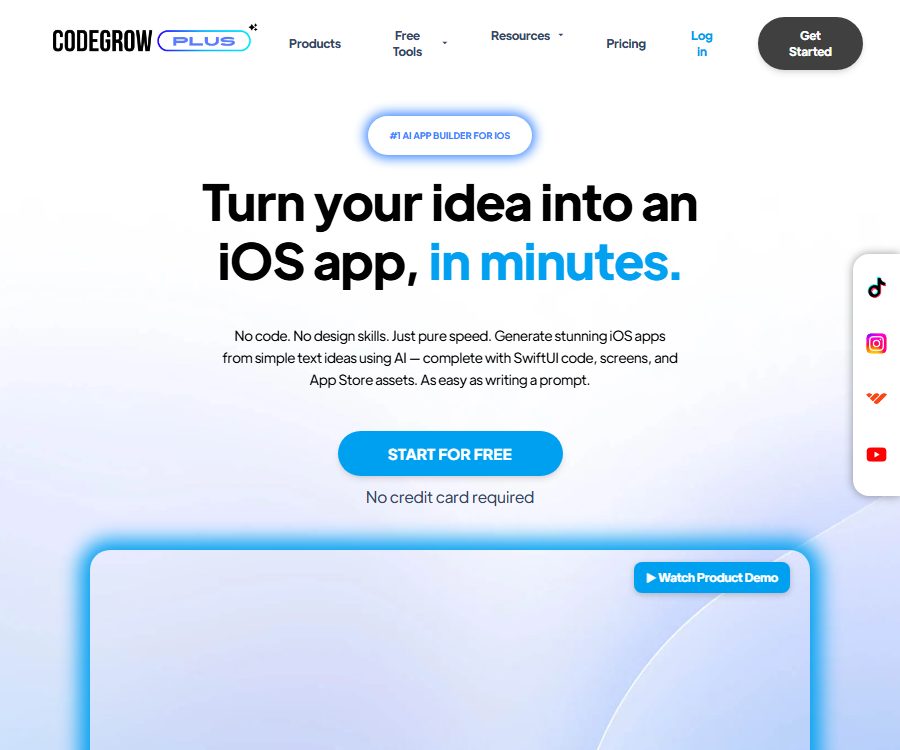
CodeGrow is a web-based AI application builder designed for iOS developers; it enables the creation of application structures, SwiftUI code, screen designs, and App Store assets from textual ideas. Users can adjust the designs in a visual editor, then download the Xcode project to proceed with further development and deployment.
It primarily addresses the costs associated with moving from an idea to the creation of an initial version of an iOS application; it is not a one-click publishing service that can replace Xcode, testing, signing, and the app review process. The website does not indicate which company is behind this service.
Main functions
Creative generation and application breakdown
- Users can enter their own ideas for applications, or they can let AI Idea Finder generate potential ideas first.
- The system breaks down ideas into screens, functions, and keywords to help users establish the initial structure of the product.
- The results of the breakdown are suitable for use as a draft of requirements, but they do not automatically verify market demand, regulatory requirements, and business viability.
Visualization application design
- AI App Designer generates screens and layouts based on text, allowing users to view the complete structure of the application.
- The drag-and-drop editor allows for adjusting pages, text, layout, and styles, making it suitable for those without experience in using professional design tools.
- The interface still needs to be checked for different device sizes, dark mode, dynamic fonts, accessibility, and touch areas.
SwiftUI code and feature extensions
- Users describe the login process, swipe gestures, animations, or other functions in natural language, and the AI modifies the corresponding SwiftUI code.
- AI Code Expander is used to add more processes and interactions to an existing screen, thereby reducing the need to start writing from a blank file.
- AI Coder and Bug Explainer can generate code, explain issues related to crashes or layout and logic problems, and provide reproducible solutions.
- The code generated by the model may contain compilation errors, security flaws, issues with error handling, or outdated interfaces; it needs to be manually reviewed before being integrated.
Project export and Xcode workflow
- Once the design is complete, a SwiftUI iOS project can be generated and downloaded, which can then be opened in Xcode.
- Exporting a project allows developers to continue modifying the code, configuring signatures, connecting to the backend, and performing device testing.
- A downloadable project does not mean it has already been compiled, archived, or reviewed; dependencies, permissions, and store metadata still need to be processed one by one.
App Store materials and supplementary resources
- App Store Design Lab is used to create store screenshots, app icons, and ad concepts, thereby reducing the time required for manual formatting.
- Private Discord communities and courses offer learning support related to using the software as well as to publishing and marketing applications.
- The package list also includes Canva design services, Flippa sales templates, AI Chrome extensions, 24/7 support, and one-on-one coaching.
- The generated materials may not meet the latest requirements regarding dimensions, trademarks, copyrights, and approval standards; it is necessary to verify them again before uploading.
Input, processing, and output
| Enter | Platform processing | Output | Suitable for tasks |
|---|---|---|---|
| A sentence that applies creativity | Direction for disassembling products | Screen, features, and keyword drafts | Early concept development and scope definition |
| Automatically generated ideas | Develop the initial application plan | Layout that can be further edited | Explore directions when there is no clear theme. |
| Page and style adjustments | Visual editing | Customized screen structure | Quickly create iOS prototypes |
| Functional text description | Generate or modify SwiftUI | Interaction, processes, animations, and code | Expand application functions |
| Error phenomena | AI analyzes potential causes. | Explanations and repair suggestions | Assist in identifying code issues |
| Final application design | Compile the project structure and package it | Downloadable Xcode projects and store assets | Entering the testing and release phase |
Complete usage process
- Create an account and use the free version first to verify that the editor, output format, and target iOS version meet your requirements.
- Enter application ideas or generate creative concepts, review the screens, functions, and keywords suggested by the AI, and remove anything that is not related to the core objectives.
- In the drag-and-drop editor, adjust navigation, page hierarchy, text, color schemes, and components to create clear empty states and error states.
- Describe, screen by screen, the login processes, gestures, animations, or business logic that need to be added, handling only one small, verifiable feature at a time.
- After the code is generated, review the changes and check the keys, privacy permissions, network requests, data storage, and third-party dependencies.
- Download the Xcode project, and address signing, dependency, and compilation errors on supported Macs with Xcode.
- Use simulators, real devices, and TestFlight to test the main workflows, abnormal inputs, performance, crashes, and data deletion.
- Prepare screenshots, icons, descriptions, a privacy policy, and review information, upload the build, and submit it for app review.
Suitable for users and scenarios
- Independent developers who wish to quickly convert simple iOS ideas into initial SwiftUI projects.
- Creators who understand products or design, but are not yet familiar with building SwiftUI interfaces from scratch for new projects.
- Startup teams need to first verify the page structure and interactions before handing it over to professional developers for restructuring.
- Application publishers who wish to have store screenshots, icons, and marketing drafts generated automatically.
- SwiftUI learners who need to understand small code errors and create examples of local functions.
Prices and packages
CodeGrow currently offers three payment options: free, monthly, and annual. The monthly and annual plans come with countdown promotions; the prices and eligibility criteria may change over time, depending on the account, taxes, and payment method, so it is necessary to check the final amount before making the payment.
| Package or version | Price | Billing cycle | Core benefits or quota | Suitable for users |
|---|---|---|---|---|
| Free | 0 dollars | The monthly price is 0. | It lists creativity, design, coding, extensions, store assets, the community, templates, and support; the specific amounts are not yet available. | First, verify the product and the simple prototype. |
| Monthly | Current promotion price: $97; original price: $130 | Monthly | The functions listed on the page are the same as those in the free plan; the differences and the generation limits have not yet been made public. | Short-term intensive development |
| Yearly | Current promotion price: $970; original price: $1560 | Every year | The features listed on the page are the same as those of other options; the exact benefits need to be confirmed on the settlement page. | Identify users who will use it over the long term |
Price and refund guidelines
- The free entry option indicates that no bank card is required, but the number of free services available, the number of code generations permitted, the download privileges, and the support limits are not disclosed.
- The promotion area features a countdown timer, and the monthly price of $97 or the annual price of $970 cannot be considered as permanent standard prices.
- The three options offer the same list of features, so it is not possible to determine what additional capabilities or service levels the paid version provides compared to the free version.
- The specific policies for cancellation and refunds provided by CodeGrow are not clear in this case; it is necessary to review the information regarding duration, renewal, refunds, and taxes on the payment page before making a purchase.
- The general rules regarding payment methods are not necessarily identical to CodeGrow’s seller policies; in case of disputes, the specific terms specified in the order shall apply.
Platform and output range
| Platform or format | Current status | Uses | Precautions |
|---|---|---|---|
| Web page editor | Already provided | Creative breakdown, interface design, and AI code generation | Main creation entry point |
| SwiftUI iOS project | Output has been confirmed. | Continue developing in Xcode. | You need to handle compilation, signing, and dependencies on your own. |
| Xcode | External required tools | Build, test, archive, and upload | CodeGrow does not replace the development environment. |
| App Store Connect | External publishing platform | Manage builds, metadata, TestFlight, and approvals | It still needs to pass the App Review after submission. |
| Android projects | It has not been confirmed this time. | Not yet made public | Do not assume that Kotlin or Android Studio are supported based on iOS features. |
| Web application export | It has not been confirmed this time. | Not yet made public | The current focus is on iOS and SwiftUI. |
From exporting the project to making it available for sale
- Open the project in Xcode and specify the Bundle ID, version number, deployment target, signing team, and required permissions.
- Install and audit dependencies, removing hardcoded keys, test data, unused permissions, and unknown tracking components.
- Run tests on simulators and actual devices for units, interfaces, performance, and network issues, and then collect feedback through TestFlight.
- Create an app record in App Store Connect, and fill in the name, description, category, age rating, privacy policy, and review contact information.
- Use Xcode to archive and upload the build, address any validation warnings, select the correct build, and then submit it for review.
- Submit the app for review and make adjustments based on the feedback; code and assets generated by AI do not receive any special review treatment.
Capacity boundaries and development risks
- Natural language is unable to fully express complex requirements such as authentication, data synchronization, subscription, offline mode, migration, and concurrent conflicts.
- The generated code may employ incorrect interfaces, excessive permissions, insecure storage methods, or poorly structured designs; therefore, code review and testing are necessary.
- A visual editor can speed up prototype design, but it cannot automatically meet the requirements for accessibility, localization, and all screen sizes.
- Bug Explainer recommends following the clues to identify the issue; production code should not be overwritten without first understanding the scope of the impact.
- For screenshots, icons, and descriptions in the App Store, it is necessary to verify the copyright, trademarks, and the authenticity of the content; creating such materials does not automatically grant rights to third parties.
- The income calculator on the page is a customizable hypothetical model; it does not represent actual earnings, ad revenue, or any guarantee regarding the resale price of the application.
- Users are still responsible for the Apple Developer Account, device testing, privacy disclosures, taxes, and ongoing maintenance.
Considerations regarding privacy, data, and copyright
- No public privacy policy specific to CodeGrow was identified in this case, so it is not possible to determine the retention period for alerts, project code, account data, and error messages.
- Keys, customer data, health information, or unpublished source code should not be uploaded until the purposes of using the data, the process for training models, the procedures for deletion, and the third parties involved in processing are clear.
- The public page does not clarify the full scope of copyright and commercial licensing rules regarding the code, icons, screenshots, Canva templates, and Flippa templates that are generated.
- The page encourages the creation and sale of applications, but marketing purposes do not equate to an unconditional right to resell all materials; written approval must be obtained before using them for commercial purposes.
- Security certifications, encryption scope, data residency, incident response, and enterprise data processing protocols were not confirmed either this time.
API, SDK, and open-source status
It was not confirmed that CodeGrow provides public APIs, SDKs, plugin development documentation, or an official public code repository. The fact that the platform generates and exports SwiftUI projects does not mean that CodeGrow’s products are open source, nor does it imply that all the generated content is under an open-source license.
Summary
The advantage of CodeGrow is that it integrates various steps – such as breaking down ideas related to iOS, carrying out visual design, generating SwiftUI code, exporting the results to Xcode, and preparing the materials for the app store – into a single workflow. Before choosing a paid plan, it is necessary to check the actual capabilities of the free version, as well as to understand the options regarding renewal at discounted rates, refunds, ownership of the code, data handling, and the maintainability of the generated projects.
Tools similar to CodeGrow



 Guigong Network Security Registration No. 45132202000164