






Codeless One
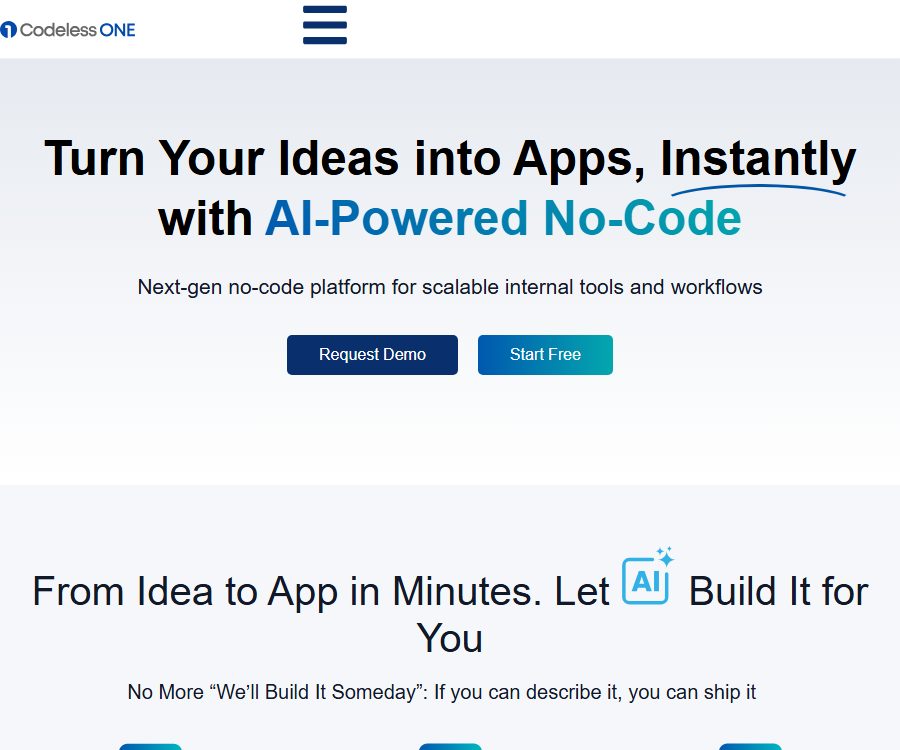
Codeless One – makes AI programming more efficient and simpler.
Tags:AI programming toolsWhat is Codeless ONE?
Codeless ONE is an AI-based no-code business application platform operated by 2101440 Ontario Inc.; its development was driven by the needs related to requirement management as offered by Modern Requirements. This platform is intended for businesses and teams, and it enables the organization of tables, email approvals, and various processes into internal tools, business portals, and data applications.
Users can describe their requirements in natural language or upload requirement documents; the AI then proposes solutions regarding data structures, pages, and permissions, which can be adjusted in a visual environment before being published. What is delivered is a hosted business application, rather than directly converting the given instructions into downloadable source code.
Main functions
AI-assisted application generation
- When creating an application, enter the name, target language, and business description; you can also attach a requirements document as context.
- AI will suggest business objects, fields, object relationships, page views, portals, and roles, which users can enable, delete, or add one by one.
- The product offers features such as AI-based recommendations and interfaces for conducting discussions via dual agents; the page describes these two roles as a business analysis agent and a development agent.
- After it is generated, the position, label, role, and interface of the menu can still be modified, after which the initial setup can be completed using Quick AI Setup.
Data model and application structure
- The App Model is a blueprint for applications, providing centralized management of Objects, Object Relations, Roles, Portals, Language, and Instances.
- Objects are used to store business records such as customers, projects, employees, or orders, and their attributes define fields such as text, numbers, dates, status, and references.
- Object relationships support the definition of associations and cardinalities, making them suitable for linking customers to opportunities, projects to tasks, or employees to departments.
- Attribute templates allow the reuse of common field configurations, thereby reducing inconsistencies that arise from redefining them in multiple applications.
- The capabilities related to the main application and tenant instances are suitable for creating business solutions that can be delivered repeatedly, but the deployment boundaries and authorization rules need to be specified in the enterprise contract.
Customization of pages, views, and interfaces
- The same object can be displayed in the form of a table, dashboard, calendar, Gantt chart, or detail page, depending on the configuration; users will only see the views that have been enabled.
- Inline Edit and Form Builder allow you to move controls, merge sections, and adjust buttons and labels in order to modify the data entry interface.
- The portal can use a top or side menu, along with an organization identifier; the client portal also allows for the setting of a theme and a custom domain name.
- The list designer allows for the filtering of records, sorting them, and determining which fields are displayed; it is suitable for creating different task lists tailored to various positions.
Dashboards, charts, and reports
- The dashboard displays application records through components such as text, numbers, charts, lists, progress indicators, dashboard controls, calendars, and comparative figures.
- Components can be objects, lists, fields, aggregation methods, and filtering criteria; they can also be moved or resized on the canvas.
- An application can create multiple dashboards to display different metrics for management, sales, operations, or HR.
- Chart Designer allows for the creation of charts by grouping and aggregating data based on fields, while reports enable more detailed analysis by combining different datasets.
Workflows, approvals, and notifications
- Workflow Builder can create or update records, and trigger subsequent actions based on user roles and field conditions.
- The approval process allows for the specification of the approver, the outcome of approval or rejection, requirements for comments, and subsequent sub-processes, while also keeping a record of all past approvals.
- The notification feature can send alerts for new records and significant changes in data, thereby reducing the need to manually check the application frequently.
- Calculation fields and conditional calculations are used for aggregations, averages, or other business formulas; complex rules still require testing with boundary data before being put into use.
Portals, roles, and data access
- An application can create multiple portals to display separately the elements needed for finance, operations, customers, or suppliers.
- The default roles include Admin, Contributor, and Guest; custom roles can also be created.
- Permissions allow control over user management, application editing, import, APIs, dashboards, reports, notifications, approvals, shared forms, as well as access to objects and fields.
- Roles and portals are used to enable on-demand visibility, but administrators still need to test permissions using real accounts, in order to ensure that isolation is effective and not merely based on the settings in the interface.
Input, output, and buildable scenarios
| Enter or configure | Platform processing | Main output | Typical uses |
|---|---|---|---|
| Natural language description | AI analyzes business requirements and suggests a structure. | Drafts of objects, fields, relationships, pages, and roles | Create a preliminary version quickly from an idea. |
| Requirements document | To generate context for applications | Suggestions for further adjustments to business applications | Convert existing specifications into functional prototypes |
| Excel data | Map columns, match existing records, and verify format. | Newly created or updated object records and error logs | Replace the existing business table. |
| Forms and business records | Save, associate, calculate, and trigger processes according to rules | Portals, dashboards, approval processes, notifications, and dashboards | Daily operations and cross-departmental collaboration |
| Program interface request | Use application-level keys to verify and read/write data. | JSON data, record changes, relationships, and email actions | Connecting external systems to automation |
Common applications include CRM, project management, onboarding new employees, procurement and expense approval, inventory management, customer portals, and event management. In highly sensitive environments such as hospitals or financial institutions, it is necessary to verify regulations, data retention requirements, auditing procedures, and contractual obligations separately; it is not possible to simply use generic templates to get such systems up and running.
Complete setup process
- After registration, go to the App Workspace and first clarify the business objectives, the person responsible for the data, the roles to be used, and the approval documents that must be retained.
- Choose AI recommendation, dual-agent discussion, template, or create from scratch, and submit the request description or document with sensitive information removed.
- Check the objects, fields, and relationships suggested by AI, and fill in the unique identifiers, required rules, statuses, and association cardinalities.
- Select pages such as tables, dashboards, calendars, or Gantt charts to configure portal and role permissions for different users.
- Use the interface editor to adjust forms, menus, labels, and lists, and then set up calculations, notifications, workflows, and approvals.
- Import a small batch of test data to verify field mapping, duplicate records, error logs, role isolation, and mobile display.
- Create dashboards and reports, and use test accounts to go through the processes of creation, approval, rejection, modification, and export.
- Release the application and invite users; before the official migration, establish plans for backups, rollback procedures, as well as for the rotation of account credentials and API keys.
Suitable for users and typical use cases
- Operational teams that need to transform Excel processes, email communications, and chat-based approvals into structured workflows.
- The IT team hopes to deliver internal tools quickly, while maintaining the data models, roles, and approval controls.
- It is necessary to establish an HR team responsible for recruitment, onboarding, leave management, and the employee portal.
- Business teams that need CRM, lead pipelines, a customer portal, and sales dashboards.
- Consultants, solution providers, and system integrators who deliver industry applications to multiple clients on a recurring basis.
- Development teams that need to exchange records with existing ERP, CRM, or automation services via REST APIs.
Prices, free access, and trials
The current price page does not reveal the fixed costs of the packages; instead, it is necessary to contact a sales representative to get detailed information. The website still offers a “Start Free” option, and the terms state that the non-free version may provide an initial trial period of up to 30 days. The specific benefits associated with each option depend on the account details and the sales proposal provided.
| Package or version | Price | Billing cycle | Core benefits or quota | Suitable for users |
|---|---|---|---|---|
| Start Free | Starting from $0 | The current page does not indicate this. | Creation can now begin; limits on seats, applications, storage, interfaces, and releases have not yet been made public. | Verify the product and simple prototype |
| Trial of the non-free version | No charges during the trial period | Up to 30 days; it is up to the platform to decide whether this option will be provided. | Accessing premium features is not free; access will be suspended if they are not purchased by the expiration date, and relevant data may be deleted. | Conduct a controlled procurement assessment |
| Official business proposal | Contact sales | Custom contract | Based on technical constraints such as users, applications, storage, memory, integrations, region, and traffic. | Production environment and enterprise deployment |
| Professional services | Custom quote | According to the work specification | It may include consulting, quality assurance, or training; the specific details of delivery will be agreed upon separately. | Organizations that need to implement support |
It should be confirmed before purchasing.
- Free access and trials are not equivalent to a permanently free full version; the platform may change the terms of the free access or terminate such free services.
- The quote should specify the number of seats, the number of applications, storage capacity, interfaces, operating environment, backup options, level of support, data export capabilities, and any additional fees.
- The terms state that once the trial period ends and no purchase is made, access to the paid areas will be suspended, and any data uploaded there may be deleted.
- No unified and publicly available refund policy has been established this time; the conditions regarding payment, cancellation, renewal, and refunds must be specified in writing within the order or contract.
REST API and integration
Codeless ONE provides REST APIs, whose main functions correspond to the data operations available in the interface. Most of these interfaces use the API Key generated in the application settings, and authentication is carried out via Bearer Tokens.
| Interface category | Executable actions | Main inputs | Precautions |
|---|---|---|---|
| Authentication | Verify the key and return the user, application, organization, and application name. | Application-level API Key | The user who generates the key will be associated with any changes to the interface. |
| Users | Read application users | Key | Return fields such as name, email, phone number, and country. |
| Entities | List entities and read fields and relationships | Entity name and query parameters | Discover the structure first, then process the records. |
| Entity Records | Read, create, update, delete, and filter records | Entity name, record number, fields, and filtering criteria | The fields must match the specific application model. |
| Relations | Create sub-records and link them, or connect to existing records. | Parent-child entities, record numbers, and relationship names | Incorrect relationships can disrupt the business data structure. |
| Emails | Trigger email sending | Recipient information and email content | Role permissions should be restricted to prevent misuse. |
API integration steps
- Enable the API in the settings of the target application and generate a key, granting only the necessary permissions to the appropriate roles.
- First, call the authentication interface and record the returned application and organization identifiers to prevent scripts from connecting to the wrong environment.
- Read the relationships between entities and fields, then construct the record request based on the actual model; do not use the entity names from the example.
- In the testing phase, the application is used to verify operations such as creation, updating, deletion, filtering, pagination, and relationships, with error responses being saved.
- Store the keys in the server’s confidential management system, and implement key rotation, principle of least privilege, audit logging, and retry on failure.
The official documentation does not specify any uniform limits on the frequency of API calls, nor is there an official SDK available. The availability of public APIs does not mean that the platform’s source code is also made available; before integrating such APIs, it is necessary to check with sales to determine whether the package includes the required number of calls.
Other connection methods
- According to the official information, it is possible to connect to over 6,000 different tools using Zapier; the specific triggers, actions, and quotas available must be checked on the connection page.
- The client portal can be connected to CRM, ERP, and other program interfaces; however, the list of pre-installed connectors and the details related to different packages have not yet been fully made public.
- When importing from Excel, it is possible to select the table headers, the first row of data, the target object, and the matching fields; records that do not conform to the specified format will be recorded in the error log.
Platforms, devices, and languages
| Platform or capability | Current status | Usage method | Precautions |
|---|---|---|---|
| Desktop web page | Already provided | Browser access for workspace, modeling, and management | Mainly involved in setting up and maintaining the environment. |
| Mobile web page | Responsive adaptation of the portal | Browser access to the published portal | Complex modeling is more suitable for desktop screens. |
| iOS native apps | It has not been confirmed this time. | Not yet made public | Do not consider third-party packaged clients as official applications. |
| Android native apps | It has not been confirmed this time. | Not yet made public | The mobile web experience can be evaluated first. |
| Multilingual configuration | The help center provides the relevant settings. | Select the language in the App Model. | The exact list of languages and the scope of translation are determined by the account. |
Security, privacy, and data responsibility
- The product page lists role permissions, SSO, encryption, SOC 2, and ISO 9001, but no certificate numbers, audit reports, or information on the applicable scope of services are provided.
- The terms commit to employing commercially reasonable technical and organizational measures to ensure availability, confidentiality, and integrity, while the services shall still be provided in their current state and as available.
- The privacy policy lists IP addresses, device information, and browsing activities, and explains that service providers may access personal information in order to deliver the services.
- Implementation, development, and operations teams may have access to account information and customer data for service delivery, technical support, or professional services.
- Users can view, update, or delete their account information in the account settings or by contacting the platform; however, some data will remain retained due to record-keeping requirements and legal obligations.
- The service is not intended for children under 16 years of age; organizations should not collect data relating to minors or other sensitive information before completing the compliance assessment.
- The customer is responsible for the accuracy, legality, intellectual property rights, and backup of its data; these terms do not guarantee that no data will ever be lost.
Copyright, commercial use, and open-source status
- The customer retains the right to the Customer Data, and upon full payment, acquires the rights related to the agreed Customer Deliverables.
- The platform’s algorithms, interface, technology, design, trademarks, template content, and services remain the property of Codeless ONE or its licensors.
- The license is intended for use solely within one’s own internal operations; it shall not be resold, relicensed, distributed, reverse-engineered, or used as a basis for competitive benchmarking.
- No official public code repository, SDK, or open-source license for the product was identified in this case; therefore, the platform cannot be labeled as open source.
Capacity boundaries
- AI suggestions can speed up the modeling process, but it may misinterpret fields, relationships, approval responsibilities, and exception conditions; therefore, business managers must review each item individually.
- The absence of a coding approach does not mean that testing is unnecessary; production applications still require permission testing, data validation, performance assessment, change management, and disaster recovery plans.
- Templates and demonstration scenarios cannot prove compliance with specific regulations in the healthcare, financial, educational, or public sectors.
- The user limits, storage limits, integration requirements, geographic restrictions, and traffic limitations specified in the contract affect the scalability of the system; it is necessary to estimate these factors at the time of procurement and agree on procedures for dealing with any excess usage.
- Complex custom interfaces, offline use, capabilities of native devices, and portable source code are not part of the standard delivery options that have been confirmed for this version.
Summary
Codeless ONE is suitable for teams that wish to quickly develop structured business applications while still retaining capabilities related to object relationships, roles, portals, approval processes, and interfaces. When evaluating it, it is necessary to test permission settings and exception handling processes using actual business data, and the price, quotas, backup options, authentication scope, ways of exiting the service, and refund conditions should be specified in the contract.
Tools similar to Codeless One



 Guigong Network Security Registration No. 45132202000164