






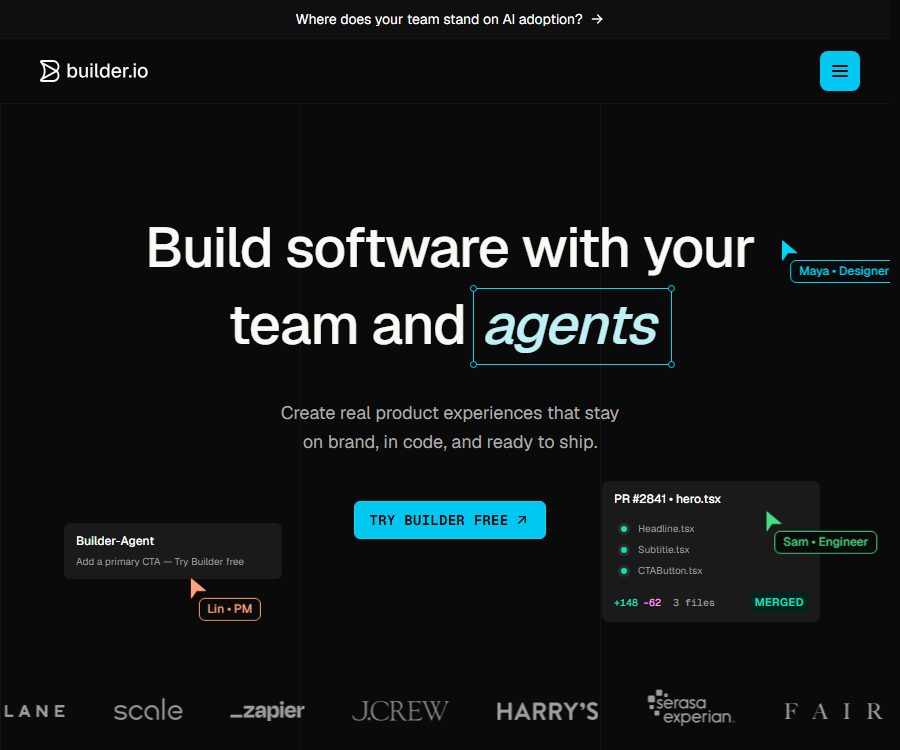
Builder.io
Builder.io makes AI-driven programming more efficient and simpler.
Tags:AI programming toolsWhat is Builder.io?
Builder.io is an AI-powered visual development platform offered by Builder.io Inc.; its main products at present are the Fusion visual IDE and the Publish visual CMS.
Fusion enables product, design, and development teams to use AI alongside design tools to work on existing codebases, while Publish allows content and marketing teams to manage, publish, and optimize digital experiences without altering the business code.
The difference between Fusion and Publish
| Products | Primary target | Core input | Main output | Typical uses |
|---|---|---|---|---|
| Fusion | Developers, designers, product managers | Code repositories, prompts, Figma, screenshots, and files | Code for writing projects, branches, and previewable applications | Application development, prototyping, code conversion from design, and interface iteration |
| Publish | Marketing, content, and e-commerce teams | Content models, components, pages, data, and publishing rules | Pages, blocks, and structured content delivered by APIs and SDKs | Headless CMS, marketing sites, e-commerce content, and multi-regional operations |
| Use in combination | Cross-functional team | Unified design system, code components, and content models | Applications where code and content are separated but can work together | Continuous delivery for large sites and multiple teams |
The Fusion space is used for code generation projects, while the Publish space is used for content, models, and data; subscriptions, members, and quotas are managed on a per-space basis.
Main functions of Fusion
- Create a project using prompts: Describe the desired application or functionality; the AI will generate an initial version in the visual editor, and it is possible to make further modifications to the selected elements or files.
- Connecting to code repositories: It is possible to integrate with GitHub, GitLab, and Bitbucket; the Enterprise version also supports Azure DevOps as well as enterprise-level code hosting services.
- Understanding existing code: The platform’s index of project structures, components, and design rules enables AI to modify actual files within the existing technology stack, rather than merely generating isolated examples.
- Visual code editing: Allow for the insertion, selection, adjustment, and preview of interfaces on a canvas; changes can be made, after which the AI converts them into code, making it suitable for collaboration in design and engineering tasks.
- Converting Figma designs to code: Designs can be imported using Figma plugins to create responsive interfaces; it is possible to opt for quick compilation or to use external large models to improve the quality of the code.
- Multiple contexts: Suggestions can include images, screenshots, PDFs, documents, tables, code files, and other materials; it is also possible to reference specific files from a repository.
- Custom rules: Projects allow you to save coding preferences and file organization requirements; moreover, the code repository can use rule files to dictate the way in which AI functions.
- Selection of AI models: You can opt for automatic selection or choose from the available models provided by vendors such as Anthropic, OpenAI, and Google; the quality of the models and their cost affect the Agent Credits.
- Automatic debugging: It allows the agent to attempt to fix errors that occur during generation or execution, but testing and manual code review are still required in the end.
- Branching and review: The team’s proposals include comments, peer reviews, activity logs, and password-protected previews, all of which are used to control the inclusion of AI-driven changes in the main branch.
- MCP integration: A built-in MCP server enables connection to external services; Teams allows for the customization of MCP, and Fusion MCP facilitates the initiation and tracking of proxy tasks by compatible clients.
- Local and cloud environments: Projects can run in cloud containers, on the local machine, or in local containers; Enterprise versions allow for the use of custom Docker images as well as stricter environment requirements.
Main functions of Publish
- Visual editor: The content team can drag and drop elements, edit styles and data bindings in a preview of the actual site, while also reusing custom components registered by developers.
- Content model: Page is used for complete pages, Section is used for reusable page sections, and Data is used for structured data, which facilitates the separate management of layout and content.
- Components and design systems: Developers integrate components such as React and Vue into the editor, while non-technical users can only combine and configure them within the allowed attributes.
- Templates and Symbols: Save frequently used layouts as templates or reuse content elements to reduce repetitive work in managing multiple pages, various brands, and campaigns.
- Scheduled publishing: Allows you to set a start and end time for the content; it is suitable for promotions, events, announcements, and pages that need to be made available at a specific time.
- Localization and personalization: Content can be selected based on path, device, or custom attributes of the enterprise; different capabilities are subject to the restrictions imposed by the publishing contracts and plans.
- Localization: It supports multi-language strategies for inline fields, entire content, and data models, allowing the corresponding content to be retrieved based on the locale.
- A/B testing: It involves creating multiple versions of pages or sections managed by Builder and tracking conversion rates, which requires proper integration of testing mechanisms and event tracking.
- Insights and heatmaps: They provide information on views, clicks, conversions, and page interactions, which helps to identify issues with the content; however, data collection must comply with privacy and Cookie regulations.
- Priority delivery via API: The application remains under the customer’s control, and content is delivered to existing websites and applications through a global CDN, Content API, or SDK.
- E-commerce and external data: It is possible to connect to business systems such as Shopify as well as third-party data sources, in order to display products, inventory levels, or marketing content within the components.
- CMS MCP: Compatible clients can connect to Publish or hybrid spaces, and read as well as manipulate Builder content using natural language.
Input, output, and operation mode
| Workflow | Enter | Output | Restrict key aspects |
|---|---|---|---|
| Create an app from the prompt | Select text, attachments, screenshots, and models as required. | Executable projects, previews, and code repositories | Affected by Agent Credits and the technology stack. |
| Modify the existing code | Warehouses, specified files, elements, and rules | Code differences, branches, and review contents | Dependency, testing, and security changes should be reviewed. |
| Import from Figma | Design files, components, and styles | Responsive UI or framework code | Complex interactions and semantics still need to be developed. |
| Visual content management | Pages, blocks, data fields, and component properties | Published content JSON and web experience | It is necessary to first complete the SDK or API integration. |
| Content optimization | Audience rules, test versions, and events | Targeted experiences, experimental data, and insights | Affected by the Publish contract, traffic, and privacy settings. |
| Programmatic management | Public or private keys, request parameters, and content structure | Content querying, writing, assets, and management results | The private key must be stored only on a trusted server. |
Fusion Usage Guide
- Create a Fusion space, and choose to start from a prompt, a Starter Template, or an existing Git repository.
- Connect to GitHub, GitLab, or Bitbucket and grant permissions only for the repositories needed; set the main branch, installation commands, development ports, and environment variables.
- Index the projects on the platform, and add custom rules such as frameworks, component libraries, design tokens, testing commands, and prohibited items.
- Submit tasks with clear scope, along with Figma files, screenshots, or relevant documents, and indicate the exact locations in the code that need to be modified.
- Check the desktop and mobile layouts in the visual editor, select specific elements to work on further, and avoid attempting large-scale changes without defining boundaries at once.
- Execute type checking, unit testing, end-to-end testing, and building; manually examine permissions, dependencies, data requests, and error handling.
- Use branches, comments, and peer reviews to identify differences, and then release them following the team’s code merging and deployment process.
Publish Integration Tutorial
- Create a Publish space and define Page, Section, or Data models, determining in advance which elements will be controlled by the CMS and which will remain in the code.
- Select the appropriate framework SDK, and use the public API Key to retrieve the published content; for private models and write operations, the server’s private key is utilized.
- Register custom components with the Visual Editor, and set limits on the editable properties, default values, and input types, in order to prevent content creators from altering the business logic.
- Configure a preview address so that the editor can load the actual website and display any changes to the draft in real time.
- Create pages or content entries, and check the various breakpoints, languages, data bindings, SEO fields, and accessibility information.
- Set the scheduling, location, A/B versions, and conversion events as needed, and then have the relevant personnel review and approve them.
- Publish content and verify the Content API, CDN caching, as well as the actual website; configure Webhooks to trigger builds or cache clearing in response to changes to key content.
Frameworks, platforms, and extensions
| Category | It has been verified that support is available. | Explanation |
|---|---|---|
| Fusion project | React, Vue, Svelte, Angular | Support for other frameworks is still being expanded. |
| Publish SDK | React, Vue, Angular, Svelte, Qwik, Solid, React Native, and others | Different SDKs have varying capabilities in terms of SSR, A/B testing, and components. |
| Code output | React, Vue, Angular, Qwik, React Native; in addition, support is available for some mobile framework tests as well. | The specific options depend on the workflow and functional status. |
| Desktop application | Windows, macOS | Used for development workflows in local environments, containers, and privacy mode. |
| Design and Editing | Figma plugins, VS Code extensions, Chrome extensions | Used respectively for design import, local development, and web layout collection. |
| Code hosting | GitHub, GitLab, Bitbucket | Enterprise hosting and Azure DevOps are primarily focused on Enterprise. |
| E-commerce | Integrations such as Shopify | Subscriptions purchased through Shopify need to be managed in Shopify. |
| Mobile version | React Native SDK and some output from mobile code | No official iOS or Android editor apps have been confirmed. |
Fusion price plans
| Package or version | Price | Billing cycle | Core benefits or quota | Suitable for users |
|---|---|---|---|---|
| Free | 0 dollars | Continuous use | 1 space, with 1 user or up to 5 users; 15 Agent Credits per day and 60 per month, code hosting access, as well as Figma and VS Code. | Individual learning and functional verification |
| Pro monthly plan | 30 dollars per user | Monthly | 500 Credits per user per month; additional credits can be purchased, the credit balance carries over, 30 days of activity history is available, along with built-in MCP and standard support. | Individual developers and small teams |
| Pro annual plan | 24 dollars per user per month | Settled on an annual basis | The core benefits are the same as those in the Pro monthly plan. | Stable long-term users |
| Team Monthly Plan | 50 dollars per user | Monthly | 500 Credits per user per month, up to 20 users, multiple roles, comment review, custom MCP, usage metrics, and priority support | Collaborative development team |
| Team annual plan | 40 dollars per user per month | Settled on an annual basis | The core benefits are the same as those of the Team monthly plan. | Organizations with ongoing collaboration |
| Enterprise | Custom quote | In accordance with the contract | Custom seats and quotas, enterprise code hosting, intelligent design system, privacy mode, RBAC, SSO, and SLA | Large and regulated organizations |
| Additional Agent Credits | 25 dollars per 500 pieces | Additional purchases each month | Additional generation usage available for Pro and Team. | Generated temporarily or frequently |
Each self-service package includes 1 paid user; additional users will incur extra fees. The amounts displayed on the page, as well as taxes, currency and the final total, shall be based on those shown on the account settlement page.
The free quota page currently shows 15 per day and 60 per month; different figures have been displayed on some pages. The daily quota is reset at midnight UTC, while the monthly quota is reset on the first day of each month, with the settings in the backend serving as the final authority.
Publish price and traffic
| Package or version | Price | Billing cycle | Core benefits or quota | Suitable for users |
|---|---|---|---|---|
| Publish Enterprise | Contact sales | In accordance with the contract | Custom users, Agent Credits, Visual Views, and spaces; includes a visual CMS, SDK, CDN, localization features, environment management, scheduling capabilities, A/B testing, as well as positioning and analysis tools. | Scalable content, e-commerce, and multi-brand teams |
| Publish Additional Items | Custom quote | In accordance with the contract | Custom role permissions, rule workflows, and private support channels | Complex governance requirements |
The statistics for Visual Views in Publish are calculated based on tracking pixels in visual pages or sections; the Data model is not counted based on Visual Views, but it can still consume bandwidth.
Even when using static generation, server-side rendering, client-side caching, or self-hosted content, the subscription-based pricing model of Publish may still apply; it is necessary to consult with sales to determine the metrics for traffic and bandwidth when making a selection.
Cancellation and refund
- Each space requires an individual subscription; canceling one space does not automatically cancel the others.
- Self-subscription can be canceled in the space settings; it is usually still available until the end of the current billing period, after which it switches to Free status.
- Subscriptions installed and purchased through Shopify need to be managed via Shopify; uninstalling them will result in the cancellation of auto-renewal as well as the removal of any Builder content and settings from the store.
- The help documentation allows users to first cancel an order and then submit a refund request to support, requiring an invoice, a reason for the cancellation, and the public API Key.
- Refund requests are subject to review and are not approved automatically; the service agreement stipulates that prepaid fees are non-refundable, with exceptions only in cases such as termination of the contract as specified in the agreement.
- After the contract is terminated, customers are usually given a 30-day period to retrieve their data electronically, after which it may be deleted; the U.S. DPA requires that personal data be deleted within 90 days of termination, except in cases where legal requirements dictate otherwise.
- The terms, the help center, and the applicable rules vary depending on the specific order; before purchasing an annual subscription or upgrading/downgrading storage capacity, it is necessary to check the policies regarding cancellation, refunds, data export, and any restrictions related to downgrades.
APIs, SDKs, and automation
| Interface or tool | Function | Certification and precautions |
|---|---|---|
| Content API | Read published content from the Page, Section, and Data models | Public content is accessed using a Public API Key; queries require specification of the model and location parameters. |
| GraphQL Content API | Search for a single record or browse content in pages based on model fields. | Suitable for precise field selection and application-based reading. |
| Write API | Create, update, replace, and delete content entries | Using a Private API Key allows calls only from trusted servers. |
| Admin API and SDK | Manage spaces, models, assets, access, and organizational resources | Integrated for backend and trusted management use cases |
| Upload, Assets, Image API | Upload files, manage assets, and obtain optimized images | It is necessary to distinguish between upload permissions and public read addresses. |
| HTML and Qwik API | Pre-render content or optimize HTML output | Used for server-side rendering and specific performance solutions |
| Webhooks | Notify the build, caching, or external processes when the content changes. | The receiver should verify requests, use encrypted transmission, and implement rate limiting. |
| Fusion and CMS MCP | Enable operations on projects or content using AI-compatible clients. | Permissions vary depending on the space products and packages. |
| Agent Run API | Programmatic initiation and tracking of Fusion agent tasks | Suitable for asynchronous automation; it is necessary to handle the status and quotas according to the documentation. |
GitHub, SDKs, and the boundaries of open source
- The official main repository is licensed under the MIT license and contains multiple framework SDKs, examples, starter projects, as well as some plugins.
- The open-source nature of the SDK allows developers to review and integrate the code responsible for content rendering, and it also facilitates contributions to improve the framework’s functionality.
- Public projects such as Mitosis offer cross-framework compilation capabilities; the specific licenses must be verified separately for each repository.
- Builder.io’s hosting platform, Visual Editor, account system, enterprise services, and proprietary AI models have not been made fully open source as a result.
- Using the public SDK in commercial projects typically requires compliance with both the MIT License and the Builder Service Agreement; in addition, calling cloud services is subject to the terms of the plans and APIs.
Privacy, security, and AI data
- The security appendix states that customer data is transmitted using TLS 1.2 or a higher version, while static data is encrypted with AES-256; the keys are managed through managed key services.
- The platform maintains SOC 2 Type 2 audits, principle of least privilege, multi-factor authentication for production environments, quarterly access reviews, vulnerability scanning, and annual third-party penetration testing.
- Customers are notified within 72 hours of becoming aware of any confirmed data breaches, while the objectives for business continuity are a recovery time of 4 hours and a recovery point of 24 hours.
- AI can send prompts, the text being edited, content, or relevant code to model service providers such as OpenAI and Anthropic, allowing companies to enjoy greater control over the models and over privacy issues.
- Customer data from the Free plan can be used for training; self-paid accounts should check the AI Training switch, Teams can choose to opt out, and Enterprise data is not used for training by default.
- The information provided on various legal pages regarding self-payment and team training is not entirely consistent; before working with proprietary code, it is necessary to verify the settings and terms of the contract, rather than relying solely on the name of the package.
- The AI terms state that the customer retains ownership of the input and output data between the two parties, but the output is not accompanied by any absolute guarantees regarding accuracy, non-infringement, or suitability for commercial use.
- Enterprise Privacy Mode offers session encryption under customer control as well as a mode with almost no data retention, but the platform and the selected large models still come into temporary contact with unencrypted code during processing.
- Customers must have the right to upload code, designs, materials, and data, and are responsible for providing information regarding privacy, obtaining consent, and ensuring lawful handling of data for end users on their websites or applications.
- Analytical functions such as Publishing, A/B testing, heat maps, and targeting may rely on cookies or local storage; the consent mechanisms in the regions where the service is deployed need to be properly configured by the customer.
Advantages
- Fusion works directly around existing warehouses and design systems, enabling the resulting outputs to be more easily integrated into the actual development process.
- The visual canvas enables design, product, and development teams to communicate around the same code, reducing the need for screenshots and manual handoffs.
- Publish separates the content from the code, allowing the marketing team to quickly modify pages while still using the brand components maintained by the developers.
- The SDK and API offer broad coverage, suitable for various technology stacks such as React, Vue, Angular, Svelte, Qwik, and React Native.
- Figma, VS Code, Desktop, Chrome, Git, and MCP together form a fairly complete toolchain for moving from design to development.
- Public SDKs and example repositories facilitate the evaluation of implementation details, eliminating the need to rely entirely on black-box clients.
Capabilities boundaries and limitations
- Fusion is not a substitute team that can complete the development of production applications in one go; AI-driven modifications still require code review, testing, security scanning, and performance verification.
- Large warehouse indexes, complex dependencies, private infrastructure, and enterprise-level permissions may require additional configuration or an Enterprise contract.
- The consumption of Agent Credits varies depending on the model and task; in addition to the fixed fee for seats, there may be additional costs associated with usage limits.
- At present, Publish is primarily aimed at enterprises; the actual prices for Visual Views, bandwidth, members, and spaces have not yet been made public.
- Custom components, preview URLs, SSR, caching, and positioning require proper integration by developers; the content team cannot carry out all of these technical configurations on its own.
- The features of different SDKs are not exactly the same; before choosing a framework, it is necessary to check the currently recommended version, SSR support, A/B testing capabilities, and support for custom components.
- The default setting that allows public reading of pages or Data models should be examined carefully; sensitive content should make use of private models and server-side keys.
- There are slight differences across various policies regarding AI training controls, third-party models, retention periods, and refund rules; for sensitive items, the account settings and the signed contracts should prevail.
Summary
Builder.io is suitable for product, engineering, and content teams that wish to integrate AI-generated content, visual editing tools, a real code repository, and a headless CMS within the same collaborative framework.
Before making a purchase, it is necessary to determine whether Fusion, Publish, or a hybrid setup is required; then calculate the number of seats and Agent Credits needed. Additionally, it is important to consider the pricing for Publish, the option to enable AI training, data retention policies, and the available technical support.
Tools similar to Builder.io



 Guigong Network Security Registration No. 45132202000164