






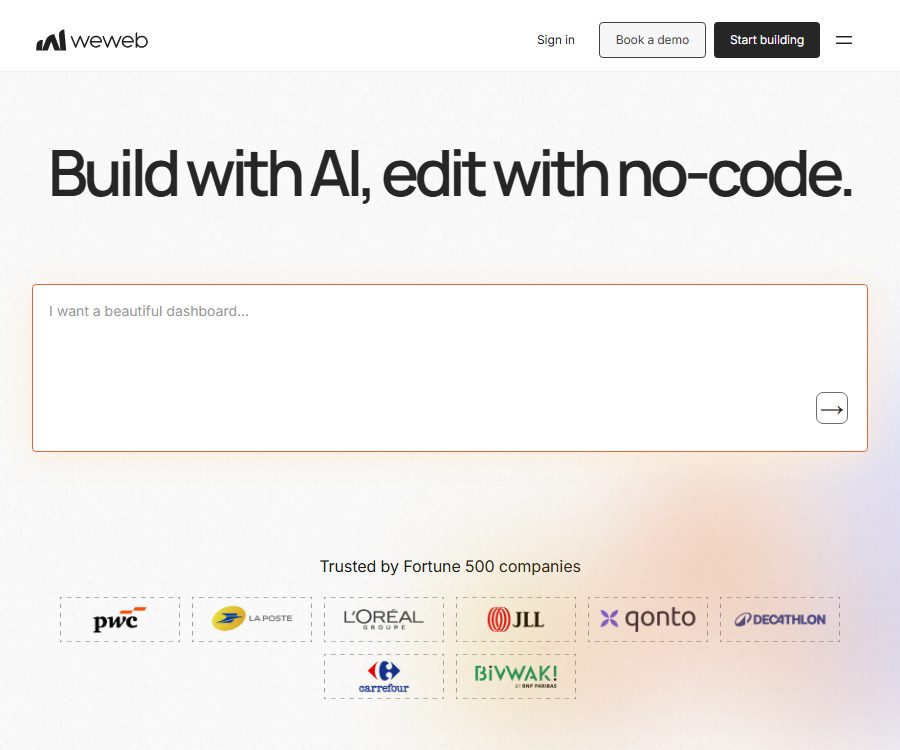
Build Web-Apps 10x Faster with AI & No-Code
Build Web-Apps 10x Faster with AI & No-Code – making AI-driven programming more efficient and simpler
Tags:AI programming toolsWhat is WeWeb?
WeWeb is an AI-driven, code-free full-stack Web application development platform offered by WeWeb Inc.; it allows users to create interfaces, data connections, business logic, and backend functionalities through natural language or a visual editor.
It is primarily aimed at SaaS solutions, internal tools, customer portals, and enterprise applications; it is not used solely for creating static landing pages, nor is it equivalent to a native mobile application developer that allows apps to be uploaded directly to app stores.
Main functions
- Building AI applications: By describing pages, data, logic, or modification requirements in natural language, AI agents can assist in creating user interfaces, managing the backend, editing workflows, and troubleshooting issues.
- Visual interface editing: Web pages are built by dragging and dropping components, using responsive breakpoints, style attributes, and status configurations, while allowing for fine-grained adjustments to the resulting output.
- Data and APIs: Connect to Supabase, Xano, Airtable, SmartSuite, Algolia, or REST APIs, and bind query results to lists, forms, charts, and other components.
- Authentication and permissions: It is possible to configure WeWeb Auth, Xano Auth, Auth0, OpenID, or token-based authentication, in order to establish processes for logging in, defining user roles, and controlling access to specific pages.
- Workflows and logic: Front-end business processes are designed using triggers, conditions, loops, variables, and actions; for more complex scenarios, custom JavaScript can also be incorporated.
- Full-stack cloud capabilities: WeWeb Cloud offers database, computing, file storage, email, and deployment resources; different hosting tiers provide varying levels of capacity and backup options.
- Expansion and integration: Plugins or extensions such as Stripe, OpenAI, NPM, maps, calendars, analytics tags, and PWA are available for use in areas like payments, AI, mapping, and progressive web applications.
- Design import and components: It is possible to import Figma designs, use pre-made components, as well as import coded components; this allows switching between no-code setup and developer-driven extensions.
- Deployment and domain names: Projects can be published under a WeWeb subdomain; the paid hosting service allows for the use of custom domain names, and pre-release, version, and production backups are available as part of various packages.
- Code export: Versions Essential and above allow the export of the interface files for published projects, which can then be deployed on one’s own server, cloud platform, or isolated network.
- GitHub synchronization: Essential offers GitHub synchronization, which is suitable for integrating into team versioning and deployment processes; however, it does not mean that the platform’s source code is made public.
- MCP service: External AI clients can connect to projects and interact with their pages, backend systems, and workflows. Free and Essential versions offer a 14-day trial period, while Pro and Partner versions are available on a permanent basis.
Input and output
| Stage | Main inputs | Generate results | Suitable for tasks |
|---|---|---|---|
| Created by AI | Natural language requests, page descriptions, and modification instructions | Pages, components, logic, or backend configuration | Quickly create prototypes and initial versions of applications |
| Interface design | Components, Figma designs, styles, and responsive rules | Desktop and mobile web interfaces | Dashboard, portal, and SaaS frontend |
| Data access | Database connections, APIs, authentication, and query parameters | Dynamic lists, forms, charts, and user data | Business systems and data-driven applications |
| Workflow | Triggers, conditions, variables, actions, and JavaScript | Interaction logic and automated processes | Registration, approval, payment, and data updates |
| Deployment | Domain name, environment, hosting level, and release version | Online Web applications or PWA | Public products and internal systems |
| Code export | Projects that have been published at least once | Built-in interface files, original static files, and applicable export contents | Self-hosted interface and in-house operation and maintenance |
Usage tutorial
- Define the application roles, pages, core data tables, permissions, and key workflows, and decide whether to use an external backend or WeWeb Cloud.
- Create workspaces and projects, starting from a blank project, a template, or an import from Figma; you can also ask the AI to generate an initial version based on your requirements.
- In the editor, check the page structure, breakpoints, component status, and accessibility information, and correct any errors in the text, logic, and styling generated by AI.
- Connect to Supabase, Xano, REST APIs, or other data sources; when configuring keys, avoid exposing server secrets in the browser.
- Set up login methods, roles, and page guards, and then use workflows to connect form submissions, queries, conditional branching, and error messages.
- In the preview environment, test desktop and mobile layouts, permission boundaries, failure scenarios, data writing, payment processes, as well as throttling of external services.
- Choose WeWeb Cloud for hosting and configure the domain name, or publish the content once using the Essential plan or higher, and then generate a code export package for self-hosting the interface.
- After going live, monitor usage, backend load, and third-party integrations; create backups regularly, and verify plans and any potential overcharging before performing upgrades.
Suitable for users and scenarios
- Startup team: Quickly create a SaaS minimum viable product that is accessible, includes a database, and has defined business processes.
- Business operations and IT team: Developing internal tools such as approval systems, inventory management systems, CRM solutions, ticketing systems, and data dashboards.
- Agents and independent developers: deliver portals, member areas, and customized business applications to clients, through multi-user collaboration.
- Product and design teams: Quickly create interactive prototypes using Figma or natural language, and then work with developers to refine them.
- Developers: Utilize APIs, JavaScript, NPM, coding components, GitHub, and self-hosting to expand the capabilities of visual development.
- Organizations that place emphasis on deployment control: Export the interface and deploy it to their own cloud or isolated network, while continuing to connect to their own managed backend.
Platforms and integration
| Category | It has been verified that support is available. | Precautions |
|---|---|---|
| Use the platform | Browser-based editor and published web applications | No official native iOS or Android editor has been confirmed. |
| Mobile delivery | Responsive web pages and PWA extensions | PWA is not equivalent to install packages from native app stores. |
| Data source | Supabase, Xano, Airtable, SmartSuite, Algolia, REST API | The data areas and limits are also affected by external services. |
| Identity verification | WeWeb Auth, Xano Auth, Auth0, OpenID, token authentication | Permissions still need to be implemented on the backend; it is not sufficient to rely solely on hiding them in the interface. |
| Expansion | Stripe, OpenAI, NPM, maps, calendars, PWA, analytics tags | Some plugins rely on the WeWeb microservice. |
| AI client | MCP clients such as ChatGPT, Claude, Codex, Cursor, VS Code, etc. | Continuous use is restricted by seat allocation rules. |
| Self-hosting | Standard Web servers, major cloud platforms, and locally isolated networks | It is currently mainly used for interface export. |
Price and quantity used
WeWeb sells the plans related to development permissions separately from the plans for hosting deployment resources. To obtain hosting services, one usually needs at least an Essential subscription; for self-hosting, an Essential or higher-level subscription is required, but there is no need to purchase WeWeb’s hosting service.
| Package or version | Price | Billing cycle | Core benefits or quota | Suitable for users |
|---|---|---|---|---|
| Free seats | Free | Continuous use | Visual editing, data integration, coding components, responsive applications, and a 14-day MCP trial period | Learning, prototypes, and personal projects |
| Essential seats | The settlement page shall be taken as the reference. | Monthly or annual payment | Code export, self-hosting, GitHub synchronization, automatic daily backup of the editor | Independent developers and official projects |
| Pro seats | The settlement page shall be taken as the reference. | Monthly or annual payment | Increased seat collaboration, automatic backups every hour, continuous MCP support, and unlimited manual backups | Growth Team |
| Partner seat | Contact sales or account management for confirmation. | In accordance with the contract | Projects and collaboration benefits for agents and partners | Agents and delivery teams |
| Free hosting | Free | Continuous use | Limited resources: 1,000 application sessions per month, 1 GB of bandwidth, and 500 MB for database and file storage. | Demonstrations and low-traffic applications |
| Launch Hosting | The settlement page shall be taken as the reference. | Monthly or annual payment | Custom domain names, unlimited application sessions, as well as higher quotas for databases, computing power, email, and storage. | Small-scale production applications |
| Grow Hosting | The settlement page shall be taken as the reference. | Monthly or annual payment | Higher resource quotas, automatic scaling, and production backups | Applications with continuous growth |
| Scale hosting | The settlement page shall be taken as the reference. | Monthly or annual payment | Higher resources, configurable computing, version capabilities, and some premium pricing options | High usage and critical services |
The current price page is displayed dynamically based on the payment frequency, region, account, and plan combination; as a result, the specific amount to be paid and some of the prices for additional usage could not be shown accurately this time. Therefore, it is necessary to refer to the account settlement page or the sales order before making a payment.
- The annual payment page indicates that savings of up to 20% are possible, but the actual discount amount will depend on the total cost after the selected plan is chosen.
- AI tokens are distributed on a monthly basis according to the seat plan; they are not carried over at the end of the month, and different AI operations require different amounts of these tokens.
- A hosting plan cannot be purchased separately nor transferred between projects; resources and costs must be planned for each project individually.
- Exceeding the allocated traffic or resources may result in additional charges, throttling, or service disruptions; some of Scale’s resources support scalable expansion based on usage.
- Regions such as Brazil, India, Indonesia, Kenya, Malaysia, Mexico, South Africa, and Thailand may use local prices or currencies.
Cancellation, refunds, and data
- The monthly subscription plan does not offer refunds; subscriptions for workspaces or projects can be canceled or downgraded at any time.
- Suspension is usually handled by canceling the subscription; if you wish to resume it, you can contact support to request that the data be retained for up to 90 days after the subscription ends.
- Once canceled, access to the workspace will be lost; data and projects older than the retention period may be deleted. To restore access, payment must be made again and support must be contacted.
- The data processing protocol states that customer data is not automatically deleted upon the end of the subscription; it is only removed in response to a specific request, except in cases of backup needs or legal requirements.
- The scope of application for suspension and retention rules differs from that of active deletion rules; before leaving the platform, it is necessary to obtain written confirmation regarding the arrangements for data export, deletion, and backup deletion.
Code export and self-hosting restrictions
- It is necessary to publish the project at least once first, before it is possible to generate and download the complete project export package.
- The built-in interface files can be deployed directly; the original project files consist of static HTML, CSS, and JavaScript files, which need to be created manually and do not include the source code for Vue components.
- The exported interface can be deployed on ordinary Web servers, cloud platforms, or isolated environments without internet access, and is no longer subject to the constraints related to WeWeb-hosted sessions and bandwidth.
- The fully self-hosted backend is not yet officially available; projects that rely on the WeWeb Cloud backend cannot be assumed to be able to operate independently of this platform after being exported.
- Plugins such as Airtable, Google services, Notion, OpenAI, SmartSuite, SQL, Stripe, SOAP, and WeWeb Auth rely on the WeWeb microservice; they may stop working when self-hosted.
- Supabase, Xano, REST, GraphQL, and direct database connections can operate independently, but the backend must be continuously hosted and accessible.
- Files uploaded by users in WeWeb CDN are not retained when using self-hosted solutions; embedded images within those files are included in the export package. It is necessary to change the upload process to use one’s own storage before performing the migration.
- The exported content cannot be re-imported into WeWeb, and the platform does not provide services for self-hosted monitoring, scaling, security patches, or disaster recovery.
Advantages
- AI generation, visual editing, and code extension coexist, allowing for a quick start while also enabling gradual integration of developer control.
- It offers comprehensive coverage of data sources, authentication, and business workflows, making it suitable for production-grade web applications that are more complex than simple landing pages.
- The front end and back end can be decoupled, and mature external back ends can be connected, thereby reducing the risk of being constrained by a single database solution.
- Essential allows for the export of interfaces and self-hosting, offering options for compliant deployment, DevOps, and isolated networks.
- MCP enables multiple external AI clients to work on the same project, making it suitable for integrating natural language development into team toolchains.
- The free tier allows you to test the editor, data connections, and low-traffic deployments, before deciding whether to purchase a subscription and hosting service.
Capacity boundaries
- The results generated by AI still require verification in terms of permissions, data writing, error handling, responsive layout, and factual accuracy; they cannot be considered ready for use in production straight away.
- No-code solutions do not eliminate the need for database modeling, authentication, API security, performance optimization, testing, and maintenance; complex applications still require engineering expertise.
- A fully self-hosted backend is not yet available, and plugins that rely on platform microservices limit the flexibility of migration.
- The exported files are organized according to the machine’s structure; they are not suitable as human-readable code that is easy to maintain, and external modifications cannot be incorporated back into the editor.
- Hosting and seats are billed separately; the total cost can be influenced by factors such as the number of team members, the number of projects, AI tokens, bandwidth, databases, storage, and computing resources.
- Free cloud resources are suitable for testing, but not appropriate for handling critical production operations without first conducting capacity tests.
- The update dates of the current policy documents are not always consistent; when dealing with sensitive data, regional storage, or industry compliance requirements, it is necessary to have the latest contracts and a list of sub-processors.
API, MCP, GitHub, and open-source status
| Project | Current status | Explanation |
|---|---|---|
| External API integration | Support | Connect to the business backend via REST, GraphQL, and data source plugins |
| WeWeb MCP | Provide | The Free and Essential versions are available for a 14-day trial, while the Pro and Partner versions are accessible indefinitely. |
| GitHub synchronization | Essential starts here. | Used for project and deployment workflows; specific permissions depend on the account. |
| Official CLI | There are public warehouses. | Public tools include capabilities such as services, building, and database migration. |
| Component and plugin code | Partially public | The official organizations maintain various repositories of components and plugins; the licensing rules apply separately to each repository. |
| WeWeb product source code | Not open source | The platform editor and hosting services are proprietary commercial software. |
By making the CLI, components, or example projects available under an open-source license, it is only indicated that the corresponding code can be used in accordance with that license; this does not mean that the WeWeb editor, cloud services, or the entire platform are subject to open-source licenses.
Privacy, security, and copyright
- When acting as a processor, WeWeb handles personal data in accordance with the client’s instructions, and pledges to use technical and organizational measures to protect such data, ensure confidentiality among employees, and report any data breaches.
- Customers are responsible for determining whether the platform’s security meets their legal requirements, as well as for ensuring data transmission security, proper permission settings, backups, and end-to-end compliance.
- The editor and publishing applications make use of AWS infrastructure; the data storage areas for some plugins are determined by third parties or users, and the WeWeb microservices may process such data in the United States.
- The privacy page covers account, IP, and integration settings; the Google Sheets integration saves the spreadsheet identifier and file address for synchronization purposes.
- The customer retains ownership of the creative works and content published through the platform, while granting WeWeb limited rights to process the necessary data and materials during the provision of services.
- Users must ensure that they have the right to use the code, images, data, and third-party content they upload, and are responsible for informing, obtaining consent from, and handling such content lawfully for the end users of their applications.
- The platform itself, along with its services, documents, methods, and technologies, remain the property of WeWeb; subscribing to it does not grant access to the source code of the product nor any rights for sub-licensing.
- The date indicated in the privacy policy is old, and the list of DPA sub-processors also mentions a specific historical date; for sensitive or regulated projects, the most up-to-date security documents should be obtained.
Summary
WeWeb is suitable for creating web applications that incorporate data, authentication, and workflow mechanisms, using AI and visualization tools; it also provides developers with APIs, JavaScript, GitHub, MCP, as well as options for self-hosting the interfaces.
When making a selection, it is important to evaluate the combined cost of seats and hosting, the fact that full backend self-hosting is not yet available, the dependencies on plugin microservices, the absence of a refund policy, as well as the requirements regarding up-to-date data and compliance.
Tools similar to Build Web-Apps 10x Faster with AI & No-Code



 Guigong Network Security Registration No. 45132202000164