






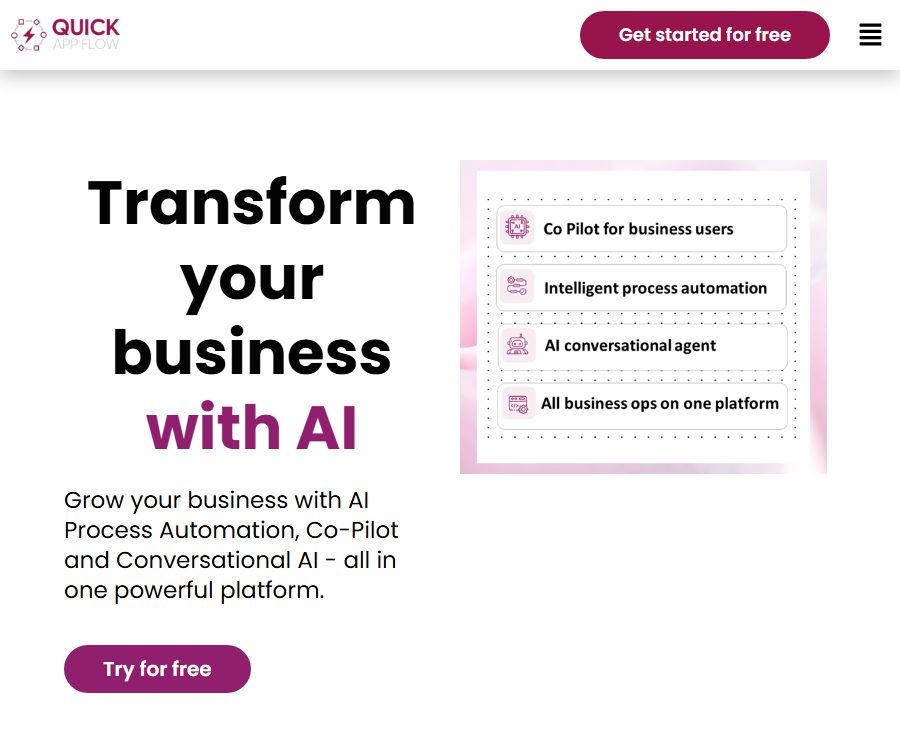
Build custom enterprise applications faster than ever before
Build custom enterprise applications faster than ever before, making AI-driven programming more efficient and simpler.
Tags:AI programming toolsWhat is QuickAppFlow?
QuickAppFlow is an AI-driven low-code platform operated by QAF Digital Platforms Pvt Ltd, used for building enterprise applications, automating processes, creating business portals, and developing multi-tenant SaaS products.
It offers both visual development tools and a set of ready-made business applications; companies can use these templates directly, or they can expand the data, forms, processes, and integrations on the same platform.
Main functions
- Visual data modeling: It involves designing business entities, fields, and relationships in a manner similar to spreadsheets, which serve as the data foundation for forms, processes, and reports.
- Drag-and-drop form design: Use pre-built controls to create pages for data entry, approval, and querying; a preliminary version of the form can also be generated via text or voice input.
- Process Designer: Allows for the configuration of tasks, conditions, approvals, notifications, and error handling procedures through graphical steps; it is suitable for business processes that are repetitive and follow clear rules.
- AI decision-making: Context-based judgments are incorporated into workflow nodes to enable classification, routing, prioritization, or recommendations for the next steps.
- Unstructured data processing: Documents, natural language text, or other unstructured inputs are passed to pre-built AI functions, and the resulting outputs are then forwarded to subsequent processes.
- Business Copilot: Users can use natural language to carry out or query various actions within business applications, thereby reducing the need to switch between pages frequently.
- Rule management: Configure the frequently changing business conditions as separate rules, thereby avoiding the need to develop the entire application from scratch each time adjustments are made.
- Permissions and user management: It includes built-in identities, roles, and fine-grained operation permissions, allowing employees, customers, suppliers, or subcontractors to be incorporated into the processes.
- Document and data tools: Used to store files within a process, import or export master data and transaction data in bulk, for migration and reporting purposes.
- Auditing and Notifications: Records process activities and sets up real-time notifications to help administrators keep track of approvals, changes, and exceptions.
- Third-party integration: Connect to external applications or databases using pre-built connectors, Web Services, and REST APIs; new connectors can also be customized.
How to utilize AI capabilities
| Ability | User input | Output | Suitable for tasks |
|---|---|---|---|
| AI decision-making | Business record, rules, and process context | Suggestions for classification, routing, or processing | Ticket assignment, approval priority, and anomaly detection |
| Unstructured processing | Text, documents, or natural language content | Results that can be extracted or organized for use in processes | Document registration, information extraction, and request routing |
| Form generation | Requirements for fields with textual or audio descriptions | Draft of editable form | Quickly create internal application and data collection pages |
| Dynamic approval | Amount, risk, department, and business conditions | Approver, path, and subsequent actions | Procurement, expenses, recruitment, and exception approvals |
| Business Copilot | Natural language commands or questions | Querying results or performing operations across applications | Employee self-service, ticket inquiry, and daily business operations |
| Voice commands | User voice | Universal actions within the app | Mobile or on-site work scenarios |
The public pages do not disclose the underlying models, the individual limits for each AI action, the methods used for saving prompts, or the policies regarding model training; these aspects should be included in the technical and data evaluation process during procurement.
Enterprise applications that can be used directly
- CRM and field sales: covers leads, business opportunities, quotes, contracts, orders, invoices, and the mobile sales process.
- Customer and employee Helpdesk: Receives, assigns, and tracks tickets, as well as configures service processes and notifies about status updates.
- HRMS, recruitment and onboarding/offboarding: managing candidates, employee records, attendance, leave requests, salary-related processes, and the employee lifecycle.
- Projects, tasks, and hours: Organize projects, resources, tasks, time records, attendance, and collaboration on deliveries.
- Assets, Purchases, and Expenses: Managing asset records, purchase requests, supply processes, as well as expense submissions and approvals.
- On-site services: Provide processes and application interfaces for field missions, on-site personnel, service status, and mobile operations.
- Resource planning and investigation: Allocate personnel or capacity, and collect feedback as well as analyze data through corporate survey applications.
The pricing page states that Launch offers 16 types of enterprise applications; the specific names and combinations of these applications may change, and it is necessary to refer to the modules that are actually available in the account.
The process from requirement to launch
- List the tables, emails, and old system processes that are to be replaced, and define the boundaries related to users, data, approvals, integration, and compliance.
- Choose the closest existing application, or create a new data model in a low-code platform.
- Use drag-and-drop controls to design entry, list, detail, and approval forms, and define required fields, validation rules, and visibility.
- Draw out the process steps, conditions, responsible persons, time limits, notifications, and exception paths, and add the necessary AI actions.
- Configure roles, organizations, customer, or supplier accounts to restrict data and operations to the minimum necessary level.
- Connect emails, messages, CRM systems, maps, databases, or other systems to verify interface failures and retries in a testing environment.
- Import small batches of data and use real-world cases to test the mobile interface, permissions, auditing functions, export capabilities, and approval processes.
- Select a deployment and data location in Azure, AWS, or a private environment, and go live after completing security and recovery drills.
- After going live, review the activity records, capacity, and user feedback to gradually optimize the rules, forms, and scope of automation.
Enterprise applications and multi-tenant SaaS
| Pattern | Goal | Delivery method | Suitable for users |
|---|---|---|---|
| Internal enterprise applications | Unify processes for employees, customers, and suppliers | Ready-made applications with custom workflows | Organizations that wish to replace fragmented tables and standalone SaaS solutions |
| Custom business systems | Matching unique data, approval, and integration | Low-code modeling combined with application development | Enterprises whose processes are difficult to cover with standard software |
| Multi-tenant SaaS | Deliver independent tenants to multiple clients | Templates, white labeling, custom features, and cloud hosting | Start-up teams developing products for vertical industries |
| Mobile apps | Supports in-person, sales, and employee self-service. | iOS and Android apps integrated with backend data and processes | There is a need to move the teams responsible for data collection and processing. |
| Public or internal portal | Provide pages to external customers or internal employees | Portal connected to platform business applications | Self-service, application, and inquiry scenarios |
Integration and openness capabilities
- Standard API: The platform offers open APIs that comply with the REST standard, which can be used to access business data and processes.
- Pre-built connectors: The integration page displays common services such as messages, emails, maps, CRM, social media, and notifications.
- Web Service: It allows connection to existing enterprise systems, enabling the exchange of data between forms, processes, and external functions.
- Custom connectors: When standard connectors are not sufficient, new integrations can be created using low-code capabilities.
- Data import and export: It enables bulk migration of master data and transaction records, which can be used for generating reports or for further processing.
The currently available help center focuses on guidelines for operating business applications; complete information regarding API authentication, endpoints, rate limits, and versioning policies has not been made public.
Prices and packages
| Package or version | Price | Billing cycle | Core benefits or quota | Suitable for users |
|---|---|---|---|---|
| Free account or trial | $ | The deadline has not been made public yet. | It is intended for initial testing; specific applications, users, data, and AI limitations have not been disclosed. | Functional verification |
| Enterprise Launch | 500 dollars per month | Annual billing | Unlimited users, 16 types of applications, AI low-code platform, Copilot, 500GB of storage space, 1 million records | Enterprises that need a complete set of business applications |
| Enterprise Build | Quotation by application | Customization | Customize existing or new applications; up to 45 person-days of free development time; options for mobile applications, integration, and deployment. | Complex custom projects |
| Entrepreneur Starter | 1800 dollars | 6 months | Choose a SaaS product to test the market: 500GB of storage and 1 million records. | Early product validation |
| Entrepreneur Launch | 750 dollars per month | Monthly billing basis | 15 types of SaaS products, 1 TB of storage space, 2 million records, and options for hosting locations | Team preparing to launch the SaaS service on a formal basis |
| Entrepreneur Build | Quotation based on functionality | Customization | New SaaS products, up to 45 person-days of free development, white-labeling, integration, and customization options | Development of differentiated products |
The FAQ on the entrepreneur’s pricing page states that the template application costs only $500 per month for hosting and support; this figure is inconsistent with the information provided for the “Launch” version, which costs $750, and the “Starter” version, which costs $1800.
Before making a purchase, have the sales representative confirm in the order the plan, currency, payment frequency (annual or monthly), number of users and applications, storage requirements, AI usage, scope of development, as well as the costs associated with support and deployment.
Fees, trials, and refunds
- The website offers free registration or a trial option, but it does not disclose the duration, available modules, quotas, payment methods, or the rules for renewal at expiration.
- The terms stipulate that subscribers must make payments as indicated on the invoice, with the subscription period beginning upon receipt of the payment or an approved purchase order.
- Unless otherwise stipulated in the agreement, the payment obligation is final and irrevocable; any payments made will not be refunded even if the platform is not used.
- Purchases or uses that go beyond the scope of the subscribed plan will incur additional costs, with the taxes to be borne by the subscriber.
- Disputes regarding invoices must be raised within five business days after receipt of the bill, and the portion of the bill that is not in dispute must be paid at that time.
- The public price may be adjusted, but the price specified in a valid invoice remains unchanged throughout the period covered by that invoice.
Deployment and platform
| Deployment method | Current instructions | Suitable scenarios | Precautions |
|---|---|---|---|
| Hosted on Azure | Default cloud security architecture; you can select regions with data centers. | Hope for platform hosting and quick launch. | Confirm specific areas, backup, and exit rules |
| AWS-hosted | The platform overview indicates that AWS can be selected. | Companies that already have an AWS governance framework | The scope and maintenance responsibilities must be confirmed by the sales team. |
| Customer’s private environment | Build supports hosting in the customer’s environment or a private data center. | Strict data control and internal network | The description regarding the absence of local storage on the security page applies to the default development and testing architecture. |
| Responsive web pages | A single build can be used across multiple devices. | Backend, portal, and employee self-service | Being mobile-friendly does not mean it is a native store app. |
| Customize iOS and Android | Build enables the development of integrated mobile applications. | On-site service and mobile sales | The account setup, approval, and maintenance are determined by the project contract. |
No unified QuickAppFlow native store application available for all customers has been identified; the platform’s mobile capabilities consist mainly of responsive applications or client applications developed on a project-by-project basis.
Main advantages
- Ready-made business applications coexist with low-code tools; teams can start by using templates and then gradually add their own company-specific fields, rules, and integrations.
- Processes, data, permissions, auditing, and documentation are consolidated on a single platform, making it suitable for end-to-end operations across departments.
- Pre-built AI actions reduce the technical barriers associated with integrating natural language processing into forms and approval processes.
- The Enterprise Launch pricing model, which supports an unlimited number of users, is attractive for organizations with a large number of participants but a well-defined scope of use.
- It supports multi-tenant, white-label, and custom mobile applications, providing a pathway from templates to deployment for vertical SaaS products.
- It offers choices for cloud regions and customer environments, facilitating companies with different compliance and infrastructure requirements to conduct evaluations.
Capacity limits and precautions
- Low-code can accelerate the development of common applications, but complex algorithms, legacy systems, offline mobile use, special devices, and high concurrency still require specialized engineering efforts.
- AI-driven decisions and unstructured data processing can lead to errors; therefore, rules-based verification and human approval are necessary for financial, HR, compliance, and customer-related matters.
- The descriptions of efficiency and cost per unit on the page represent the manufacturer’s goals, and should not be regarded as guarantees for the results of each individual project.
- Even with ready-made templates, it is still necessary to configure the organization structure, permissions, master data, approval processes, integrations, and migration – so they cannot be considered to have zero implementation costs.
- The various publicly available pricing methods are not entirely consistent; the boundaries related to development person-days, white-labeling, hosting, and support must be specified in the order.
- The public page does not provide information regarding AI models, training processes, prompt saving, or pricing based on the model used; for sensitive projects, a data impact assessment should be carried out first.
- The interface documentation for the API and the SDK have not yet been made public; the effort required for integration should be assessed through technical demonstrations or pilot projects.
API, SDK, GitHub, and open-source status
| Project | Current status | Explanation |
|---|---|---|
| REST API | Platform capabilities | It is used for business data and integration; the specific scope of access varies depending on the account and project. |
| Custom connector | Developable | External systems that lack a ready-made adapter for connection |
| Public API Reference | Not confirmed yet | The help center does not display the full list of endpoints, authentication details, and rate limits. |
| Official SDK | Not confirmed yet | No publicly maintained language client libraries were found. |
| Official GitHub product source code | Not confirmed yet | No public warehouses corresponding to the current business platform have been identified. |
| Open-source product | No | QuickAppFlow is a commercial platform for subscriptions and project delivery; it is not released under an open-source license. |
Privacy and security
- The platform collects the email addresses, passwords, optional information, purchase and support details of direct users, as well as device, IP, log, and clickstream data.
- The data fields for end users are determined by the customers who operate the QuickAppFlow application; it is the responsibility of these customers to collect and use such data legally, as well as to inform users accordingly.
- The data can be handed over to sub-processors responsible for payment, cloud infrastructure, quality testing, support, analysis, and email, so that it can be processed according to the requirements of each service.
- The default cloud architecture makes use of role-based permissions, two-factor authentication, and activity tracking; it also uses AES-256 to protect static data and TLS 1.2 to secure data in transit.
- The platform states that it conducts regular scans for static code and infrastructure vulnerabilities, and third parties carry out penetration tests on it multiple times.
- Near-real-time backups are stored in another Azure availability zone; daily snapshots retain the data from the past seven days, and multiple availability zones enhance recovery capabilities.
- The security page states that the availability rate remains above 99.9%, but the official SLAs, as well as the provisions for compensation and maintenance windows, are subject to the terms of the corporate contract.
- The privacy page does not specify any deadlines for the unified storage, deletion, export, or deletion of customer data; these details must be established through a DPA or order at the time of procurement.
Copyright and Commercial Use
- The enterprise and entrepreneur plans allow the use of the platform to develop business applications or multi-tenant SaaS solutions, and they offer white-labeling capabilities; however, the specific scope of reselling is determined by the contract.
- Customers must ensure that the data, documents, code, brand materials, and third-party connectors being imported have the necessary permissions.
- Platform components, ready-made applications, and underlying services cannot be considered open source or have their ownership transferred as a result of purchasing a subscription.
- Forms, rule suggestions, and content generated by AI should be reviewed by the customer; the public terms do not specify who owns the generated content.
- Termination, data export, customer application migration, and the methods for delivering customized code are not fully described on the public pages; these matters should be agreed upon prior to signing the contract.
Summary
QuickAppFlow is suitable for organizations that wish to use existing business applications and low-code approaches to integrate forms, data, approval processes, AI functionalities, and enterprise systems; it can also be used to quickly test multi-tenant SaaS solutions.
When making a selection, it is important to pay close attention to issues such as conflicting prices, AI data processing, interface capabilities, development and delivery timelines, responsibilities for deployment, SLAs, refunds, and data migration after exiting the service.
Tools similar to those that enable building custom enterprise applications faster than ever before



 Guigong Network Security Registration No. 45132202000164