






ApyHub
ApyHub – makes AI programming more efficient and simpler.
Tags:AI programming toolsWhat is ApyHub?
ApyHub is an API marketplace and unified invocation platform designed for developers and technical teams. Users can find, test, and integrate services such as AI, document processing, data extraction, format conversion, and validation within the same platform.
Unlike AI interfaces that offer only a single model, ApyHub functions more like an API infrastructure layer. One account, one subscription, and a unifiedAtoms quota are sufficient to access various types of interfaces available in the directory, thereby reducing the need to register separately, top up funds, and manage supplier keys.
The main functions of ApyHub
Unified API directory
The platform organizes the interfaces of different suppliers into a searchable catalog, displaying their purposes, input methods, output fields, and version information. Developers can filter them by categories such as AI, intelligent generation, data extraction, file conversion, and image processing.
AI API services
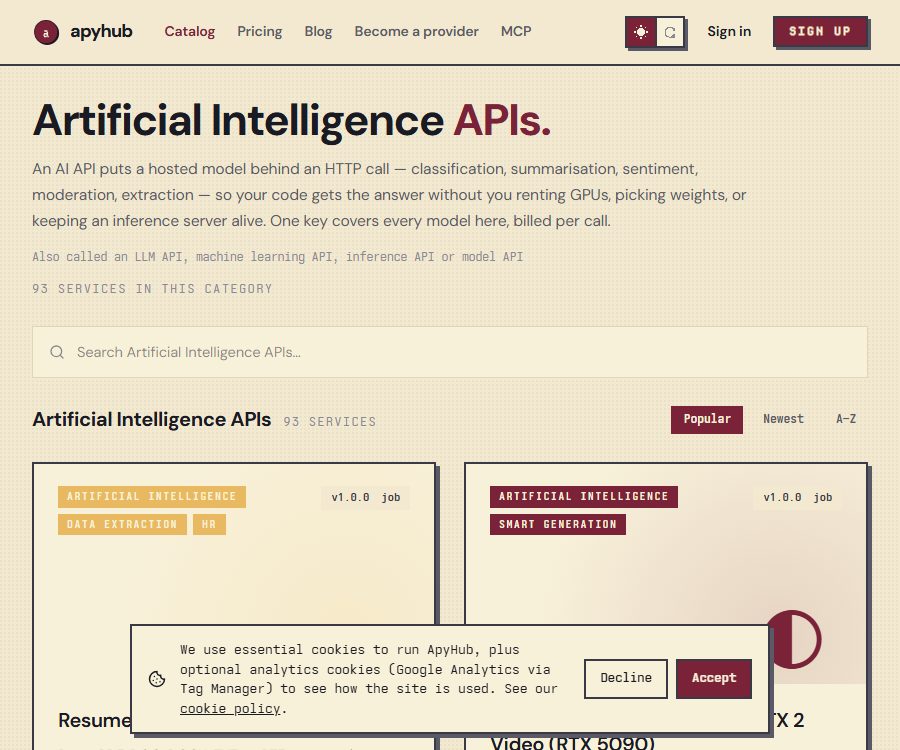
As of August 26, 2026, the official AI classification page lists 93 services. The catalog covers tasks such as text generation and summarization, sentiment analysis, content moderation, entity extraction, image recognition, image generation, speech processing, and document understanding.
- Text tasks: summarization, classification, similarity, sentiment analysis, and chat generation.
- Image tasks: detection, segmentation, quality assessment, generation, and style processing.
- Document tasks: parsing, translation, content extraction, and structured processing.
- Business tasks: resume screening, competitor analysis, market research, and content review.
Browser online testing
Each service page explains the request parameters and the return results; some interfaces can be tried out directly in the browser. This allows one to determine the input format, the response structure, and the amount of atoms consumed before writing code.
Unified key and usage management
The application carries out authentication using ApyHub keys; a workspace can create multiple keys to differentiate between different projects or environments. The console provides a centralized view of call records, status, latency, and quota usage, which facilitates error diagnosis and cost control.
MCP access
ApyHub provides MCP servers that enable compatible AI agents to discover and invoke tools within their subscription scope. It is suitable for integrating functions such as file conversion, web scraping, text extraction, and data validation into agent workflows.
API Publishing Market
Interface providers can also publish their own services on ApyHub. The platform is responsible for displaying the services in a catalog, providing documentation, handling verification, managing billing, and ensuring that agents can locate these services; however, the providers remain accountable for the stability of the interfaces, the accuracy of the output, and the proper processing of data.
In what scenarios is ApyHub suitable?
- Add summary, identification, generation, and content review capabilities to websites or applications.
- Turn the conversion process of PDFs, images, audio and video files, as well as office documents, into automated tasks.
- Call standard HTTP interfaces in n8n, low-code platforms, or backend services.
- Allow the AI agent to dynamically select tools for tasks via MCP.
- Use a unified subscription to manage multiple APIs, reducing scattered bills and keys.
- Publish your own APIs on the developer marketplace and earn revenue from each invocation.
ApyHub Usage Guide
- Register a workspace; the free plan does not require you to link a bank card first.
- Navigate to the directory and select the desired API based on task category or keyword.
- Read the service page to confirm the input format, output structure, version, Atom costs, and supplier terms.
- First, submit sample data in the online testing area to check whether it meets the business requirements.
- Create API keys and save them separately for development, testing, and production environments.
- Include authentication information in the server-side request, and then send the parameters or files as specified in the documentation.
- Handle status codes, timeouts, asynchronous tasks, and supplier errors, to avoid developing only based on successful examples.
- Monitor the number of calls, latency, and the balance of atoms in the console; set appropriate rate limits and alerts before going live.
Recommendations for key management
API keys should be stored in server environment variables or key management services, and not included in the web interface, public code repositories, or screenshots. Once a leak is detected, the old key must be revoked immediately and a new one created.
What to consider when choosing an API
- Enter the data type, maximum size, and supported file formats.
- Synchronous or asynchronous execution mode, as well as the duration for which the results of the task are retained.
- Atoms required for a single call and the metering rules that vary with load.
- Interface providers, data flow direction, licenses, and scope of output usage.
- Rate limiting, error retry, availability, and production environment support.
The advantages of ApyHub
- One subscription allows access to multiple types of APIs available in the catalog, eliminating the need to purchase individual packages one by one.
- Atoms are calculated based on the actual processing load, which provides a more accurate reflection of the computing costs compared to using the number of requests as a standard.
- It offers a free quota, a browser trial version, and a clear onboarding process.
- The same platform provides API keys, team members, usage records, and centralized billing.
- The directory is available for both regular applications and AI agents, and it supports standard HTTP as well as MCP.
- In addition to the AI interface, it also combines file conversion, extraction, verification, and image processing capabilities.
Usage restrictions and precautions
- ApyHub serves as an aggregation and invocation layer; the quality of the output still depends on the API chosen and the upstream supplier.
- The cost of Atoms for different services can vary; complex files, OCR tasks, or generation tasks generally require more resources than simple queries.
- A unified subscription on the platform does not mean that all interfaces have the same license, data policies, or service levels.
- The requested data may be sent to the underlying API provider, and sensitive information must undergo a compliance assessment before it enters the production process.
- The authorities do not guarantee that the platform and its upstream interfaces will remain operational at all times, nor do they ensure that the output will be correct every time.
- Reselling original API access, abusing traffic, and handling illegal, infringing, malicious, or phishing content are prohibited.
ApyHub prices
The following are the self-service plans for moderate traffic levels, as published on the official website on August 26, 2026. “Atoms” is the unit used for billing across different directories; the amount of resources consumed per task depends on the interface used, the volume of data, and the computational load. Fees and the currency used for settlement are specified on the payment page.
| Plan | Price | Atoms per month | API key | Rate | Team members |
|---|---|---|---|---|---|
| Starter | Free | 1,000 | 1 piece | 5 requests per second | 1 person |
| Pro | 16 dollars per month | 100,000 | 10 pieces | 5 requests per second | 5 people |
| Pro+ | $ | 500,000 | 10 pieces | 10 requests per second | 5 people |
All three tiers include access to the core APIs as well as MCP connectivity; the Pro and Pro+ versions allow for the additional purchase of Atoms at any time. For scenarios involving high traffic, greater team control, or specific data handling requirements, it is necessary to refer to the solutions offered on the official website or the sales quotes.
Renewal, cancellation, and refunds
The self-service packages are automatically renewed, and users can downgrade or cancel them at any time; the cancellation takes effect at the end of the current billing cycle. Pre-ordering of Atoms requires a prepaid payment, and data usage stops once the allocated amount is exhausted – no additional charges are generated automatically.
According to the official terms, a refund can be requested in cases of repeated charges or incorrect pre-purchases; unused credits resulting from a downgrade are generally not refundable, but can still be used until the end of the current period. Corporate contracts may specify different rules.
Data and Privacy
ApyHub records metadata related to each call, such as the endpoint, time, response code, latency, and workspace, for purposes of billing and troubleshooting. The official privacy policy states that neither the request body nor the response body is recorded, and that call logs are deleted automatically after 90 days.
However, the request is forwarded to the specific API provider for processing; therefore, it is necessary to read the license and data terms outlined on the corresponding service page. Accounts and data from the main workspace are stored in the European Union by default, while payment card information is handled by the payment service provider.
Is ApyHub open source?
ApyHub is a commercial hosting platform; it is not an open-source AI model that can be deployed on one’s own, nor is it a complete open-source API marketplace. The availability of public code examples or repositories maintained by third parties does not mean that the platform’s source code is available to the public – users still need to register an account and comply with the service terms when using it.
Frequently Asked Questions
Can ApyHub be used for free?
Yes. The Starter plan includes 1,000 Atoms per month, 1 API key, and 5 requests per second; there is no need to link a bank card during registration.
Does ApyHub only provide AI interfaces?
No. AI is one of the major categories; the catalog also includes file conversion, data extraction, verification, image processing, video processing, and other development tools.
What are atoms?
Atoms are the billing unit used across APIs by ApyHub. Different tasks consume varying numbers of atoms depending on the size of the data and the computational load involved, rather than having a fixed price for all requests.
Does ApyHub support MCP?
Supported. Users can connect to the official MCP server, allowing compatible AI agents to discover and invoke API tools within their subscription scope.
Does ApyHub save the content of API requests?
The official privacy policy states that only call metadata is retained, and neither the request body nor the response body is logged. However, the content of the requests may still be transmitted to the service provider who actually handles the tasks.
Is ApyHub an open-source project?
No. ApyHub is a commercial API hosting platform; the available documentation, interface specifications, or example code do not imply that the platform itself is open source.
Tools similar to ApyHub



 Guigong Network Security Registration No. 45132202000164