






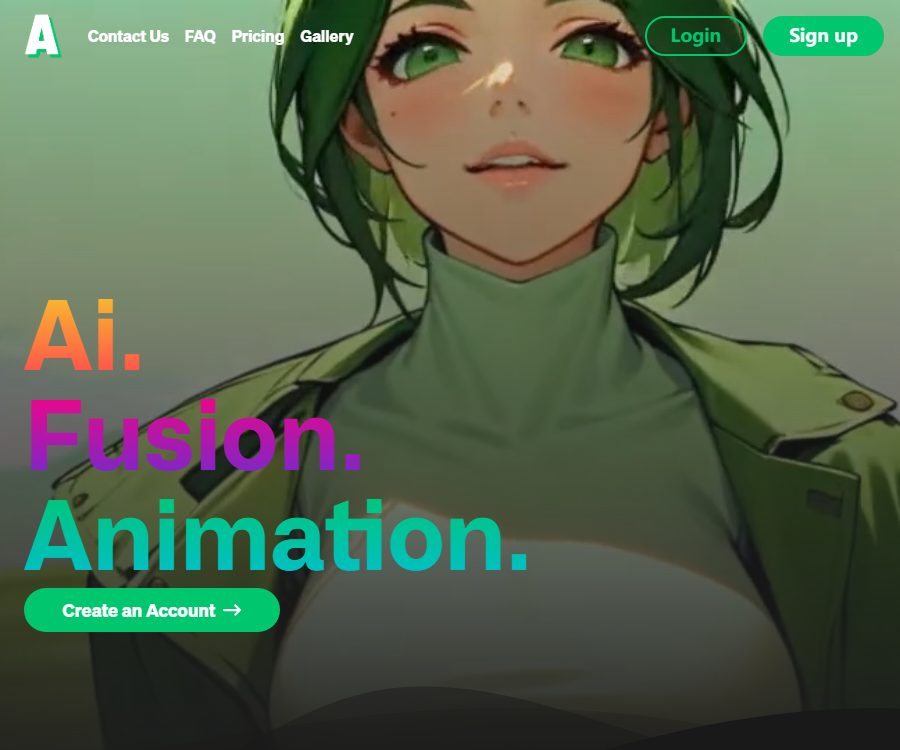
Animatable
Animatable makes AI programming more efficient and simpler.
Tags:AI programming toolsWhat is Animatable?
Animatable is an AI-based video animation tool designed for short-video creators, marketers, and visual designers. After uploading a video, users can choose a visual style and add textual descriptions to transform real people or actual footage into styled animations.
Its focus is not on creating a complete video from scratch, but rather on preserving the actions and shot structure of the original video, while redrawing the characters, costumes, and background. For those who already have performance footage but wish to change the visual style quickly, this workflow is more straightforward.
Main functions of Animatable
Video to video animation
Based on the Video-to-Video technology, this platform converts the uploaded videos frame by frame into animated forms. The original movements of the characters and the pacing of the footage serve as the basis for generation; it is suitable for use in dances, character presentations, short film segments, and social media content.
Various animation styles
Users can choose a visual style from those offered by the platform that suits their content, and then add details using prompts. Different styles affect the lines, colors, character designs, and background textures; it is advisable to test short clips before generating the final version.
Prompt control details
In addition to choosing a style, users can also describe the character’s hair color, eyes, clothing, and the background of the scene. The official recommendation is to focus on outlining the most important visual features of the main character, and to use brief descriptions of the background to enhance the consistency across consecutive illustrations.
Preview image check
Before rendering the video officially, it is possible to create an image preview to check the appearance of the characters and the overall style. Generating a preview consumes points, but it is usually a better way for making adjustments compared to creating the entire video directly.
Commercial use
According to the official FAQs, users own the animations they create and have full commercial rights to use them. However, when these animations are used in advertisements, film projects, or to be delivered to clients, it is still necessary to ensure that the materials, music, character portraits, and brand elements used have been properly authorized.
Animatable usage tutorial
- Register and log in to your account, and prepare a source video with clear visuals and a well-defined subject.
- Upload the video and select an animation style that matches its tone.
- Use prompts to describe the character’s appearance, clothing colors, facial features, and the background environment.
- Generate a preview image to check whether the character design, color scheme, and background meet the desired standards.
- Based on the preview results, refine or add prompts before submitting the video animation task.
- Wait for the rendering to be completed, download the result, and check for flickering, consistency of the characters, and any distortions in the details.
How to improve the generation quality
- Choose videos with a clear subject, minimal obstruction, and smooth camera movement.
- The prompt should focus on the most prominent physical features of the character, avoiding the use of conflicting descriptions.
- The background should only include the key elements and colors, avoiding complex details that are difficult to maintain in every frame.
- For long videos, start by selecting representative segments for testing; once the style is confirmed, use more credits.
- After generating the preview image, pay close attention to the continuity of the face, hands, clothing, and background.
Which users are it suitable for
- Short-video creators: Convert live performances into content in the style of comics or animations.
- Brand and marketing team: Create more visually striking social media content.
- Musical and dance creators: maintain the rhythm of the movements while altering the overall visual presentation.
- Film, television, and advertising teams: capable of quickly creating style tests, concept videos, or creative samples.
- Regular users: Convert personal videos into animated versions that are easy to share.
Product advantages
- It is designed for video style transfer, and the operation process is relatively short.
- Retain the original video actions to reduce the workload of redesigning shots from text.
- It supports generating image previews, which helps to reduce the costs associated with trial and error during the final rendering process.
- Prompt words allow for greater detail in defining the appearance of characters and the background, offering more flexibility than simply using filters.
- The official documentation specifies the ownership of the generated results and the rights to use them for commercial purposes.
Usage restrictions and precautions
- The generation speed is related to the length of the video; according to the official information, converting one video to another typically takes about one minute per second of footage, so a ten-second video may require around ten minutes to process.
- Complex movements, rapid turns, obstructions, close-ups of the hands, and frequent camera cuts can cause distortions in the image or flickering.
- The official video consumes points based on its duration; trying different options over and over again increases the cost. It is recommended to use preview images first to determine the right approach.
- The platform does not guarantee that all styles, resolutions, or output formats will always be available; the specific options are subject to those displayed on the account’s page.
- As of the verification date, no official API documentation available to the public was found, nor was it confirmed that the source code of this commercial platform is open source.
- There are several open-source projects with the same name on the internet, and none of them have an official connection to this tool.
Price of Animatable
As of August 26, 2026, the official website lists two monthly subscription plans: Basic and Pro, along with the prices prior to any promotions. Subscription benefits, taxes, and discounts may vary depending on the region or ongoing promotions; the details shown on the payment page should be taken as the reference before making a payment.
| Plan | The official website shows the monthly price. | Monthly points | Primary interests |
|---|---|---|---|
| Basic | $ | 1,000 points | Video transitions, full commercial use, quick generation |
| Pro | $ | 3,000 points | Video transitions, full commercial use, quick generation |
How are points consumed?
- Video to video animation: 7 points are consumed for each second generated.
- Image preview: 1 point is spent per image.
- When the points are insufficient, you can upgrade the plan or purchase a pack of points on the account page.
- According to the official FAQs, unused points can be carried over to the next month.
Based on the established rules, 1,000 points can be used to create a video of approximately 142 seconds in length, without taking preview views into account; 3,000 points allow for a video of around 428 seconds. The actual duration available depends on the number of previews, attempts to restart the process in case of failures, and the platform’s charging rules.
Platform and openness
- Usage: Web version.
- Account requirements: Uploading, generating, and subscribing usually require logging in.
- Payment method: According to the official guidelines, Stripe is responsible for processing payments; the platform does not store any information related to credit cards.
- Public API: As of the verification date, no official public API documentation has been found.
- Open source status: The commercial Animatable platform’s status as open source has not been confirmed.
Frequently Asked Questions
Can Animatable be used for free?
The public pages on the official website display information regarding paid subscriptions and point rules; whether new users are granted free points depends on the account page after registration. Creating preview images and full animations both require the use of points.
How many points are required to create a video?
According to the official rules, converting video to video costs 7 points per second, while viewing an image preview costs 1 point per image. For example, a 10-second animated video typically requires 70 points, in addition to the cost associated with the preview images.
How long does it take to generate a video?
The reference speed provided in the official FAQs is that about one minute is required to process each second of content; therefore, a 10-second video would take around 10 minutes to process. The level of activity and the complexity of the tasks can affect the actual waiting time.
How can we make the characters more stable across different frames?
It is necessary to choose clear materials with minimal obstruction, and to describe in detail the characters’ clothing, hair color, facial features, and background. A preview image should be generated first, and testing should start with short clips, as it is easier to identify issues this way.
Can the generated animation be used for commercial purposes?
Officially, it is stated that users have the right to create animations for full commercial use, but this does not cover the rights related to third-party materials; users must still obtain legitimate authorization for any videos, portraits, music, or trademarks they use.
Does Animatable provide APIs or open-source code?
As of August 26, 2026, no official API documentation available for the public was found, nor is there any evidence indicating that this commercial platform is open source. The project with the same name on GitHub cannot be considered the official code for Animatable.
Tools similar to Animatable



 Guigong Network Security Registration No. 45132202000164