






AIVideo
AIVideo – makes AI programming more efficient and simpler.
Tags:AI programming toolsWhat is AIVideo?
AIVideo is a one-stop platform for creating AI videos, images, and audio, operated by Infobot, Inc. It brings together various generation models, templated workflows, asset libraries, and a native editor within a single web application.
The product is aimed at creators, brands, marketing teams, musicians, as well as those working in the e-commerce and real estate sectors; it is not an AI programming tool. Users can start using it for free, while higher usage levels and advanced models are available through subscriptions and credit points.
Main functions of AIVideo
1. Text-to-video and image-to-video
Users can create videos by entering descriptions of scenes, characters, actions, styles, and camera angles; they can also upload product images, character photos, or concept art to bring static materials to life.
- Text is used to generate short videos and video clips.
- Video conversion from images is generated using reference images.
- It supports a variety of ratios, models, qualities, and motion patterns.
- It can be used for ads, social videos, stories, and product displays.
2. Multi-model Playground
The platform currently displays over seventy types of videos, images, audio files, voice recordings, and scaling models. Users can compare different models within a single account, without the need to register with multiple providers separately.
The model catalog is updated continuously; the specific availability, resolution, maximum duration, number of reference images, and cost in credit points shall be as indicated on the interface at the time the task is created.
3. Script to Video
Script to Video allows you to break down a script into scenes, and to combine visuals, subtitles, audio, and a timeline. It is suitable for explaining videos, social media content, courses, advertisements, and stories with narration.
The platform still maintains the legacy version of the interface; for new projects, it is advisable to first compare the differences between the V2 workflow and the output of the old version, in order to avoid following outdated tutorials.
4. Dialog-based AI editor
AI Editor allows users to use natural language to request adjustments to the shots, replacements of footage, changes to the pacing, or additions of elements. The Ava assistant within the editor can help with planning and making modifications within the context of the project.
Dialogue editing is suitable for rapid iteration, but complex timelines, precise keyframes, color management, and professional audio mixing still may require desktop video editing software.
5. Images and visual tools
In addition to videos, AIVideo also offers text-to-image generation, image editing, background removal, and zooming tools; it allows users to create characters, product scenes, covers, and storyboards first, before moving on to the video creation process.
6. Music, voice, and sound effects
The platform can generate music, soundtracks, and sound effects; it also offers functions for voice synchronization, lip-syncing, and handling of speaking characters. Users can work with both visual elements and audio in the same project, thereby reducing the need to import data from different tools.
7. Music visualization
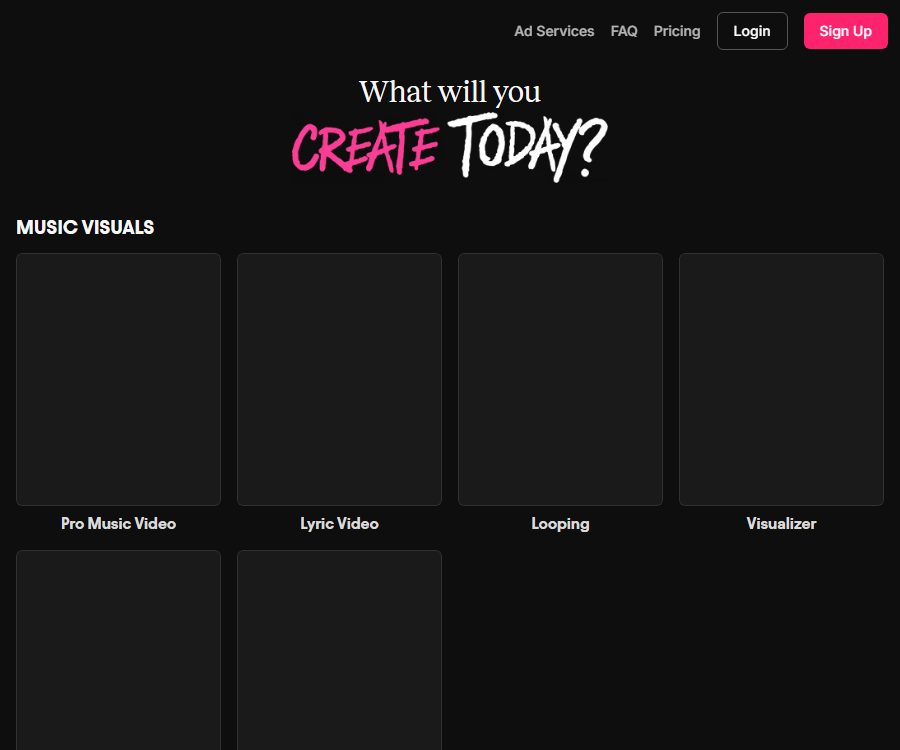
Musicians and record labels can upload songs and create professional music videos, lyric videos, looping visuals, visualized spectra, slideshows, or silhouette effects.
- Generate scene-specific visuals based on the song structure.
- Create visual changes that are synchronized with the rhythm.
- Create release trailers, shortened promotional videos, and reusable footage.
- Continue to replace shots and adjust the rhythm in the editor.
8. E-commerce and advertising templates
AIVideo offers templates for creating ads such as those based on scripts, giant product displays, exploded views, before/after comparisons, bullet time effects, billboards, product reviews, and UGC split-screen layouts.
Templates can speed up the testing of ideas, but the quality of the products generated by the platform, as well as user evaluations and usage scenarios, should not be regarded as genuine evidence or proof of the product’s effectiveness.
9. Real estate video templates
Real estate tools include functions such as virtual layout creation, blueprint generation, day/night conversion, construction timing adjustments, and camera effects; they allow property photos and descriptions to be transformed into social media videos or promotional content.
Virtual furniture, landscapes, and renovation effects must be clearly indicated to prevent potential buyers from mistaking them for the actual current state of the property.
10. Automation and MCP
The official documentation mentions AIVideo MCP, which allows the platform’s capabilities to be connected to AI agents and automation processes. However, the public pages do not provide comprehensive documentation on access rights for all clients and tools, nor on the billing rules.
Before activation, the enterprise should verify from its account the authentication methods, available actions, scope of access to resources, and credit point deductions, and set up approval processes for creating and publishing actions.
Which users is it suitable for?
- Social media team: Batch creation of Reels, Shorts, TikTok videos, and event clips.
- E-commerce brands: Convert product images into dynamic ads and lifestyle content.
- Advertising and Growth Team: Testing different hooks, visuals, and audience versions.
- Musicians and record labels: creating music videos, lyric videos, and releasing visual content.
- Real estate marketers: Create presentation materials, renovations, and short video content for properties.
- Education and curriculum creators: Convert scripts into videos with narration, subtitles, and background music.
AIVideo usage guide
- Register an account and specify the purpose of the content, the platform for publication, the duration, the proportions, and the target audience.
- Choose text, images, audio, scripts, music videos, or industry templates as a starting point.
- Prepare product images, character images, brand materials, music, and reference content that have the necessary rights to be used.
- Select a model and view the input requirements, estimated credit points, duration, and output quality.
- Generate a low-cost prototype to confirm the main elements, composition, camera angle, and overall style.
- In AI Editor, modify the scenes, sequence, subtitles, audio, and transitions to create a high-quality version.
- Check frame by frame the characters, products, text, logos, physical movements, and audio-video synchronization.
- After exporting, preview it on the target platform and label the content as AI-generated, advertising, or virtual arrangement according to the rules.
Tips for improving the quality of the final product
- Use scripts to determine the purpose of each shot in advance, and avoid having the model perform too many actions at once.
- Maintain consistency in characters, costumes, product colors, and environmental descriptions.
- Use clear reference diagrams, and avoid unnecessary text and figures in the background.
- Write separate descriptions for camera movement, subject movement, and sound for the video model.
- Retain the successful models, parameters, and prompts to facilitate the creation of versions in the same series.
- Treat the AI-generated version as a draft; before final release, have humans check the pacing, branding, and facts.
Payment methods and service versions
As of August 25, 2026, the public page of AIVideo offers access to free tools, but the prices for the full packages on the self-service platform can only be seen after logging in; accessing the pricing page directly leads to the login page.
The official website also offers Meta advertising services created jointly by a team of human creatives and AI systems; the starting price is 8,500 dollars per month. It is a managed service for businesses, and it is not the same as subscriptions for ordinary creators.
| Usage method | Public price | Billing features | Suitable for users |
|---|---|---|---|
| Free tools | You can start for free. | The specific limits, models, and functional constraints depend on the account. | Experience the creation and editing process |
| Self-creation platform | It will be displayed after logging in. | Subscribe to get credit points; different models require different amounts. | Individual creators, brands, and content teams |
| Meta Ad Content Engine | $ | Daily advertising creativity, data-driven optimization, and human team support | DTC brands that require continuous investment and outsourced management |
The name of the self-service package, the monthly or annual payment amount, the credit points, and the cost of the model cannot be accurately determined by accessing the official website without logging in; therefore, this page does not use prices provided by third parties. It is necessary to refer to the pricing and billing information on your own account before making a purchase.
How are credit points used?
Different third-party models, resolutions, durations, audio settings, and high-quality modes require different amounts of credit points. The specific costs can be viewed on the model selection or task creation interface.
- First, use a small number of sample versions to compare the models, in order to avoid creating many invalid versions at once.
- Record whether failed tasks result in the return of credit points and the deadline for submitting refund requests.
- Check whether unused credit points are carried over, when they expire, and when the subscription is renewed.
- Before the upgrade, estimate the monthly number of lenses and the average consumption per lens.
- Changes in the prices of external models can affect the cost of credit points within the platform.
Cancellation, Refunds & Renewal
The official support page states that subscription can be canceled at any time, and the cancellation takes effect starting from the next billing cycle. Users will not lose their existing projects, but they will lose access to the paid features once the subscription expires.
The terms of service state that the subscription fee is charged in advance and, in principle, is non-refundable. If you decide to stop using the service, you must cancel it before the renewal date, and keep the confirmation message and invoice.
Content ownership and commercial use
The terms of service state that users retain the right to own the content they create, and they grant the platform permission to use, modify, and display such content in order to provide services. The platform still retains ownership of the intellectual property rights related to its website, software, and services.
Just because a user has the right to output something does not mean that such output is necessarily free from copyright infringement. Third-party models, reference materials, music, portraits of people, brands, and distribution platforms may also have their own restrictions.
- Only upload music, photos, videos, and brand assets for which you have permission to use.
- Do not clone real people’s voices, faces, or performances without permission.
- Avoid copying protected characters, trademarks, and artistic works.
- Advertising materials should be based on facts and avoid false claims.
- Check the current terms of use for the selected model before commercial release.
Privacy and account security
AIVideo processes names, email addresses, payment information, IP addresses, browser details, usage records, and materials uploaded by users. The privacy policy states that personal information will not be sold, but necessary data may be disclosed in order to provide services, comply with legal obligations, or conduct security investigations.
After connecting to YouTube, the platform processes the tokens and channel information; users can disconnect and delete the relevant data. If an account remains inactive for twelve months, the associated YouTube data is automatically deleted.
- Provide team members with separate accounts and the minimum necessary permissions.
- Periodically remove YouTube and third-party connections that are no longer needed.
- Do not upload client confidential information, unreleased products, or sensitive personal data.
- Download important finished videos and source materials; don’t rely solely on online project storage.
- Before deleting the account, cancel subscriptions, export your works, and revoke any external authorizations.
Product advantages
- Multiple video, image, speech, and audio models are used in a workspace.
- It covers the entire process of creation, scripting, editing, audio handling, and export.
- Templates for music, e-commerce, and real estate lower the barrier to getting started with professional workflows.
- Dialog-based editing is suitable for quick modifications and batch iterations.
- The free access option allows users to test the interface and output quality before making a payment.
Usage restrictions
- Third-party models can exhibit issues with character consistency, text, physical movement, and audio-video synchronization.
- A large number of models also increases the difficulty of managing selection and credit point costs.
- Some tools are indicated as being for use only on desktops; the experience on mobile devices is incomplete.
- The price of the complete self-service package is available only after logging in, and there is limited transparency regarding its public price.
- Failed creations, refunds, and credit point transfers should be verified individually within the account.
- Currently, no official GitHub repository for the core software is available; the platform itself is not open-source software.
Is AIVideo open source?
AIVideo is a commercial hosting platform; the source code of its core website, editor, or automation systems is not made public. Although it integrates models such as Stable Diffusion and Wan, or other open-source models, this does not mean that AIVideo itself can be deployed using open-source technologies.
Frequently Asked Questions
Can AIVideo be used for free?
The official website offers free tools and an easy way to get started, but the limits on the free usage amount, the models that can be used, and the options for exporting results need to be checked by logging into an account. High-cost models and large-scale generation typically require credit points or a subscription.
Can I upload my own music?
Music videos and audio can be used to drive workflows, but the user must have the rights to use the music and related materials.
To whom does the generated content belong?
The terms state that users retain the right to create their own content. When using such content for commercial purposes, it is still necessary to comply with the rules regarding third-party models, input materials, characters, and distribution platforms.
Does AIVideo have a public API?
The official website mentions MCP and automation capabilities, but no complete public API pricing information or development documentation was found upon verification. Enterprise integration should be arranged through an account or the official team.
Is ad management included in the regular subscription?
It is not included. The Meta Advertising Content Engine, starting at 8,500 dollars per month, is a separate service that includes a creative team, brand training, ongoing production, and data optimization for campaign delivery.
Tools similar to AIVideo



 Guigong Network Security Registration No. 45132202000164