






Aimagicstudio
Aimagicstudio – makes AI programming more efficient and simpler.
Tags:AI programming toolsWhat is AIMagicStudio?
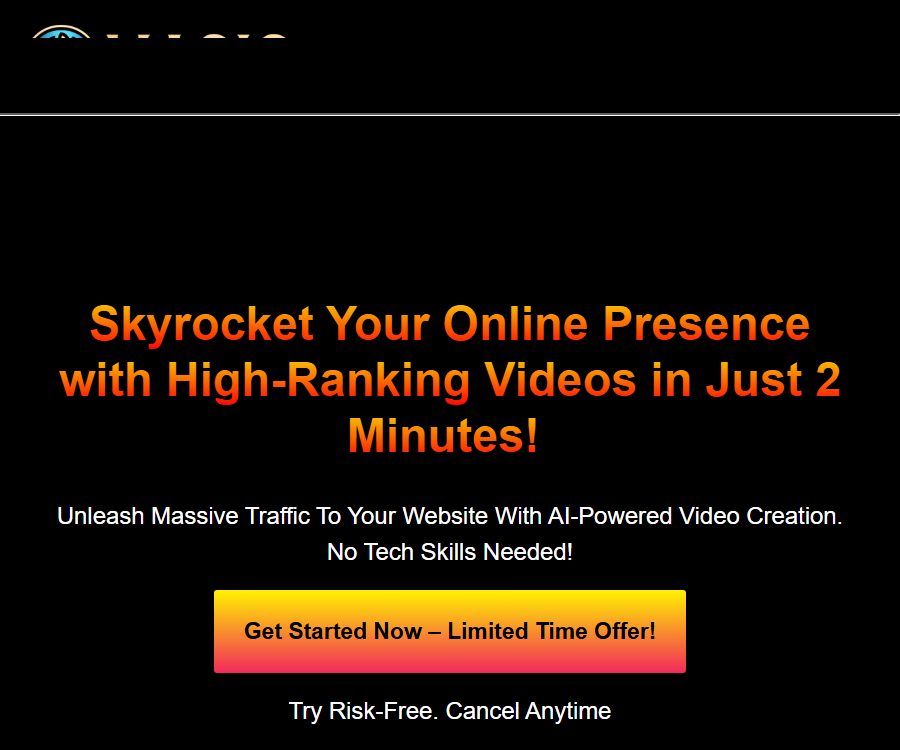
AIMagicStudio is an automated video production platform designed for content creators, marketers, and small businesses. Once users enter keywords, website addresses, or Amazon product pages, the system generates scripts, visuals, voiceovers, subtitles, and short videos.
The product is managed by Vidranya, and it emphasizes the ability to create social media content without the need for photography or complex editing. The original access link to the database is the WarriorPlus promotional link; the actual functions and prices of the product should be referred to on the AIMagicStudio official website.
Main functions
Generate videos with keywords
The user enters a topic or keyword, and the platform automatically creates a script, finds or generates visual materials, and adds voiceovers and subtitles. It is suitable for knowledge explanations, lists, stories, and short videos that do not require a live presenter.
Convert web pages to videos
URL to Video can extract content from web pages and transform it into a video script, enabling blogs, articles, and landing pages to be repurposed as videos. After creation, it is still necessary to verify the accuracy of the information, the sources cited, and the copyright status of the original web pages.
Amazon product review videos
The platform can read Amazon product links and create product descriptions or review videos. Different plans set limits on the number of product links that can be processed per month or in a one-time batch; in addition, compliance with Amazon’s affiliate program rules and advertising disclosure requirements is necessary when publishing content.
AI scripts, images, and voiceovers
AIMagicStudio can automatically write scripts and create customized images; it offers more than 500 different sounds and over 100 languages. AI-generated voiceovers and images require corresponding credits, while videos without voiceovers or AI-generated images do not consume such credits.
Automatic subtitles and audio to video conversion
The platform offers voice recognition, automatic subtitles, options for customizing subtitle styles, and the ability to convert audio to video. It provides over 10 different layout options and more than 15 subtitle design styles, which can be used to suit various types of content.
Multi-platform formats and automatic publishing
The output is available in the formats used by popular platforms such as YouTube, Instagram, TikTok, Facebook, and LinkedIn. Premium also offers batch scheduling, automatic distribution, and Webhooks that allow integration with Zapier, Make, or other automation tools.
Which users are it suitable for
- YouTube channel operators without live hosts and short-video creators
- Marketing teams that need to transform blog and website content into videos
- Affiliate marketers who create product descriptions for Amazon items
- Cross-border content teams that require multilingual voiceovers and subtitles
- Small businesses that wish to schedule social media videos in bulk
- Creators who quickly convert podcasts and audio content into visual material
AIMagicStudio Usage Guide
- Register and log in, then check the current plan, remaining points, and storage space.
- Choose from converting keywords to video, web pages to video, product videos to video, or audio to video.
- Enter the topic or page, and add details regarding the target audience, platform, duration, and action instructions.
- Choose the screen ratio, layout, subtitle style, language, and voice for the narration.
- After generating the script, check the facts, product parameters, and advertising promises first.
- Preview AI-generated images, stock assets, subtitle timelines, and audio playback.
- Render after correcting the errors, and check the points that will be consumed for downloading or publishing.
- Export watermark-free videos, or set up Webhooks and scheduling in Premium.
Methods to improve the quality of the finished product
- Specify the target audience and the purpose of the video; do not use only general keywords.
- Before converting a webpage to video, organize the original text by removing navigation elements, advertisements, and irrelevant paragraphs.
- For product videos, check the price, specifications, discounts, and performance effects item by item.
- Add pronunciation guides for brand names, names of people, and terms.
- Avoid putting too many ideas into a short video; stick to one single theme.
- Manually check subtitles, image copyrights, and the platform’s secure areas before publishing.
Price of the main package
The prices listed below were verified on August 25, 2026, based on the official sales page, and are expressed in US dollars. The Starter version is available for a one-time purchase, while the Pro and Premium versions require monthly subscriptions; promotional prices, trial periods, and renewal fees may vary, so it is necessary to refer to the payment page for accurate information.
| Package | Price | Increase the quota for short videos | Download storage | Primary interests |
|---|---|---|---|---|
| Starter | $ | Up to 30 items | 1GB | No watermarks, commercial license, up to 10 product videos |
| Pro | $ | Up to 60 per month | 2GB | No watermarks, commercial license; up to 30 product videos per month |
| Premium | 67 dollars per month | Up to 200 per month | 7GB | Inventory media, automatic distribution, batch scheduling, custom AI images |
The official website states that the actual number of videos depends on their duration and size; therefore, the “maximum” figure is not an absolute guarantee. The Starter and Pro plans allow for the creation of basic videos without voiceovers or AI-generated images, but rendering, downloading, or using advanced features may still require points.
One-time point package
Additional point packs are available as one-time purchases and can be combined with existing unused points; according to the official FAQ, the points purchased do not expire. They mainly increase the number of AI-generated images, TTS characters, the duration for speech recognition, storage capacity, and the number of Amazon links that can be processed.
| Points package | Price | AI images | TTS characters | Speech recognition | Storage |
|---|---|---|---|---|---|
| Essential | $ | 300 pieces | 20,000 characters | 60 minutes | 1GB |
| Advanced | $ | 1000 pieces | 100,000 characters | 180 minutes | 3GB |
| Elite | $ | 3000 pieces | 250,000 characters | 480 minutes | 17GB |
The official website also states that top-up packages can be purchased within the app starting at 19 dollars. Before making a payment, it is necessary to determine whether one is buying the main package or additional points, as purchasing only points may not include the basic services and all functions required for the account.
Refund rules
The sales page offers a 30-day refund guarantee, but if 10 or more videos have been created during that period, the condition for a refund is no longer met. Users should keep the order details and test whether the functionality meets their needs before using it extensively.
Promotion pages and payment platforms may have their own procedures for refunds as well as specific time limits for such actions. When making a purchase, it is necessary to verify the name of the seller, the frequency of renewals, the process for canceling orders, and the actual amount that will be deducted after the trial period ends.
Video saving and downloading
The videos created with Premium are stored until the user decides to delete them; videos generated by other methods are automatically deleted after 30 days. This platform is not a permanent media repository, so it is essential to download and back up all important videos, scripts, and materials promptly.
- Record the project name, creation date, prompt, and source of materials.
- Download the video and subtitle files before they are automatically deleted.
- Save two copies of the client’s project as backups, one locally and one in the cloud.
- Check the remaining points and unsaved items before canceling the subscription.
Commercial use and content compliance
The public pages for Starter, Pro, and Premium all offer free commercial licenses as well as downloads without watermarks. A commercial license does not entail automatic ownership of all rights to the website articles, product images, stock materials, music, and brand identifiers.
When creating Amazon reviews, it is not allowed to fabricate personal experiences, claim fake discounts, or describe effects that cannot be verified. Any content that includes affiliate links, sponsored material, or AI-generated text must be clearly disclosed in accordance with local regulations and the platform’s policies.
Product advantages
- Videos can be created quickly using keywords, web pages, product links, and audio.
- Automatically handles various tasks such as scripts, visuals, voiceovers, and subtitles.
- Offers over 500 sounds and more than 100 languages
- Supports various proportions for different social media platforms and watermark-free output.
- Premium allows for batch scheduling as well as integration with automation tools via Webhooks.
- The additional point packages are purchased once, and the officials state that unused points do not expire.
Usage restrictions and precautions
- High rankings, increased traffic, and higher conversion rates shown in promotional materials cannot be considered as guarantees of outcomes.
- Web page extracts and product scripts may contain outdated or incorrect information.
- The video quota varies depending on length and resolution; it is not a fixed amount.
- AI images, voiceovers, speech recognition, storage, and rendering require different points.
- Starter is a one-time solution, while Pro and Premium involve recurring monthly fees; it is important to avoid confusion between them.
- Non-Premium videos are automatically deleted 30 days after creation.
Open-source status and API
As of the time of verification, no official repository releasing the AIMagicStudio core platform under an open-source license, nor any instructions for local deployment, was found. It should be considered an online commercial service, rather than a video generation tool that can be installed on one’s own system.
The official website offers Webhook integration for sending the rendered videos to automation platforms, but it does not provide complete documentation for a general video generation API. The Webhook functionality should not be considered equivalent to an open developer API.
Frequently Asked Questions
Do I need to provide my own OpenAI API key?
It is not necessary; the official documentation states that the platform already includes the relevant AI services. Users can make use of them according to the available plans and points, without the need to configure an OpenAI key.
Is it possible to create a video without using any points?
It is possible to create basic videos without voiceovers or AI-generated images, but enhanced elements, rendering, downloading, and other features may require credits. It is necessary to check the actual cost displayed on the page before submitting.
Is Starter a monthly fee?
No, the official website lists the Starter version as a one-time purchase for 17 dollars. The Pro and Premium versions require monthly subscriptions costing 27 dollars and 67 dollars respectively.
Do points expire?
The FAQ for the additional points package states that the purchased points do not expire and can be acquired multiple times to be accumulated. As for whether the monthly quota included in the subscription is carried over, this depends on the specific billing rules of the plan.
Can videos be published automatically?
Premium offers automatic distribution across multiple platforms, batch scheduling, and Webhooks, allowing integration with tools such as Zapier and Make. However, manual verification of the content and account permissions is still required before publishing.
Is AIMagicStudio an open-source tool?
No official open-source repository or self-deployed version was found. It is a commercial platform that operates through web accounts, packages, and points.
Summary
AIMagicStudio is ideal for converting keywords, web pages, and product information into marketing videos with audio and subtitles in bulk; it is particularly suitable for channels that do not feature live hosts as well as for affiliate content. When choosing a plan, it is important to take into account the differences between one-time payments and monthly fees, the amount of points required, the 30-day storage period, and Amazon’s compliance requirements.
Tools similar to Aimagicstudio



 Guigong Network Security Registration No. 45132202000164