






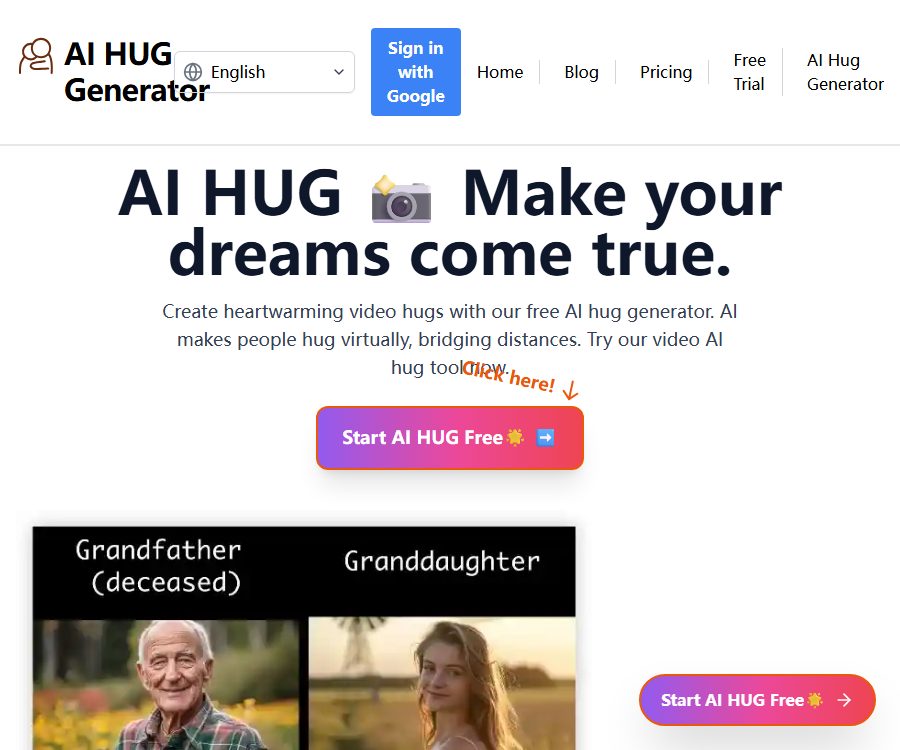
ai-hug.org
ai-hug.org – makes AI programming more efficient and simpler
Tags:AI programming toolsWhat is AI Hug?
AI Hug is an online tool that converts photos of people into virtual hugging animations. Users upload two individual photos, combine them and describe the way in which the characters should interact, and the system then generates a short video.
This service is operated by Evergreen Systems LLC, and the underlying technology used includes Luma Labs Dream Machine. It is suitable for creating memorials, greetings, and creative short videos; however, the output generated does not represent real events.
Main functions
Two photos to create a hugging video
Users can upload photos of two individuals separately and then combine them on the same page to create a single image. The AI analyzes the positions, postures, and facial features of the individuals to generate an animation showing them standing close to each other and hugging.
Custom action description
By default, a warm embrace is generated; users can also describe how the characters move, their emotions, and the camera effects. The more complex the actions, the higher the likelihood of arm intersections, changes in facial expressions, and body distortions.
Combination of real people and anime characters
The official website shows examples of interactions between real people and anime characters. When using copyrighted characters or public figures, it is necessary to check the relevant copyright, trademark, portrait rights, and platform rules.
Video preview and download
Once the task is completed, it is possible to preview and download the final result. All paid packages specify that the videos are watermark-free and downloadable; however, whether commercial use is allowed still requires checking the latest terms or consulting the authorities.
Private generation
On most pricing pages, Private Generations is listed as a paid feature, but there are inconsistencies in the information provided for the Starter plan on the English version of these pages. If photos are sensitive in nature, it is necessary to confirm whether the selected option defaults to private mode before completing the payment.
Suitable for which scenarios
- Create virtual hugs and holiday greeting videos for relatives and friends who are far away.
- Convert old family photos into commemorative animations
- Creating creative videos and emotionally engaging content for social media
- Try to interact with your past and present self in the same frame.
- Create videos of characters interacting with real people after obtaining authorization.
AI Hug usage guide
- Prepare two clear photos with similar lighting, each showing only one person.
- Give preference to compositions that show the subject from the chest up or in its entirety, from the front, or with the subjects facing each other.
- Upload the images separately, and use Merge Images to adjust the size and position of the people.
- Enter a brief description of the action; for the first use, the default hug effect is used for testing.
- Submit the task and wait for it to be processed; if it fails or the result is not satisfactory, replace the photo instead of trying again blindly.
- Preview the character’s identity, actions, and the edges of the image to ensure there are no offensive elements.
- After downloading, add an AI-generated identifier and obtain the relevant party’s consent before sharing it publicly.
Methods to improve generation quality
- Use photos with high resolution, no strong filters, and clear facial features.
- The two characters should maintain a similar proportion and shooting angle.
- Choose a simple background to prevent the characters from being obscured by furniture or other people.
- When merging, place the two individuals close to the center of the image and leave space for their movements.
- The prompt should describe only one main interaction; avoid including too many actions.
- For important commemorative materials, keep the original local images and backups.
Prices and packages
The subscription prices listed below were verified on August 25, 2026, based on the official price page; they are expressed in US dollars. Each point allows for the generation of one video. Fees, charges for failed tasks, and renewal rules are subject to those specified on the settlement page.
| Package | Monthly fee | Monthly points | Cost per generation | Primary interests |
|---|---|---|---|---|
| Starter | 9.9 dollars | 9 | 1.10 dollars | No watermarks, video download |
| Basic | 19.9 dollars | 20 | 1.00 dollar | No watermark, download, private generation |
| Plus | $ | 40 | 0.75 dollars | No watermark, download, private generation |
| Pro | 36 dollars | 60 | 0.60 dollars | No watermark, download, private generation |
The official website offers the option to switch between one-time purchases and subscriptions, but the results obtained through public searches only show the monthly subscription price. The amount of the one-time credit package, its validity period, and whether it includes privately generated content can be found on the billing page after logging in.
The website allows users to subscribe to multiple plans at the same time, and recommends that they manage these subscriptions through the billing page. Before making a choice, it is necessary to confirm whether subscriptions are automatically renewed, whether unused points carry over, and how to cancel them.
Free trial status
The home page still promotes a free trial, but the official waitlist page indicates that this free trial has been suspended temporarily due to high demand. Users can join the waitlist; once approved, they may receive trial credits as well as an additional bonus credit.
Therefore, “Free AI Video Generation” should not be understood as meaning that any new user can generate videos for free right away; whether this service is available depends on the status of the actual account after logging in.
Photo privacy and retention period
According to the terms of service, the maximum size for a single image that can be uploaded is 25MB. The original image is retained for 1 day after processing, while the processed image is kept for 90 days.
The platform makes use of third-party services such as Replicate and Picsart to process images, and its infrastructure is provided by Cloudflare. The content uploaded may pass through multiple service providers, which means it is not suitable for handling highly sensitive or private photos without consent.
- Do not upload ID cards, private images, or photos containing sensitive information such as addresses.
- Child photos should be evaluated by a guardian and their use approved.
- When commemorating the deceased, it is necessary to respect the rights of family members and their heritage.
- Before sharing it publicly, it should be clearly stated that the video was generated by AI.
- Download it as soon as it is generated, and contact the platform if necessary to have the account data deleted.
Portraits, Copyright, and Ethics
Permission must be obtained before using someone else’s photos, especially those of private individuals, minors, and public figures. Fake scenes of hugs might be misinterpreted as indicating a real relationship or a real event; it is not appropriate to deceive viewers intentionally through titles or editing.
The terms of service prohibit content that is pornographic, violent, involves the exploitation of children, or constitutes copyright infringement. When using anime characters, photos of celebrities, or commercial photographs, the fact that the platform is able to generate such content does not mean that the necessary rights have been obtained.
Product advantages
- The process is centered around optimizing videos, and the operations involved are more straightforward compared to those of general video models.
- It allows for uploading photos separately and then combining them into a single composition on the page.
- Prompt keywords can be used to adjust character interactions and video style.
- The paid plan assigns one point per video, making it easy to estimate the costs.
- All available packages include watermark-free content and a download feature.
- Multiple credit tiers are available, suitable for both occasional use and bulk usage.
Usage restrictions and precautions
- AI can change faces, hands, clothing, and the identifying features of individuals.
- Photos with complex poses or large differences in angles are prone to overlapping and distortion.
- The free trial may be on a waiting list at the moment, so it cannot be guaranteed to be available immediately.
- The price pages in English and other languages show different information regarding the Starter private generation benefits.
- The processing results are retained for 90 days; users whose data is sensitive to privacy should be cautious when uploading them.
- The platform does not guarantee continuous availability of the services; important materials should be saved in a local copy.
Open-source status
As of the time of verification, no official documentation indicating that the core services of the AI Hug website are released under an open-source license was found. The site utilizes third-party technologies such as Luma Labs and Replicate, but the use of external models does not mean that the website is open source.
Frequently Asked Questions
Can AI Hug be used for free?
The home page of the official website still shows an option for a free trial, but the waiting page indicates that such trials are temporarily suspended. New users need to log in to check the situation or join the waiting list to accumulate points.
A few photos are needed.
Usually, two clear photos are required, one for each person. The more similar the angle, lighting, and proportions of the people in the photos, the more natural the resulting hugging pose will be.
How many points are consumed by one video?
The price page clearly states that one point is required to generate one video. Whether failed tasks are refunded is subject to the information provided on the billing page or by customer service.
How long are photos stored?
The terms of service state that the original images are retained for 1 day after processing, while the processed images are kept for 90 days. Third-party processing services may also have their own policies in place.
Can I use photos of celebrities or deceased loved ones?
It may be possible to create such content technically, but considerations must be given to portraits, privacy, copyright, inheritance rights, and the feelings of family members. Generated videos must not be used to pretend that they depict real events or to engage in deception.
Summary
AI Hug is suitable for quickly turning two photos of people into short videos showing a virtual hug; the cost is calculated based on points per creation, with Lower and Pro plans offering lower fees per task. Before using it, it is essential to obtain permission from the people in the photos, confirm the rights related to private use, and understand that the uploaded content will be processed by third parties and may be retained for 90 days.
Tools similar to ai-hug.org



 Guigong Network Security Registration No. 45132202000164