






AI Hugging
AI Hugging makes AI programming more efficient and simpler.
Tags:AI programming toolsWhat is AI Hugging?
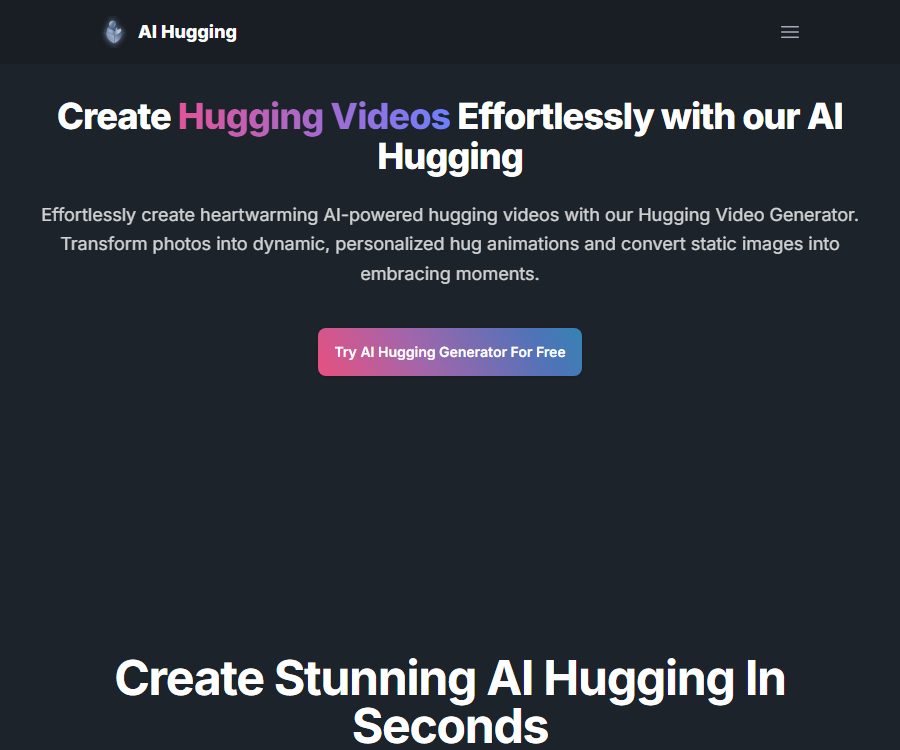
AI Hugging is an online AI video generator that converts static photos into animations of people hugging each other. Users can also create hug scenes by using textual descriptions, for use as family memorials, social media content, or creative short videos.
It is not a programming tool, nor is it related to the open-source model platform Hugging Face. Its main functions are converting images into videos, generating videos from text, and creating animations of human movements.
Main functions
1. Convert photos into hug videos
When users upload photos containing people, the system analyzes the subjects and generates an embracing gesture. Photos that are frontal, clear, and have proportions that are relatively accurate tend to yield more stable results.
2. Text-to-video generation
The tool allows for the creation of embrace videos based on textual descriptions; it is possible to specify the relationship between the people involved, the scene, the atmosphere, and the visual style. Complex movements or compositions involving multiple people may lead to issues such as ambiguous identities and incorrect limb positions.
3. Convert roles to video
The pricing page lists Character to Video, a service that allows turning character or mascot materials into animated videos. When using anime characters, film characters, or brand images, it is still necessary to check the copyright status.
4. Description of style and atmosphere
Users can enter keywords to describe the desired actions, emotions, and environment. The prompts should avoid ambiguity, and it is necessary to specify the position of the characters, the extent of their movements, and the scope of the camera view.
5. Video download
All plans include a video download feature, and the website’s FAQ describes the resulting videos as high-quality ones without watermarks. The specific resolution, frame rate, duration, and format are not fully listed on the public pricing page.
6. Video enhancement and super-resolution
The official price details state that credits can also be used for video enhancement or super-resolution. Different processing methods may result in different charges; it is necessary to check the real-time instructions on the task page before submitting it.
7. DreamBooth custom models
The price FAQ mentions that credits can also be used to train custom DreamBooth models. Training models of real people requires stricter portrait licensing, better control over the materials used, and more effective mechanisms for removing such content.
Which users are it suitable for
- Users who wish to create short videos of hugs using photos of their family, friends, or partners.
- Content creators who need to produce holiday greeting and commemorative videos.
- Beginners who wish to try AI video technology for converting images into human movements.
- Operators who need to quickly create emotional short videos for social media.
- Commercial teams that have clear authorization for the use of materials and can conduct manual review of the results.
Price and package comparison
As of August 25, 2026, the official website displays the following monthly plans. The amounts, taxes, promotions, renewal terms, and actual benefits may vary; the final details shall be those indicated on the checkout page.
| Plan | Monthly fee | Monthly limit | Number of videos per page | Parallel generation |
|---|---|---|---|---|
| Free | $ | 10 credits | About 1 | 1 piece |
| Basic | 9.99 dollars | 3000 credits | About 300 items | Up to 10 items |
| Standard | 19.99 dollars | 10000 credits | About 1,000 items | Up to 10 items |
| Pro | $ | 25000 credits | About 2,500 items | Up to 10 items |
Officials state that generating a regular video typically costs 10 credits, with one video being produced per session. Enhancements, upscaling, and DreamBooth training also consume credits; therefore, the conversion figure shown on the page applies only to ordinary tasks that are calculated at 10 credits each.
Common features of the package
- Text to Video.
- Image to Video.
- Character to Video.
- Faster video generation.
- Download the video.
- Legacy features and priority email support.
It should be confirmed before purchasing.
- Accurate charging for different models, durations, resolutions, and enhancement operations.
- Whether credits are refunded in case of generation failure, re-generation, or approval rejection.
- Whether the monthly quota is carried over and the remaining quota after canceling the subscription.
- The maximum duration, resolution, frame rate, and file format of the video.
- Is watermark-free suitable for all solutions and all models?
- Written terms regarding commercial licensing, portrait permissions, and ownership of outputs.
Tutorial on creating an embracing video from photos
- Obtain clear consent from all identifiable persons in the photo.
- Choose materials that are positive in appearance, clear, unobstructed, and have adequate lighting.
- Upload the photo and confirm that the system has identified the correct person.
- Enter the actions, character relationships, emotions, background, and camera requirements.
- First, test the stability of the identity using short videos and simpler actions.
- Confirm the estimated credits to be deducted before submission.
- After generation, check frame by frame for the face, arms, fingers, clothing, and body contact.
- If it doesn’t look natural, replace the photo or reduce the amplitude of the movements and generate it again.
- Download the final video, and keep the original images, licensing information, and revision history.
- When published publicly, it should be indicated that it was generated by AI, without implying that a real event has taken place.
Suggestions for photo selection
- The two characters should be placed at a similar focal length and at a reasonable distance from each other.
- Avoid having your face covered by hair, hands, a mask, or sunglasses.
- Avoid photos with low resolution, severe compression, and excessive retouching.
- Keep the background as simple as possible, minimizing interference from other characters and complex objects.
- Do not upload documents, addresses, screen information, or private scenes.
- Do not use photos of online figures whose origins are unknown.
Prompt writing format
The prompt can describe, in sequence, the characters, their relationship, the act of hugging, their emotions, the scene, the lighting, and the camera angle. Specific phrasings such as “adult friends giving a gentle hug, natural movements, fixed camera angle” should be used.
- Specify that the characters are adults and indicate their relative positions.
- Specify whether it is a side hug, a brief hug, or a hug with both arms.
- It expresses emotions such as smiling, warmth, restraint, or remembrance.
- Choose indoor, garden, beach, or solid-color background.
- Add constraints such as stable camera movement, natural actions, and preservation of the character’s identity.
Product advantages
- Designed specifically for gestures involving hugging.
- It supports three methods for generating videos: images, text, and characters.
- The process is simple; no traditional video editing experience is required.
- The paid plan offers a higher monthly quota and more parallel tasks.
- It offers video downloads and claims to be able to produce versions without watermarks.
- Credits can also be used for enhancement, upscaling, and training custom models.
Generation restrictions
- AI can change a person’s face shape, age, hairstyle, and clothing.
- The hugging gesture tends to result in extra arms and fingers, as well as body overlap.
- Multiple people, side views, obstructions, and complex backgrounds increase the likelihood of failure.
- The creation of a video does not prove that the people in the photos actually met in person or hugged each other.
- The same prompt does not guarantee consistent results either.
- The public page does not specify the exact duration, resolution, or maximum format limits.
Portrait licensing and security
Video hugs can alter the movements and expressions of real people, leading to them being mistaken for actual footage. Creating content depicting couples, intimate relationships, or memorable moments without consent can violate rights related to portrait rights, privacy, and personal dignity.
- Only use photos of yourself or those for which you have explicit permission from all the individuals depicted.
- Do not create fake intimate videos of celebrities, colleagues, former partners, or strangers.
- Do not use photos of minors to train models or generate intimate interactions.
- It must not be used for harassment, extortion, impersonation, defamation, or false news.
- Commercial projects should retain verifiable licenses for portraits and materials.
- The platform does not specify a clear age threshold, and minors should not use it on their own.
Privacy and data processing
The official privacy policy lists only name, email address, payment information, and cookies, stating that these data are used for payments, account communication, and website improvement. The policy does not specify the retention period for uploaded photos, videos, prompts, and training materials.
The public pages do not provide clear information regarding whether the portraits are used for model training, the location where they are stored, the subcontractors involved, the process for deleting them, and what happens to those images after the account is terminated. In the case of real portraits and those generated using DreamBooth, it cannot be assumed that such images will be deleted automatically or immediately.
- Remove unnecessary background and personal information before uploading.
- Do not upload sensitive identification documents or private photos.
- Give priority to using fictional characters or specially authorized test materials.
- After completion, delete the materials and models visible in the account.
- When purchasing from a company, one should first request the terms regarding data processing and deletion.
Instructions for commercial use
The website’s FAQ states that watermark-free embrace videos are suitable for marketing, social media content, and professional projects; however, the terms of service do not provide detailed information regarding ownership of the generated output or the commercial licensing rights. Before using such videos for commercial purposes, it is necessary to obtain written confirmation from the platform, and the rights related to the original photos, portraits, brands, and music must be addressed separately.
Even with a commercial license from the platform, synthetic videos cannot be used as fake endorsements, proofs, or news material. When such content is posted online, it must be clearly indicated that it was generated by AI.
API and open-source status
As of the date of verification, no public API, development documentation, or pricing information for AI Hugging was available. The high-concurrency package merely provides the capability for parallel processing on the web interface; it is not equivalent to a developer API.
No official GitHub repository for the main product nor an open-source license was found; therefore, it should be classified as a non-open-source online service. Hugging Face and its open-source repositories are not the same as AIHugging.net.
Frequently Asked Questions
Can AI Hugging be used for free?
Yes. The Free plan provides 10 credits per month, which is equivalent to approximately 1 regular video according to the conversion on the official website.
How much data is used by a video?
Officials state that ordinary generation typically requires 10 credits, while enhanced versions, higher quality outputs, or the training of custom models may involve additional costs.
Which package is the most cost-effective?
The choice should be based on the actual amount of video content and the failure rate. Standard and Pro offer more credits, but it is better to first test with the Free or Basic versions to evaluate the quality of real footage.
Can videos be used for commercial purposes?
The website’s FAQ states that it is suitable for professional projects, but the official terms do not provide a detailed definition of the licensing rights; written confirmation is required before any commercial use.
Will the uploaded photos be deleted?
The official privacy policy does not specify the retention period for photos and videos, so it is not possible to determine whether they will be automatically deleted.
Does AI Hugging provide APIs?
No public API or development documentation has been found at present.
Is it Hugging Face?
No. AI Hugging is a website for video generation; it does not have any official connection to the Hugging Face model community that can be verified.
Summary
AI Hugging is suitable for quickly creating video clips of people in a hugging pose from their photos; it offers clear interfaces for adding images, text, and characters, and it also provides generous package quotas. Before using it, it is important to check the permissions regarding the use of the photos, how the materials will be stored, the commercial licensing terms, any fees associated with credits, and the labeling of the resulting composite content.
Tools similar to AI Hugging



 Guigong Network Security Registration No. 45132202000164