






AI facial expression changer and facial expression editor
AI facial expression changer and facial expression editor – making AI programming more efficient and simpler
Tags:AI programming toolsWhat is CrazyFace AI?
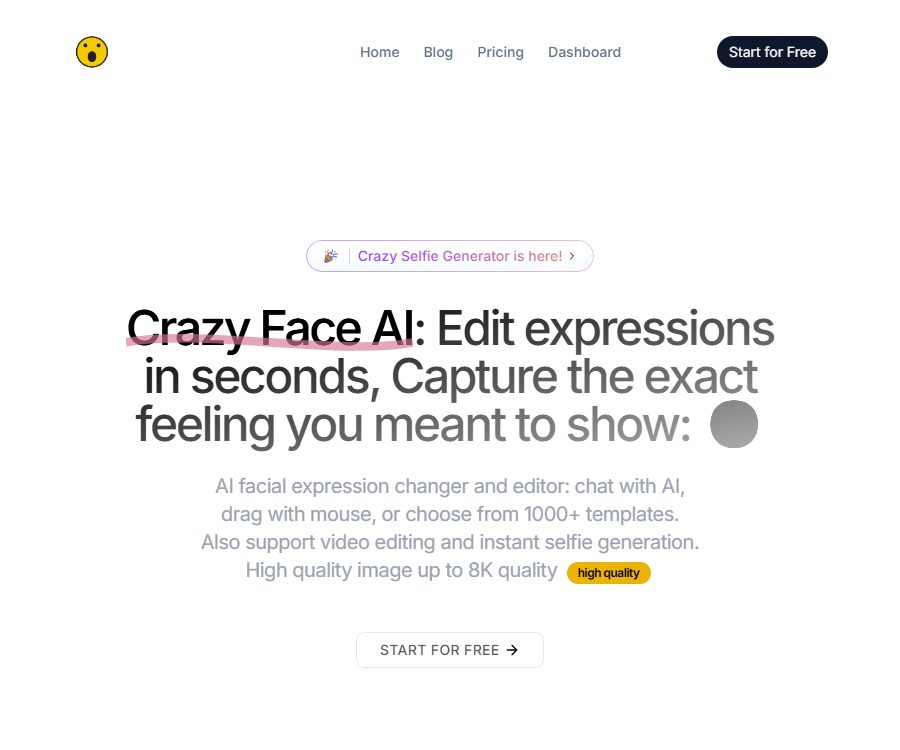
CrazyFace AI is an online tool used to modify the expressions on faces in photos and videos. Users can change the smile, gaze, mouth shape, angle, and overall expression by using text, templates, reference images, parameter controls, or mouse dragging.
The platform has also been expanded to include selfie creation, pet expressions, hairstyle trials, AI-generated images, and artistically styled portraits. All of these outputs are AI-created; they should not be used to pretend to represent real events or people’s reactions.
Main functions
1. Modify expressions using prompt words
Users can describe the smile, surprise, anger, or other emotions they wish to see, and the AI generates new expressions based on the original image. Providing specific descriptions of the position of the lips, eyes, and head usually makes it easier to achieve the desired effect than simply using a single word to denote an emotion.
2. Emoji templates
The platform offers a large number of emoji templates, which can be used to apply pre-set effects to photos. These templates are ideal for quickly creating thumbnails, social media images, or creative portraits.
3. Reference image-driven
Users can upload another image of the person’s expression as a reference, so that the target photo reflects a similar expression. Before uploading the reference image, it is necessary to ensure that one has the rights to use and process that portrait.
4. Edit by dragging with the mouse
The Live Drag Face Editor allows users to drag facial areas with the mouse in order to change expressions. This method is suitable for quick exploration, but fine adjustments still require working with parameter settings.
5. Multi-parameter expression editor
The expression editor offers more than 10 parameters for controlling details such as rotation, smile, eyes, and mouth. Making small adjustments to each parameter one by one results in a more natural appearance than setting the values to their extreme levels at once.
6. Convert photos into emoji videos
The platform enables static portraits to mimic dynamic expressions based on template videos; Basic version supports videos up to 10 seconds in length, while the Pro version allows longer videos. Videos of this kind can pose a risk of misrepresentation due to exaggerated features, so it is necessary to indicate that AI processing has been used when publishing them.
7. Crazy Selfie
Crazy Selfie can automatically select cute or exaggerated expressions, and it also allows for the creation of multiple selfies using various templates. The official website claims that photos can be generated as many times as desired, but in practice, a monthly limit on the number of faces that can be processed may still exist.
8. Pets and animal expressions
The tool allows for adjusting the rotation of the pet’s face, as well as its smile, eyes, and mouth, in order to create videos showing the animal’s expressions. The resulting videos are intended as entertaining visual creations.
9. Hairstyles and artistic portraits
The platform offers previews of hairstyles such as buzz cuts, Mohawks, and braided styles, as well as AI-generated images and the Artful Me portrait feature. The hairstyle results are provided only for visual reference and cannot accurately predict the actual appearance of the hairstyle.
10. Maximum 8K output
The official website mentions a resolution of up to 8K as well as enhancement of details using Face Detailer. A high output resolution does not guarantee that the details of the skin, hair, and facial features are completely accurate; it is still necessary to zoom in to check for any artifacts.
Which users are it suitable for
- Individual creators who need to optimize their selfie or portrait filters.
- Operators who need to create YouTube thumbnails and social media covers.
- Photographers who wish to correct the unsatisfactory expressions in group photos.
- Accounts that need to create pet emoji images and short videos.
- Development teams that wish to integrate face editing capabilities on a bulk basis through APIs.
Price and version comparison
As of August 24, 2026, the price section on the official website displays the Annual billing option; the amounts listed below represent the monthly equivalent prices indicated on the page. The actual annual cost, taxes, as well as any charges related to renewal or trials will be shown on the checkout page.
| Plan | Page price | Monthly quota | Main differences |
|---|---|---|---|
| Basic | $ | 30 faces/month | 3-day free trial; emoji photos, videos up to 10 seconds long, drag-and-drop and parameter editing, 8K, hairstyle options, pictures, selfies, and animal-themed tools |
| Pro | $ | 100 faces/month | Long videos, high-quality images, animation models, and basic core functions |
| API | Contact sales | Customization | Interface solutions for accessing the various functions of CrazyFace AI |
\"Faces\" may be counted on a per-face basis, or per generation or processing task; the official website does not provide a complete definition. It is necessary to clarify in advance how charges will be applied for photos of multiple people, failed generations, re-generations, and video frames before making a purchase.
It should be confirmed before purchasing.
- The actual one-time annual payment amount for the Annual view.
- Whether automatic renewal occurs after the 3-day trial period, and the timing of the charge.
- Exact measurement and update date for 30 or 100 faces.
- The duration, resolution, file size, and number of processing times for long videos.
- Is 8K output available for all tools and models?
- Commercial licensing for the generated results and the scope of use for customer projects.
- Rules for cancellation, refunds, and handling of unused credits.
Tutorial on modifying photo expressions
- Prepare a clear, front-facing, well-lit portrait of an authorized person.
- Upload a photo and confirm that the system is correctly identifying the main face.
- Choose from prompt words, templates, reference images, parameters, or the drag-and-drop method.
- Make slight changes first, preserving the original character’s identity and facial proportions.
- Adjust the eyes, eyebrows, corners of the mouth, mouth shape, and head angle.
- After generation, zoom in to examine the texture of teeth, glasses, ears, hair, and skin.
- If it appears unnatural, revert to the original parameters or use a clearer original image.
- Select the desired output size and download the result.
- Keep both the original image and the edited version, and indicate when it is made public that it has been modified using AI.
Tutorial on creating emoji videos
- Choose an authorized photo with a clear front view and no obstructions on the face.
- Prepare a template video that you have the rights to use, or select a platform template.
- Confirm the 10-second limit for Basic or the feature for longer videos available in Pro.
- First, use short clips to test lip movements, eye movements, and head movements.
- Check each segment for identity drift, flickering, and edge jitter.
- Verify the copyright for sound, subtitles, and background materials separately.
- An AI-generated identifier is added at the time of publication, so as to avoid creating the illusion of real people’s words and actions.
Suggestions for photo selection
- The face should occupy a large portion of the frame, and it’s best to keep it facing forward.
- Avoid masks, sunglasses, hand coverings, and strong shadows.
- Do not use images that are overly compressed, blurred, or heavily retouched.
- For group photos, first crop out the individual face that needs to be processed.
- The closer the angles of the reference image and the target image are, the more stable the results are usually.
- Do not upload original ID photos or images containing personal identification information.
Product advantages
- It also supports prompt words, templates, reference images, parameters, and drag-and-drop editing.
- It can handle photos, short videos, and longer videos.
- It offers additional tools such as selfies, pets, hairstyles, and artistic portraits.
- The official specification lists a maximum output of 8K.
- Basic has a low price threshold and offers a 3-day trial period.
- It offers API solutions for enterprises and developers.
Usage restrictions and precautions
- Expression generation can change a person’s identity, age, or facial proportions.
- Artifacts are likely to appear in the teeth, glasses, hair, hand coverings, and the side of the face.
- A maximum resolution of 8K refers only to the output capability; it does not guarantee that all details will be rendered accurately.
- The billing rules for faces and the handling of failed tasks are not explained on the public page.
- A free trial may automatically convert into an annual subscription.
- The public pricing section does not clearly specify the scope of commercial licensing.
- The edited results must not be used for deception, harassment, impersonation, or to create sensitive content without consent.
Face privacy and security
Face photos are considered highly sensitive personal data. The main website of CrazyFace AI does not provide information regarding the duration for which such photos are stored, how generated results are deleted, what purposes the models are used for, who handles the data on behalf of the system, or where the data is stored; therefore, it cannot be assumed that these images are deleted immediately after they are generated.
- Only upload portraits of yourself or of people who have given explicit permission.
- Avoid processing photos of children, customers, employees, or strangers.
- Crop out IDs, house numbers, screens, and personal backgrounds before uploading.
- Do not use photos of celebrities to create false statements or endorsements.
- When making purchases, companies should request a data processing agreement, deletion procedures, and security guidelines.
- After completing the task, delete the materials in the account and revoke any unnecessary access rights.
Commercial use and synthetic content
The official website’s price list does not clearly indicate whether the Basic or Pro versions come with commercial licensing; it is necessary to check with the platform before using them for commercial purposes. Even if the platform permits commercial use, the user still needs to have the rights to the original photos, reference images, portraits of people, and any brand elements involved.
- Ads and thumbnails must not imply that a person is actually showing a reaction that did not occur.
- For real-person business projects, records of portrait authorization and editorial consent must be kept.
- Misleading face synthesis should be avoided in news, political, medical, and financial contexts.
- When required by the platform or by local laws, AI editing must be clearly indicated.
API Instructions
CrazyFace AI offers API solutions; according to its official website, these solutions enable features such as emoji modification, emoji videos, drag-and-drop editing, repositioning of selfies, animal emojis, AI-generated images, and artistic portraits. The prices for the APIs, their data transfer rates, request formats, data retention policies, and service levels need to be confirmed by contacting the sales team.
- Determine whether photos, videos, or animal expression features are needed.
- Ask the sales team for API documentation, a trial quota, and the data processing terms.
- Use non-sensitive test materials to verify quality and failure scenarios.
- Restrict the permissions of API keys and store them in a secure location on the server side.
- Add user authorization, content review, and deletion processes.
- Conduct tests for costs, concurrency, latency, and security before going live.
Open-source status
No official open-source repository or license for the core product of CrazyFace AI was found. Other face-editing projects on GitHub have no verifiable official connection to this commercial service, and therefore cannot be used as its source code.
The fact that the platform provides APIs does not mean that the models, training data, or the web interface are open source; therefore, it should be classified as a non-open-source online service.
Frequently Asked Questions
Can CrazyFace AI be used for free?
Basic currently offers a 3-day free trial, after which subscription is required at a rate of $3.99 per month, as shown in the Annual pricing plan.
What is the difference between Basic and Pro?
Basic offers 30 faces per month and supports emoji videos up to 10 seconds in length; Pro provides 100 faces per month and enables longer videos as well as more advanced generation capabilities.
Is it possible to drag and adjust emojis?
Supported. The Live Drag Face Editor allows for direct dragging of facial areas, and it also enables fine-tuning using more than 10 parameters.
Can it process pet photos?
Yes, the platform offers functions for editing animal expressions, modifying them, and creating videos with such expressions.
Will the photos be deleted immediately?
The official website does not provide clear policies regarding the retention and deletion of photos, so it is not possible to determine whether they will be deleted immediately.
Is CrazyFace AI open source?
No. Currently, no official open-source code or license for the main product has been found.
Summary
CrazyFace AI is suitable for quickly adjusting the expressions in portraits, creating thumbnails, and generating pet-related facial expressions. It offers a variety of editing options and supports video as well as 8K output. When using it, it is important to pay close attention to the details related to annual subscriptions, the number of faces that can be processed, trial period renewals, commercial licensing, and the policies regarding the processing of facial data.
Tools similar to AI facial expression changers and facial expression editors



 Guigong Network Security Registration No. 45132202000164