






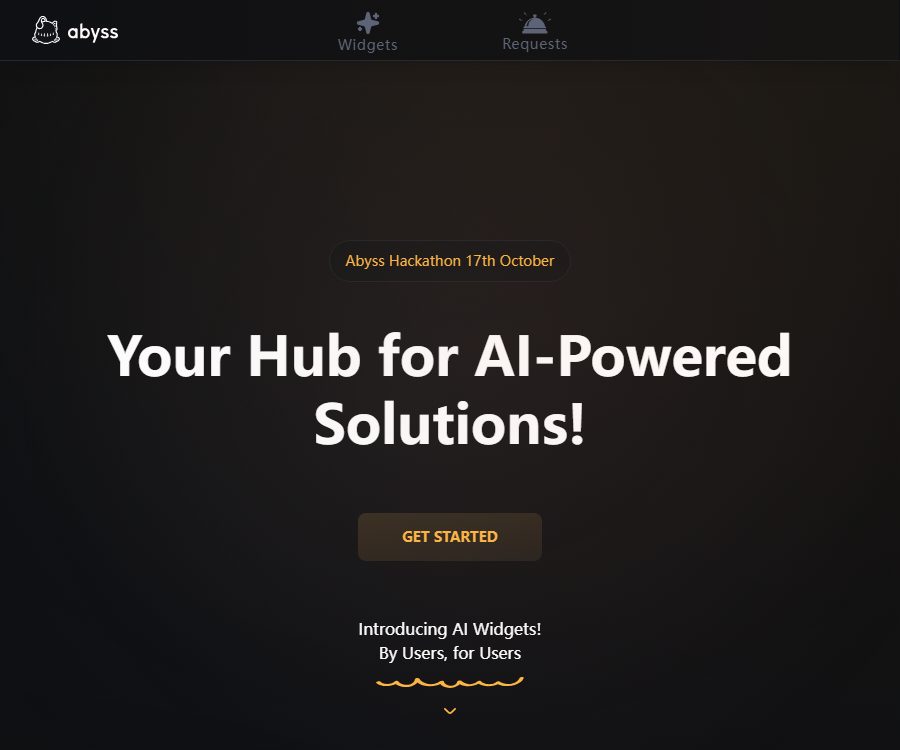
Abyss
Abyss – makes AI programming more efficient and simpler.
Tags:AI programming toolsWhat is Abyss?
Abyss is a platform for creating, deploying, and running AI widgets, operated by Abyssal Corporation; its goal is to turn Python scripts and AI models into small tools that ordinary users can use directly.
Users do not need to learn prompt engineering – they simply need to enter text, numbers, options, or upload files in order to run the Widget; creators with Python skills can upload projects and design interfaces.
What is an AI Widget
An AI Widget is a compact application designed for a specific task; it can utilize models such as GPT, Claude, and Gemini, as well as run Python-based processing logic that does not rely on large models.
It is more like a \"cloud-based Python tool with forms\" rather than a general chatbot for ongoing conversations. The clearer the scope of the task, the easier it is to standardize the input and output.
Main functions of Abyss
1. Run the dedicated tool directly.
Regular users can fill in the fields defined by the creator on the Widget page; after clicking ‘Run’, they will obtain the resulting file. The level of accuracy, execution time, and cost are determined by the features of the Widget and by the settings set by its creator.
2. Upload the Python project
Creators can upload projects that include Python code and dependency files; Abyss is responsible for deploying them and providing access pages. The project must use run.py as its entry point, and the resulting files should be saved in the output directory.
3. Configure the code-free form interface
The platform supports various input controls such as text boxes, multi-line text, numbers, single-choice options, multiple-choice options, dropdown lists, dates, and file uploads. Developers can map environment variable names to the fields in the interface, eliminating the need to develop a separate frontend.
4. Dependencies and system package configuration
Python packages should be listed in requirements.txt, while additional system dependencies can be included in the optional file requirements.system. Errors related to package names, versions, and licenses can lead to build failures or security issues.
5. Testing and Deployment
Before a widget is made available, it must pass testing successfully; the creator needs to check that all necessary dependencies are installed, as well as the Python logs and output files. The test results also serve as examples to help users understand the input and output.
6. Pay-per-use model and ways for creators to generate income
Creators can use the platform’s unit, Byssium, to set a price for each execution and withdraw the resulting earnings in real currency. The specific conversion rates, commissions, withdrawal thresholds, and regional availability are not fully disclosed on the public page.
Which users are it suitable for
- Ordinary users who hope to be able to carry out specific AI tasks without the need to configure models or write code.
- Developers who want to quickly turn internal Python scripts into form tools.
- Automated creators that need to deliver PDF, text, table, or other result files.
- Independent developers who wish to sell small AI capabilities based on the number of times they are used.
- Teams that carry out prototype verification, instructional demonstrations, or short-term tool experiments.
Abyss costs and billing method
As of August 24, 2026, the Abyss official website does not specify a unified free version, subscription plans, or fixed pricing for each execution. Creators can use Byssium to set their own price for each execution of each Widget.
The platform does not provide detailed information in its public documents regarding the exchange rate between Byssium and fiat currencies, the rules for top-ups, the platform’s commission fees, the conditions for refunds, and the minimum amount that can be withdrawn. Users should refer to the specific Widget pages and payment confirmation screens before carrying out any transactions.
Check it before making the payment.
- How much Byssium is required for this run, and will a fee be charged in case of a failed run?
- Enter the file size, supported formats, estimated runtime, and output type.
- Whether retries or refunds are allowed when the results do not meet expectations.
- Creator identity, update history, sample results, and user feedback.
- Top-up balance, validity period, withdrawal restrictions, and applicable regions.
Tutorial on Using AI Widgets
- After registering an account, browse the list of widgets and select those tools whose scope of operation is clear.
- Read the instructions, example runs, input format, and per-use price.
- Start by using test data that does not contain sensitive information, to avoid uploading actual production files directly.
- Fill in the required fields or upload supported files, then confirm the cost for this transaction.
- After running, check the output content, file format, and key facts.
- Save the necessary results, and delete or replace the inputs that should not be retained for a long time.
- Important tasks are reviewed using other methods; the result of a single Widget is not considered the only source of information.
Tutorial on Creating Widgets
- Create a Python project and create an entry file named run.py in the root directory.
- Add the Python dependencies to requirements.txt, and include any system dependency files as necessary.
- User input is read through environment variables, preventing the keys from being included in the code.
- Write all files that need to be returned to the output directory.
- After uploading the project, configure text, numeric, option, date, or file input controls.
- Use the secure sample to carry out the test run, and check the installation logs and output files.
- Fill in the purpose, input requirements, limitations, and examples clearly before deploying the Widget.
- Set reasonable per-use prices, and continuously address error reports as well as ensure necessary updates.
Project structure and operational constraints
- run.py is the entry point for running the platform and must be located in the project’s root directory.
- requirements.txt is used to list Python dependencies.
- requirements.system is optional and is used for system-level software packages.
- The files in the output directory are returned as the results of the execution.
- The document specifies a project memory limit of 512MB and mentions the upper limit on computing resources; complex tasks should first be tested under load.
- Lack of dependencies, no output generated, or memory overflow are common causes of failure.
Product advantages
- Integrate the deployment of Python tools, the form interface, and cloud execution into a simple process.
- Ordinary users do not need to write code or repeatedly design prompts.
- Input controls cover common scenarios such as text, numbers, selections, dates, and files.
- Successful test runs serve as a prerequisite for going live, allowing basic errors to be identified in advance.
- Creators can set prices based on the number of times it is used and try to generate revenue from it.
Usage restrictions and precautions
- Widgets are provided by various creators, and their quality, security, and maintenance status can vary greatly.
- Third-party Python dependencies may contain vulnerabilities, malicious elements, or incompatible updates.
- Computational and memory constraints are not suitable for training large models, performing long-duration tasks, or handling high-load operations.
- There is insufficient public information regarding the rules for failed charges, refunds, commissions, and withdrawals.
- AI outputs may contain factual errors, abnormal formatting, or unsafe content.
- Uploaded files and execution results may be included in the platform’s logs; sensitive content should be handled with care.
Privacy and security
According to the privacy policy, Abyss keeps track of the Widgets that users access and the frequency of their use; it may also record the input and output data related to these Widgets. Data storage is handled by MongoDB and AWS, payment processing is carried out by Stripe, while analysis and error monitoring make use of Google and Sentry.
- Do not upload passwords, API keys, identification documents, or unmasked customer data to unknown widgets.
- Creators should limit the content of logs to avoid printing environment variables and user privacy information.
- After the file processing is complete, users should be aware of the methods for requesting data retention and deletion.
- The platform indicates that the third-party data processing agreement is still being developed, and companies need to conduct further verification before using it.
- Public usernames, avatars, and example outputs may be seen by other users.
API and open-source status
As of the verification date, Abyss’s public documentation primarily explains the structure and deployment of the Widget project; it does not provide any external platform APIs, SDKs, or information regarding call costs.
At the same time, no official open-source code repository or open-source license for the Abyss platform itself was found. The fact that users are allowed to upload Python source code does not mean that the platform is open-source; the license regarding the public Widget codes also needs to be specified by the creator themselves.
Frequently Asked Questions
Is programming knowledge required to use Abyss?
To run existing Widgets, no programming is required – simply fill out a form or upload a file. To create a Widget, however, it is necessary to have a Python project that meets the specified standards.
Is Abyss free?
The official website does not list any standard packages. The author of each Widget can set the price for each execution, and it is necessary to check the specific details regarding whether it is free or paid on the page where it is executed.
Can I upload my own Python tools?
Yes. The project requires a run.py entry file, dependency files, and an output directory; successful testing must be completed before it goes live.
Is Abyss an open-source platform?
No official repository has been found that can prove the open-source nature of the platform’s core code. Code uploaded by users and the platform’s original source code are two different things.
Summary
Abyss is suitable for turning Python or AI capabilities with well-defined tasks into ready-to-run tools, and it offers creators a pay-per-use model. The current pricing details and the level of openness of the platform are not yet transparent enough; users should start with non-sensitive tests, while developers need to pay close attention to managing dependencies, security, logging, and error handling.
Tools similar to Abyss



 Guigong Network Security Registration No. 45132202000164