






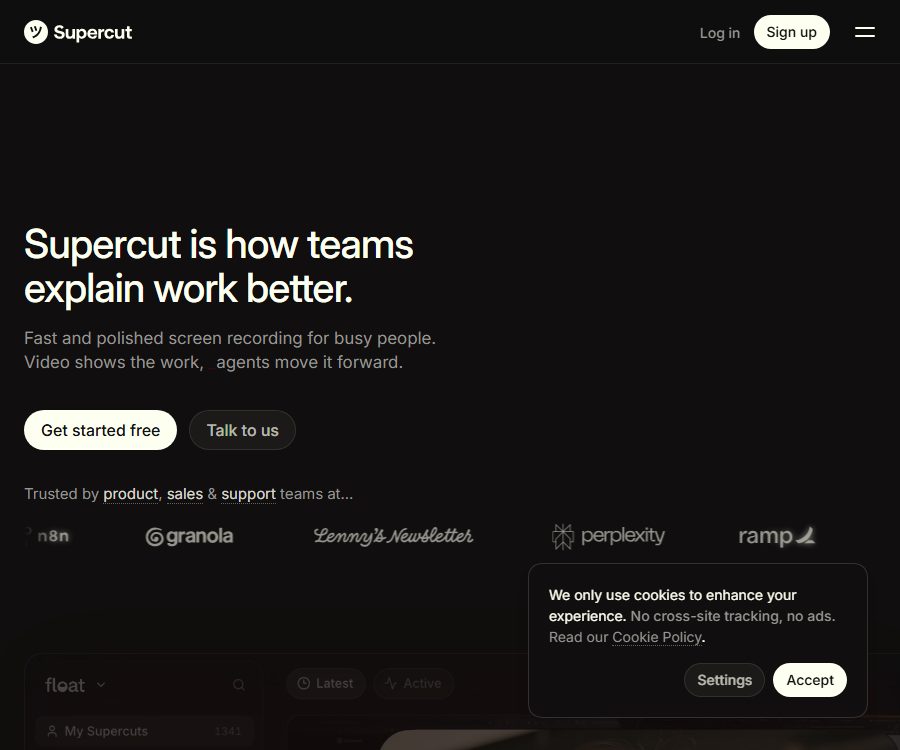
Screen Recorder for Teams
Screen Recorder for Teams – makes AI programming more efficient and simpler.
Tags:AI programming toolsWhat is Supercut?
Supercut is a tool for team screen recording and asynchronous video communication, developed by Float Labs Limited; it is suitable for using videos to explain product requirements, present sales proposals, reproduce issues, or answer customer questions.
In addition to traditional screen recording, it incorporates AI-powered sections, summaries, automatic editing, and agent integration, enabling the recorded content to be further transformed into documents, feedback, and subsequent actions.
Main functions of Supercut
1. Native 4K screen recording
Supercut offers native applications for macOS and Windows; it enables simultaneous recording from both the screen and the camera, with a resolution of up to 4K. Native recording is more suitable for longer demonstrations, but the actual clarity is still influenced by the screen resolution, system performance, and network upload speed.
2. Instant sharing and embedding
Once recording is stopped, the video can be shared via link, email, or embedding, without the need for complicated export processes. Recipients can watch it and leave feedback marked with timestamps, which helps the team identify specific moments in the video.
3. AI section and summary
The system generates chapters and summaries for the recorded content, helping viewers to quickly grasp the key points. Automatic text processing may misidentify terms, names, or numbers; therefore, the recorder should review it before publishing.
4. Automatic editing and image optimization
The editor can automatically handle incorrect segments, pauses, and filler words, and it supports scaling, layout, and brand design. Users can also add action buttons and forms to guide the audience through the next steps.
5. AI assistants and MCP
Users can ask the AI assistant questions related to the video, and they can also use MCP to pass the recorded content to external agents for further processing. It is necessary to define the scope of data and the actions that can be performed before connecting to these agents, in order to prevent sensitive information contained in the recordings from being transferred to other systems.
6. Team and corporate management
The Enterprise version includes single sign-on, SCIM-based user configuration, fine-grained role permissions, sensitive information detection, and customized service level agreements – making it suitable for organizations that require centralized identity and compliance management.
Which users are it suitable for
- Product team: Explains requirements, reproduces defects, reviews designs, and keeps track of iteration progress.
- Sales team: Record personalized demonstration videos, solution explanations, and customer follow-up videos.
- Customer support: Create troubleshooting steps and reusable help content.
- Remote teams: Use asynchronous video to replace some status meetings and lengthy explanations.
- Training and operational staff: creating process demonstrations, onboarding materials, and internal knowledge content.
Supercut prices and packages
The prices listed below were verified on the official website’s pricing page as of August 24, 2026; the currency is the US dollar. Promotions, taxes, contractual terms, and settlement methods may vary, and the final details will be those indicated on the purchase page or in the corporate quote.
| Plan | Price | Billing method | Key capabilities | Applicable recipients |
|---|---|---|---|---|
| Pro | $ | Annual billing | 4K recording, unlimited sharing, brand management, AI assistant, chapter summaries, automatic editing, scaling and MCP | Individuals and general teams |
| Enterprise | Custom price | Annual payment only | Includes Pro, with additional features such as SSO, SCIM, role-based permissions, sensitive information detection, and custom protocols. | Large and regulated organizations |
14-day trial rule
- The trial period starts from the first time a video is recorded or uploaded, not from the day of registration.
- The trial period is 14 days, and no credit card is required.
- During the trial period, all Pro features are available, with no limits on the number or length of videos.
- After the trial period ends, the video remains intact and further recording is possible; however, sharing, downloading, and uploading will be suspended until a subscription is purchased.
Supercut usage tutorial
- Create an account and install a native recording application that is compatible with your computer’s operating system.
- First, set up the microphone, camera, screen area, and system recording permissions.
- Choose an appropriate layout and brand style for the video, and turn off any notifications that should not appear in it.
- Start recording and explain the content in segments based on topics, making sure to avoid showing passwords, customer privacy information, and internal keys.
- After completion, check the AI section, summary, subtitles, and auto-editing results, and correct any errors.
- Set sharing permissions based on the intended use, then send it via link, email, or embedding.
- Collect feedback at the designated time points; if necessary, convert the content into documents or pass it on to authorized agents for processing.
Typical workflow
Feedback on product defects
- Record the operation path and verbally state the expected and actual results at the key steps.
- Check whether the video contains customer data, access tokens, or internal addresses.
- Let AI organize the chapters and summaries, after which the submitter can add information on the environment and reproduction conditions.
- Add the sharing link to the task system so that discussions can take place in a centralized comment section at specific times.
Customer Support Tutorial
- Use a test account to demonstrate the standard troubleshooting steps, in order to avoid exposing real customer data.
- Add a brand layout, title, and clear action buttons.
- Review the automatic summary and product terms before sharing it externally.
- After the product is updated, recheck the videos and replace outdated interfaces and processes promptly.
Product advantages
- Native desktop recording with output up to 4K, ideal for displaying software interfaces clearly.
- Once recording is complete, it can be shared right away, reducing the waiting time for export and upload.
- AI sections, summaries, and automatic editing can reduce the costs associated with organization.
- Feedback at specific time points helps to relate video discussions to particular visuals.
- MCP enables the recorded video content to be integrated into subsequent agent workflows.
- Enterprise solutions provide control over identities, permissions, and sensitive information.
Usage restrictions and precautions
- Automatic editing may remove meaningful pauses or nuances; formal content requires a full preview.
- AI-generated summaries and chapters may contain factual or terminological errors, and they cannot replace human review.
- 4K videos require more local resources, longer upload times, and more storage space.
- Users must have the right to record and upload content, and be responsible for its public sharing.
- The service must not be used for high-traffic video streaming or any purposes that could disrupt the normal operation of the platform.
- Screens displaying personal information, as well as audio and camera feeds, require appropriate authorization.
Privacy and security
Supercut states that it complies with SOC 2, ISO 27001, GDPR, and the UK GDPR, and it employs industry-standard encryption as well as measures to limit employee access. Certifications and compliance statements can assist companies in making assessments, but they do not guarantee compliance in all possible use cases.
- The privacy policy allows access to necessary information for providing services, support, and troubleshooting.
- Companies can choose to prevent support staff from accessing certain content; the exact method of doing this should be confirmed with the authorities.
- The data may be processed by global affiliates and sub-processors, and cross-border requirements should be assessed in light of the company’s location.
- The user retains ownership of their content, but grants the platform the licenses required to operate the services.
- The sensitive information detection in the enterprise version cannot replace cleaning the data before recording and manual permission control.
API, MCP, and open-source status
The official website lists MCP as a Pro feature, one that enables agents to access and process recorded content; however, the public pages do not provide complete details regarding the pricing of the general APIs. Before integration, it is necessary to determine the authentication requirements, the operations that are permitted, the scope of the data, and the limitations on calls.
Supercut is a commercial software; its terms specify that the software, algorithms, source code, and related materials belong to Float Labs. No official repository containing the source code of this product has been made available publicly. Third-party GitHub projects with the same name are not the official open-source version of Supercut.
Frequently Asked Questions
Is there a free version of Supercut?
The official website offers a 14-day full Pro trial period, without the need for a credit card, and the timing starts from the first recording or upload. The public pricing page does not list any long-term free subscription plans.
Will the video be deleted after the trial period ends?
The explanatory videos on the official website will remain available, and users will still be able to record content, but sharing, downloading, and uploading will be suspended until subscription is reactivated.
Which computer systems are supported?
The official website specifies that recording is available natively on macOS and Windows, with a resolution of up to 4K. It is still necessary to check the current system version and hardware requirements before installation.
What does the Enterprise version have more of than the Pro version?
The Enterprise version adds SSO, SCIM, fine-grained role permissions, sensitive information detection, as well as the ability to customize service levels and agreements; the price must be discussed with the sales team.
Summary
Supercut is suitable for teams that need high-quality asynchronous video to advance their product development, sales, and support efforts; the AI-based organization capabilities along with MCP integration enable recordings to go beyond mere viewing. Before making a choice, it is important to assess the annual cost per user, privacy aspects related to recordings, access rights for intelligent agents, as well as the requirements related to corporate governance.
Tools similar to Screen Recorder for Teams



 Guigong Network Security Registration No. 45132202000164