






Nexus Clips
Nexus Clips – makes AI programming more efficient and simpler.
Tags:AI programming toolsWhat is Nexus Clips?
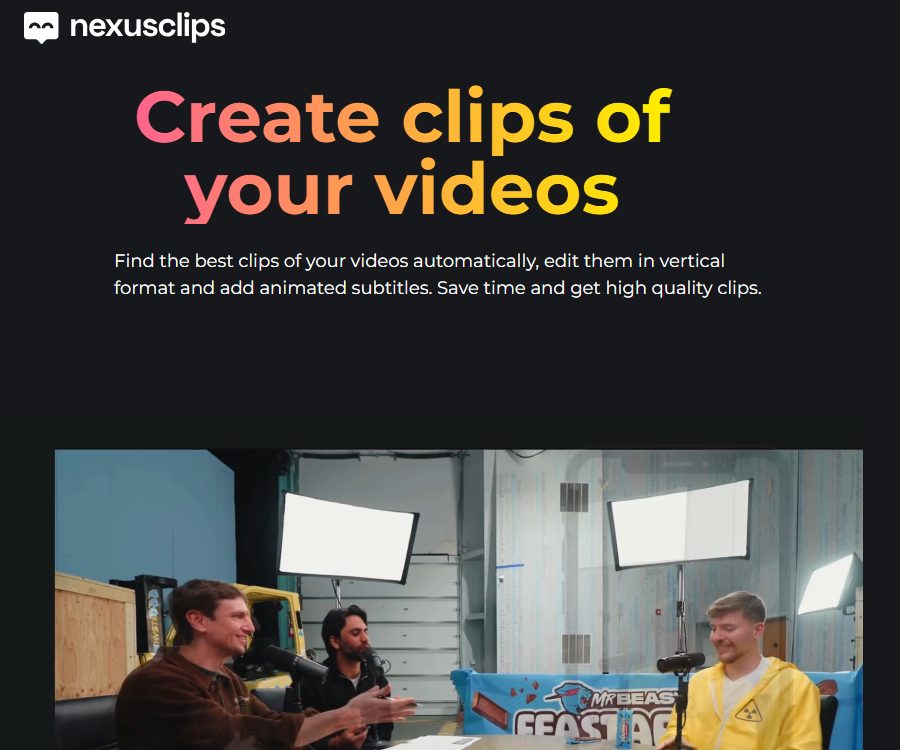
Nexus Clips is an AI-based video clipping and short-video editing tool developed by Nexus Live. It analyzes videos from YouTube, Twitch streams, or longer videos to select the appropriate segments for sharing, then converts them into vertical short videos.
The platform is primarily aimed at streamers, game creators, podcasters, those who produce interviews and events, as well as those who create tutorials and sports content. AI can reduce the time needed to view long videos and to carry out initial editing, but it cannot guarantee that every decision regarding the key moments in a video will reflect the creator’s intentions.
A one-sentence summary
Nexus Clips is a tool that can automatically identify the highlight moments in long videos, and create vertical short videos with dynamic subtitles, character compositions, and visual elements.
Main functions
AI highlight detection
The system transcribes the audio, analyzes the content of what is being said, and identifies the moments that are worth editing based on changes in the scene. Content with clear speech and frequent dialogues is easier to analyze, while pure music, long-duration game footage, or material without speech may yield limited results.
Connect YouTube to Twitch
Users can connect their YouTube or Twitch accounts to allow the platform to access their videos and live streams. Before connecting to third-party accounts, it is necessary to determine the scope of authorization, and revoke any unnecessary access rights once use of those accounts ceases.
Voice command markers
The official FAQ states that the system can use voice commands to help identify important moments, which is useful for highlighting key highlights during live broadcasts. Creators need to use commands that are clear, consistent, and not likely to be repeated in ordinary conversations.
Vertical smart composition
AI can detect changes in faces and the camera angle, and adjust horizontal images to the vertical format suitable for short-video platforms. However, cropping errors may still occur with multi-person scenes, fast movements, game interfaces, and screen sharing.
Dynamic subtitles
The platform automatically transcribes speech and generates animated subtitles, thereby reducing the need for manual typing and alignment. Names, game terminology, accents, noise, and multiple people speaking at once can all lead to recognition errors; it is therefore necessary to check each sentence carefully before publishing.
Hook and stickers
Users can add hooks to capture attention, personalized stickers, and visual elements to the clips. These visual decorations should serve the content; they must not cover up the characters, game information, subtitles, or important brand identifiers.
Custom clipper
The official feature page offers a custom editor that allows for combining different clips, as well as various camera angles and visual elements. The specific tracks, export formats, and advanced editing options are determined by the editor available after logging in.
Various content scenarios
The official website provides example entries for Talking, Gaming, Podcasts, Events, Tutorials, and Sports. The key features vary depending on the context, so the same set of selection rules cannot be applied to all types of content.
Which users are it suitable for
- Twitch streamers: Identify games and chat excerpts that can be published from live broadcast recordings.
- YouTube creators: Convert long videos into Shorts and other vertical-format content.
- Podcast team: Extracts opinions, stories, and Q&A excerpts.
- Game creator: Organizes kills, mistakes, reactions, and outstanding matches.
- Event organizers: Review content from speeches, interviews, and on-site video recordings.
- Educational content and tutorials: Identify the key steps and concepts.
- Social media team: Prepare short video content in bulk for different platforms.
Price and plan status
As of August 24, 2026, the official Nexus Clips website does not display the exact amounts associated with various packages, the number of minutes allowed, the volume of data that can be exported, or any restrictions on resolution. Users must log in to their accounts and go through the billing process in order to see the details of their current plan.
| Project | Current official verification status | It should be confirmed before purchasing. |
|---|---|---|
| Free to use | The official website provides a button to start the creation process; the specific limits are not disclosed. | Material duration, number of generations, watermark, export resolution |
| Paid subscription | The FAQ confirms that a subscription exists; it can be canceled in the account settings. | Monthly and annual payment amounts, automatic renewal, limits, and benefits |
| Payment methods | Credit cards, debit cards, PayPal, and Link | Regional currency, taxes, and payment processing rules |
| Refund | The official FAQ clearly states that no refunds are provided. | Trial use, first deduction, and local consumer rights |
Different historical prices have been shown on third-party pages, but they cannot replace the current official pricing page; therefore, these figures are not presented as the definitive current prices in the text. Before making a payment, it is necessary to save a screenshot of the current offer and verify the total price, billing cycle, allocated credit amount, watermark, and renewal date.
Cancellation and refund
The official FAQ states that it is possible to cancel subscription at any time through the account settings; it also mentions that no refunds are provided due to the high costs associated with AI-based video processing. The FAQ does not clarify whether cancellation results in an immediate loss of access rights, whether access can still be used until the end of the subscription period, or what happens to any unused credits.
The website’s terms of service state that the right to withdraw may be lost after a digital service is activated, and that consumers’ mandatory rights vary from region to region. If unsure about a particular plan, it is better to test it using the method with the lowest risk first, rather than purchasing a long-term plan outright.
Usage tutorial
- Before registering an account, verify the copyright of the materials, the authorization for using the images of individuals, and control over the platform account.
- First, upload or connect a shorter video with clear audio and familiar content.
- Select the content type to enable the AI to identify the highlights among voice, scenes, and characters.
- Wait for the transcription and analysis to be completed; do not submit the same material again during this process.
- Preview each candidate segment one by one, and remove those whose context is incomplete or whose judgment is incorrect.
- Adjust the vertical cropping to ensure that the characters, the game interface, and the text are not truncated.
- Proofread subtitles, names, terms, times, numbers, and sensitive expressions.
- Modify hooks, stickers, fonts, colors, and visual elements to align with the brand style.
- Before exporting, check the platform dimensions, duration, music, copyright, and watermark.
- Release a small amount of content first, assess the completion rate, level of interaction, and any negative feedback before expanding its use.
Live streaming highlight workflow
- Set fixed voice markers before the live broadcast, and test whether the microphone can recognize them clearly.
- Connect your Twitch account and grant only the permissions necessary for completing the editing.
- During the live broadcast, voice annotations are made after significant events, along with the approximate time.
- After the live broadcast, have the system analyze the video footage and then cross-check it with the manual records.
- Keep the beginning and end that can be understood independently, rather than just capturing the moment of reaction.
- Avoid uploading clips that contain private conversations, unauthorized music, or personal information of viewers.
- Revoke the permissions of accounts that are no longer needed after they have been published, and regularly check the applications that have been granted access.
Subtitles and vertical-screen review checklist
- Whether the subtitles are synchronized with the audio and whether different speakers are properly distinguished.
- Are proper nouns, game characters, product names, and character names spelled correctly?
- Check whether the subtitles cover the faces, HUD, scores, map, and operation prompts.
- Whether automatic cropping follows the correct entity in multi-person conversations.
- Is the important context of horizontal-format content lost due to cropping in vertical format?
- Ensure that Hook reflects the content accurately, avoiding exaggeration or misguidance.
- Do stickers and animations affect readability and accessible subtitles?
- Does the exported segment retain the copyright markings and necessary instructions?
Data privacy
The privacy policy page indicates that it was last updated on November 17, 2021; it lists data such as age, IP address, nationality, email address, voice, images, and usernames from associated platforms. This data is used for account management, identity verification, and converting videos into segments suitable for short-video platforms.
According to the policy, personal data is usually retained as long as the account exists, and it may be kept further due to legal obligations. Users can request access to their data, request corrections or deletions, impose restrictions on its use, object to its processing, withdraw their consent, and obtain their data in a portable format; a response is typically provided within one month.
Suggestions for account and asset security
- Connect only to YouTube or Twitch channels that you control.
- On the account permissions page, check the specific scope for reading, editing, and publishing.
- Do not upload videos containing personal identification documents, private conversations, or confidential business information.
- After the project is completed, delete the materials and verify with the authorities whether the backups and derivative files are also removed.
- After canceling the service, revoke the authorization in Google or Twitch’s security settings as well.
- Enable two-factor authentication for different platforms to avoid reusing passwords.
Content licensing and portrait rights
Users must ensure that they have the rights to process and publish the materials, sounds, images of people, music, and third-party content they upload. The platform’s terms require users to take responsibility for any comments, images, and third-party rights related to those contents.
The public terms also include provisions that grant broader licenses for users’ content, images, and voices in order to process, distribute, and promote the services. Before uploading content related to clients, minors, or confidential information, creators should read the current original Spanish version of the terms and verify whether such licensing is acceptable.
Points to pay attention to in legal documents
The legal statement on the official website was last updated in 2012, while the privacy policy was updated in 2021. The current product page highlights workflows related to AI, YouTube, and Twitch. Some of the terms of use also mention information about older products such as mobile applications and unlimited free 1080p video editing; this information does not fully correspond to the current products and commercial subscription options available.
These differences mean that it is not possible to rely solely on old policies when determining current quotas, data handling methods, or scope of rights. Before carrying out official purchases, using team resources, or processing customer videos, it is necessary to obtain the latest terms and conditions from the authorities, as well as information regarding data retention and sub-processors.
Product advantages
- It automatically identifies potential highlights within long videos, thereby reducing the time needed to watch them in their entirety.
- Handle voice, scene changes, and character positions simultaneously.
- Automatically generates vertical composition and dynamic subtitles.
- Suitable for live streaming, games, podcasts, events, tutorials, and sports content.
- It offers hooks, stickers, and the ability for custom editing.
- It can connect to the YouTube and Twitch content libraries.
- It is easier for creators without professional editing experience to get started.
Usage restrictions and precautions
- The official website does not disclose the current price of the packages nor the detailed credit limits.
- The official FAQ clearly states that no refund is provided after the AI processing is completed.
- AI highlight selection may miss silent yet impressive moments or truncate important context.
- Automatic subtitles can be affected by accent, noise, terminology, and multiple speakers.
- Vertical tracking may crop the game interface, multi-player elements, or screen-sharing content.
- The processing speed is affected by the video length, the queue, and system congestion.
- Connecting to third-party accounts poses risks related to permissions and privacy.
- The public legal documents are outdated, and some of the descriptions do not correspond to the current products.
- Automatically generated content does not guarantee popularity, an increase in followers, or platform recommendations.
Platform, API, and open-source status
| Project | Verification results |
|---|---|
| Web version | Support |
| YouTube connection | Support |
| Twitch connection | Support |
| Mobile apps | The old terms mention it, but the current status of public download is not confirmed. |
| Public API | No findings yet. |
| Official SDK | No findings yet. |
| Official GitHub | No findings yet. |
| Is it open source? | No |
Most projects on GitHub whose names contain Nexus or Clips are unrelated to this product. In the absence of official proof of ownership or licensing, repositories with similar names cannot be considered as the source code for Nexus Clips.
Basic information
| Project | Content |
|---|---|
| Tool name | Nexus Clips |
| Development company | Nexus Live, S.L. |
| Tool type | AI-based segmentation of long videos and editing of vertical short videos |
| Main materials | YouTube, Twitch streaming, and long videos |
| Core competencies | Highlight recognition, vertical composition, dynamic subtitles, Hooks, and stickers |
| Price pattern | Registration and paid subscriptions are available; the current amount needs to be confirmed after logging in. |
| Refund | The official FAQ states that it is not provided. |
| Payment processing | Stripe, PayPal, and Link |
| Whether API is provided | Not yet made public |
| Is it open source? | No |
| Recommendation score | 3.8 points |
Frequently Asked Questions
Is Nexus Clips free?
The official website allows users to start creating content, but the public page does not provide information regarding the current free quota, watermarks, resolution limits, or other constraints. The details should be referred to on the plan page after logging in.
Which video platforms are supported?
The authorities give priority support to YouTube and Twitch, and use the generated content on vertical-format platforms such as TikTok, Instagram Reels, and YouTube Shorts.
Can I cancel my subscription?
It can be canceled at any time through the account settings. The public FAQ does not specify whether the privileges are lost immediately after cancellation or remain valid until the end of the period.
Can I get a refund after making the payment?
The official FAQ states clearly that refunds are not provided due to the high costs associated with AI processing; however, consumers may still have statutory rights that cannot be waived in different regions.
Do subtitles need to be checked manually?
It is necessary; automatic subtitles may misidentify names, terms, numbers, and accents. Any publicly released footage should be previewed in its entirety.
Is Nexus Clips open source?
No, no official source code repository or open-source license has been found. There is no confirmed connection between GitHub projects with the same name and this product.
Summary
Nexus Clips is suitable for creators who wish to obtain vertical video clips quickly from live streams and longer videos; its advantages include excellent highlight detection, proper framing of characters, and integrated dynamic subtitles. The main drawbacks at present are the lack of transparency regarding prices and usage limits, a no-refund policy, as well as outdated legal provisions. It is advisable to first test its performance using non-sensitive short clips before making a payment, and to save the relevant payment information.
Tools similar to Nexus Clips



 Guigong Network Security Registration No. 45132202000164