






Onetab AI
Onetab AI, an intelligent tool focused on AI programming.
Tags:AI programming toolsTool Introduction
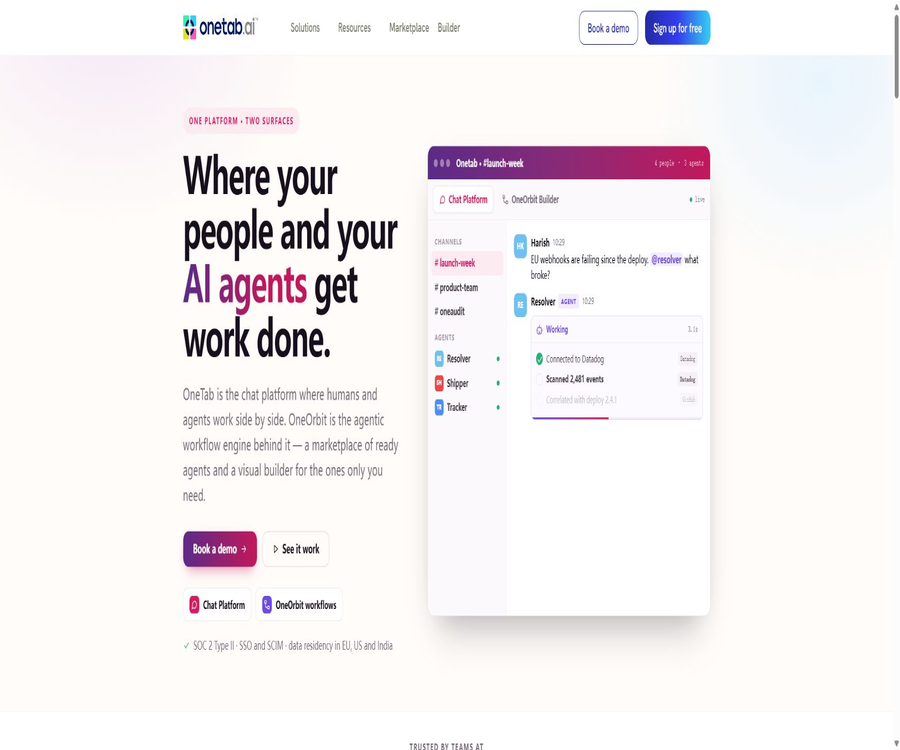
Onetab AI is an AI-powered platform designed for enterprises, offering capabilities for intelligent agents, knowledge search, and workflow automation; it is not a browser tab management extension with a similar name. It enables connection between enterprise applications and data, allowing intelligent agents to carry out tasks such as searching, analyzing information, updating records, and collaborating across different systems, all in accordance with predefined procedures.
Main functions
Visual workflows and agents
Users can trigger triggers, conditions, loops, merges, models, and external tools by combining visual nodes; they can also use JavaScript or Python within these nodes to process data. The natural language builder allows for the creation of processes based on descriptions, while the manual approval node is used to prevent the generation of high-risk outputs.
- Create intelligent agents for customer service, sales, operations, and R&D using templates or blank canvases.
- Use fixed logic together with generative models to handle complex processes.
- Set manual confirmation for sending, deleting, paying, and external writing.
- MCP enables external AI clients to invoke authorized enterprise workflows.
Enterprise search, knowledge graphs, and analysis
The OneSearch Agent combines keyword search with vector retrieval, and uses knowledge graphs to connect people, content, and business relationships. The OneReap Agent is designed for analyzing both structured and unstructured data; it allows users to pose questions in natural language and obtain evidence-based results.
- Perform unified searches across connected documents, conversations, tickets, and business systems.
- The identities and permissions of the original system are retained, thereby reducing the risk of unauthorized display.
- Provide context for the answer and verifiable corporate content.
- Use data analysis, in-depth analysis, and validation functions to support business decisions.
Debugging, monitoring, and deployment
The platform keeps track of the input, output, and errors of each node; it allows for the use of fixed test data, the replaying of steps, as well as the setting of retry mechanisms and error handling procedures. Workflows can be executed in the official cloud, the customer’s cloud, or an isolated local environment, and version control is handled through Git across development, pre-release, and production environments.
- View the complete execution logs in real time and filter by status or date.
- Configure fixed, exponential, or custom retry strategies for failed nodes.
- Use queue mode and Agent instances of different specifications to increase throughput.
- The community and enterprise versions can be deployed using Docker or Kubernetes.
Usage tutorial
- Register for a 14-day trial by first choosing a process that is simple, low-risk, and whose results can be easily verified.
- Connect to the necessary enterprise applications or data, granting only the minimum permissions required to complete the task.
- Start building an agent from a template or natural language, and add conditions, error routing, logging, and manual approval.
- Fixed sample data is used in the testing environment to verify normal cases, empty data, permission failures, and external service timeouts.
- Choose cloud, on-premises cloud, or local deployment, and use Git to manage development, preview, and production versions.
- After going live, monitor the volume of executions, costs, errors, manual rejections, and actual business metrics, then gradually expand the scope.
Which users are it suitable for
- Enterprise teams that need automation across email, CRM, spreadsheets, tickets, documents, and messaging tools.
- Organizations that wish to integrate knowledge search, data analysis, and executable agents within a single platform.
- Development teams that need low-code orchestration while still retaining the capabilities of Python, JavaScript, and custom interfaces.
- Regulated enterprises that require local networks, isolated networks, permission controls, and audit logs.
- Individual users who only want to compress browser tabs should choose other products.
Agent Resource Package
| Package | Monthly price | Number of agents | Log retention | Main limitations |
|---|---|---|---|---|
| Starter | 15 dollars per month | Write 10 for the page summary and 3 for the details of Micro Agents | 7 days | 5,000 requests – the instance cannot be upgraded. |
| Pro | 30 dollars per month | 10 Micro Agents | 30 days | 5,000 requests – it is possible to purchase a higher specification. |
| Business | 45 dollars per month | 25 Micro Agents | 3 months | Supports upgrades and additional business features |
| Enterprise | Contact sales | No restrictions | 365 days | Customize execution volume, deployment, security, and support |
All plans – Starter, Pro, and Business – indicate a cost of $5 per month for shared AI credits; the page also offers the option to pay annually, with claims that this can result in up to a 20% savings. However, the total annual cost for each plan is not specified in the static information provided. Regarding the number of agents available under the Starter plan, the page shows two figures: 10 and 3; it is necessary to refer to the actual benefits offered at the time of purchase to determine the correct number.
For the Pro and Business plans, it is possible to upgrade the agents to Small, Medium, or Large sizes; the monthly fees for these options are 4.99, 9.99, and 19.99 dollars respectively. As the specifications, volume of requests, and computing power vary, the cost of such upgrades – whether it is calculated on a per-agent basis – should be confirmed on the billing page.
Team Collaboration Package
| Package | Public price | Model connection | Key capabilities |
|---|---|---|---|
| Small Business | 34 dollars per seat per month | Single model subscription | Team collaboration, basic agents, workflows, search, APIs, and development tools |
| Enterprise Pro | 34 dollars per seat per month | All models are accessible, but simultaneous use of multiple models is not supported. | Enterprise workspace, governance-driven automation, RBAC, API testing and monitoring |
| Enterprise Max | $ | Multiple model subscriptions are available and can be used simultaneously. | Unlimited workflows and tools, voice agents, advanced governance, dedicated onboarding support |
The pricing page displays both the resource-based Agent packages and the collaboration packages based on the number of seats; however, it does not clearly explain the boundaries of these services nor whether additional fees are required. When making a purchase, companies should obtain a comprehensive quote that includes costs for seats, execution capabilities, AI credits, models, connectors, support, and deployment.
Product advantages
- It combines visual setup with code nodes, enabling coverage of both simple automation tasks and complex agent workflows.
- Enterprise search, knowledge graphs, data analysis, and workflow execution can be used in conjunction with one another.
- It provides debugging tools such as real-time logging, data fixation, replay, retry, and error routing.
- Supports deployment in official clouds, customer clouds, on-premises, and isolated networks.
- It provides public API documentation, MCP, a Git environment, as well as various application integration options, offering a wide range of ways for expansion.
Usage restrictions and precautions
- Multiple product sets and billing dimensions coexist; cost calculation requires taking into account seats, requests, AI credits, and instance upgrades.
- The public pricing page shows inconsistent numbers of agents; it is not sufficient to rely solely on the package cards when making purchasing decisions.
- Automation involves actual read and write operations on corporate systems, and incorrect permissions or injected prompts can lead to data breaches and erroneous actions.
- The throughput, deployment time, and business outcomes shown by the officials are descriptions related to the platform or specific use cases, and it is not guaranteed that these values will be achieved in every environment.
- In a production environment, approval processes, isolation of credentials, rate limiting, rollback capabilities, and logging alerts should be implemented.
Security, Privacy, and Data
The authorities specify security measures such as SOC 2 Type II, ISO 27001, encryption, permission-based access control, single-tenant architecture, and the prohibition of using data for model training; they also allow for the setting of retention periods and locations. Companies should obtain the current certification reports to verify whether specific products, locations, and deployment methods fall within the scope of the certification.
The privacy policy specifies that the data from the Google Workspace API is used solely for the functions requested by users; it is not utilized for training general AI or machine learning models, nor for advertising purposes. When connecting to other platforms, it is necessary to examine separately the policies regarding sub-processors, model data, deletion procedures, and cross-border data transfers.
APIs, SDKs, and open-source status
Onetab AI provides API documentation and supports native integration, Push API, web history, as well as the inclusion of custom data; it enables enterprises to index their content within search systems. Specific authentication requirements, field specifications, call limits, and API costs are outlined in the development documentation and account plans.
The authorities state that self-hosted products are governed by the Fair Code license, and a free Community version is available; enterprise-level control capabilities require a commercial license. Fair Code usually comes with usage restrictions, and it cannot be considered equivalent to open-source software as defined in general terms. No independent open-source SDKs have been made publicly available by the authorities.
Frequently Asked Questions
Can Onetab AI be used for free?
The cloud package offers a 14-day trial period without the need for a credit card; the self-hosted Community version is available free of charge. Long-term use in the cloud as well as enterprise-level features require payment, and there may be additional costs associated with running the infrastructure and invoking models.
Can it be deployed on one’s own server?
Yes. The official documentation states that Docker, Kubernetes, customer-owned clouds, local environments, and fully isolated networks are all supported; however, advanced permissions and controls require an enterprise license.
Is Onetab AI open-source software?
It should be more accurately referred to as the community version of Fair Code along with its commercial enterprise version. The ability to view the code or to host it freely does not mean that there are no restrictions regarding commercial use, distribution, or functionality; it is necessary to read the license file in the repository before deploying it.
Tools similar to Onetab AI



 Guigong Network Security Registration No. 45132202000164