






Mazaal AI
Mazaal AI, an intelligent tool focused on AI programming.
Tags:AI programming toolsWhat is Mazaal AI?
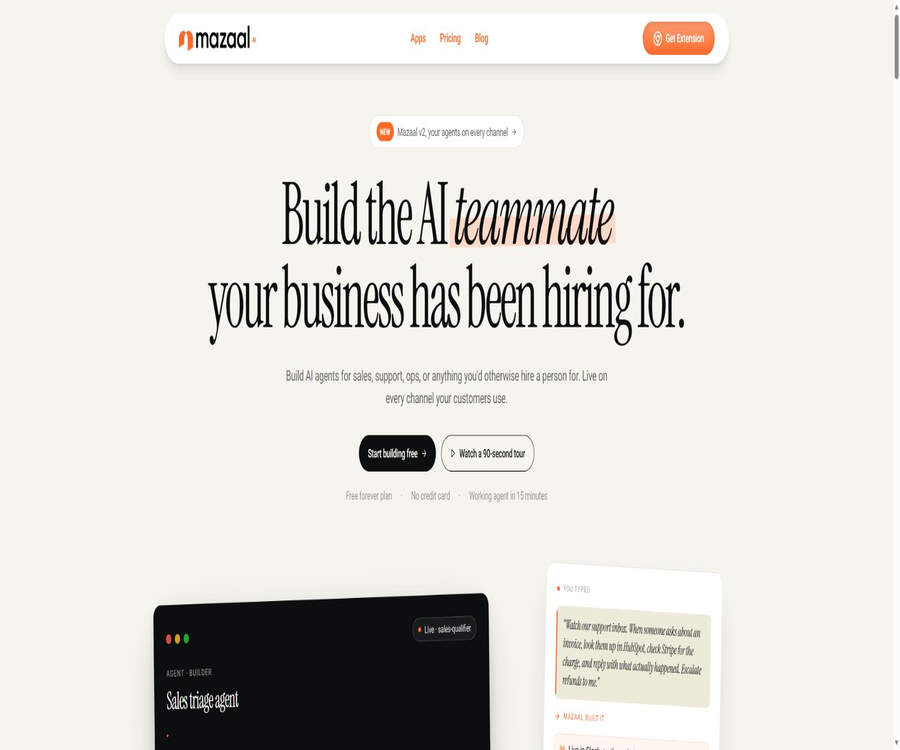
Mazaal AI is an AI agent and business automation platform registered in Australia, designed for use in sales, customer service, operations, internal support, and cross-system processes. Users can describe tasks in natural language, link corporate knowledge with external applications, and create agents that are capable of answering questions and performing actions within a interface that requires no programming skills.
The old database suggestions that classify it as an AI programming tool are inaccurate. At its core, Mazaal relies on \"agents for understanding and making decisions, and workflows for triggering actions and carrying out tasks,\" while also providing technical teams with REST APIs, Webhooks, and options for custom coding.
Main functions
- Creation of natural language agents: Enter the role, objectives, boundaries of behavior, and task details; after selecting a model, the agent is created. This approach is suitable for customer service inquiries, assessing sales eligibility, serving as an internal knowledge assistant, and supporting daily operations. However, it is necessary to test scenarios such as refusal to respond, referral to a human operator, and error handling before deploying the agent.
- RAG knowledge base: You can upload PDF, Word, Excel, PowerPoint, and text files, as well as add websites and question-answer pairs. The platform extracts, processes, and vectorizes the information, then retrieves relevant content when generating answers, ensuring that the outputs are based on the company’s own data.
- Web page and site scraping: Include the help center, product pages, or internal licensing sites in the knowledge base to reduce the need for manual copying. Users should confirm the authorization for scraping, the frequency of updates, the login requirements, and the rules for deletion, in order to avoid importing information that they are not authorized to use.
- Workflow automation: Triggers, actions, conditions, and data transformations are used to connect different systems, enabling the automatic transfer of data or the execution of multi-step processes. This allows agents to consult the CRM after understanding a request, check payments, update tickets, send responses, or request manual approval.
- Over 230 application connections: The documentation states that the automation layer offers more than 230 pre-built connectors, covering CRM systems, help desks, office tools, communication platforms, e-commerce solutions, and data tools. Some sources mention over 240 such connectors; this number may change depending on the version, so it is necessary to check the connection catalog to identify the specific applications and functions available.
- Advanced Tools: Allow agents to use more powerful browser functions, actions in external systems, or complex tools; extra points are deducted for each such action. The Basic version offers only 50 trial uses, while the Pro version and higher include this capability, but points are still deducted for each advanced action according to the current rules.
- Omni-channel deployment: The same agent can operate through various channels such as web widgets, standalone pages, APIs, Webhooks, workflow steps, Slack, Discord, Telegram, WhatsApp, social media platforms, email, SMS, and voice calls. The actual availability of each channel, as well as the requirements for third-party approval and the costs associated with messaging, vary.
- Website chat widget: Allow adjustments to color, font, position, greeting message, suggested questions, and auto-opening rules, after which it can be integrated into the website. When dealing with account or order inquiries, it is necessary to verify the user’s identity first and limit the fields that can be displayed.
- Messaging platform integration: It supports platforms such as Slack, Microsoft Teams, Facebook Messenger, and WhatsApp, making it suitable for internal inquiries or customer support. WhatsApp requires a business account and approval from Meta, while Teams may need approval from the tenant administrator.
- Model selection and routing: The main site displays models provided by various suppliers, while the platform is responsible for handling sequential output, retries, structured results, and settlement of credits. Different models have varying levels of credit consumption and capabilities; before switching to a different model, it is necessary to conduct regression tests to verify accuracy, costs, and format.
- Analysis and dialogue management: Monitor usage levels, conversations, the performance of intelligent agents, and channel activities; identify knowledge gaps and supplement them with questions and answers or documents. The accuracy and efficiency rates associated with marketing pages cannot be used as guarantees for specific projects.
- Teams and workspaces: The paid tiers offer different numbers of users, levels of permissions, and levels of support, which facilitates multiple users in managing agents and automations. For sensitive workflows, minimum permissions, as well as audit and operation logs, should be implemented.
Input, processing, and output
| Stage | Enter | System processing | Output or action |
|---|---|---|---|
| Knowledge quiz | Documents, websites, tables, and Q&A pairs | Extraction, segmentation, vector retrieval, and generation | Answers with corporate context |
| Customer request | Text on web pages, emails, or messaging platforms | Identify intent, classify, and route | Reply, transfer to a human agent, or initiate a process |
| Business automation | Events, forms, timers, or Webhooks | Conditional logic, data mapping, and multi-step execution | Update CRM, tickets, orders, or notifications |
| Advanced tools | Targets for browser or external system operations | Call the tool and process the results. | Complete the action, return the status, or proceed with the approval for upgrading. |
| API Integration | Application messages, sessions, and knowledge data | Authentication, agent invocation, and context maintenance | Synchronous or streaming response, analysis of data |
Create agents and automated workflows
- Register for a free Hobbyist account, fill in the organization details and create an agent; first define a task that is clear in scope and verifiable.
- Assign a name, responsibilities, tone, allowed response scope, refusal conditions, and rules for transferring to a human agent to the AI, then select an appropriate model.
- Upload authorized and still valid documents, websites, or Q&A pairs, and check the extracted text, title structure, and knowledge base capacity.
- Test retrieval and answering using real-world questions, typos, vague requests, requests beyond authorized scope, and unanswered questions, in order to refine the knowledge and instructions.
- Create workflow triggers and actions, connecting CRM, support desks, payment systems, forms, or emails as needed, and grant only the necessary permissions.
- First, run it on test data to verify field mapping, conditional branching, repeated events, timeouts, retries, and failure notifications.
- Deploy agents on web pages, Slack, email, or APIs, and implement authentication, frequency limits, and manual escalation for external users.
- After going live, check the conversations, actions taken, and points consumed; regularly update the knowledge base, terminate expired connections, and change high-risk actions to require approval.
Typical scenarios
- Customer Service: Answers common questions related to returns, shipping, and product information; in cases of refunds, it checks the order and submits it for manual approval.
- Sales: Read web or email leads, assess their needs, update HubSpot or Salesforce, and schedule follow-up contacts.
- Financial operations: Monitor the billing emails, check the payment status in Stripe or other systems, and provide explanations without directly approving refunds.
- Internal support: Answer HR, IT, and process-related questions via Slack or Teams, as well as create tickets or search for documents.
- E-commerce: Synchronize product and order information from Shopify or WooCommerce, answer questions regarding inventory and status, and send notifications.
Prices and packages
| Package or version | Price | Billing cycle | Core benefits or quota | Suitable for users |
|---|---|---|---|---|
| Hobbyist | 0 dollars | Free for a long time | 10 AI credits, 100 Automation credits, 10 MB of knowledge base, 1 user, 1 agent; API and Advanced Tools are not included. | Functional verification and ultra-lightweight trial version |
| Basic | 19 dollars | Monthly | 1000 AI credits, 2000 Automation credits, 100 MB of knowledge base, 50 trials of Advanced Tools, unlimited agents, 1 user, email support | Individuals and simple automation |
| Pro | 49 dollars | Monthly | 2500 AI credits, 5000 Automation credits, 500 MB of knowledge base, Advanced Tools, API, support for 3 users and email support | Operators who need APIs and advanced actions |
| Team | 129 dollars | Monthly | 7,000 AI credits, 15,000 Automation credits, 2 GB of knowledge base, Advanced Tools, API, support for 10 users and chat support | Deployment across multiple tools by multiple users |
| Business | 429 dollars | Monthly | 20,000 AI credits, 25,000 Automation credits, 10 GB of knowledge base, Advanced Tools, API, 25 users, and priority support | Tissues with high consumption |
| Enterprise | Custom quote | Contract system | Custom messages and points, dedicated account managers, advanced support, as well as enterprise security and integration needs | Regulated or large-scale enterprises |
Points and additional usage
- The AI integration cost is determined by the selected model as well as the amount of input and output data used; the conversion factors vary depending on the supplier and the model.
- The Automation credits are used for workflow actions; the additional cost listed on the current main pricing page is $10 per 10,000 credits.
- Currently, each use of the Advanced Tool in the Pro, Team, and Business plans costs 25 points; the 50 uses available in the Basic plan are only for trial purposes.
- The quota for the knowledge base is determined based on the size of the original files before indexing of the uploaded materials, and it is not calculated solely based on the final vector data.
- The main Hobbyist account has only 10 AI credits; older documents indicated amounts of 100, 1000, or other free quotas, but it is the value shown in the registration dashboard that represents the actual amount.
History and channel packages
The document still shows the old tables for Free, Basic, Professional, and Enterprise, as well as the old pricing details such as 5000 AI points per month for the Pro plan; these are different from the current options available on the main site: Hobbyist, Basic, Pro, Team, and Business. These old figures should not be considered as part of the benefits of new subscriptions.
AppSumo used to offer several one-time payment options for a lifetime subscription, with benefits, annual AI credits, and task quotas that differed from those of the standard monthly subscription plan. Only accounts that were purchased through this channel and successfully activated could claim the associated benefits; new users should not consider the historical lifetime prices as part of the current available packages.
Refunds and cancellation
- The terms stipulate that subscription fees are generally non-refundable, except in cases required by Australian consumer law.
- The terms provided do not specify in detail the options for self-cancellation, the date of automatic renewal, or how points are handled in cases of proportional refund or downgrade; these details should be checked on the settlement page before making a payment.
- In the event of termination due to a material breach, the terms require written notification in advance along with a 30-day period for corrective action; after termination, use must cease and all fees must be settled.
- Third-party messages, models, or AppSumo channels may have their own refund policies, so it is necessary to check the original purchase channel separately.
Platforms, Channels, and Integration
| Type | Example | Uses | Restrictions |
|---|---|---|---|
| Web page | Chat widgets, standalone pages | Public customer service and knowledge Q&A | Identity, frequency, and privacy control are required. |
| Team communication | Slack, Microsoft Teams, Discord | Internal knowledge and processes | Administrator approval and channel permissions |
| Customer message | WhatsApp, Messenger, Telegram, text messages | External support and notifications | Enterprise accounts, templates, approvals, and message fees |
| Social networking | Facebook, Instagram, X, LinkedIn | Message and clue processing | Platform API and review rules |
| Business system | HubSpot, Salesforce, Zendesk, Shopify | Query and update customers, tickets, and orders | Connectors have different actions and permissions. |
| Develop interfaces | REST API, Webhook | Embedded applications and custom workflows | Pro and above, with speed limits and score constraints. |
REST API
Mazaal offers REST interfaces that make use of Bearer API Keys; these interfaces enable the sending of synchronous or streaming messages, the management of sessions, the uploading or deletion of knowledge, the modification of agent settings, as well as the retrieval of usage and performance analytics. The current subscription plans include these API features for the Pro, Team, Business, and Enterprise tiers, while they are not available for the Basic and Hobbyist tiers.
- Create a dedicated API Key in the dashboard, and manage separate keys for development, testing, and production environments.
- Store the key in server environment variables or a secure repository; it must not be placed in browsers, mobile application packages, or public repositories.
- First, use the messaging interface to test the agent’s identification, response format, context handling, and error handling, and then enable stream output.
- When knowledge synchronization is required, the information is updated through documents, websites, or Q&A interfaces, and the version numbers as well as any deletions are recorded.
- Configure authentication, rate limiting, timeouts, retries, idempotency, and cost limits for external requests.
- Use the analytics interface to monitor usage and performance, and rotate keys immediately in the event of a key leakage, employee departure, or supplier change.
ActivePieces and open-source status
Mazaal’s automation platform is built on a branch of the open-source project ActivePieces, with additional features such as agent connections, more connectors, and enterprise-level capabilities. The license of the underlying open-source project does not mean that the Mazaal cloud platform, agent services, user interface, and additional features are all open source.
- The document states that the Mazaal version includes over 230 connectors, as well as enhancements such as AI Agent Pieces, content analysis, intelligent routing, and data extraction.
- This time, no complete platform source code repository, SDK repository, or unified open-source license published by Mazaal’s official team was found.
- REST API is an interface for commercial products and is not open-source; its scope of use is determined by the package and terms of service.
- Teams that need to host or review code should directly verify whether enterprise deployment, access to source code, and obligations related to upstream licenses for ActivePieces are provided.
Which users are it suitable for
- Customer service and operations teams that wish to link knowledge-based Q&A systems with real-world functions such as CRM, ticketing systems, payment processes, and email.
- Small and medium-sized enterprises that do not have full-time developers but are willing to set up processes, permissions, and testing procedures.
- Organizations that need the same agent deployed on web pages, team communication tools, and customer messaging channels.
- Technical teams can integrate enterprise knowledge assistants into their own applications via APIs.
- Companies that need manual approval, auditing, and professional security assessments when managing a large number of sensitive or irreversible actions.
Advantages
- In the same product, RAG agents are combined with no-code automation, allowing responses to be directly converted into business actions.
- Pre-configured connectors offer broad coverage, reducing the need to develop separate integrations for common SaaS services.
- Multi-channel deployment allows the same knowledge and rules to be reused, eliminating the need to maintain separate robots for each platform.
- From the free tier to the team and enterprise tiers, there are clear limits regarding the usage of models, automation features, and knowledge bases.
- APIs and Webhooks are provided, allowing for custom development even when beyond the capabilities of no-code solutions.
Capabilities boundaries and limitations
- The accuracy of an agent depends on the completeness of its knowledge, the quality of information retrieval, as well as the models and instructions used; percentages ranging from 85% to 95% mentioned in documents, or figures related to customer cases, cannot be considered guarantees.
- Actions across systems may modify order, customer, ticket, or payment status; therefore, permissions, approval processes, idempotency, and rollback mechanisms must be in place.
- The number of connectors does not indicate that all functions of each application are available; specific triggers, actions, regions, and authentication methods need to be verified one by one.
- Models, automation, and advanced tools use different types of credits; complex processes may consume multiple types of credits at the same time.
- There is a clear mismatch between the updates to packages and points in the main site and those in the documents, so it is not possible to calculate costs based on the old help pages.
- Third-party channels are affected by their respective APIs, review processes, templates, messaging fees, and shutdown procedures; Mazaal is unable to eliminate these external restrictions.
Privacy and security
- The platform collects names, addresses, email addresses, phone numbers, registration details, communication data, survey information, and usage data, for the purposes of providing services, offering support, making improvements, carrying out marketing activities, and ensuring compliance with legal requirements.
- The privacy policy states that both transmitted and static data are encrypted, and that access control, authentication, security audits, vulnerability assessments, and employee training are employed.
- Personal information is retained for the purposes of providing services and as required by law; it is deleted or anonymized once the retention period expires, with no fixed standard duration specified.
- The data may be handed over to employees, contractors, service providers for operation, or government agencies as required by law; when making a purchase, it is necessary to inquire about the sub-processors and the locations where the data is stored.
- Users can request access to and correction of their personal information, and manage cookies through a browser.
- The data from the Google Workspace API is used solely for the direct services for which the user has given explicit permission; it is not utilized for developing, improving, or training general AI and machine learning models, nor is it aggregated for use in such model training.
- The platform displays the CASA Tier 2 certification; however, enterprises still need to verify the scope of the certification, its validity period, the data processing protocols, SSO capabilities, as well as the audit and incident response mechanisms.
- Before integrating Gmail, Drive, CRM, or payment systems with an agent, it is necessary to restrict OAuth permissions, and avoid storing passwords, full credit card details, or other sensitive information in logs and knowledge bases.
Content, Copyright, and Commercial Liability
- Users retain the right to their User Data, while granting Mazaal permission to use, store, and process such data in order to provide and improve the services.
- The platform and its software are owned by Mazaal; subscriptions grant only a limited, non-transferable license for use.
- Before uploading files, web pages, and customer data, it is necessary to verify copyright, confidentiality, privacy, and contractual permissions.
- Automatically generated responses must take into account information regarding prices, refunds, contracts, medical matters, finance, and law; the model must not be allowed to make high-risk commitments on its own.
- Companies should keep records of workflow versions, approvers, operation logs, and third-party authorizations to facilitate handling of mistakes and disputes.
Summary
What sets Mazaal AI apart is that it enables knowledge-based intelligent agents to not only provide answers but also carry out cross-system tasks through workflows and more than 230 different types of connections. When making a choice, it is advisable to base the decision on the current main plan; start by using low-risk processes to test the quality of responses, connectors, etc., and then gradually introduce approval mechanisms, APIs, and external channels.
Tools similar to Mazaal AI



 Guigong Network Security Registration No. 45132202000164