






Make 200% more video
Create 200% more videos, focusing on intelligent tools for AI programming
Tags:AI programming toolsWhat is Storykit?
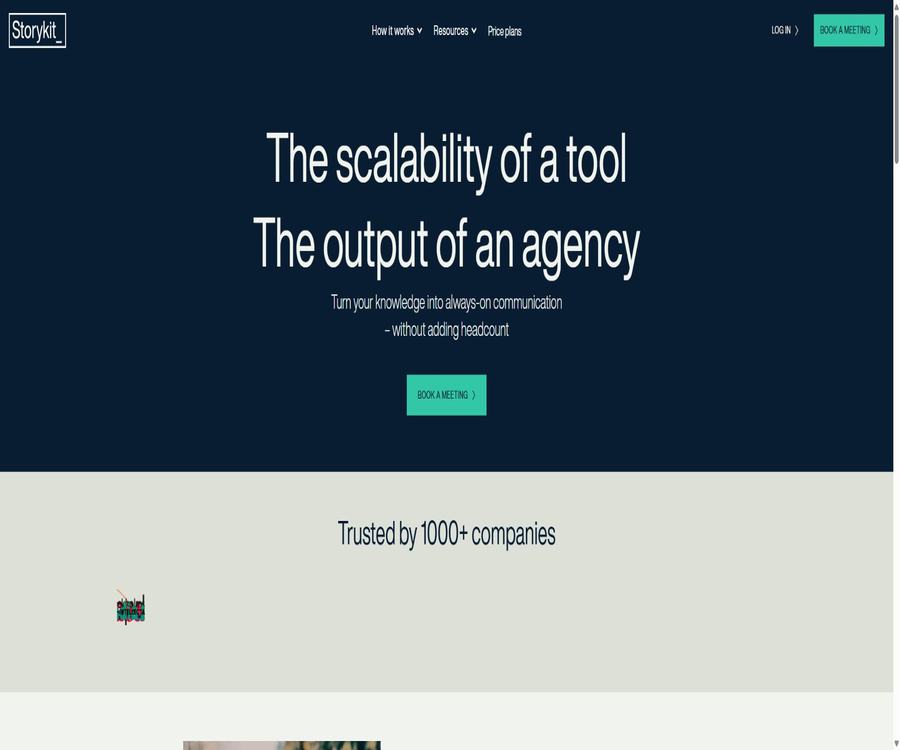
The phrase “Make 200% more video” found in the database is a marketing slogan that Storykit used; its actual product name is Storykit. It is operated by the Swedish company Storykit AB, and it represents an AI-based video automation platform designed for use in corporate environments, for recruitment purposes, internal communication, and by content teams – it is not an AI programming tool.
The core process of Storykit involves converting text, web pages, audio, or existing content into scripts and storyboards; it then automatically matches appropriate materials, animations, subtitles, voiceovers, and branding elements to produce short videos suitable for various platforms.
Main functions
Convert text and content into video
- Text input: Paste articles, reports, product descriptions, or other approved text to enable the AI to extract video scripts and visual structures.
- Web input: The enterprise API can use public web pages as content input; the system extracts the text and uses it to create videos; very long web page contents will be truncated.
- Creation brief: First, select the content objectives, and then use instructions to specify the audience, theme, or key points, thereby preventing the script from deviating from its intended purpose.
- Script generation: AI compresses long texts into titles, subtitles, and page-by-page scripts that suit the rhythm of short videos; users can still make adjustments to each section individually.
- Multiple output options: Pro and Enterprise allow multiple versions to be created from the same content, suitable for different audiences, channels, or stages of the marketing funnel.
Audio transcription and video conversion
- You can upload interviews, podcasts, or voice memos; they are automatically transcribed, the text is edited, and then a video structure is created.
- Automatic transcription is available in Pro and Enterprise versions; it is not included in the Lite version.
- Users can extract the key points from long audio clips, and by using subtitles, visual elements, and brand animations, create social media videos or internal summaries.
- Automatic transcription may misidentify names, terms, numbers, and accents; it should be corrected against the original audio before publication.
Materials, animations, and brand control
- Asset Library: You can use the basic or Premium libraries of images, videos, and music, or you can upload your own images, videos, music, and audio files.
- Automatic material selection: AI can choose images from approved materials and existing content, reducing the time needed to search through each individual frame.
- Styles and animations: The system automatically applies text, elements, transitions, and layouts; Pro and Enterprise versions offer more options for creative customization.
- Brand themes: It allows you to save logos, fonts, colors, and the position of the logo, and to create multiple themes for different brands, markets, or channels.
- Custom templates: Pro and Enterprise support the creation of custom templates and modules; Enterprise also offers the option to develop custom interfaces and AI creators at an additional cost.
Subtitles, dubbing, and localization
- Auto-subtitles: Pro and Enterprise versions can generate SRT subtitle files, enhancing the viewing experience for those who are watching in silence as well as facilitating accessibility.
- Automatic voiceover: Pro and Enterprise versions include automatic voice narration, while Lite does not.
- Language conversion: Text-to-video and translation are available at all three levels of functionality; the product description indicates that automatic content creation in 10 major languages is supported.
- Multiple aspect ratio outputs: 1:1, 16:9, 9:16, and 4:5 are supported, suitable for square, landscape, portrait, and information stream layouts respectively.
- Translation and dubbing require review by a native speaker, especially regarding brand terminology, regulations, names, numbers, and cultural expressions specific to different regions.
Collaboration and content management
- Project storage: All three tiers offer structured project and video storage, while the storage capacity for images and videos is indicated as unlimited.
- Quick sharing: A video page can be generated for review, sharing, or verification before publication.
- Copy and reuse: Pro and Enterprise allow you to copy storyboards and videos to create variations for different regions, departments, or events quickly.
- Feedback notes: Both Pro and Enterprise versions offer a team feedback feature, which helps to prevent comments from getting scattered across emails and messaging tools.
- Additional workspaces: Pro can be purchased as an add-on, while Enterprise comes with more team workspaces by default.
Complete production process
- Define the objectives of the video, its target audience, the channels to be used, the duration, and the actions to be taken; prepare the necessary textual, audio, and brand-related materials.
- Select an appropriate creation brief, add articles, web text, scripts, or audio to the project, and set the key points of the content.
- Use AI to generate the initial script and storyboards, then verify page by page the facts, numbers, characters, tone, and length of the subtitles.
- Select or adjust images, videos, music, animations, and transitions; if necessary, restrict AI to using only materials approved by the brand.
- Apply logos, fonts, colors, and themes, then select landscape, portrait, square, or 4:5 as the output ratio.
- Generate subtitles, translations, or voiceovers, and verify the language and pronunciation against the original text.
- Brand, legal, copyright, and accessibility reviews are carried out through the sharing page and feedback comments.
- Export 1080p videos along with the required subtitle files, and upload them to the respective social media platforms, internal systems, or marketing channels.
Input, output, and use value
| Stage | Enter | Output | Suitable for tasks | Key constraints |
|---|---|---|---|---|
| Text creation | Articles, reports, product pages, or handwritten text | Scripts, titles, and storyboards | Content reuse | It is necessary to verify whether the extraction is accurate. |
| Audio transcription | Interviews, podcasts, or voice recordings | Editable transcripts and video drafts | Interview editing | Lite does not support automatic transcription. |
| Brand creation | Logos, fonts, colors, and asset library | Unified brand video | Cross-team content creation | Complex customizations require a higher package. |
| Localization | Original language video script | Translation, subtitle, and dubbed versions | Multi-market communication | Native language and cultural proofreading is required. |
| API automation | Text or public web pages and creator parameters | Asynchronously generated video results | Batch content pipeline | Separate quote for Enterprise |
Suitable for users and scenarios
- Marketing team: Transform blogs, e-books, product pages, and event information into social videos.
- Corporate communication team: Converts announcements, reports, policies, and management messages into more accessible videos.
- Recruitment and Employer Branding Team: Creates job listings, employee stories, cultural content, and onboarding materials in bulk.
- Sales and Customer Team: Creates short videos for product introductions, case studies, follow-up on events, and informational content.
- Global content team: Creates regional versions in different languages and formats under a unified brand framework.
- Large organizations: Use APIs to integrate video generation into content management, marketing, or internal publishing processes.
Current prices and methods of acquisition
| Package or version | Price | Billing cycle | Core benefits or quota | Suitable for users |
|---|---|---|---|---|
| Platform | Contact sales | According to the contract, based on the number of seats. | Corporate teams use the Storykit platform and its workflows to create videos internally. | Team for building internal video capabilities |
| Production | Contact sales | According to the contract, based on the volume of production | Publishable videos are continuously delivered by the Storykit team. | Organizations that require external production support |
| Lite | Not yet made public | According to the contract or account | Text to video, translation, brand themes, basic assets, 1080p, and commercial use | Basic self-creation users |
| Pro | Not yet made public | According to the contract or account | Add transcription, dubbing, SRT, Premium materials, templates, multiple outputs, and collaboration | Professional content team |
| Enterprise | Custom quote | In accordance with the contract | Single sign-on, enterprise administrators, additional workspaces, APIs, and deep customization | Large organizations |
- The current price page does not disclose a fixed amount; the Platform charges based on the number of seats, while Production charges based on the volume of production.
- Lite, Pro, and Enterprise are the current tiers for comparing features, but the public page does not list the amounts associated with these tiers.
- The old page offered a 14-day trial period without the need for a credit card; the original registration link now directs users to an appointment for a demonstration, so it can no longer be considered a readily available trial option.
- The self-service clause permits automatic renewal of the credit card, and requires that cancellation be done in writing at least 30 days before the expiration date.
- The fees are prepaid on a periodic basis, and any difference resulting from an upgrade is charged immediately; the terms stipulate that no refunds are provided, except in cases governed by legal requirements or as specified in individual orders.
Differences in features between Lite, Pro, and Enterprise
| Functions | Lite | Pro | Enterprise |
|---|---|---|---|
| Text to video and translation | Support | Support | Support |
| Automatic transcription, SRT, and dubbing | Not supported | Support | Support |
| Material library | Foundation | Basic and Premium | Basic and Premium |
| Templates and modules | Not supported | Support | Support |
| Multiple outputs and team feedback | Not supported | Support | Support |
| Additional workspace | Not supported | Additional items | Support |
| Single sign-on | Not supported | Not supported | Support |
| API and deep customization | Not supported | Not supported | Custom quote |
| Number of videos and storage | No restrictions | No restrictions | No restrictions |
| Output specifications | 1080p | 1080p | 1080p |
The “unlimited” benefits are still subject to constraints imposed by contracts, fair use principles, third-party services, and technical limitations. The public feature list does not specify the maximum length of a single video, the number of simultaneous rendering tasks, file size limits, or the monthly limit on AI calls.
APIs and Integration
- The Storykit API is available only as an option for custom quotes in the Enterprise version, and the client credentials are provided by the contact person.
- The interface uses client credentials to obtain an access token, which is valid for 24 hours; such tokens should not be embedded in the frontend or placed in public repositories.
- When creating a video, you can submit text or a public webpage directly; it is not possible to provide both types of input at the same time.
- If the text extracted from a web page exceeds 750,000 characters, it will be truncated; moreover, the input must meet the minimum length requirement set by the selected creator.
- The interface allows querying for customers, creators, languages, and topics; after a video is submitted, its status and results can be retrieved by using the video’s ID.
- According to the official information, it takes about 1 minute to generate a video on average, but this is not a guaranteed service level; complex projects or high levels of concurrent requests may require more time.
- No GitHub repositories for the products maintained by Storykit AB, nor any open-source licenses for their SDKs were found; the repositories with the same name as Snapchat and the Dart software packages are not related to this product.
Copyright and commercial use
- All versions – Lite, Pro, and Enterprise – offer 1080p output, lifetime access to content, and commercial usage rights, without any Storykit watermark.
- Users own the content they upload and create, and grant Storykit the rights to use, copy, adapt, distribute, and publish it as necessary to provide the services.
- Users must possess the necessary rights to text, images, audio, video, logos, fonts, portraits, and sound.
- Stock images, videos, and music are still subject to the terms of third-party licenses; commercial use does not imply permission to resell the materials themselves or to distribute them as separate works.
- The Getty video library is an additional service that is subject to its own subscription terms.
- AI-generated content may be similar to other existing materials; when it involves brands, advertisements, or sensitive topics, copyright, factual accuracy, and compliance checks are still required.
Privacy, security, and AI data
- The customer is responsible as the controller for the personal data contained in the uploaded content, while Storykit acts as the processor and provides services in accordance with the data processing agreements.
- The operators collect data such as account information, usage patterns, devices, browsers, time, IP addresses, as well as activities related to the creation and distribution of projects.
- Personal data is primarily stored in the European Union; when transmitted to processing partners in the United States, mechanisms such as data privacy frameworks or the EU Standard Contractual Clauses are used.
- Storykit states that the data sent to its AI subprocessors will not be used for training or improving models, and a clause in the contract prohibits such use for model training.
- AI sub-processors generally do not retain the processed data, but may keep it for a short period of time for security and abuse monitoring, usually for less than 30 days.
- Both transmitted and static data are encrypted, and AI sub-processors are subject to data processing protocols.
- The AI functions are enabled by default; companies can contact the account administrator to disable them. Once disabled, scripts that rely on these services, as well as summary and content recommendation features, will cease to work.
- After the customer terminates the contract, the data is generally deleted after 6 months, while database backups are retained for up to 10 months; early deletion can be requested manually.
Capacity boundaries
- Text-to-video conversion relies primarily on templates, materials, and automatic layout; it does not equate to creating continuous, realistic videos or complex movie shots.
- AI may compress key information, misrepresent the original text, or select inappropriate material; the user remains responsible for the outcomes.
- Automatic translation, subtitles, and dubbing do not guarantee complete accuracy with regard to technical terms, pronunciation, cultural context, and legal expressions.
- A brand theme can help reduce deviations, but it cannot replace the brand manager, legal experts, and accessibility reviewers.
- Disruptions in third-party asset libraries, models, and APIs may render certain functions temporarily or permanently unavailable.
Summary
Storykit is suitable for converting a company’s existing text and audio materials into unified brand videos for social media, recruitment, sales, and internal communication. Its advantage lies in the automated combination of scripts, assets, animations, subtitles, voiceovers, and outputs in various resolutions.
The current sales models are primarily based on platform contracts tied to the number of seats or service contracts based on the volume of production; fixed prices and self-service trial options are no longer available. Before making a purchase, it is necessary to clarify the level of features, the usage amount of video and AI resources, material licensing terms, data retention policies, API capabilities, as well as the cancellation conditions.
Tools similar to Make 200% more video



 Guigong Network Security Registration No. 45132202000164