






Magic Hour
Magic Hour, an intelligent tool focused on AI programming.
Tags:AI programming toolsWhat is Magic Hour?
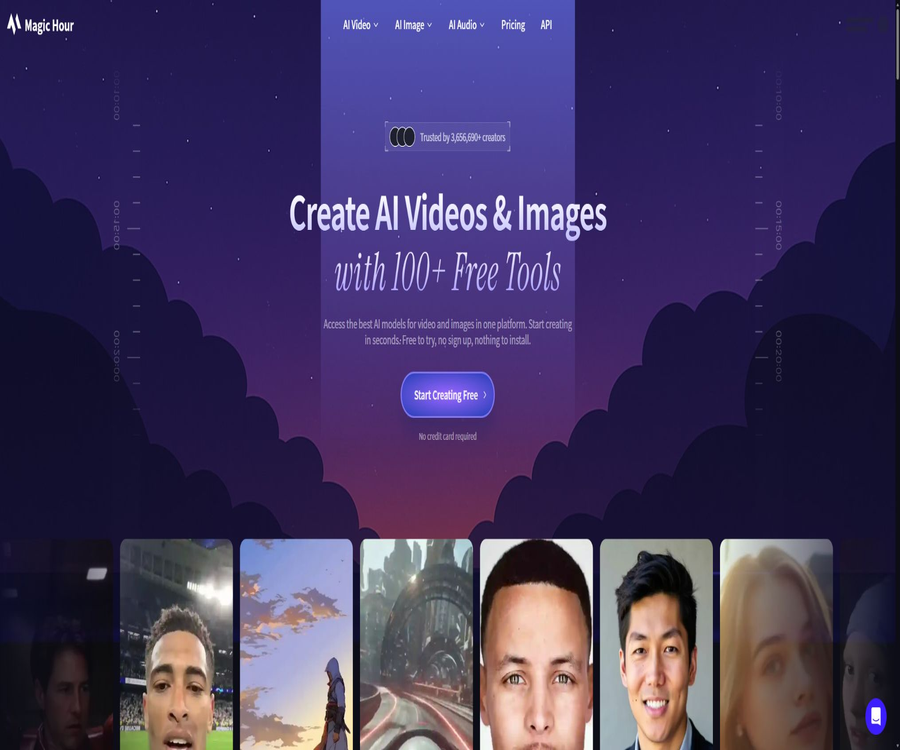
Magic Hour is an AI platform for video, image, and audio generation provided by Magic Hour AI, Inc. It can be used directly in a browser, or it can be integrated into applications and content workflows via APIs. It brings together various generation models, common media tools, project management features, and a point-based billing system under one account.
The product is aimed at short-video creators, marketers, designers, agencies, and development teams. Users can start creating new content using prompts, images, videos, or audio; they can also replace the face in existing materials, change their style, edit them, enhance them, or synchronize the lip movements.
Main functions
- Text-to-video: Enter details such as the scene, subject, actions, camera angle, and style; select the model, duration, frame size, and resolution to generate a video. Different models support varying maximum durations, audio quality, and image quality.
- Tusheng Video: Upload static images and specify the actions or camera movements you desire; the system converts them into short videos. Common image formats are supported, and some models can generate videos up to 60 seconds in length.
- Video to video conversion and editing: After uploading the original video, you can use prompts to change its overall style, or add, remove, or replace elements within the video. Complex shots may require being processed in segments before editing.
- Face swapping and character replacement: It allows for the replacement of one or more detected faces in photos or videos; it also provides tools for head swapping, body replacement, clothing changes, and handling consistent characters.
- Lip-syncing and speaking photos: Upload a video or avatar along with audio or a script to generate content in which the lip movements are synchronized with the sound; this is suitable for voiceovers, localization, narration, and virtual characters.
- Image generation and editing: Supports text-to-image generation, command-based editing, creation of profile pictures and emoji, generation of QR codes, color adjustment, background removal, zooming, and modification of facial details.
- Audio capabilities: It offers tools for sound generation, voice cloning, automatic subtitles, and audio-driven video; permission must be obtained before using someone else’s voice, and respect for personal rights as well as the platform’s rules is required.
- Templates and batch processing: Web applications include templates, presets, and project management; the API allows multiple generation tasks to be submitted at once, with the results available through status checks or Webhooks.
Input and output
| Task | Main inputs | Output | Factors affecting costs |
|---|---|---|---|
| Text-to-video | Prompt, model, canvas size, duration, and resolution | Video generation; some models include audio. | Model, seconds, resolution, and mode |
| Tusheng Video | Images, action cues, and camera requirements | Dynamic short videos that retain the main characteristics of the subject | Model, duration, image quality, and motion complexity |
| Face swapping and replacement | Source face, target photo or video, person mapping | Image or video after replacement | Number of video frames, duration, resolution, and number of faces |
| Lip movements and photos of speaking | Video or image of a person, audio, or script | Video of a person with synchronized lip movements | Audio length, video duration, and model |
| Image generation and editing | Prompt words, reference images, editing instructions, and dimensions | New image or modified image | Model, resolution, and number of outputs |
| Sound and subtitles | Text, audio samples, audio, or video | Voice, cloned voices, or subtitles | Audio duration, language, and processing mode |
Web usage process
- Select the desired tools and models, and first read up on the input format, maximum file size, duration, resolution, and security restrictions. Free tools sometimes allow trial use without logging in, but saving projects and accessing additional features usually requires an account.
- Upload images, videos, or audio files that you have the rights to use, or enter specific prompts. For tasks involving people, it is necessary to obtain permission for their portraits and voices; for commercial projects, it is also essential to check the licenses for music, brands, and template materials.
- Set the frame size, duration, resolution, style, and number of outputs; before submitting, check the estimated points displayed on the page to avoid generating large quantities of content using costly models.
- Wait for the queue to complete, and check for consistency in the characters, as well as synchronization between the movements, text, lip movements, flashing effects, and audio and video. Tasks that fail can be revised by entering new data and tried again; for tasks that fail normally or are canceled, the corresponding points will be refunded.
- Download the final file and keep a local backup. If it is a version available for free, the watermark must not be removed and it cannot be used for commercial purposes; assets generated through a valid paid subscription should be used when advertisements, client projects, or revenue-generating content are needed.
- During mass production, low-resolution versions or short clips are first used to test the prompts and composition; once that is done, the official model and higher image quality are employed. Finally, editing software is used to adjust the rhythm, add subtitles, handle audio, and conduct brand-related checks.
Suitable for users and scenarios
- Individual creators and marketing teams who produce short social media videos, product visuals, ad drafts, and campaign ideas.
- E-commerce and content agencies that need to quickly transform the same person or product imagery into various formats, languages, and styles.
- Educational or media teams that create virtual explanations, course segments, localized voiceovers, and speaking photos.
- Developers who wish to integrate face swapping, lip-syncing, video generation from images, or image editing into their own products.
- Professional studios that need to generate content in bulk and are concerned with concurrency, upload size, API stability, and commercial licensing.
Packages and prices
| Package or version | Price | Billing cycle | Core benefits or quota | Suitable for users |
|---|---|---|---|---|
| Free | 0 dollars | Free quota | 400 registration points available; up to 7 withdrawals per day, 100 points per withdrawal; maximum file size of 576px and 200MB; files must include watermarks, cannot be used for commercial purposes; limited API access. | Personal trial and learning |
| Creator | $ | Monthly or annual payment | Approximately 12,000 points per month; 144,000 points per year – 1024px resolution, 2GB of upload space, 3 simultaneous tasks, no watermark, suitable for commercial use and with full API access. | Creators of content for everyday social interactions |
| Pro | $ | Monthly or annual payment | Annual plan: 300,000 points, 1472px, 5GB of upload space, 5 simultaneous tasks, priority queue and support, as well as commercial use and full API access. | High-frequency professional production |
| Business | $ | Monthly or annual payment | 840,000 points per year, 4K in some modes, 10GB of upload capacity, unlimited concurrent connections, commercial use and full API access | Teams, organizations, and mass production |
The annual price is settled once for the entire year; the monthly equivalent amount shown on the page does not represent a monthly charge. The benefits included in the package, the price per model, and the available resolution options may change, so it is necessary to refer to the account settlement page and the credit estimates provided by the specific tool used for purchase.
Integration packages and usage rules
| Points package | Price | Integration | Billing cycle | Core benefits or quota | Suitable for users |
|---|---|---|---|---|---|
| Starter Pack | 10 dollars | 4000 | One-time use | No watermark; it does not include subscription rights for commercial use or other package benefits. | Increase production volume in the short term |
| Standard Pack | 30 dollars | 12000 | One-time use | No watermark; points are retained for a long time. | Moderate additional demand |
| Large Pack | 80 dollars | 32000 | One-time use | No watermark; points are retained for a long time. | Larger one-time projects |
- Points can be used with image, video, and audio tools; the amount consumed varies depending on the model, resolution, video duration, and mode, and the estimated cost is displayed before submission.
- Registered accounts currently receive 400 points; free users can get 100 points per day on the registration page, up to 7 times. Active paid subscribers can continue to receive points on a daily basis.
- Unused points are carried over and do not expire, but the resolution available, watermark removal options, concurrency limits, and commercial usage rights after the downgrade are still determined by the current plan.
- The subscription package only provides additional usage quota and watermark removal; it does not grant commercial usage rights. To use the newly created content in advertisements, client deliveries, or for monetization, a Creator, Pro, or Business subscription is required.
- The reference price for a single model is calculated based on each image or each second of video; this price may change as the model is updated. For large-scale tasks, it is advisable to use a cost estimator and send a small number of requests first for verification.
APIs and development processes
- Create an API key in the developer center; store it only in server-side environment variables or key management systems, and never in the frontend of web pages, in public code, or in logs.
- Choose the REST interface or the official Python, Node, Go, Rust SDK, and configure the model, assets, prompts, format, resolution, and generation parameters.
- First, submit the creation task and save the returned project identifier as well as the estimated score. The generation process is an asynchronous operation, so users should not be forced to wait indefinitely while waiting for it to complete.
- Polling through the status interface, or configuring a Webhook in the production environment to receive completion notifications; the output is downloaded upon success, and retry attempts are made based on the error type in case of failure.
- Record the user responsible for each task, the input permissions, points, status, and output location; set limits for concurrency, queues, and budgets, and delete cloud projects as needed after downloading is complete.
The web application includes over a hundred tools, with new features typically being launched first on the web version. The API offers verified core tools, and the current documentation lists around 22 types of interfaces. The number of functions available in the web version and those available through the interfaces is not exactly the same; it cannot be assumed that every tool available on the web also has a corresponding endpoint.
SDK, code repository, and open-source status
- The officially verified code organization provides SDKs for Python, Node, Go, and Rust; the Python client supports both synchronous and asynchronous calls, and it can handle the processes of uploading, polling, and downloading.
- All four official SDKs are currently licensed under the MIT license, allowing for integration in accordance with the requirements of that license; the developers have also made the API documentation and the MCP service repository available to the public.
- The open-source nature of the SDK means that only the client-side code is made available; it does not imply that the Magic Hour web application, the generation models, or the cloud services are also open source. Generation still requires account keys, platform credits, and online services.
- The interface supports the package quotas associated with the same account, and the current page also provides a function for requesting quotes for usage-based APIs. Self-service pay-as-you-go options are being gradually made available; for details on how to enable them, please consult the sales team.
Copyright and Commercial Use Rules
- Users own the assets they create, but the outputs of machine learning may be similar to those of other users; therefore, uniqueness is not guaranteed, nor is copyright protection available in all jurisdictions.
- The output from the free version can only be used for personal, educational, and non-commercial purposes, and it comes with a watermark; the assets generated through a paid subscription include commercial rights and can be used in advertisements, client projects, revenue-generating videos, products, and other commercial applications.
- Purchasing point packs cannot replace a commercial subscription license. If you downgrade from the paid version, the assets created during the paid period can still be used for commercial purposes, but the new assets generated after the downgrade cannot be used commercially.
- The commercial license does not cover unauthorized third-party images, music, characters, logos, template elements, celebrity portraits, or sounds. Users are responsible for any intellectual property rights, as well as privacy and personal rights, related to the content they upload and output.
- The terms allow Magic Hour to use the generated assets for marketing purposes, and it may also employ suggestions, uploads, and improvements to those assets. Teams that work with confidential materials or client projects should first verify the applicable contracts and exit options.
Privacy, security, and data preservation
- By default, the generated projects are not made available to other users, and users can delete the assets that have been created. Once deleted, those assets cannot be restored; therefore, it is necessary to download the results that need to be kept first.
- The uploaded images, audio files, and videos are scheduled to be deleted within one week; some new feature pages specify a shorter retention period. Different tools may follow different procedures, so it is necessary to consult the relevant product instructions before handling sensitive materials.
- The product page states that uploads and outputs are not used for training models, but the earlier terms of service allowed the use of prompts, uploads, and generated assets to improve the product. There is a difference in scope between these two statements, so it is not appropriate to guarantee that no modeling takes place based on them.
- The privacy policy does not specify a fixed deadline for accounts and personal data; such data is retained as required by service, business, tax, accounting, and legal considerations. Users may request access to or deletion of this data in accordance with the applicable laws.
- Face swapping, voice cloning, and character replacement are considered high-risk activities; consent from the individual must be obtained, and deception, harassment, adult content, violent material, infringement of rights, or any other prohibited content must be avoided.
- API keys grant account permissions; production applications should employ server-side calls, permission isolation, limits, rotation, and mechanisms for revoking access in the event of a leak.
Cancellation, downgrading, and refunds
- The upgrade takes effect immediately after payment, while the downgrade becomes effective at the end of the current billing cycle, at which point high-resolution files, watermark removal, and other premium features will no longer be available.
- A refund can be requested once, within 7 days of making the subscription purchase and if fewer than 500 points have been used; eligibility is determined based on account records.
- The purchase of subscription packs constitutes a final transaction, and refunds are not available. Service fees that do not meet the criteria for a refund are also generally not reimbursed.
- Before applying for cancellation or a refund, it is necessary to download the project, note the remaining points, and confirm the date of renewal, so as to avoid mistaking the cessation of use for an actual cancellation of the automatic renewal.
Capacity boundaries
- Errors may still occur in the continuity of faces, hands, text, and objects, as well as in long-shot movements; commercial content requires manual review and a margin for redoing it.
- There are significant differences between models in terms of image quality, speed, audio, duration, and style control; a higher price does not guarantee better results for every piece of content.
- The concurrent quota indicates the number of tasks that can be submitted at the same time; it does not mean that each task will be completed immediately. During peak periods, performance may still be affected by queues and model services.
- Platform tools can reduce the time required for creation and editing, but they cannot replace brand approval, fact-checking, copyright clearance, editing, color grading, and audio post-processing.
- When delivering to clients, the parameters used for generation and the authorization records must be kept, and it is necessary to clarify the similarities of AI assets, their copyright status, as well as the rules for labeling on third-party platforms.
Summary
Magic Hour is suitable for testing and producing various AI-generated video, image, and audio contents on the same platform; it also provides developers with comprehensive APIs and SDKs in multiple languages. When choosing a solution, one should not focus solely on the number of points available, but rather consider factors such as resolution, concurrency levels, commercial usage rights, storage options for the materials, refund policies, and any differences in terms and conditions. In particular, free outputs or separate point packages should not be used in commercial projects.
Tools similar to Magic Hour



 Guigong Network Security Registration No. 45132202000164