






LuxAlgo
LuxAlgo: an intelligent tool focused on AI programming.
Tags:AI programming toolsWhat is LuxAlgo?
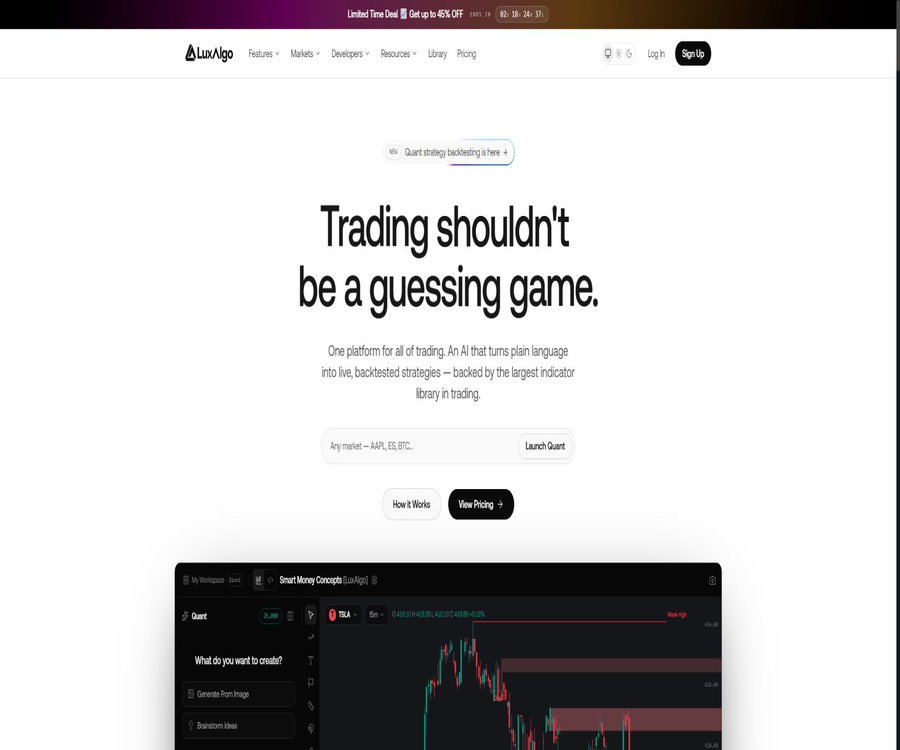
LuxAlgo is a quantitative trading research and technical analysis platform operated by LuxAlgo Global, LLC; it offers AI strategy tools for web use, TradingView indicators and filters, backtesting tools, alerts, as well as a free indicator library.
It helps users transition from natural language ideas and strategies to Pine Script code, perform historical backtesting, validate indicators, and set up alerts; however, it does not provide personalized investment advice nor does it guarantee any returns.
Product composition
| Product or module | Enter | Output | Primary uses |
|---|---|---|---|
| Quant | Natural language, Pine Script, indicator screenshots | Indicator or strategy code, charts, and backtesting results | Write, debug, and validate transaction logic |
| AI Backtesting | Market, cycle, strategic conditions, and selection requirements | Candidate strategies, metric statistics, transaction logs, and comparison charts | Study historical performance and comparison rules |
| Premium Algos | Charts, parameters, conditions, and trading instruments | Signals, coverage maps, dashboards, and filtering results | TradingView technical analysis |
| AI Strategy Alerts | Saved policy, event, and message templates | Reminders via in-app, email, or Webhook | Monitored verified policy events |
| Library | Technical concepts, indicator names, or categories | Concept explanation, formulas, and available code | Free learning, research, and strategy development |
Main functions
Quant Natural Language Programming Agent
- Users can describe rules for entry/exit, filtering, risk management, and charting in natural language; Quant will then generate a Pine Script indicator or strategy and display the code in a split-editor.
- Existing code can be handed to Quant to be interpreted, completed, converted into strategies, have its syntax errors fixed, and the resulting changes can be viewed directly in the built-in charts.
- Users can also upload metrics or screenshots of charts so that the Agent can try to reproduce the corresponding visual behavior; however, images are usually not sufficient to reveal the underlying formulas, and the generated results need to be checked item by item.
- The built-in backtesting tool displays net profit, number of transactions, win rate, maximum drawdown, and profit factor; it also allows for adjusting parameters such as initial capital, position size, commissions, slippage, and margin.
Research on AI Backtesting Strategies
- After the user specifies the asset, period, and objectives in natural language, the assistant retrieves candidate options from a pre-evaluated set of strategies and provides performance data, trade analysis, logs, and calendar views.
- Strategy comparison allows the display of the net profit, drawdown, win rate, trading frequency, and scatter plots for multiple sets of rules at the same time, making it suitable for eliminating those strategies that exhibit unstable performance within the dataset.
- The results can be exported in CSV format, and the strategies can also be copied back to TradingView for further testing; differences in data, matching assumptions, and contract rollovers can lead to varying results.
- The batch evaluation of relevant strategies is typically updated at fixed times on Mondays, Wednesdays, and Fridays, and not all backtests use real-time data.
TradingView indicators, filters, and backtesters
- After paying users connect their TradingView usernames to LuxAlgo, they can include tools such as Signals & Overlays, Oscillator Matrix, and Price Action Concepts in the invitation script.
- The filter can provide information on the recent status of the toolkit for up to 10 custom codes and time periods; the actual available markets are also influenced by the TradingView packages and data permissions.
- A dedicated backtester allows for the combination of long/short conditions, time windows, and parameter optimization, and is used to study trading rules rather than directly predicting future prices.
- The free library offers a large number of concepts related to technical analysis as well as implementations of various indicators; it also includes some resources specific to platforms such as MetaTrader, NinjaTrader, and Thinkorswim.
Policy reminders and automation
- Users can select long, short, long-flat, and short-flat events for the saved strategies, and send messages containing dynamic fields via in-app notifications, emails, or Webhooks.
- Webhooks can be used to connect to robots that receive external alerts, brokerage bridges, or automation platforms; however, LuxAlgo itself does not execute trades nor monitor users’ brokerage accounts.
- Reminders may be delayed or fail due to network issues, third-party services, rate limits, or configuration errors; therefore, they should not be regarded as an order system that guarantees a transaction will take place.
Quant usage process
- Create an account and open Quant; first select the asset class and time frame, then describe in clear terms the logic behind the indicators or strategies.
- The Agent is required to generate code, checking each condition, default parameter, historical reference, risk of redraw, and entry/exit direction.
- Run the built-in charts, and set the initial capital, position size, commission, slippage, and margin – avoiding unrealistic assumptions of zero cost.
- Examine the net profit, maximum drawdown, number of trades, profit factor, distribution per trade, and performance over different time periods, rather than focusing only on the win rate.
- Conduct robustness tests by changing the market, time period, and sample range, and retain out-of-sample data to avoid over-optimization.
- Save the strategy and copy it to TradingView for verification; if automated alerts are desired, first test the messaging and execution process in a simulation environment or on a small scale.
Process for using AI Backtesting
- Specify the market, time period, direction, and risk constraints to enable the assistant to search for historical strategies that meet the criteria.
- Open the statistics, transaction logs, and calendar for the candidate strategies to check for drawdowns, consecutive losses, trading frequency, and abnormal months.
- Multiple sets of rules are applied at once, in order to determine whether the advantage stems from a single asset, short-term market conditions, or a few extreme transactions.
- Export the results and run the process again on a separate platform, checking the data ranges, time zones, fees, slippage, contract rollovers, and trading assumptions.
- Live trading should only be considered after simulation testing and risk assessment, and the allocation of funds should not be determined by the results of a single backtest.
Prices and packages
| Package or version | Price | Billing cycle | Core benefits or quota | Suitable for users |
|---|---|---|---|---|
| Free | 0 dollars | Free for a long time | Free indicator library, monthly free credits for Quant and AI backtesting – no credit card required to get started. | Learning and small-scale experimentation |
| Premium | 39.99 dollars | Monthly | All Premium TradingView indicators and filters, advanced alerts, Quant, 5000 AI credits per month, and Discord | Trading researchers who need professional charting tools |
| Ultimate | 59.99 US dollars | Monthly | Premium: all benefits, 25,000 AI credits per month, AI backtesting, dedicated backtester, strategy alerts and automatic replication | Users of high-frequency strategy development and validation |
| Promotional annual Premium plan | $ | Every year | Similar to the Premium monthly plan, after the initial promotional rate it is renewed at the standard annual fee. | Users who are willing to prepay for one year |
| Promotional annual Ultimate plan | $ | Every year | Similar to Ultimate Monthly, it is subscribed at the standard annual fee after the initial promotional rate. | Users who have been using a full AI platform for an extended period of time |
The annual discount and countdown promotions vary, and the indicated discount usually applies only to the first payment; renewals are charged at the standard price at that time. Taxes may be added during settlement.
The monthly AI balance for Premium and Ultimate is updated on the first day of each month and is shared between Quant and AI Backtesting; monthly points are not carried over and have no cash value.
Refunds, renewals, and plan changes
- A 30-day refund period is offered for the initial payment, and users must contact customer support within this timeframe; once approved, the refund is usually processed within 3 to 5 business days.
- The refund guarantee applies only to the initial payment; renewals, proportional amounts, and discounted prices are generally not covered by the refund policy.
- Monthly and annual subscriptions are automatically renewed by default, and this setting can be changed in the account settings; once cancellation is requested, the benefits retained remain valid until the end of the current payment period.
- An upgrade will convert the remaining time into days within the new plan, while a downgrade takes effect after the current period ends; the final rules are subject to those indicated on the account page and the invoice.
Supported platforms and markets
| Platform or environment | Supported formats | Restrictions |
|---|---|---|
| LuxAlgo web platform | Quant, AI Backtesting, strategy saving and alerts | Different modules are subject to package and point restrictions. |
| TradingView | Invitation scripts, filters, backtesters, and code copying | A username is required for connection; market data is subject to TradingView’s permissions. |
| MetaTrader, NinjaTrader, Thinkorswim | Some metric resources in the Library | It does not mean that all paid tools offer native support for this. |
| Broker or automated platform | Receive alerts via Webhook | The platform must accept the corresponding messages; the user is responsible for carrying out the necessary actions. |
Web-based products can be accessed via desktop and mobile browsers; there is no confirmation yet as to whether native mobile or desktop clients will be released separately by LuxAlgo.
Developer tools and open-source status
| Project | Status | License | Uses |
|---|---|---|---|
| LuxAlgo main platform and Premium Algos | Proprietary business services | Not open source | AI strategies, proprietary metrics, backtesting, and alerts |
| PineTS | Official public projects | AGPL-3.0 or commercial license | Run Pine Script logic on Node.js, browsers, and custom infrastructure |
| LuxAlgo Library MCP | Official public projects and hosting services | MIT | Use read-only tools to retrieve concepts, metrics, and open-source code. |
| PineTS CLI | Official public command-line tools | Subject to warehouse permissions. | Run the script and produce structured output. |
The AGPL terms of PineTS may require the disclosure of the complete corresponding code when distributing the application or providing network services; for closed-source or commercial deployments, it is necessary to evaluate the situation and obtain an appropriate commercial license.
The open-source versions of PineTS and MCP Server do not mean that LuxAlgo’s paid indicators, Quant models, AI backtesting datasets, or the code for its main platform are also available in an open-source format.
Data, Privacy, and Security
- The platform handles account management, payments, usage records, policy input, code generation, reminder settings, and account connection information; the specific scope of its functions depends on the modules that are enabled.
- Payments are processed through services such as Stripe or PayPal, and LuxAlgo states that it does not store payment details; users still need to check the rules applicable to those services and their respective regions.
- Market data is provided by various exchanges and data providers, and differences may arise between different platforms due to timestamps, rounding, corporate actions, contract specifications, and matching assumptions.
- Users should use separate security credentials for TradingView, Discord, and Webhooks, and revoke any unnecessary connections once they cancel their subscription or disable the automation.
- The privacy policy provides mechanisms for accessing, correcting, and deleting data, as well as options to prevent its sale or sharing in certain regions; the specific rights available depend on the jurisdiction in which one resides.
Content rights, code, and commercial use
- The user retains ownership of the input and, within the limits permitted by law, owns the output generated from it; LuxAlgo transfers any rights it might have over such output to the user.
- The output rights do not cover third-party materials, market data, LuxAlgo’s existing models, algorithms, prompt templates, code frameworks, metric architectures, and visual elements.
- The AI-generated output may be identical to or similar to that of other users; the platform does not guarantee exclusivity, originality, or freedom from infringement. It is necessary to check the licensing requirements before publishing strategies or code publicly.
- Users must not submit any unauthorized copyrighted, confidential, or restricted materials, and they are responsible for verifying that the code, policies, and financial applications they create are legal.
Key capability boundaries and risks
- Historical net returns, win rates, and drawdowns are simulated values; they do not take into account all factors related to liquidity, slippage, delays, fees, nor the psychological aspects that come into play in actual trading.
- Backtesting is susceptible to data snooping, overfitting, survivor bias, and parameter selection; curves derived from good samples do not guarantee effectiveness in the future.
- TradingView and LuxAlgo have different data and execution models, so it is not uncommon for the same strategy to yield different results.
- Reminders and Webhooks may be delayed, repeated, or lost; therefore, automated trading systems must include limits on the size of positions, stop-loss mechanisms, anomaly monitoring, and the possibility for human intervention.
- LuxAlgo is not a registered investment advisor, and its indicators, AI strategies, and content cannot serve as a basis for making investment decisions; trading and investing in it may result in significant losses.
Suitable for users
- TradingView users who wish to generate or debug Pine Script in natural language and understand the details of the code.
- Quantitative researchers who need to systematically compare technical strategies, export logs, and conduct independent reviews.
- Developers who wish to use the open-source PineTS to analyze their own data or infrastructure performance metrics.
- It is not suitable for users who expect guaranteed profits, automatic management of funds, or are unwilling to take on the risks associated with strategy testing and implementation.
Summary
LuxAlgo integrates AI programming, technical indicators, strategy backtesting, and alert deployment into a comprehensive trading research process; the free library along with open-source developer projects further lowers the barrier to getting started.
The true focus of use is not to achieve the highest possible backtest results, but rather to control data discrepancies, actual trading costs, automation failures, and financial risks, while also verifying each result independently.
Tools similar to LuxAlgo



 Guigong Network Security Registration No. 45132202000164